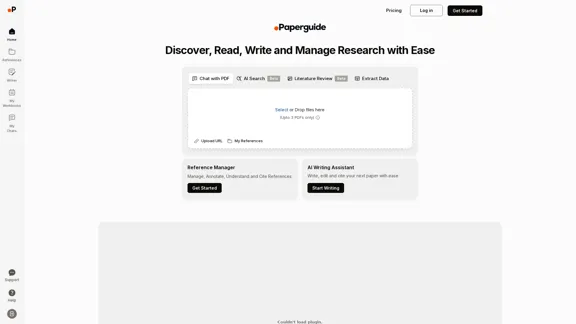
Paperguide is an AI-powered research assistant that simplifies the process of discovering, reading, writing, and managing academic research. It allows users to interact with PDFs, extract data, and generate insights quickly. With features like AI search, literature review tools, and a reference manager, Paperguide enhances productivity for researchers and students alike.
Paperguide: AI Research Assistant & Chat with PDF
Paperguide is an AI Research Assistant that helps you read, write, and manage research easily. You can also chat with PDFs using Paperguide.
Introduction
Feature
-
AI Research Assistant
Discover, understand, and synthesize research faster with an advanced AI assistant that provides instant answers from open-access research papers.
-
Chat with PDF
Upload papers and engage in a chat to get AI-powered answers to specific questions, making complex topics easier to understand.
-
Instant Summaries
Transform lengthy documents into concise summaries, saving time and highlighting key points.
-
Note-taking and Annotation
Effortlessly annotate and take notes directly on your references, capturing important ideas in real-time.
-
Reference Management
Streamline your workflow with an AI-powered reference manager that allows for easy organization and citation generation.
-
Seamless Collaboration
Share folders, papers, and annotations with colleagues to foster a collaborative research environment.
-
Integrated Writing Assistant
Write, edit, and cite papers efficiently with AI tools that enhance clarity and originality, including intelligent paraphrasing and contextual in-text citations.
-
Plagiarism Checker
Maintain academic integrity with a built-in plagiarism checker to avoid accidental plagiarism.
How to Use?
- Open the Paperguide website and log in to your account.
- Upload your PDF documents to start using the Chat with PDF feature.
- Use the AI Search to ask questions about your stored research papers.
- Take advantage of the instant summaries to grasp key points quickly.
- Utilize the note-taking feature to annotate important sections of your documents.
- Collaborate with peers by sharing folders and annotations for group projects.
- Generate citations in various formats with a single click to streamline your writing process.
FAQ
Who is Paperguide designed for?
Paperguide is designed for researchers, students, and academics who need an efficient way to manage and synthesize research materials.
How does Paperguide compare to traditional reference managers?
Paperguide integrates AI capabilities to provide instant answers and insights, making it more dynamic than traditional reference managers like Zotero or Mendeley.
Can Paperguide read papers in languages other than English?
Yes, Paperguide can process papers in multiple languages, expanding its usability for a global audience.
How accurate are the AI-generated summaries?
The AI-generated summaries are designed to capture key points accurately, but users should verify critical information for their specific needs.
Price
- Free plan: $0/month
- Basic plan: $9.99/month
- Standard plan: $19.99/month
- Professional plan: $49.99/month
The price is for reference only, please refer to the latest official data for actual information.
Evaluation
- Paperguide effectively streamlines the research process, offering a comprehensive suite of tools that enhance productivity and collaboration.
- The AI-powered features, such as instant summaries and chat capabilities, significantly reduce the time spent on literature review and data extraction.
- However, the accuracy of AI-generated content may vary, and users should remain cautious about relying solely on AI for critical academic tasks.
- The platform could benefit from additional language support and more robust features for advanced users, such as customizable citation styles and enhanced collaboration tools.
- Overall, Paperguide presents a valuable resource for researchers looking to optimize their workflow, though it may require further refinement to meet the needs of all users.
Related Websites
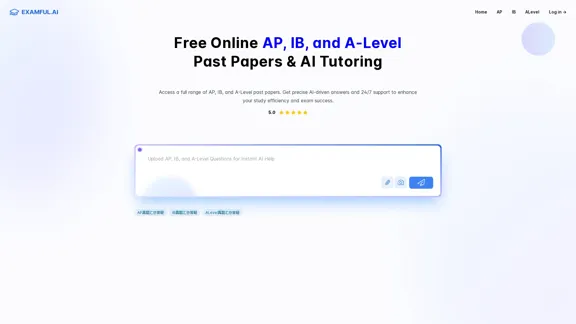
ExamFul.ai: Free Online AP, IB, and A-Level Past Papers & AI Tutoring
ExamFul.ai: Free Online AP, IB, and A-Level Past Papers & AI TutoringExamFul.ai offers reliable AP, IB, and A-Level past paper and detailed AI-driven explanations. Benefit from our comprehensive question bank and 24/7 AI support, designed to help you excel in your exams.
8.94 K

Bing helps you turn information into action, making it faster and easier to go from searching to doing.
3.49 G

BeFreed: Learn Anything Quickly and Enjoyably from Leading Sources
BeFreed: Learn Anything Quickly and Enjoyably from Leading SourcesJoin a world-class learning community to receive personalized summaries, podcasts, flashcards, and insights.
161.71 K

Wave goodbye to traditional SDR tactics and embrace AI-powered strategies. Boost your pipeline and commissions to become a standout 10x SDR.
4.90 K
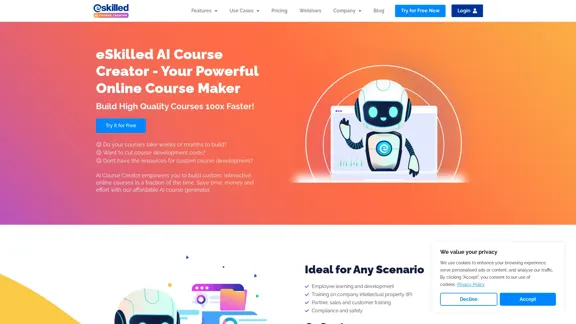
eSkilled AI Course Creator | Course Creation Software
eSkilled AI Course Creator | Course Creation SoftwareeSkilled AI Course Creator generates course outlines, lesson plans, and more in minutes! Join our advanced AI course generator today!
1.27 K
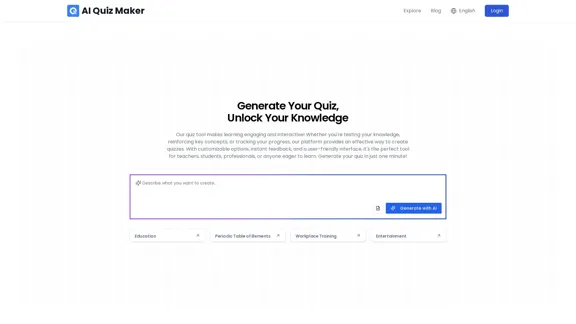
Create a quiz with the AI Quiz Maker in just a few minutes.
Create a quiz with the AI Quiz Maker in just a few minutes.Our AI quiz generator allows you to quickly create online quizzes. Simply enter a subject or upload content, and the tool will create engaging assessments.
0
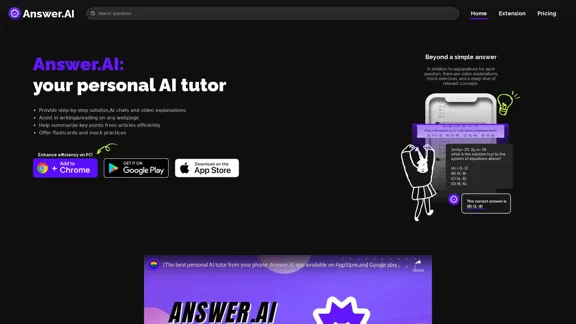
Answer AI - Homework Help & Free Homework Answers APP
Answer AI - Homework Help & Free Homework Answers APPAnswerAI.pro is a free homework helper and answer app. Take a picture of your homework and get answers. Answer AI is suitable for all subjects; it helps you complete homework quickly and offers step-by-step instructions as well.
308.41 K