Smart Clerk transforms financial data into actionable insights by leveraging AI to process bank and credit card statements. Users can upload their financial documents to receive organized, bookkeeper-ready reports without the need for manual data entry. This tool is designed to save time and streamline the accounting process, making it suitable for both individuals and businesses.
Transform Your Financial Data into Actionable Insights
Smart Clerk is the leading AI-powered bank statement processing tool. Convert your bank statements to Excel easily and save hours of manual data entry.

Introduction
Feature
-
AI-Generated Financial Reports
Smart Clerk's AI prepares complete financial reports from uploaded bank statements and invoices, eliminating manual data entry and saving time.
-
Tailored Transaction Categorization
The AI customizes categories for transactions based on business needs, ensuring accurate categorization and smoother accounting processes.
-
Streamlined Vendor Management
Automatically matches vendors from bank statements, allowing users to view balances and transactions without manual updates.
-
Unparalleled Accuracy
Smart Clerk consistently delivers high accuracy in data extraction, making it a reliable choice for financial processing.
-
User-Friendly Design
The platform allows users to generate reports by simply dragging and dropping documents, requiring no setup or training.
-
No-Code Integrations
Ready-to-use AI models enable immediate processing of financial data without the need for customization.
How to Use?
- Upload your bank or credit card statement by dragging and dropping it into the Smart Clerk platform.
- Customize transaction categories to fit your business needs or use the default categories for quick organization.
- Leverage the AI to consolidate vendor information and generate a comprehensive financial overview.
- Click to produce a detailed Profit & Loss report for your bookkeeper, streamlining tax preparation.
FAQ
How can I add my bank statements to Smart Clerk?
You can upload bank statements directly from your computer or forward them to a unique email address provided by Smart Clerk.
What types of bank statements are supported?
Smart Clerk supports all types of bank statements, regardless of format, ensuring compatibility with various banking systems.
Can Smart Clerk match bank transactions with invoices?
Yes, Smart Clerk automatically matches bank transactions with invoices, ensuring accurate accounting of payments.
Can I store my bank statements on Smart Clerk?
Absolutely! You can securely store your bank statements on the Smart Clerk Dashboard and access them anytime.
Can I export reports from my bank statements?
Yes, you can export detailed reports to Excel for comprehensive transaction analysis.
How does Smart Clerk ensure the security of my data?
Smart Clerk uses advanced encryption protocols to protect data in transit and at rest, ensuring compliance with global security standards.
Price
| Plan | Price | Features |
|---|---|---|
| Free | $0/month | 1 Bank Account, 20 invoices/month, Auto-Categorization, Best Accuracy Model, P&L Report, Bank Reconciliation |
| Growth | $29/month | 2 Bank Accounts, 100 invoices/month, All Free features |
| Professional | $49/month | 4 Bank Accounts, 250 invoices/month, Manage Multiple Companies, API Access, Priority Customer Support |
The price is for reference only, please refer to the latest official data for actual information.
Evaluation
Smart Clerk effectively simplifies the process of financial data management, providing accurate and efficient report generation. Its user-friendly interface and AI capabilities significantly reduce the time spent on bookkeeping tasks. However, there is room for improvement in the customization options for advanced users who may require more tailored features. Additionally, while the tool is highly effective for small to medium-sized businesses, larger enterprises may need to explore more robust solutions for complex financial needs. Overall, Smart Clerk is a valuable tool for anyone looking to streamline their financial reporting processes.
Related Websites

Our mission is to democratize data-driven decision-making, ensuring every entrepreneur, regardless of size or experience, can compete on a global scale.
3.76 K


Nextoffer is an AI-powered interview assistant designed to help you prepare for and ace your interviews.
0

AI to enhance your business strategy. Create endless business ideas, obtain insights on markets and competitors, and automate the development of business plans.
170.00 K
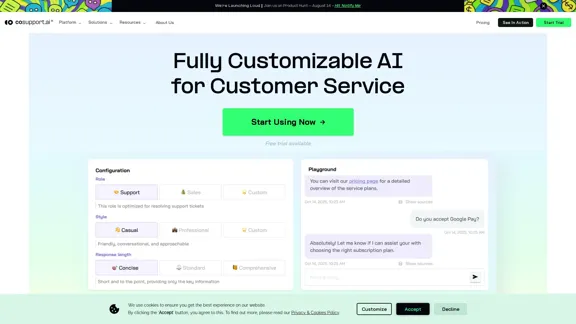
CoSupport AI | Comprehensive AI Customer Service Solution
CoSupport AI | Comprehensive AI Customer Service SolutionOptimize customer interactions with CoSupport AI, an advanced AI customer service solution that improves efficiency and automates support.
6.89 K
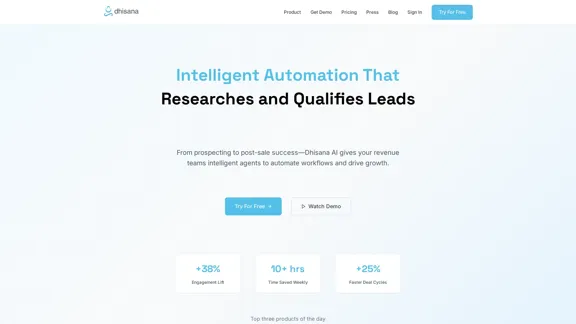
From prospecting to post-sale success—Dhisana AI provides your revenue teams with intelligent agents to automate workflows and drive growth.
2.48 K
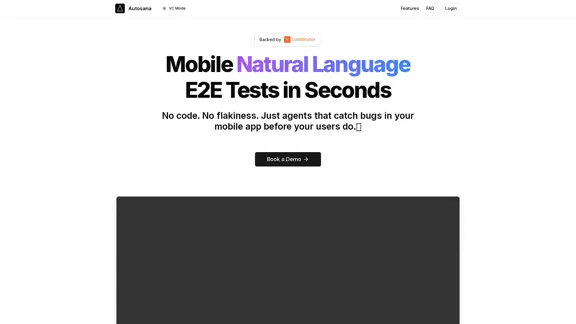
Autosana - QA Agent for Mobile Apps | Create End-to-End Tests Instantly
Autosana - QA Agent for Mobile Apps | Create End-to-End Tests InstantlyCreate natural language end-to-end tests for mobile apps in seconds. No coding needed. Self-healing tests that adjust to UI changes. Supports iOS and Android apps developed with any framework.
5.26 K

AI Pitch Deck Generator & Co-Pilot for Building Startup | PitchBob
AI Pitch Deck Generator & Co-Pilot for Building Startup | PitchBobAI pitch deck generator that creates pitch decks for startups. Include all key elements of a pitch deck and templates. Key elements of a pitch deck: 1. Cover slide 2. Problem statement 3. Solution 4. Market opportunity 5. Business model 6. Competition analysis 7. Go-to-market strategy 8. Traction and milestones 9. Team 10. Financial projections 11. Funding ask Templates: 1. Classic template - Clean, professional design - White background with accent colors - Easy-to-read fonts 2. Modern template - Minimalist design - Bold typography - Infographics and data visualizations 3. Creative template - Unique layouts - Vibrant colors - Custom illustrations 4. Industry-specific templates - Tech startup - Healthcare - E-commerce - SaaS 5. Investor-focused template - Emphasis on financials and metrics - Clear value proposition - Detailed market analysis AI-powered features: 1. Content generation - Automated slide content based on user input - Suggested bullet points and key messages 2. Design customization - AI-driven color scheme selection - Automatic layout optimization 3. Data visualization - Intelligent chart and graph creation - Automatic data formatting 4. Storytelling assistance - Narrative flow suggestions - Transition slide recommendations 5. Investor insights - AI-powered tips for each slide - Industry-specific best practices 6. Collaboration tools - Real-time editing and commenting - Version control and change tracking 7. Export options - Multiple file formats (PDF, PPT, etc.) - Presentation mode with speaker notes
66.81 K