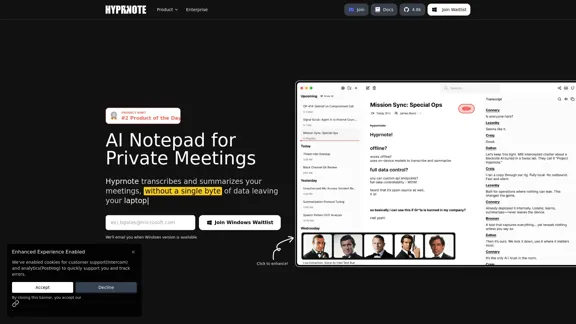
Hyprnote is a private, local-first AI notetaker designed for secure meetings. It transcribes and summarizes discussions without sending any data to the cloud, ensuring user privacy. The tool is suitable for various meeting types and supports customizable templates, making it a versatile choice for professionals seeking efficient note-taking solutions.
Hyprnote: A Private, Local-First AI Notetaker for Safe Meetings
Hyprnote is an open-source AI notetaker designed for compliance and privacy. Take and organize meeting notes entirely on your device with no data leaving your control. Think of Granola AI, but it operates entirely locally on your device.
Introduction
Feature
-
AI Notetaking
Hyprnote assists users by transcribing and summarizing meetings, acting like an executive assistant that keeps track of all discussions.
-
Local AI
The tool operates entirely on the user's device, ensuring that no data leaves the laptop, which prioritizes privacy and security.
-
Customizable Templates
Users can tailor their note-taking experience with templates that fit different meeting formats, enhancing productivity.
-
Workflow Automation
Hyprnote integrates into existing workflows, allowing for seamless meeting management and documentation.
-
Self-Hosted Deployment
Organizations can deploy Hyprnote on their infrastructure, providing flexibility and control over data management.
-
Enterprise Management
The tool includes features for enterprise-level management, ensuring that it meets the needs of larger organizations.
How to Use?
- Sign up for the waitlist to get notified when the Windows version becomes available.
- Explore the customizable templates to enhance your note-taking experience.
- Utilize the workflow automation features to streamline your meeting processes.
- Take advantage of the offline capabilities to remain productive without an internet connection.
- Regularly check for updates and new features to maximize the benefits of Hyprnote.
FAQ
What is Hyprnote?
Hyprnote is an AI-powered notetaking tool that transcribes and summarizes meetings while ensuring user privacy through local processing.
How does Hyprnote work?
Hyprnote listens to meeting audio and uses AI to generate real-time transcriptions and summaries, which are stored locally on the user's device.
Can I use Hyprnote for free?
Yes, Hyprnote offers a free plan that includes unlimited AI summaries, although additional features are available through paid plans.
What makes Hyprnote different from other AI notetakers?
Hyprnote prioritizes user privacy by operating locally and not relying on cloud storage, setting it apart from many other notetaking solutions.
Who uses Hyprnote?
Hyprnote is utilized by a diverse range of users, from individuals to large enterprises, across various industries.
Price
| Plan | Monthly Price |
|---|---|
| Free | $0 |
| Pro | $8 |
| Enterprise | Custom pricing available |
The price is for reference only, please refer to the latest official data for actual information.
Evaluation
Hyprnote excels in providing a secure and private notetaking experience, making it ideal for users concerned about data privacy. The local-first approach ensures that sensitive information remains on the user's device. The customizable templates and workflow automation features enhance usability and productivity.
However, the reliance on local processing may limit some collaborative features that cloud-based solutions offer. Additionally, while the free plan is robust, users may find that advanced features are necessary for more complex meeting needs, which could lead to additional costs. Overall, Hyprnote is a strong contender in the AI notetaking space, particularly for those prioritizing privacy and security.
Related Websites
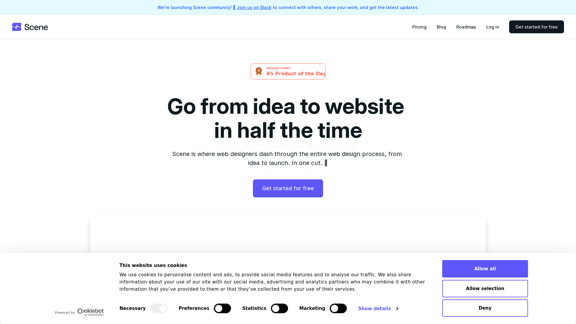
Scene is where web designers race through the complete web design process, from concept to launch. In a single take. 🎬
5.81 K
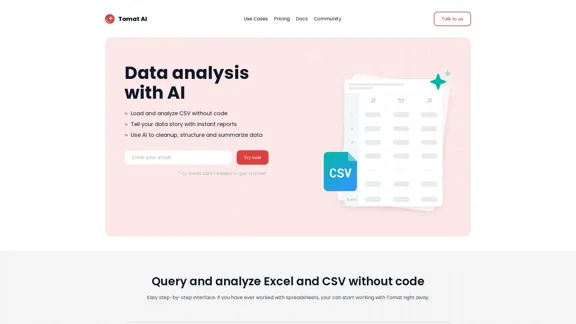
Load CSV and analyze it in a visual step-by-step interface. Cleanup, extract, summarize, or make sentiment analysis with your personal AI agent.
5.64 K
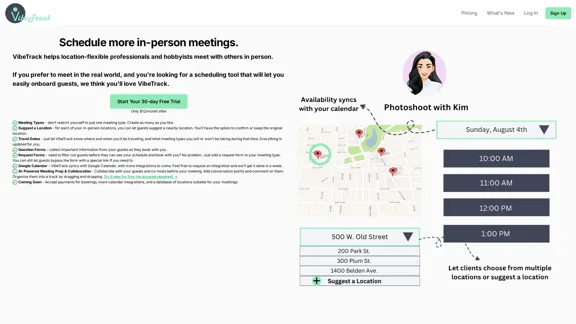
VibeTrack is a scheduling tool designed for location-flexible professionals and hobbyists who prefer in-person meetings.
0
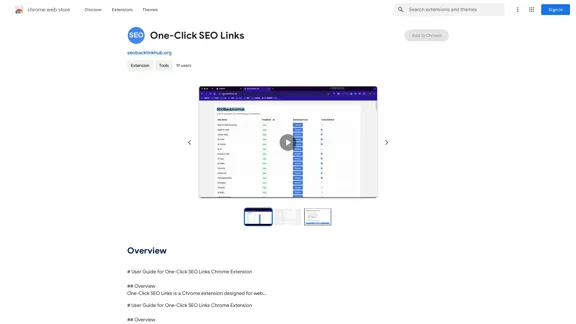
# User Guide for One-Click SEO Links Chrome Extension ## Overview One-Click SEO Links is a Chrome extension designed for web developers and SEO professionals. It allows users to quickly generate and copy various SEO-related links for the current webpage with just one click. ## Features - Generate and copy Google Cache link - Generate and copy Google Index link - Generate and copy Wayback Machine link - Generate and copy PageSpeed Insights link - Generate and copy Mobile-Friendly Test link - Generate and copy Rich Results Test link ## Installation 1. Open the Chrome Web Store 2. Search for "One-Click SEO Links" 3. Click "Add to Chrome" 4. Confirm the installation when prompted ## How to Use 1. Navigate to the webpage you want to analyze 2. Click on the One-Click SEO Links extension icon in your Chrome toolbar 3. Select the desired link type from the dropdown menu 4. The link will be automatically copied to your clipboard 5. Paste the link into your desired location (e.g., browser address bar, document, etc.) ## Troubleshooting If you encounter any issues: - Ensure you have the latest version of the extension installed - Try refreshing the webpage - Restart your Chrome browser - If problems persist, please contact our support team ## Privacy Policy We do not collect or store any personal data. The extension only accesses the current tab's URL to generate the SEO links. ## Feedback and Support For feedback, suggestions, or support, please email us at [email protected] or visit our website www.oneclickseolinks.com. Thank you for using One-Click SEO Links!
193.90 M