Open-source RightAI Tools Directory
  • Discover AI
  • Submit
  • Startup
  • Blog
Open-source RightAI Tools Directory
Discover the best AI tools of 2025 with the RightAI Tools Directory!

Friend Links

AI Anime GeneratorToolsApp AI

Support

Tap4
Privacy policyTerms & ConditionsContact Us
Loading...
loading...

Invisibility The ability to become unseen.

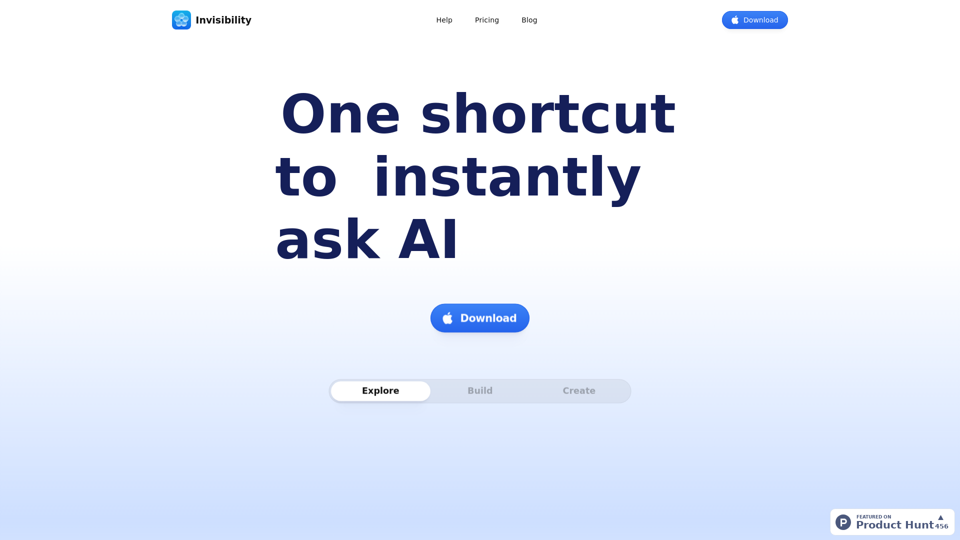
Your Invisible AI - Invisibility is The ChatGPT Replacement for Mac
Visit Website
Invisibility 

The ability to become unseen.
Visit Website

Introduction

Invisibility is an AI-driven platform offering access to a vast array of AI technologies for various needs, including text generation and image understanding. It provides instant AI interaction and exploration of AI-powered tools to support diverse tasks. Invisibility combines state-of-the-art models in one platform, eliminating the need for multiple subscriptions and offering a seamless experience for users.

Feature

ScreenShare Functionality

Users can choose specific apps for Invisibility to view or share their entire screen, providing flexibility in how they interact with the platform.

Keyboard Shortcuts

Invisibility offers simple keyboard shortcuts for all functions, allowing users to navigate and interact with the platform quickly and efficiently.

All-in-One Subscription Model

Invisibility combines all state-of-the-art models in one platform, eliminating the need for multiple subscriptions and tools.

Vast AI Model Library

The platform offers access to nearly 200,000 AI models for a wide variety of applications in work, study, and everyday life, available for free use without subscription.

Text-to-Image Generation

Users can create images using Invisibility's text-to-image generation capability, sharing credits with GPT-4o for a seamless creative experience.

Free and Paid Plans

Invisibility offers a free plan with limited features and a paid subscription plan with additional benefits and extended access.

Privacy Protection

Invisibility prioritizes user privacy, ensuring that user data is not used for training purposes and can be completely removed upon account deletion.

FAQ

What is Invisibility?

Invisibility is an AI-driven platform that provides access to a vast array of AI technologies for various needs, including text generation and image understanding. It offers instant AI interaction and exploration of AI-powered tools to support diverse tasks.

How do I use Invisibility?

Every user can utilize Invisibility's AI services for free, with the option to subscribe for additional benefits and extended access beyond the free usage limits. Users can leverage daily free uses to explore a vast range of AI-powered tools for various tasks.

Can I generate images using Invisibility?

Yes, Invisibility offers text-to-image generation capability, allowing users to create images. This feature shares credits with GPT-4o for a seamless creative experience.

How many AI models are available on Invisibility?

Invisibility offers nearly 200,000 AI models for a wide variety of applications in work, study, and everyday life. These AI models can be used freely without the need for a subscription.

Will my information be used for training data?

No, Invisibility highly values user privacy. Your data will not be used for any training purposes. If needed, you can delete your account at any time, and all your data will be removed as well.

Latest Traffic Insights

  • Monthly Visits

    0

  • Bounce Rate

    0.00%

  • Pages Per Visit

    0.00

  • Time on Site(s)

    0.00

  • Global Rank

    -

  • Country Rank

    -

Recent Visits

Traffic Sources

  • Social Media:
    0.00%
  • Paid Referrals:
    0.00%
  • Email:
    0.00%
  • Referrals:
    0.00%
  • Search Engines:
    0.00%
  • Direct:
    0.00%
More Data

Related Websites

Audiotext AI
View Detail

Audiotext AI

Audiotext AI

Transform Your Ideas into Actionable Notes

193.90 M
AI Letter Generator: Free AI Letter Writer, Cover Letter
View Detail

AI Letter Generator: Free AI Letter Writer, Cover Letter

AI Letter Generator: Free AI Letter Writer, Cover Letter

AI Letter Generator helps you create professional letters easily with AI. Try our free letter writer, cover letter generator, and more!

0
Claude to Notion

This is a guide on how to connect Claude, an AI assistant, with Notion, a note-taking and workspace app. 

Why connect Claude and Notion?

* Boost your productivity: Use Claude to generate content, summarize information, and automate tasks directly within Notion.
* Enhance your research: Ask Claude questions about your Notion notes and get insightful answers.
* Unlock new creative possibilities: Leverage Claude's generative capabilities to brainstorm ideas, write stories, or compose emails within your Notion workspace.

How to connect Claude and Notion:

1. API Keys: Obtain an API key for both Claude and Notion. 
2. Integration Tool: Explore integration tools like Zapier or Integromat to connect Claude and Notion. These platforms allow you to create workflows that trigger actions in one app based on events in the other.
3. Custom Development: For advanced users, you can develop your own custom integration using the Claude and Notion APIs. This gives you the most flexibility but requires coding knowledge.

Example Use Cases:

* Meeting Summarization: After a meeting, paste the transcript into Notion and use Claude to generate a concise summary.
* Content Creation:  Use Claude to write blog posts, articles, or social media captions directly within your Notion pages.
* Idea Generation: Brainstorm new ideas for projects or tasks by prompting Claude with specific questions within your Notion workspace.


Remember to review the documentation and terms of service for both Claude and Notion to ensure proper usage and security.
View Detail

Claude to Notion This is a guide on how to connect Claude, an AI assistant, with Notion, a note-taking and workspace app. Why connect Claude and Notion? * Boost your productivity: Use Claude to generate content, summarize information, and automate tasks directly within Notion. * Enhance your research: Ask Claude questions about your Notion notes and get insightful answers. * Unlock new creative possibilities: Leverage Claude's generative capabilities to brainstorm ideas, write stories, or compose emails within your Notion workspace. How to connect Claude and Notion: 1. API Keys: Obtain an API key for both Claude and Notion. 2. Integration Tool: Explore integration tools like Zapier or Integromat to connect Claude and Notion. These platforms allow you to create workflows that trigger actions in one app based on events in the other. 3. Custom Development: For advanced users, you can develop your own custom integration using the Claude and Notion APIs. This gives you the most flexibility but requires coding knowledge. Example Use Cases: * Meeting Summarization: After a meeting, paste the transcript into Notion and use Claude to generate a concise summary. * Content Creation: Use Claude to write blog posts, articles, or social media captions directly within your Notion pages. * Idea Generation: Brainstorm new ideas for projects or tasks by prompting Claude with specific questions within your Notion workspace. Remember to review the documentation and terms of service for both Claude and Notion to ensure proper usage and security.

Claude to Notion This is a guide on how to connect Claude, an AI assistant, with Notion, a note-taking and workspace app. Why connect Claude and Notion? * Boost your productivity: Use Claude to generate content, summarize information, and automate tasks directly within Notion. * Enhance your research: Ask Claude questions about your Notion notes and get insightful answers. * Unlock new creative possibilities: Leverage Claude's generative capabilities to brainstorm ideas, write stories, or compose emails within your Notion workspace. How to connect Claude and Notion: 1. API Keys: Obtain an API key for both Claude and Notion. 2. Integration Tool: Explore integration tools like Zapier or Integromat to connect Claude and Notion. These platforms allow you to create workflows that trigger actions in one app based on events in the other. 3. Custom Development: For advanced users, you can develop your own custom integration using the Claude and Notion APIs. This gives you the most flexibility but requires coding knowledge. Example Use Cases: * Meeting Summarization: After a meeting, paste the transcript into Notion and use Claude to generate a concise summary. * Content Creation: Use Claude to write blog posts, articles, or social media captions directly within your Notion pages. * Idea Generation: Brainstorm new ideas for projects or tasks by prompting Claude with specific questions within your Notion workspace. Remember to review the documentation and terms of service for both Claude and Notion to ensure proper usage and security.

Save Claude conversations to Notion with one click. Export Claude conversations.

193.90 M
Pangeanic
View Detail

Pangeanic

Pangeanic

Hyper-automate linguistic services: AI assistants with your data, privacy, automatic translation with automatic post-editing, no hallucinations, human fluency

45.58 K
ZapCardz: Flashcard Time Saver on the App Store
View Detail

ZapCardz: Flashcard Time Saver on the App Store

ZapCardz: Flashcard Time Saver on the App Store

Welcome to ZapCardz - the ultimate memory card app that revolutionizes the way you learn! Our innovative application combines the power of…

124.77 M
Sloth Search
View Detail

Sloth Search

Sloth Search

A browser extension that uses artificial intelligence to perform a deeper understanding search of web pages.

193.90 M
ChatGPT Spotlight
View Detail

ChatGPT Spotlight

ChatGPT Spotlight

Search Conversations and GPTs inside ChatGPT, Simple & Safe

193.90 M
MailMentor | Sales Copilot
View Detail

MailMentor | Sales Copilot

MailMentor | Sales Copilot

Find and message potential leads quickly while browsing.

193.90 M