AIVlog is an AI-powered video editing tool designed to simplify the vlogging process. It automatically selects highlights from your videos, significantly reducing the time spent on editing by up to 95%. Whether you're creating daily life vlogs, travel videos, or talking head segments, AIVlog makes it easy for anyone to produce professional-quality content without prior editing skills.
AIVLOG

Introduction
Feature
-
Automatic Highlight Selection
AIVlog intelligently analyzes your video content to automatically select the best highlights, ensuring a seamless flow in your vlogs.
-
Vlog Cover Creation
Users can create eye-catching vlog covers to enhance the visual appeal of their videos.
-
Intelligent Effects and Subtitles
The tool offers a variety of intelligent effects and automatically generates subtitles, making your vlogs more engaging.
-
Background Music Integration
AIVlog provides access to thousands of music tracks, allowing users to add the perfect soundtrack to their vlogs.
-
Rich Resource Library
AIVlog includes a diverse range of fonts, effects, and cover templates, enabling users to create vlogs that look professional.
-
Social Media Sharing
Users can effortlessly share their stunning vlogs across various social media platforms with just one click.
-
Chat to Edit Feature (Coming Soon)
AIVlog is developing a next-generation editing experience where users can edit their vlogs through a chat interface.
How to Use?
- Download the AIVlog app on your preferred platform (iOS, Android, or Desktop).
- Start a new project by uploading your video footage.
- Allow AIVlog to analyze your content and automatically select highlights.
- Customize your vlog by adding a cover, effects, and background music from the resource library.
- Review the automatically generated subtitles and make any necessary adjustments.
- Once satisfied with your vlog, use the one-click sharing feature to post it on your favorite social media platforms.
FAQ
What is AIVlog?
AIVlog is an AI-driven video editing application that helps users create professional-quality vlogs by automatically selecting highlights and providing editing tools without requiring prior experience.
How does AIVlog work?
AIVlog uses advanced AI algorithms to analyze video footage, automatically selecting the best clips and applying intelligent edits, effects, and music to create a polished final product.
Can I use AIVlog for different types of vlogs?
Yes, AIVlog is versatile and can be used for various types of vlogs, including daily life, travel, and talking head videos.
Is AIVlog easy to use for beginners?
Absolutely! AIVlog is designed for users of all skill levels, making it easy for beginners to create stunning vlogs without any prior editing knowledge.
How can I share my vlogs created with AIVlog?
Once your vlog is complete, you can share it directly to social media platforms like TikTok, Instagram, Facebook, and more with a single click.
Price
-
Free Plan: $0/month
-
Basic Plan: $9.99/month
-
Standard Plan: $19.99/month
-
Professional Plan: $49.99/month
The price is for reference only, please refer to the latest official data for actual information.
Evaluation
AIVlog effectively streamlines the video editing process, allowing users to create high-quality vlogs with minimal effort. The automatic highlight selection and intelligent effects are standout features that enhance the user experience.
However, there are areas for improvement. The upcoming "Chat to Edit" feature may need thorough testing to ensure it meets user expectations. Additionally, while the resource library is extensive, expanding the variety of music options could further enhance creativity. Overall, AIVlog is a valuable tool for casual vloggers, but more advanced users may seek additional customization options.
Related Websites

Create cinematic, high-quality videos effortlessly with AI. Flux Video AI offers advanced image-to-video and text-to-video technology that delivers professional-grade results in seconds.
254

VidText AI - Fast and Accurate Video and Audio to Text. Free Daily AI Transcription.
VidText AI - Fast and Accurate Video and Audio to Text. Free Daily AI Transcription.VidText AI is an AI-driven tool that quickly and accurately transcribes video and audio to text. It supports over 100 languages, generates mind maps, allows for 15 hours of uploads, and boasts over 99% accuracy. It is perfect for meetings, lectures, interviews, and content creators, helping you effortlessly transcribe video and audio into accurate and readable text and mind maps.
2.97 K
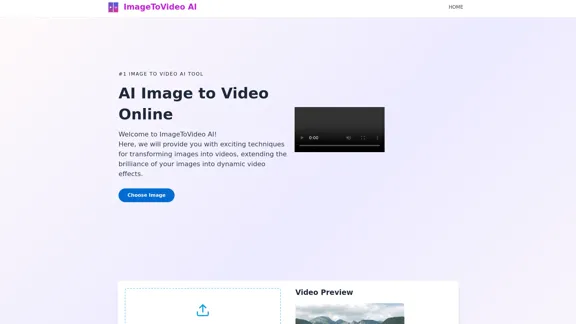
Image to video AI: Convert images to MP4, AI video creator.
Image to video AI: Convert images to MP4, AI video creator.Image to video AI Free: Effortlessly convert images to MP4 videos with our advanced AI video maker. Transform your creativity into captivating visual stories.
371.47 K
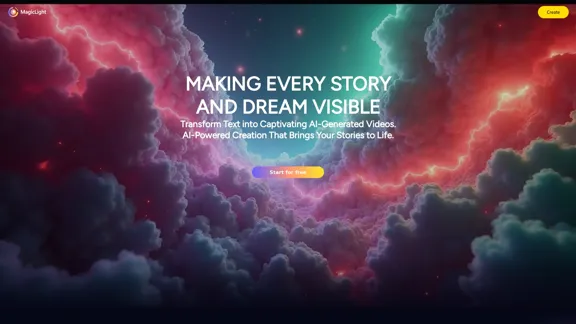
Magic Light AI - Free AI Art Generator, Text to Image to Video! AI Studio School
Magic Light AI - Free AI Art Generator, Text to Image to Video! AI Studio SchoolMagicLight AI is an innovative AI text-to-image-to-video platform that easily transforms your written content into engaging, professional-quality videos. Ideal for marketers, school educators, and content creator studios, our tool enables you to produce dynamic video content in minutes—Free AI Art Generator enhancing your digital storytelling and marketing initiatives.
822.97 K
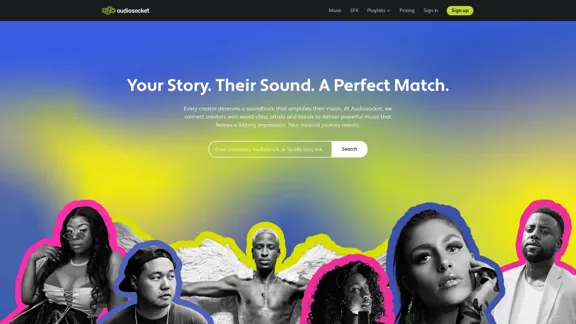
Audiosocket makes it easy to find and license great music. Designed for creators, trusted by the world's largest brands and leading Hollywood studios.
110.19 K
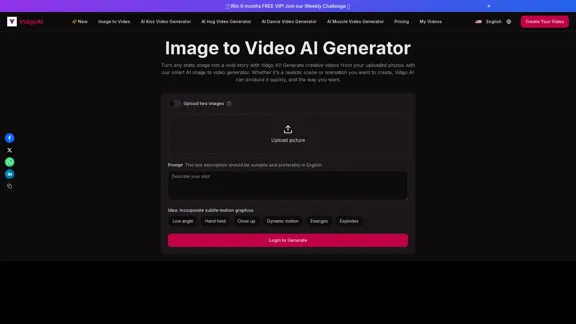
Image to Video AI Generator: Convert Images into Videos for Free
Image to Video AI Generator: Convert Images into Videos for FreeUse the Vidgo AI image to video generator for free. Transform photos into videos with high-quality and engaging results. Try our image to video AI now!
206.70 K
Video Notes TLDR: AI-Powered YouTube Video Note Generator
Video Notes TLDR: AI-Powered YouTube Video Note GeneratorSimplify your YouTube experience with Video Notes TLDR, an AI tool that creates brief, insightful notes from any video. Ideal for students, professionals, and content creators who want to save time and highlight key points.
767