Open-source RightAI Tools Directory
  • Discover AI
  • Submit
  • Startup
  • Blog
Open-source RightAI Tools Directory
Discover the best AI tools of 2025 with the RightAI Tools Directory!

Friend Links

AI Anime GeneratorToolsApp AI

Support

Tap4
Privacy policyTerms & ConditionsContact Us
Loading...
loading...

Resume Creator

Build and customize your resume with AI assistance.
Visit Website
Resume Creator
Visit Website

Introduction

Resume Builder simplifies the process of creating a professional resume, making it accessible and efficient for job seekers. Users can easily upload their existing resumes or start from scratch, utilizing AI-powered features to enhance their documents. The tool focuses on tailoring resumes to specific job descriptions, ensuring they are ATS-friendly and visually appealing. With no sign-up or hidden costs, it provides a seamless experience for users at all levels of their career journey.

Feature

  1. Instant Resume Edits

    The chat-based interface allows users to make real-time updates to their resumes, streamlining the editing process.

  2. Job Description Tailoring

    Users can drop in job descriptions, and the tool will customize the resume with relevant language, skills, and keywords to improve ATS compatibility.

  3. ATS-Friendly Templates

    The platform offers a variety of templates designed to be ATS-friendly, ensuring that resumes pass through automated screening systems.

  4. Unlimited Versions

    Users can create and save multiple versions of their resumes for different job applications without any additional costs.

  5. Personalized Career Insights

    The tool provides career-aware suggestions that help users enhance their resumes based on industry standards and best practices.

  6. Smart Suggestions

    Backed by data, the AI offers smart suggestions at every step, guiding users to create effective resumes that stand out.

  7. No Sign-Up Required

    Users can access the tool without the need for account creation, making it convenient and user-friendly.

How to Use?

  1. Start by uploading your existing resume or creating a new one from scratch.
  2. Use the chat interface to make instant edits and updates to your resume.
  3. Drop the job description into the tool to tailor your resume to the specific role.
  4. Explore different ATS-friendly templates to find one that suits your style.
  5. Save multiple versions of your resume for various job applications.
  6. Take advantage of personalized career insights and smart suggestions to enhance your resume.

FAQ

What is an AI-powered resume builder?

An AI-powered resume builder is a tool that uses artificial intelligence to help users create and optimize their resumes based on job descriptions and industry standards.

Is your resume builder free to use?

Yes, the resume builder is free to use with no hidden costs or sign-up requirements.

Do I need to create an account to build my resume?

No, users can build their resumes without creating an account.

How does the AI tailor my resume to specific job descriptions?

The AI analyzes the job description provided by the user and customizes the resume with relevant keywords, skills, and language to enhance its effectiveness.

What file formats can I download my resume in?

Users can download their resumes in various formats, including PDF.

Are the resume templates ATS-friendly?

Yes, all templates offered by the resume builder are designed to be ATS-friendly.

Can I create multiple versions of my resume?

Absolutely, users can create and save unlimited versions of their resumes.

Is my personal information secure?

Yes, the tool prioritizes user privacy and security.

Do you offer cover letter assistance?

The primary focus is on resumes, but users can inquire about cover letter assistance.

Is the resume builder suitable for all industries?

Yes, the resume builder is designed to cater to a wide range of industries.

Do you provide examples or templates for guidance?

Yes, users can access various templates and examples for guidance.

Can I use the resume builder on mobile devices?

Yes, the resume builder is accessible on mobile devices.

How long does it take to build a resume using your tool?

The process is quick, and users can create a resume in just a few minutes.

Is there customer support available if I need help?

Yes, customer support is available for users who need assistance.

Price

  • Free plan: Unlimited usage at no cost
The price is for reference only, please refer to the latest official data for actual information.

Evaluation

  1. Resume Builder effectively streamlines the resume creation process, providing users with a user-friendly interface and instant editing capabilities.
  2. The ability to tailor resumes to specific job descriptions enhances the chances of getting noticed by employers.
  3. The lack of sign-up requirements and hidden fees makes it accessible to a broad audience.
  4. However, while the tool is powerful, it may benefit from additional features such as cover letter assistance or more advanced analytics on resume performance.
  5. Overall, it serves as a valuable resource for job seekers looking to enhance their resumes quickly and efficiently.

Latest Traffic Insights

  • Monthly Visits

    578

  • Bounce Rate

    99.23%

  • Pages Per Visit

    1.06

  • Time on Site(s)

    0.00

  • Global Rank

    -

  • Country Rank

    -

Recent Visits

Traffic Sources

  • Social Media:
    4.01%
  • Paid Referrals:
    1.92%
  • Email:
    0.18%
  • Referrals:
    12.66%
  • Search Engines:
    36.92%
  • Direct:
    42.93%
More Data

Related Websites

Drive Business Performance With Planning Software | Anaplan
View Detail

Drive Business Performance With Planning Software | Anaplan

Drive Business Performance With Planning Software | Anaplan

See, plan, and lead financial, supply chain, and sales strategies that drive business performance using the Anaplan connected planning platform.

1.03 M
Copilot for Microsoft 365 – Microsoft Adoption

Copilot for Microsoft 365 is a powerful AI assistant that helps you work smarter and faster across Microsoft 365 apps and services. It combines the power of large language models (LLMs) with your organization's data in the Microsoft Graph and Microsoft 365 apps to turn your words into the most powerful productivity tool on the planet.

Copilot is designed to help you:

• Unleash creativity
• Unlock productivity
• Uplevel skills

Copilot is built on Microsoft's comprehensive approach to security, compliance, and privacy. Copilot in Microsoft 365 apps and services:

• Does not use your data to train the underlying LLM
• Does not replace human ingenuity and judgment
• Is designed to keep humans in the loop

Copilot is currently available in Word, Excel, PowerPoint, Outlook, Teams, and more.

Getting Started with Copilot

To get started with Copilot, follow these steps:

1. Check availability: Ensure your organization has access to Copilot.
2. Learn the basics: Familiarize yourself with Copilot's capabilities and how to use it effectively.
3. Explore use cases: Discover how Copilot can help you in your specific role and tasks.
4. Practice and refine: Use Copilot regularly and refine your prompts for better results.
5. Share and collaborate: Collaborate with colleagues using Copilot and share best practices.

Best Practices for Using Copilot

1. Be specific in your prompts
2. Provide context for better results
3. Review and edit Copilot's output
4. Use Copilot as a starting point, not a final product
5. Experiment with different approaches
6. Stay informed about new features and updates

Copilot in Different Microsoft 365 Apps

• Word: Draft, edit, summarize, and rewrite content
• Excel: Analyze data, create formulas, and generate insights
• PowerPoint: Create presentations, design slides, and generate content
• Outlook: Compose emails, summarize threads, and manage your inbox
• Teams: Summarize meetings, generate action items, and create meeting notes

Responsible AI and Copilot

Microsoft is committed to developing AI systems responsibly. When using Copilot, keep in mind:

• AI-generated content may contain biases or inaccuracies
• Always review and verify Copilot's output
• Use your judgment and expertise alongside Copilot's suggestions
• Be aware of your organization's policies regarding AI use

Conclusion

Copilot for Microsoft 365 is a powerful tool that can significantly enhance your productivity and creativity. By understanding its capabilities, following best practices, and using it responsibly, you can make the most of this AI assistant in your daily work.
View Detail

Copilot for Microsoft 365 – Microsoft Adoption Copilot for Microsoft 365 is a powerful AI assistant that helps you work smarter and faster across Microsoft 365 apps and services. It combines the power of large language models (LLMs) with your organization's data in the Microsoft Graph and Microsoft 365 apps to turn your words into the most powerful productivity tool on the planet. Copilot is designed to help you: • Unleash creativity • Unlock productivity • Uplevel skills Copilot is built on Microsoft's comprehensive approach to security, compliance, and privacy. Copilot in Microsoft 365 apps and services: • Does not use your data to train the underlying LLM • Does not replace human ingenuity and judgment • Is designed to keep humans in the loop Copilot is currently available in Word, Excel, PowerPoint, Outlook, Teams, and more. Getting Started with Copilot To get started with Copilot, follow these steps: 1. Check availability: Ensure your organization has access to Copilot. 2. Learn the basics: Familiarize yourself with Copilot's capabilities and how to use it effectively. 3. Explore use cases: Discover how Copilot can help you in your specific role and tasks. 4. Practice and refine: Use Copilot regularly and refine your prompts for better results. 5. Share and collaborate: Collaborate with colleagues using Copilot and share best practices. Best Practices for Using Copilot 1. Be specific in your prompts 2. Provide context for better results 3. Review and edit Copilot's output 4. Use Copilot as a starting point, not a final product 5. Experiment with different approaches 6. Stay informed about new features and updates Copilot in Different Microsoft 365 Apps • Word: Draft, edit, summarize, and rewrite content • Excel: Analyze data, create formulas, and generate insights • PowerPoint: Create presentations, design slides, and generate content • Outlook: Compose emails, summarize threads, and manage your inbox • Teams: Summarize meetings, generate action items, and create meeting notes Responsible AI and Copilot Microsoft is committed to developing AI systems responsibly. When using Copilot, keep in mind: • AI-generated content may contain biases or inaccuracies • Always review and verify Copilot's output • Use your judgment and expertise alongside Copilot's suggestions • Be aware of your organization's policies regarding AI use Conclusion Copilot for Microsoft 365 is a powerful tool that can significantly enhance your productivity and creativity. By understanding its capabilities, following best practices, and using it responsibly, you can make the most of this AI assistant in your daily work.

Copilot for Microsoft 365 – Microsoft Adoption Copilot for Microsoft 365 is a powerful AI assistant that helps you work smarter and faster across Microsoft 365 apps and services. It combines the power of large language models (LLMs) with your organization's data in the Microsoft Graph and Microsoft 365 apps to turn your words into the most powerful productivity tool on the planet. Copilot is designed to help you: • Unleash creativity • Unlock productivity • Uplevel skills Copilot is built on Microsoft's comprehensive approach to security, compliance, and privacy. Copilot in Microsoft 365 apps and services: • Does not use your data to train the underlying LLM • Does not replace human ingenuity and judgment • Is designed to keep humans in the loop Copilot is currently available in Word, Excel, PowerPoint, Outlook, Teams, and more. Getting Started with Copilot To get started with Copilot, follow these steps: 1. Check availability: Ensure your organization has access to Copilot. 2. Learn the basics: Familiarize yourself with Copilot's capabilities and how to use it effectively. 3. Explore use cases: Discover how Copilot can help you in your specific role and tasks. 4. Practice and refine: Use Copilot regularly and refine your prompts for better results. 5. Share and collaborate: Collaborate with colleagues using Copilot and share best practices. Best Practices for Using Copilot 1. Be specific in your prompts 2. Provide context for better results 3. Review and edit Copilot's output 4. Use Copilot as a starting point, not a final product 5. Experiment with different approaches 6. Stay informed about new features and updates Copilot in Different Microsoft 365 Apps • Word: Draft, edit, summarize, and rewrite content • Excel: Analyze data, create formulas, and generate insights • PowerPoint: Create presentations, design slides, and generate content • Outlook: Compose emails, summarize threads, and manage your inbox • Teams: Summarize meetings, generate action items, and create meeting notes Responsible AI and Copilot Microsoft is committed to developing AI systems responsibly. When using Copilot, keep in mind: • AI-generated content may contain biases or inaccuracies • Always review and verify Copilot's output • Use your judgment and expertise alongside Copilot's suggestions • Be aware of your organization's policies regarding AI use Conclusion Copilot for Microsoft 365 is a powerful tool that can significantly enhance your productivity and creativity. By understanding its capabilities, following best practices, and using it responsibly, you can make the most of this AI assistant in your daily work.

Microsoft Copilot combines the power of large language models (LLMs) with your organization's data to turn your words into one of the most powerful productivity tools on the planet.

608.60 K
Create a Stack on Splice: AI-Powered Songwriting Inspiration | Splice
View Detail

Create a Stack on Splice: AI-Powered Songwriting Inspiration | Splice

Create a Stack on Splice: AI-Powered Songwriting Inspiration | Splice

Choose a style. Splice AI will present you with millions of unique musical combinations never heard before, showcasing sounds created by the industry's leading producers.

3.79 M
Machine Learning Contract Search, Review and Analysis Software | Kira Systems
View Detail

Machine Learning Contract Search, Review and Analysis Software | Kira Systems

Machine Learning Contract Search, Review and Analysis Software | Kira Systems

Gain insight into contract databases, speed up and enhance the precision of contract examination, reduce the risk of mistakes, secure new clients, and enhance the value you deliver to your customers.

431
Automated Predictive Analytics Software
View Detail

Automated Predictive Analytics Software

Automated Predictive Analytics Software

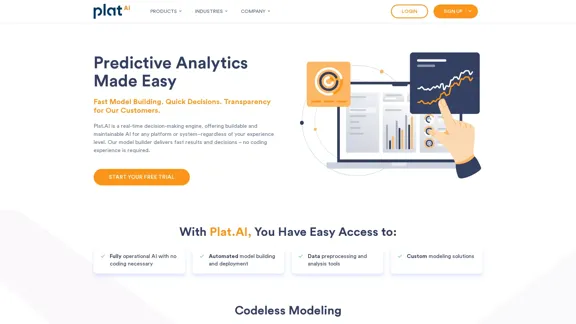
Plat.AI is predictive analytics software for building and deploying custom models using machine learning and deep learning algorithms for real-time predictions.

10.79 K
Flowith - AI for Deep Work
View Detail

Flowith - AI for Deep Work

Flowith - AI for Deep Work

Surpassing traditional chat-based tools, Flowith streamlines tasks on a multi-thread interface powered by a most advanced agent framework. The intuitive canvas and smart framework boost productivity, helping users stay in the flow.

13.71 K
AI Flowchart Maker - Flowchart Generator using AI
View Detail

AI Flowchart Maker - Flowchart Generator using AI

AI Flowchart Maker - Flowchart Generator using AI

AI Flowchart Maker helps you create your flowchart quickly and easily with AI; just enter your description and it will automatically generate the flowchart.

0
Finden - Echtzeit-Einblicke mit KI
View Detail

Finden - Echtzeit-Einblicke mit KI

Finden - Echtzeit-Einblicke mit KI

Finden is an AI-powered tool that helps you manage, analyze, and extract insights from your data.

1.66 K