Open-source RightAI Tools Directory
  • Discover AI
  • Submit
  • Startup
  • Blog
Open-source RightAI Tools Directory
Discover the best AI tools of 2025 with the RightAI Tools Directory!

Friend Links

AI Anime GeneratorToolsApp AI

Support

Tap4
Privacy policyTerms & ConditionsContact Us
Loading...
loading...

Launch Your App in Days, Not Weeks | ShipAppFast

The Swift boilerplate with all the necessary elements to bring your product to customers. From concept to production in just 5 minutes.
Visit Website
Launch Your App in Days, Not Weeks | ShipAppFast
Visit Website

Introduction

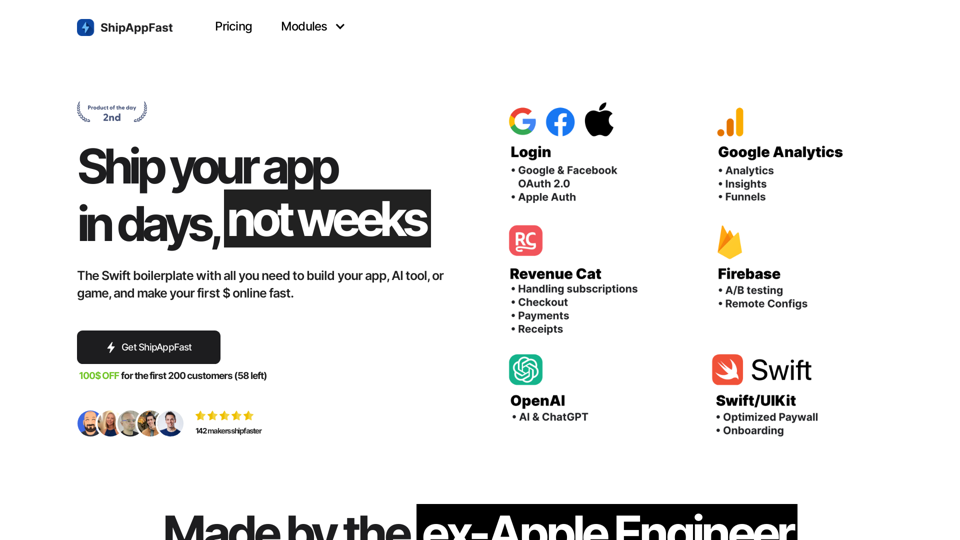
ShipAppFast is an AI-powered platform designed to accelerate app development and deployment. It offers a comprehensive suite of AI technologies, including ChatGPT and GPT-4o for text generation and image understanding, as well as Dalle3 for image creation. The platform's primary goal is to help developers launch their apps quickly and start generating revenue in a matter of days rather than weeks.

Feature

AI-Driven Development

  • Utilizes advanced AI technologies like ChatGPT, GPT-4o, and Dalle3
  • Enables rapid app development and deployment
  • Supports various AI functionalities including text generation and image understanding

Analytics Module

  • Tracks user usage and behavior
  • Excludes logging from testing devices and simulators
  • Provides cohort behavior analysis (funnels, free form, path exploration)
  • Attaches common parameters (locale, app version)
  • Estimated time savings: 3 hours

Login Module

  • Offers a view controller for user authentication
  • Supports Apple Auth, Google & Facebook OAuth 2.0
  • Includes notification permission requests
  • Estimated time savings: 3 hours

Payments Module

  • Integrates Apple StoreKit 2 for handling payments
  • Manages subscriptions and in-app purchases
  • Provides receipt refresh functionality
  • Includes analytics integration
  • Estimated time savings: 4 hours

Onboarding Module

  • Introduces users to the app's features and benefits
  • Integrates with Analytics for user demographics
  • Optimized for UX, remaining steps, length, and animation
  • Estimated time savings: 4 hours

Paywall Module

  • Showcases app benefits and user reviews
  • Integrates with Analytics and Payments modules
  • Offers various purchase options (lifetime, monthly, yearly subscriptions)
  • Includes features for restoring previous purchases
  • Provides access to privacy and terms of use information
  • Estimated time savings: 5 hours

ChatGPT Integration

  • Enables quick implementation of chat completion
  • Supports primary (cheaper) and secondary (more expensive) models
  • 25% more reliable with preset retryer
  • Includes observability features for errors and latency
  • Implements model switchback for rate limits, timeouts, and token excess
  • Estimated time savings: 4 hours

FAQ

How can I use ShipAppFast?

ShipAppFast offers free usage of GPT-4o up to 20 times per day for every user. For extended access and additional benefits, users can subscribe to the platform.

What are the pricing options for ShipAppFast?

ShipAppFast offers two pricing tiers:

  1. Starter: $14
  2. All-in: $99 There's currently a $100 discount for the first 200 customers, with 58 spots remaining.

What exactly do I receive with ShipAppFast?

You get a Swift starter kit containing all the necessary boilerplate code to run an online business.

How frequently is ShipAppFast updated?

ShipAppFast is updated every 1-2 weeks to ensure users have access to the latest features and improvements.

What makes ShipAppFast superior to other boilerplates?

ShipAppFast boasts Apple-quality code, written by a former Apple Senior Software Engineer, ensuring high standards and reliability.

Is there a refund policy for ShipAppFast?

Once you gain access to the repository, ShipAppFast becomes yours permanently and cannot be refunded.

Are there any additional costs associated with using ShipAppFast?

The only external library with associated costs is RevenueCat, which charges a 1% fee only if your app surpasses $2500 in monthly recurring revenue.

Can I use PayPal for purchasing ShipAppFast?

Yes, PayPal is accepted. You can send the USD equivalent of your chosen plan ($69 or $99) to the PayPal account: paypal.me/lucalupo87.

Latest Traffic Insights

  • Monthly Visits

    0

  • Bounce Rate

    0.00%

  • Pages Per Visit

    0.00

  • Time on Site(s)

    0.00

  • Global Rank

    -

  • Country Rank

    -

Recent Visits

Traffic Sources

  • Social Media:
    0.00%
  • Paid Referrals:
    0.00%
  • Email:
    0.00%
  • Referrals:
    0.00%
  • Search Engines:
    0.00%
  • Direct:
    0.00%
More Data

Related Websites

Midjourney
View Detail

Midjourney

Midjourney

An independent research laboratory investigating novel modes of thinking and enhancing the creative capabilities of humanity.

17.37 M
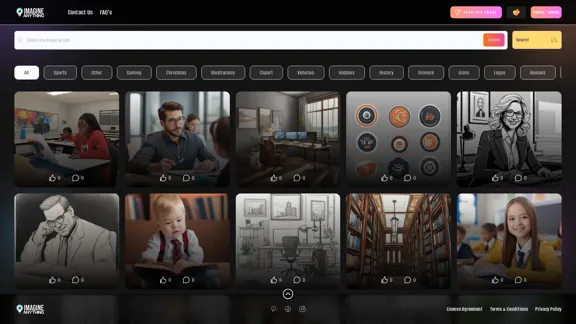
Transform Photos into Ghibli Style Images for Free.
View Detail

Transform Photos into Ghibli Style Images for Free.

Transform Photos into Ghibli Style Images for Free.

Experience AI Ghibli, the revolutionary photo transformation tool that converts your ordinary images into magical Ghibli-style artwork with just one click.

51
AI Video Editor - Text to Video By Viggle
View Detail

AI Video Editor - Text to Video By Viggle

AI Video Editor - Text to Video By Viggle

Generate videos from text prompts with our Text-to-Video tool based on OpenAI Viggle.

193.90 M
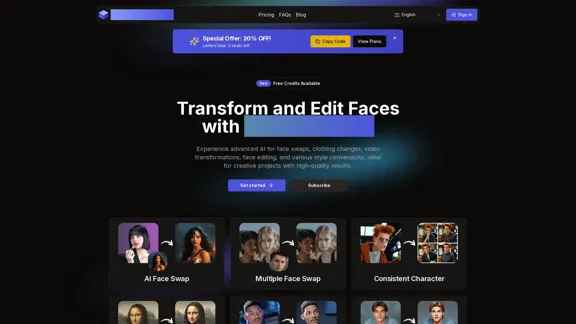
IC Light v2
View Detail

IC Light v2

IC Light v2

IC-Light is a project to manipulate the illumination of images. IC-Light V2 is a series of Flux-based IC-Light models with 16ch VAE and native high resolution.

0
Home | Angel AI
View Detail

Home | Angel AI

Home | Angel AI

Angel AI is an innovative platform that offers a unique AI-driven experience, allowing users to interact with AI companions that feel real.

13.97 K
Mimic AI
View Detail

Mimic AI

Mimic AI

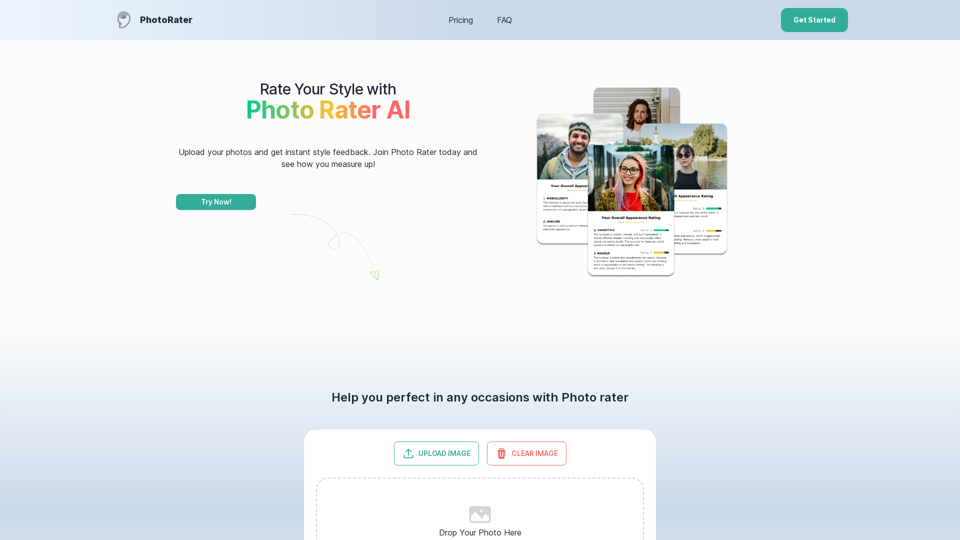
Imitate your desired picture copyright-free with AI

0
YouTube Summary AI with Gemini

Gemini, Google's powerful new AI, is making waves in the world of YouTube. 

Imagine a future where YouTube videos automatically generate concise and informative summaries. That's exactly what Gemini aims to achieve.

By leveraging its advanced language understanding capabilities, Gemini can analyze video content and extract key points, creating summaries that capture the essence of the video. 

This means viewers can quickly grasp the main ideas without having to watch the entire video.

Gemini's potential applications extend beyond simple summaries. It could also be used to:

* Generate captions:  Automatically create accurate captions for videos, making them accessible to a wider audience.
* Translate videos:  Break down language barriers by translating videos into different languages.
* Create interactive experiences:  Enable viewers to engage with videos in new and innovative ways through interactive summaries and quizzes.


Gemini's arrival on YouTube promises to revolutionize the way we consume and interact with video content.
View Detail

YouTube Summary AI with Gemini Gemini, Google's powerful new AI, is making waves in the world of YouTube. Imagine a future where YouTube videos automatically generate concise and informative summaries. That's exactly what Gemini aims to achieve. By leveraging its advanced language understanding capabilities, Gemini can analyze video content and extract key points, creating summaries that capture the essence of the video. This means viewers can quickly grasp the main ideas without having to watch the entire video. Gemini's potential applications extend beyond simple summaries. It could also be used to: * Generate captions: Automatically create accurate captions for videos, making them accessible to a wider audience. * Translate videos: Break down language barriers by translating videos into different languages. * Create interactive experiences: Enable viewers to engage with videos in new and innovative ways through interactive summaries and quizzes. Gemini's arrival on YouTube promises to revolutionize the way we consume and interact with video content.

YouTube Summary AI with Gemini Gemini, Google's powerful new AI, is making waves in the world of YouTube. Imagine a future where YouTube videos automatically generate concise and informative summaries. That's exactly what Gemini aims to achieve. By leveraging its advanced language understanding capabilities, Gemini can analyze video content and extract key points, creating summaries that capture the essence of the video. This means viewers can quickly grasp the main ideas without having to watch the entire video. Gemini's potential applications extend beyond simple summaries. It could also be used to: * Generate captions: Automatically create accurate captions for videos, making them accessible to a wider audience. * Translate videos: Break down language barriers by translating videos into different languages. * Create interactive experiences: Enable viewers to engage with videos in new and innovative ways through interactive summaries and quizzes. Gemini's arrival on YouTube promises to revolutionize the way we consume and interact with video content.

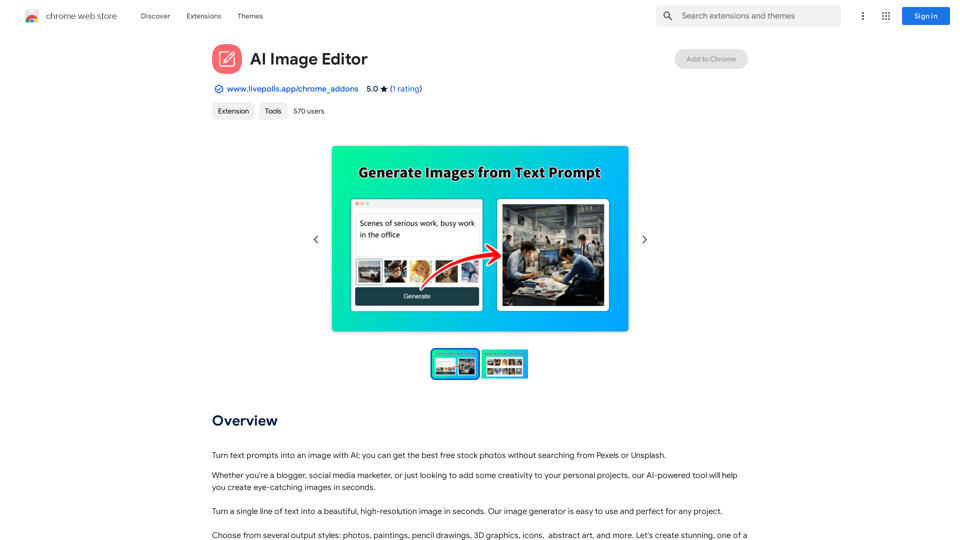
AI tool powered by Gemini that summarizes YouTube videos.

193.90 M
Text to Voice Generator
==========================

A text-to-voice generator, also known as a text-to-speech (TTS) system, is a software that converts written text into a spoken voice output. This technology has been widely used in various applications, including virtual assistants, audiobooks, and language learning platforms.

How it Works
---------------

The process of generating voice from text involves several steps:

1. Text Analysis: The input text is analyzed to identify the language, syntax, and semantics.
2. Phonetic Transcription: The text is converted into a phonetic transcription, which represents the sounds of the spoken language.
3. Prosody Generation: The phonetic transcription is then used to generate the prosody, or rhythm and intonation, of the spoken voice.
4. Waveform Generation: The prosody and phonetic transcription are combined to generate the audio waveform, which is the final spoken voice output.

Types of Text-to-Voice Generators
-----------------------------------

There are two main types of text-to-voice generators:

Rule-Based Systems

These systems use a set of predefined rules to generate the spoken voice output. They are often limited in their ability to produce natural-sounding voices and may sound robotic.

Machine Learning-Based Systems

These systems use machine learning algorithms to learn from large datasets of spoken voices and generate more natural-sounding voices. They are often more advanced and can produce high-quality voice outputs.

Applications of Text-to-Voice Generators
-----------------------------------------

Text-to-voice generators have a wide range of applications, including:

Virtual Assistants

Virtual assistants, such as Siri and Alexa, use text-to-voice generators to respond to user queries.

Audiobooks

Text-to-voice generators can be used to create audiobooks from written texts, making it easier for people to access written content.

Language Learning

Language learning platforms use text-to-voice generators to provide pronunciation guidance and practice exercises for learners.

Accessibility

Text-to-voice generators can be used to assist people with disabilities, such as visual impairments, by providing an auditory interface to written content.
View Detail

Text to Voice Generator ========================== A text-to-voice generator, also known as a text-to-speech (TTS) system, is a software that converts written text into a spoken voice output. This technology has been widely used in various applications, including virtual assistants, audiobooks, and language learning platforms. How it Works --------------- The process of generating voice from text involves several steps: 1. Text Analysis: The input text is analyzed to identify the language, syntax, and semantics. 2. Phonetic Transcription: The text is converted into a phonetic transcription, which represents the sounds of the spoken language. 3. Prosody Generation: The phonetic transcription is then used to generate the prosody, or rhythm and intonation, of the spoken voice. 4. Waveform Generation: The prosody and phonetic transcription are combined to generate the audio waveform, which is the final spoken voice output. Types of Text-to-Voice Generators ----------------------------------- There are two main types of text-to-voice generators: Rule-Based Systems These systems use a set of predefined rules to generate the spoken voice output. They are often limited in their ability to produce natural-sounding voices and may sound robotic. Machine Learning-Based Systems These systems use machine learning algorithms to learn from large datasets of spoken voices and generate more natural-sounding voices. They are often more advanced and can produce high-quality voice outputs. Applications of Text-to-Voice Generators ----------------------------------------- Text-to-voice generators have a wide range of applications, including: Virtual Assistants Virtual assistants, such as Siri and Alexa, use text-to-voice generators to respond to user queries. Audiobooks Text-to-voice generators can be used to create audiobooks from written texts, making it easier for people to access written content. Language Learning Language learning platforms use text-to-voice generators to provide pronunciation guidance and practice exercises for learners. Accessibility Text-to-voice generators can be used to assist people with disabilities, such as visual impairments, by providing an auditory interface to written content.

Text to Voice Generator ========================== A text-to-voice generator, also known as a text-to-speech (TTS) system, is a software that converts written text into a spoken voice output. This technology has been widely used in various applications, including virtual assistants, audiobooks, and language learning platforms. How it Works --------------- The process of generating voice from text involves several steps: 1. Text Analysis: The input text is analyzed to identify the language, syntax, and semantics. 2. Phonetic Transcription: The text is converted into a phonetic transcription, which represents the sounds of the spoken language. 3. Prosody Generation: The phonetic transcription is then used to generate the prosody, or rhythm and intonation, of the spoken voice. 4. Waveform Generation: The prosody and phonetic transcription are combined to generate the audio waveform, which is the final spoken voice output. Types of Text-to-Voice Generators ----------------------------------- There are two main types of text-to-voice generators: Rule-Based Systems These systems use a set of predefined rules to generate the spoken voice output. They are often limited in their ability to produce natural-sounding voices and may sound robotic. Machine Learning-Based Systems These systems use machine learning algorithms to learn from large datasets of spoken voices and generate more natural-sounding voices. They are often more advanced and can produce high-quality voice outputs. Applications of Text-to-Voice Generators ----------------------------------------- Text-to-voice generators have a wide range of applications, including: Virtual Assistants Virtual assistants, such as Siri and Alexa, use text-to-voice generators to respond to user queries. Audiobooks Text-to-voice generators can be used to create audiobooks from written texts, making it easier for people to access written content. Language Learning Language learning platforms use text-to-voice generators to provide pronunciation guidance and practice exercises for learners. Accessibility Text-to-voice generators can be used to assist people with disabilities, such as visual impairments, by providing an auditory interface to written content.

Generate Voice from Text on Any Web Page With the advancement of technology, it is now possible to generate voice from text on any web page. This feature is particularly useful for people who prefer listening to content rather than reading it. Here's how you can do it: #Method 1: Using Browser Extension You can use a browser extension like Read Aloud or SpeakIt! to generate voice from text on any web page. These extensions are available for both Google Chrome and Mozilla Firefox browsers. #Method 2: Using Online Tools There are several online tools available that can convert text to speech. Some popular tools include NaturalReader, Voice Dream Reader, and Google Text-to-Speech. You can copy and paste the text from any web page into these tools to generate voice. #Method 3: Using Screen Reader If you are using a Windows operating system, you can use the built-in Narrator screen reader to generate voice from text on any web page. For Mac users, you can use VoiceOver. By using any of these methods, you can easily generate voice from text on any web page and enjoy a more convenient and accessible reading experience.

193.90 M