Open-source RightAI Tools Directory
  • Discover AI
  • Submit
  • Startup
  • Blog
Open-source RightAI Tools Directory
Discover the best AI tools of 2025 with the RightAI Tools Directory!

Friend Links

AI Anime GeneratorToolsApp AI

Support

Tap4
Privacy policyTerms & ConditionsContact Us
Loading...
loading...

ChatSearch: ChatGPT for Search Engine (GPT-4)

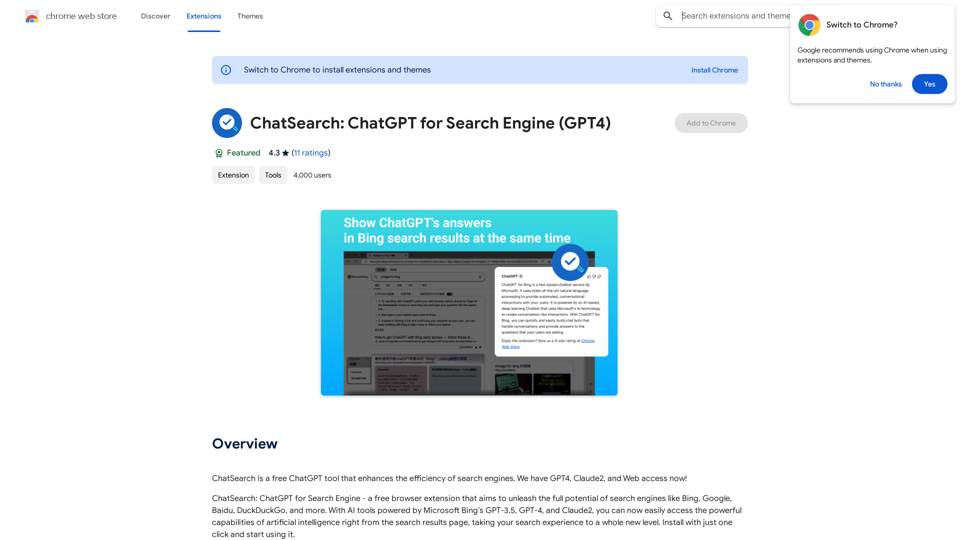
ChatSearch is a free ChatGPT tool that makes search engines more efficient. It now has GPT4, Claude2, and access to the web!
Visit Website
ChatSearch: ChatGPT for Search Engine (GPT-4)
Visit Website

Introduction

ChatSearch is a free ChatGPT tool that enhances search engine efficiency by integrating AI-powered answers directly into search results. It leverages Microsoft Bing's GPT-3.5, GPT-4, and Claude2 models to provide users with advanced artificial intelligence capabilities, elevating the search experience to new heights.

Feature

Enhanced Search Results

Integrates ChatGPT's answers into any search engine, improving the quality and relevance of search results.

Free and Unrestricted Access

Available for use without any cost, restrictions, or account registration requirements.

Instant AI Interaction

Users can immediately start chatting with ChatGPT by clicking the plugin button within search results.

Expanded Model Support

In addition to GPT-3.5, ChatSearch offers access to GPT-4 and Claude2, enhancing information accuracy and diversity.

Advanced Content Summarization

Utilizes ChatGPT or Claude2's powerful summarization capabilities for efficient web content analysis.

Improved Internet Connectivity

Eliminates information gaps by providing real-time, accurate web information.

User-Friendly Interface

Simple three-step process to start using ChatSearch:

  1. Choose an API type (Developer API recommended)
  2. Search questions on various engines
  3. View ChatGPT-generated answers or start chatting directly

FAQ

Is ChatSearch really free?

Yes, ChatSearch is completely free to use, with no hidden costs or registration requirements.

What is the relationship between ChatSearch and ChatGPT?

ChatSearch is an AI tool developed based on the ChatGPT model, leveraging its powerful capabilities to enhance search experiences.

Which AI models does ChatSearch support?

ChatSearch currently supports GPT-3.5, GPT-4, and Claude2 models, with plans to integrate more large language models in the future.

Latest Traffic Insights

  • Monthly Visits

    193.90 M

  • Bounce Rate

    56.27%

  • Pages Per Visit

    2.71

  • Time on Site(s)

    115.91

  • Global Rank

    -

  • Country Rank

    -

Recent Visits

Traffic Sources

  • Social Media:
    0.48%
  • Paid Referrals:
    0.55%
  • Email:
    0.15%
  • Referrals:
    12.81%
  • Search Engines:
    16.21%
  • Direct:
    69.81%
More Data

Related Websites

TechLink - Genius Connection
View Detail

TechLink - Genius Connection

TechLink - Genius Connection

TechLink-Darling is a lightweight plugin designed for Kuaishou colleagues, mainly enabling users to conveniently access various development tools and data tools, and leveraging existing AI capabilities to help everyone improve quality and efficiency.

193.90 M
Please provide the text you want to translate into English.
View Detail

Please provide the text you want to translate into English.

Please provide the text you want to translate into English.

This extension empowers users with AI, swiftly producing answers, replies, and essays on any topic.

193.90 M
Coursera Summary with ChatGPT and Take Notes
=====================================================

What is Coursera?

Coursera is an online learning platform that partners with top universities and organizations to offer courses and degree programs in a wide range of fields.

What is ChatGPT?

ChatGPT is a conversational AI tool that can understand and respond to human input in a human-like way. It can be used to generate text, answer questions, and even create content.

How to Use ChatGPT for Coursera Summary?

You can use ChatGPT to summarize Coursera courses by:

* Providing the course material or lecture notes to ChatGPT
* Asking ChatGPT to summarize the key points or main ideas
* Reviewing and editing the summary generated by ChatGPT

Benefits of Using ChatGPT for Coursera Summary

Using ChatGPT for Coursera summary can help you:

* Save time by automating the summarization process
* Improve understanding and retention of course material
* Focus on key concepts and ideas
* Enhance learning experience

How to Take Notes with ChatGPT?

You can use ChatGPT to take notes by:

* Providing the course material or lecture notes to ChatGPT
* Asking ChatGPT to generate notes or key points
* Reviewing and editing the notes generated by ChatGPT
* Organizing and structuring the notes for easy reference

Benefits of Using ChatGPT for Taking Notes

Using ChatGPT for taking notes can help you:

* Save time by automating the note-taking process
* Improve organization and structure of notes
* Enhance understanding and retention of course material
* Focus on key concepts and ideas
View Detail

Coursera Summary with ChatGPT and Take Notes ===================================================== What is Coursera? Coursera is an online learning platform that partners with top universities and organizations to offer courses and degree programs in a wide range of fields. What is ChatGPT? ChatGPT is a conversational AI tool that can understand and respond to human input in a human-like way. It can be used to generate text, answer questions, and even create content. How to Use ChatGPT for Coursera Summary? You can use ChatGPT to summarize Coursera courses by: * Providing the course material or lecture notes to ChatGPT * Asking ChatGPT to summarize the key points or main ideas * Reviewing and editing the summary generated by ChatGPT Benefits of Using ChatGPT for Coursera Summary Using ChatGPT for Coursera summary can help you: * Save time by automating the summarization process * Improve understanding and retention of course material * Focus on key concepts and ideas * Enhance learning experience How to Take Notes with ChatGPT? You can use ChatGPT to take notes by: * Providing the course material or lecture notes to ChatGPT * Asking ChatGPT to generate notes or key points * Reviewing and editing the notes generated by ChatGPT * Organizing and structuring the notes for easy reference Benefits of Using ChatGPT for Taking Notes Using ChatGPT for taking notes can help you: * Save time by automating the note-taking process * Improve organization and structure of notes * Enhance understanding and retention of course material * Focus on key concepts and ideas

Coursera Summary with ChatGPT and Take Notes ===================================================== What is Coursera? Coursera is an online learning platform that partners with top universities and organizations to offer courses and degree programs in a wide range of fields. What is ChatGPT? ChatGPT is a conversational AI tool that can understand and respond to human input in a human-like way. It can be used to generate text, answer questions, and even create content. How to Use ChatGPT for Coursera Summary? You can use ChatGPT to summarize Coursera courses by: * Providing the course material or lecture notes to ChatGPT * Asking ChatGPT to summarize the key points or main ideas * Reviewing and editing the summary generated by ChatGPT Benefits of Using ChatGPT for Coursera Summary Using ChatGPT for Coursera summary can help you: * Save time by automating the summarization process * Improve understanding and retention of course material * Focus on key concepts and ideas * Enhance learning experience How to Take Notes with ChatGPT? You can use ChatGPT to take notes by: * Providing the course material or lecture notes to ChatGPT * Asking ChatGPT to generate notes or key points * Reviewing and editing the notes generated by ChatGPT * Organizing and structuring the notes for easy reference Benefits of Using ChatGPT for Taking Notes Using ChatGPT for taking notes can help you: * Save time by automating the note-taking process * Improve organization and structure of notes * Enhance understanding and retention of course material * Focus on key concepts and ideas

Automate Your Learning: Coursera Videos Transcript and Summary with ChatGPT ============================================================ Are you tired of manually taking notes while watching Coursera videos? Do you wish you had a summary of the video to review later? Look no further! With the power of ChatGPT, you can now generate transcripts and summaries of Coursera videos with ease. How it Works --------------- 1. Transcribe the Video: Use a transcription tool to convert the audio from the Coursera video into text. 2. Feed it to ChatGPT: Input the transcript into ChatGPT, and it will generate a concise summary of the video. 3. Review and Refine: Review the summary, refine it as needed, and you're good to go! Benefits ------------ * Save Time: No more manual note-taking or re-watching videos to understand the content. * Improve Retention: A summary of the video helps you retain information better and review it quickly. * Enhance Learning: Focus on understanding the concepts rather than taking notes. Get Started -------------- Try it out today and take your learning to the next level!

193.90 M
At a Glance
View Detail

At a Glance

At a Glance

Use an AI like ChatGPT to condense and translate articles into short, ready-to-publish paragraphs directly on the webpage.

193.90 M
AHelp: Ultimate Hub of Educational and AI Writing Tools
View Detail

AHelp: Ultimate Hub of Educational and AI Writing Tools

AHelp: Ultimate Hub of Educational and AI Writing Tools

AHelp: Your essential toolkit for study, homework and research. Our platform offers various tools to make homework, assignments and essay writing easier.

99.04 K
Subtitle Wizard - Real-time Speech Recognition, AI Subtitle Translation
View Detail

Subtitle Wizard - Real-time Speech Recognition, AI Subtitle Translation

Subtitle Wizard - Real-time Speech Recognition, AI Subtitle Translation

Watch foreign TV series and learn without mistakes, the new subtitle translation elf is here to assist, a browser-based subtitle translation artifact.

193.90 M
uReview
View Detail

uReview

uReview

That's a great idea! To make automated reviews, we need to figure out what kind of reviews you want to automate. For example: * Product reviews: Analyzing customer feedback to identify common themes and sentiment. * Code reviews: Using tools to automatically check for coding errors and style inconsistencies. * Academic paper reviews: Summarizing key findings and identifying potential areas for improvement. Tell me more about the type of automated reviews you have in mind, and I can give you more specific information and examples.

193.90 M
Free AI Face Swap - Photo & Video
View Detail

Free AI Face Swap - Photo & Video

Free AI Face Swap - Photo & Video

Free AI Face Swapper supports single photo face swaps, multiple photo face swaps, and video face swaps!

193.90 M