Open-source RightAI Tools Directory
  • Discover AI
  • Submit
  • Startup
  • Blog
Open-source RightAI Tools Directory
Discover the best AI tools of 2025 with the RightAI Tools Directory!

Friend Links

AI Anime GeneratorToolsApp AI

Support

Tap4
Privacy policyTerms & ConditionsContact Us
Loading...
loading...

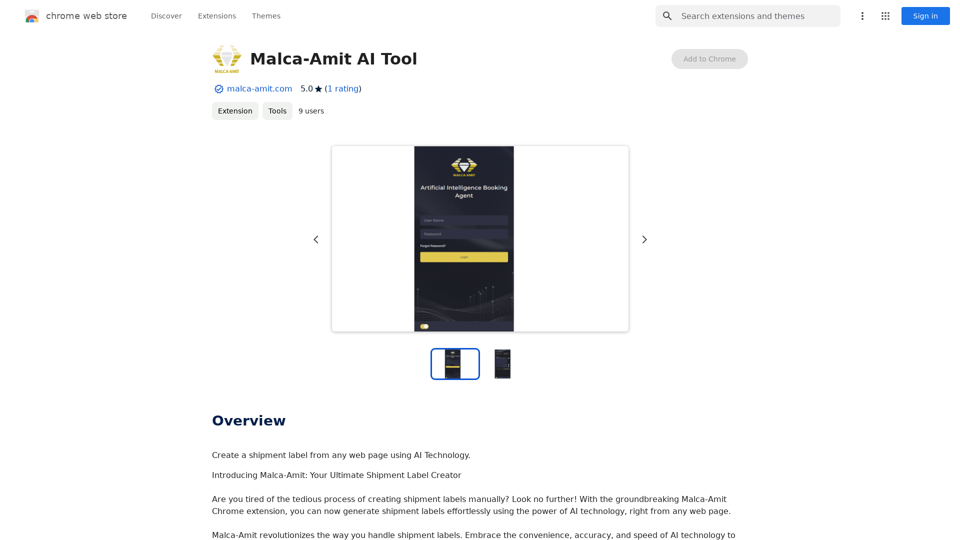
Malca-Amit AI Tool

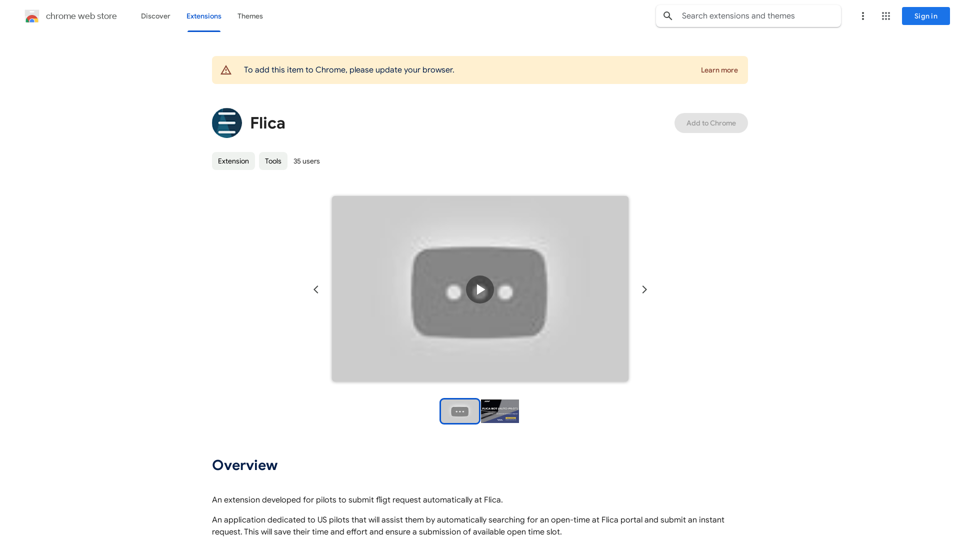
Generate a shipping label from any website using artificial intelligence.
Visit Website
Malca-Amit AI Tool
Visit Website

Introduction

Malca-Amit AI Tool is a revolutionary Chrome extension designed to simplify the process of creating shipment labels. By harnessing the power of AI technology, this tool allows users to generate accurate shipment labels directly from any web page, eliminating the need for manual data entry. It offers a convenient, time-saving solution for businesses and individuals who frequently ship packages.

Feature

AI-Powered Label Generation

Malca-Amit AI Tool utilizes advanced AI technology to create shipment labels with high accuracy and speed, streamlining the shipping process.

User-Friendly Interface

The extension boasts a simple and intuitive interface, enabling users to generate shipment labels with just a few clicks, making it accessible for users of all technical levels.

Time and Effort Savings

By automating the label creation process, Malca-Amit AI Tool significantly reduces the time and effort required for shipping tasks, increasing overall productivity.

Multi-Package Support

Users can create shipment labels for multiple packages simultaneously, further enhancing efficiency for bulk shipping needs.

Free of Charge

Malca-Amit AI Tool is offered as a free Chrome extension, with no subscription fees or hidden costs, making it an economical solution for businesses of all sizes.

Easy Installation and Usage

The tool can be quickly installed on Chrome browsers. Users simply need to select a web page, click the "Create Shipment Label" button, fill in necessary details, and generate the label.

Secure and Compliant

Malca-Amit AI Tool prioritizes security and complies with relevant data protection regulations, ensuring user data is handled safely.

FAQ

Is Malca-Amit AI Tool compatible with all Chrome versions?

Malca-Amit AI Tool is compatible with the latest versions of Chrome. For optimal performance, it's recommended to keep your Chrome browser updated to the most recent version.

Can I use Malca-Amit AI Tool for multiple packages at once?

Yes, the extension allows you to create shipment labels for multiple packages simultaneously, enhancing efficiency for bulk shipping needs.

How secure is Malca-Amit AI Tool?

Malca-Amit AI Tool is designed with security in mind. It complies with all relevant data protection regulations, ensuring that your shipping information is handled safely and securely.

Latest Traffic Insights

  • Monthly Visits

    193.90 M

  • Bounce Rate

    56.27%

  • Pages Per Visit

    2.71

  • Time on Site(s)

    115.91

  • Global Rank

    -

  • Country Rank

    -

Recent Visits

Traffic Sources

  • Social Media:
    0.48%
  • Paid Referrals:
    0.55%
  • Email:
    0.15%
  • Referrals:
    12.81%
  • Search Engines:
    16.21%
  • Direct:
    69.81%
More Data

Related Websites

Claude AI

Claude AI is an artificial intelligence model that can understand and respond to human input in a conversational manner. It is trained on a massive dataset of text from the internet and can generate human-like responses to a wide range of topics and questions. Claude AI is designed to be highly engaging and can even exhibit a sense of humor, making it a popular choice for chatbots and virtual assistants.
View Detail

Claude AI Claude AI is an artificial intelligence model that can understand and respond to human input in a conversational manner. It is trained on a massive dataset of text from the internet and can generate human-like responses to a wide range of topics and questions. Claude AI is designed to be highly engaging and can even exhibit a sense of humor, making it a popular choice for chatbots and virtual assistants.

Claude AI Claude AI is an artificial intelligence model that can understand and respond to human input in a conversational manner. It is trained on a massive dataset of text from the internet and can generate human-like responses to a wide range of topics and questions. Claude AI is designed to be highly engaging and can even exhibit a sense of humor, making it a popular choice for chatbots and virtual assistants.

Unleash Claude AI: Intelligent Dialogues, Instant Knowledge - Elevate Productivity and Exploration through AI.

193.90 M
SwiftSubmit
View Detail

SwiftSubmit

SwiftSubmit

Streamline job applications with our AI extension! Apply to more roles by automatically filling out forms and cover letters in seconds.

193.90 M
French Fry AI
View Detail

French Fry AI

French Fry AI

French Fry AI

193.90 M
Translation Methods: Comparative Translation & Immersive AI Translation
View Detail

Translation Methods: Comparative Translation & Immersive AI Translation

Translation Methods: Comparative Translation & Immersive AI Translation

Provide users with better AI translation and a more fluent reading experience.

193.90 M
The Iliad
View Detail

The Iliad

The Iliad

Iliad makes learning and remembering information intuitive. Transform Pages into a Personal Library of Knowledge: Discover the...

193.90 M
Warm and friendly
View Detail

Warm and friendly

Warm and friendly

Write the free spirit everywhere on the web with Cordial!

193.90 M
Chat-GPT PDF

What is Chat-GPT PDF?

Chat-GPT PDF is a tool that allows users to generate PDF files from Chat-GPT conversations. This innovative tool enables users to save and share their conversations in a more organized and visually appealing format.

How does Chat-GPT PDF work?

The process is simple and straightforward. Here's a step-by-step guide:

1. Copy the conversation: Copy the entire conversation from the Chat-GPT platform.
2. Paste the conversation: Paste the copied conversation into the Chat-GPT PDF tool.
3. Customize the layout: Customize the layout, font, and design of the PDF file according to your preferences.
4. Generate the PDF: Click the "Generate PDF" button to create a downloadable PDF file.

Features of Chat-GPT PDF

Chat-GPT PDF offers several features that make it an essential tool for users:

* Customizable layout: Customize the layout, font, and design of the PDF file to suit your needs.
* Easy sharing: Share the PDF file with others via email, social media, or messaging apps.
* Offline access: Access your conversations offline, even without an internet connection.
* Organization: Organize your conversations in a neat and tidy format, making it easier to review and reference.

Benefits of Chat-GPT PDF

The benefits of using Chat-GPT PDF are numerous:

* Improved productivity: Save time and increase productivity by having all your conversations in one place.
* Enhanced collaboration: Collaborate with others more effectively by sharing conversations in a clear and concise format.
* Better organization: Keep your conversations organized, making it easier to review and reference them later.

Conclusion

Chat-GPT PDF is a game-changer for anyone who uses Chat-GPT regularly. With its ease of use, customization options, and benefits, it's an essential tool for anyone looking to get the most out of their conversations.
View Detail

Chat-GPT PDF What is Chat-GPT PDF? Chat-GPT PDF is a tool that allows users to generate PDF files from Chat-GPT conversations. This innovative tool enables users to save and share their conversations in a more organized and visually appealing format. How does Chat-GPT PDF work? The process is simple and straightforward. Here's a step-by-step guide: 1. Copy the conversation: Copy the entire conversation from the Chat-GPT platform. 2. Paste the conversation: Paste the copied conversation into the Chat-GPT PDF tool. 3. Customize the layout: Customize the layout, font, and design of the PDF file according to your preferences. 4. Generate the PDF: Click the "Generate PDF" button to create a downloadable PDF file. Features of Chat-GPT PDF Chat-GPT PDF offers several features that make it an essential tool for users: * Customizable layout: Customize the layout, font, and design of the PDF file to suit your needs. * Easy sharing: Share the PDF file with others via email, social media, or messaging apps. * Offline access: Access your conversations offline, even without an internet connection. * Organization: Organize your conversations in a neat and tidy format, making it easier to review and reference. Benefits of Chat-GPT PDF The benefits of using Chat-GPT PDF are numerous: * Improved productivity: Save time and increase productivity by having all your conversations in one place. * Enhanced collaboration: Collaborate with others more effectively by sharing conversations in a clear and concise format. * Better organization: Keep your conversations organized, making it easier to review and reference them later. Conclusion Chat-GPT PDF is a game-changer for anyone who uses Chat-GPT regularly. With its ease of use, customization options, and benefits, it's an essential tool for anyone looking to get the most out of their conversations.

Chat-GPT PDF What is Chat-GPT PDF? Chat-GPT PDF is a tool that allows users to generate PDF files from Chat-GPT conversations. This innovative tool enables users to save and share their conversations in a more organized and visually appealing format. How does Chat-GPT PDF work? The process is simple and straightforward. Here's a step-by-step guide: 1. Copy the conversation: Copy the entire conversation from the Chat-GPT platform. 2. Paste the conversation: Paste the copied conversation into the Chat-GPT PDF tool. 3. Customize the layout: Customize the layout, font, and design of the PDF file according to your preferences. 4. Generate the PDF: Click the "Generate PDF" button to create a downloadable PDF file. Features of Chat-GPT PDF Chat-GPT PDF offers several features that make it an essential tool for users: * Customizable layout: Customize the layout, font, and design of the PDF file to suit your needs. * Easy sharing: Share the PDF file with others via email, social media, or messaging apps. * Offline access: Access your conversations offline, even without an internet connection. * Organization: Organize your conversations in a neat and tidy format, making it easier to review and reference. Benefits of Chat-GPT PDF The benefits of using Chat-GPT PDF are numerous: * Improved productivity: Save time and increase productivity by having all your conversations in one place. * Enhanced collaboration: Collaborate with others more effectively by sharing conversations in a clear and concise format. * Better organization: Keep your conversations organized, making it easier to review and reference them later. Conclusion Chat-GPT PDF is a game-changer for anyone who uses Chat-GPT regularly. With its ease of use, customization options, and benefits, it's an essential tool for anyone looking to get the most out of their conversations.

Exporting Chat History to PDF You can export your chat history with Chat-GPT to a PDF file using the following methods: #Method 1: Browser Print Function 1. Open your chat conversation with Chat-GPT in a web browser. 2. Press `Ctrl + P` (Windows) or `Cmd + P` (Mac) to open the print dialog box. 3. Select "Save as PDF" as the printer destination. 4. Choose a location to save the PDF file and set the file name. 5. Click "Save" to export the chat history to a PDF file. #Method 2: Online PDF Conversion Tools 1. Copy the entire chat conversation by pressing `Ctrl + A` (Windows) or `Cmd + A` (Mac) and then `Ctrl + C` (Windows) or `Cmd + C` (Mac). 2. Go to an online PDF conversion tool, such as SmallPDF or Convertio. 3. Paste the chat conversation into the conversion tool's text box. 4. Select the PDF format and click "Convert" to generate the PDF file. 5. Download the PDF file to your computer. #Method 3: Browser Extensions 1. Install a browser extension, such as Print Friendly & PDF or FireShot, that allows you to save web pages as PDF files. 2. Open your chat conversation with Chat-GPT in a web browser. 3. Click the browser extension's icon in the toolbar. 4. Select the "Save as PDF" option and choose a location to save the file. 5. Click "Save" to export the chat history to a PDF file. By following these methods, you can easily export your chat history with Chat-GPT to a PDF file for future reference or sharing.

193.90 M
WiseGPT
View Detail

WiseGPT

WiseGPT

Autocomplete and personal prompts for ChatGPT.

193.90 M