Open-source RightAI Tools Directory
  • Discover AI
  • Submit
  • Startup
  • Blog
Open-source RightAI Tools Directory
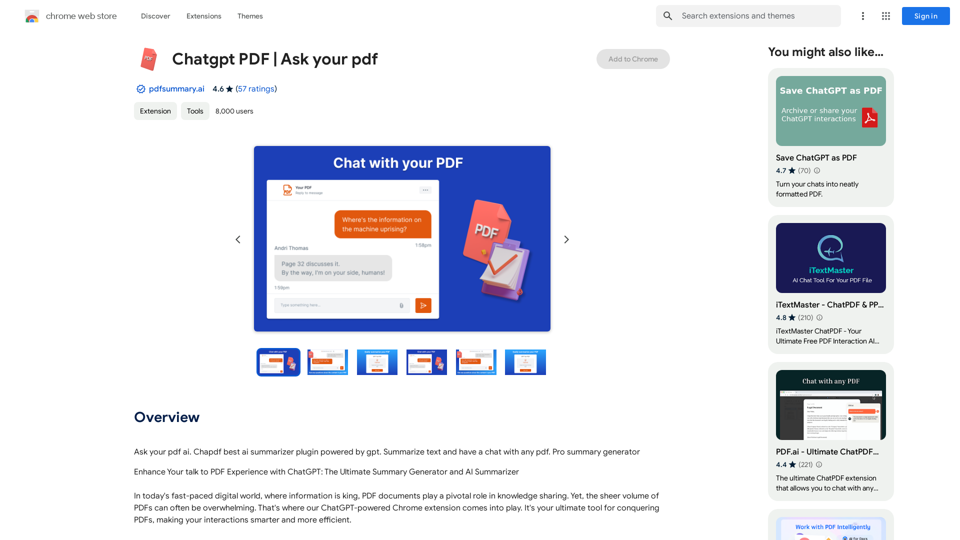
Discover the best AI tools of 2025 with the RightAI Tools Directory!

Friend Links

AI Anime GeneratorToolsApp AI

Support

Tap4
Privacy policyTerms & ConditionsContact Us
Loading...
loading...

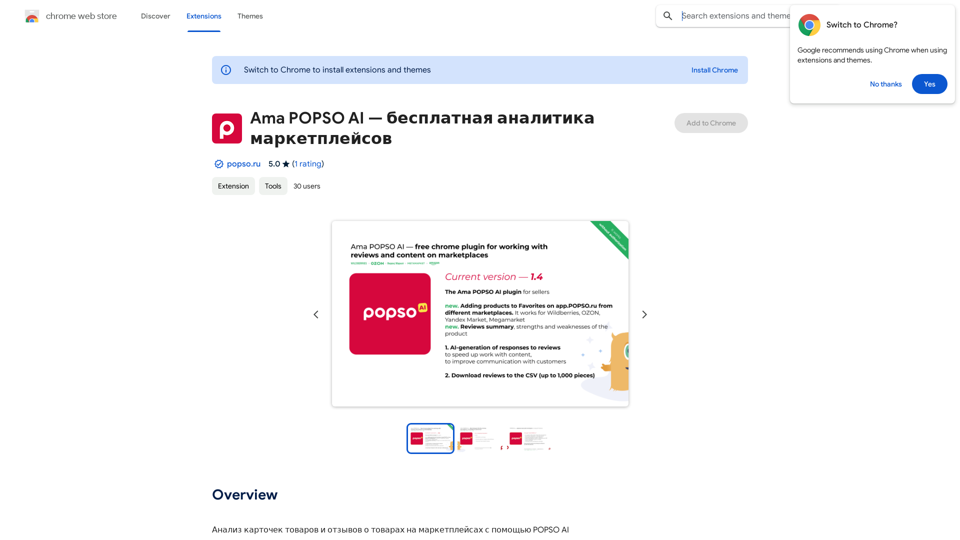
Reva - Review Management for Hotels & Rentals

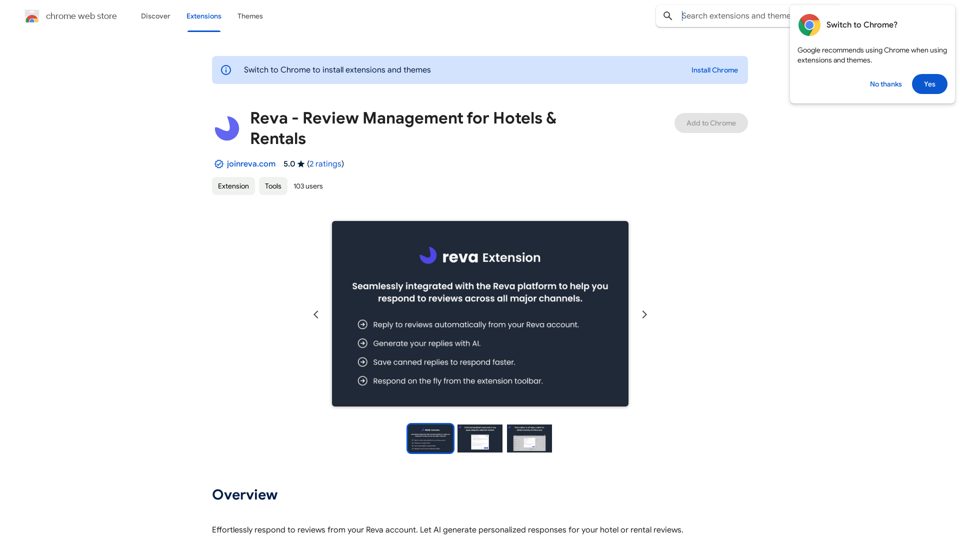
Easily reply to reviews from your Reva account. Let AI create custom responses for your hotel or rental reviews.
Visit Website
Reva - Review Management for Hotels & Rentals
Visit Website

Introduction

Reva is a comprehensive review management platform designed for hotel and rental owners. It leverages AI technology to generate personalized responses to guest reviews, streamlining the process of managing feedback across multiple online travel agencies (OTAs). The platform offers a centralized system for review management, coupled with a browser extension that enhances functionality and ease of use.

Feature

AI-Powered Review Responses

Reva utilizes artificial intelligence to craft personalized responses to hotel or rental reviews. This feature saves time for property owners while maintaining authenticity in their communications with guests.

Centralized Review Management

The platform aggregates reviews from various channels, providing a consolidated view of guest feedback. This centralization allows for more efficient management and response to reviews across different platforms.

One-Click Publishing

With the Reva Extension, users can reply to reviews within the Reva platform and automatically publish them to popular OTAs such as Airbnb, VRBO, and Booking.com.

Automatic Account Updates

Once a review is replied to, the Reva account is automatically updated, ensuring that all information is current and synchronized across platforms.

On-the-Fly Review Generation

For less common channels, the Reva Extension allows users to generate review replies instantly and copy them with ease, streamlining the review management process.

Multi-Channel Support

Reva supports multiple online travel agencies, making it a versatile tool for property owners who list their accommodations on various platforms.

FAQ

How does Reva's AI-powered review response work?

Reva's AI utilizes natural language processing to generate personalized responses for hotel or rental reviews. This technology analyzes the content of the review and creates a tailored response that maintains authenticity while saving time for property owners.

Can I use Reva's review management platform without the extension?

Yes, you can use Reva's review management platform without the extension. However, the extension provides additional features and functionality, such as one-click publishing to OTAs and on-the-fly review generation, which enhance the overall user experience.

How do I get started with Reva's review management platform?

To begin using Reva's review management platform, you need to sign up for a Reva account and follow the onboarding process. Once your account is set up, you can start managing your reviews and utilizing the AI-powered response generation features.

Latest Traffic Insights

  • Monthly Visits

    193.90 M

  • Bounce Rate

    56.27%

  • Pages Per Visit

    2.71

  • Time on Site(s)

    115.91

  • Global Rank

    -

  • Country Rank

    -

Recent Visits

Traffic Sources

  • Social Media:
    0.48%
  • Paid Referrals:
    0.55%
  • Email:
    0.15%
  • Referrals:
    12.81%
  • Search Engines:
    16.21%
  • Direct:
    69.81%
More Data

Related Websites

Knowyoursnack - Discover What’s Inside Your Snacks
View Detail

Knowyoursnack - Discover What’s Inside Your Snacks

Knowyoursnack - Discover What’s Inside Your Snacks

KnowYourSnack is your personal guide to understanding snack ingredients. Simply snap a photo of the ingredients list on any snack package, and our AI-powered app will identify harmful substances, provide detailed information, and help you make healthier choices.

0
Seenopsi
View Detail

Seenopsi

Seenopsi

Send custom prompts, generate content, summarize links, entire web pages, YouTube videos, and code, and much more! All powered by GPT-4 ⚡️

193.90 M
Open ChatGPT in a New Tab

You can open ChatGPT in a new tab by following these steps:

#Method 1: Using the Browser's Context Menu

1. Right-click on the ChatGPT link or button.
2. Select "Open in new tab" or "Open link in new tab" from the context menu.

#Method 2: Using the Keyboard Shortcut

1. Press `Ctrl + Click` (Windows/Linux) or `Cmd + Click` (Mac) on the ChatGPT link or button.

#Method 3: Using the Browser's Toolbar

1. Click on the ChatGPT link or button while holding down the `Ctrl` key (Windows/Linux) or `Cmd` key (Mac).
2. Release the key after the new tab is opened.

By following these methods, you can easily open ChatGPT in a new tab and start chatting without leaving your current page.
View Detail

Open ChatGPT in a New Tab You can open ChatGPT in a new tab by following these steps: #Method 1: Using the Browser's Context Menu 1. Right-click on the ChatGPT link or button. 2. Select "Open in new tab" or "Open link in new tab" from the context menu. #Method 2: Using the Keyboard Shortcut 1. Press `Ctrl + Click` (Windows/Linux) or `Cmd + Click` (Mac) on the ChatGPT link or button. #Method 3: Using the Browser's Toolbar 1. Click on the ChatGPT link or button while holding down the `Ctrl` key (Windows/Linux) or `Cmd` key (Mac). 2. Release the key after the new tab is opened. By following these methods, you can easily open ChatGPT in a new tab and start chatting without leaving your current page.

Open ChatGPT in a New Tab You can open ChatGPT in a new tab by following these steps: #Method 1: Using the Browser's Context Menu 1. Right-click on the ChatGPT link or button. 2. Select "Open in new tab" or "Open link in new tab" from the context menu. #Method 2: Using the Keyboard Shortcut 1. Press `Ctrl + Click` (Windows/Linux) or `Cmd + Click` (Mac) on the ChatGPT link or button. #Method 3: Using the Browser's Toolbar 1. Click on the ChatGPT link or button while holding down the `Ctrl` key (Windows/Linux) or `Cmd` key (Mac). 2. Release the key after the new tab is opened. By following these methods, you can easily open ChatGPT in a new tab and start chatting without leaving your current page.

New Tab with Quick ChatGPT Access

193.90 M
Typogram
View Detail

Typogram

Typogram

Use Typogram to generate text, translate languages, and write code on any website.

193.90 M
iVu.AI - Intelligent Search Engine Powered by Artificial Intelligence - iVu.AI
View Detail

iVu.AI - Intelligent Search Engine Powered by Artificial Intelligence - iVu.AI

iVu.AI - Intelligent Search Engine Powered by Artificial Intelligence - iVu.AI

An AI-powered search engine

0
Monica - Your ChatGPT AI Assistant for Anywhere
View Detail

Monica - Your ChatGPT AI Assistant for Anywhere

Monica - Your ChatGPT AI Assistant for Anywhere

Monica integrates leading AI models (GPT-4, Claude 3, Gemini) for one-click chat, search, writing, coding and more. Try it on Chrome, Edge, or our APP.

9.55 M
GPT for Google Search

* What is GPT?

GPT stands for Generative Pre-trained Transformer. It's a type of artificial intelligence (AI) that can understand and generate human-like text.

* How could GPT improve Google Search?

GPT could help Google Search in several ways:

* Better understanding of natural language: GPT is trained on massive amounts of text data, allowing it to understand complex and nuanced search queries.

* More conversational search experience: GPT could enable users to interact with Google Search in a more natural, conversational way.

* Summarizing search results: GPT could condense large amounts of information from search results into concise summaries.

* Generating different creative text formats: GPT could help users find information in new and interesting ways, such as generating poems, code, scripts, musical pieces, email, letters, etc., based on their search queries.

* Challenges and Considerations:

While GPT offers exciting possibilities, there are also challenges to consider:

* Accuracy and bias: GPT models can sometimes generate inaccurate or biased information. It's crucial to ensure that GPT-powered search results are reliable and unbiased.

* Transparency and explainability: It can be difficult to understand how GPT arrives at its results. Making GPT's decision-making process more transparent is important for building trust.

* Ethical implications: The use of GPT in search raises ethical questions about the potential for misuse, such as generating harmful content or manipulating search results.
View Detail

GPT for Google Search * What is GPT? GPT stands for Generative Pre-trained Transformer. It's a type of artificial intelligence (AI) that can understand and generate human-like text. * How could GPT improve Google Search? GPT could help Google Search in several ways: * Better understanding of natural language: GPT is trained on massive amounts of text data, allowing it to understand complex and nuanced search queries. * More conversational search experience: GPT could enable users to interact with Google Search in a more natural, conversational way. * Summarizing search results: GPT could condense large amounts of information from search results into concise summaries. * Generating different creative text formats: GPT could help users find information in new and interesting ways, such as generating poems, code, scripts, musical pieces, email, letters, etc., based on their search queries. * Challenges and Considerations: While GPT offers exciting possibilities, there are also challenges to consider: * Accuracy and bias: GPT models can sometimes generate inaccurate or biased information. It's crucial to ensure that GPT-powered search results are reliable and unbiased. * Transparency and explainability: It can be difficult to understand how GPT arrives at its results. Making GPT's decision-making process more transparent is important for building trust. * Ethical implications: The use of GPT in search raises ethical questions about the potential for misuse, such as generating harmful content or manipulating search results.

GPT for Google Search * What is GPT? GPT stands for Generative Pre-trained Transformer. It's a type of artificial intelligence (AI) that can understand and generate human-like text. * How could GPT improve Google Search? GPT could help Google Search in several ways: * Better understanding of natural language: GPT is trained on massive amounts of text data, allowing it to understand complex and nuanced search queries. * More conversational search experience: GPT could enable users to interact with Google Search in a more natural, conversational way. * Summarizing search results: GPT could condense large amounts of information from search results into concise summaries. * Generating different creative text formats: GPT could help users find information in new and interesting ways, such as generating poems, code, scripts, musical pieces, email, letters, etc., based on their search queries. * Challenges and Considerations: While GPT offers exciting possibilities, there are also challenges to consider: * Accuracy and bias: GPT models can sometimes generate inaccurate or biased information. It's crucial to ensure that GPT-powered search results are reliable and unbiased. * Transparency and explainability: It can be difficult to understand how GPT arrives at its results. Making GPT's decision-making process more transparent is important for building trust. * Ethical implications: The use of GPT in search raises ethical questions about the potential for misuse, such as generating harmful content or manipulating search results.

Add ChatGPT to Google Search This is a popular idea! Many people think it would be amazing to have the power of ChatGPT directly integrated into Google Search. Imagine being able to ask Google a complex question and getting a clear, concise, and human-like response generated by ChatGPT. It could revolutionize how we search for information and interact with the web.

193.90 M
I Listen AI
View Detail

I Listen AI

I Listen AI

I Listen AI

193.90 M