Open-source RightAI Tools Directory
  • Discover AI
  • Submit
  • Startup
  • Blog
Open-source RightAI Tools Directory
Discover the best AI tools of 2025 with the RightAI Tools Directory!

Friend Links

AI Anime GeneratorToolsApp AI

Support

Tap4
Privacy policyTerms & ConditionsContact Us
Loading...
loading...

Signify - Compliance Management System for Manufacturing

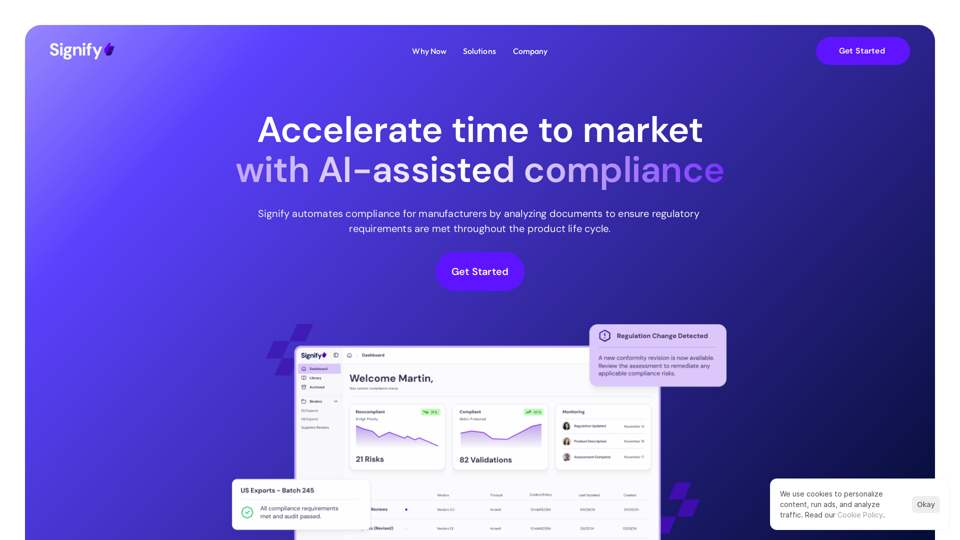
Signify automates compliance for manufacturers by analyzing documents to ensure regulatory requirements are met throughout the product lifecycle.
Visit Website
Signify - Compliance Management System for Manufacturing
Visit Website

Introduction

Signify is a cutting-edge compliance management system tailored for manufacturing companies. It leverages AI technology to streamline and accelerate the compliance process, enabling faster time to market. By automating document analysis and ensuring regulatory requirements are met throughout the product lifecycle, Signify empowers manufacturers to focus on growth while maintaining compliance.

Feature

AI-assisted Compliance

Signify's AI-powered system automates compliance processes, resulting in:

  • Up to 90% reduction in review times
  • Increased focus on growth and innovation
  • Streamlined regulatory adherence

Supplier Verification

  • Ensures suppliers meet required standards and regulations
  • Enhances confidence in supplier selection
  • Promotes ethical and reliable partnerships

Continuous Monitoring

  • Automatic real-time document review
  • Identifies compliance risks without manual intervention
  • Eliminates need for manual gap analysis and conformity assessments

Flexible Framework Selection

  • Access to thousands of compliance frameworks
  • Test compliance against various standards, regulations, laws, and contracts
  • Customizable to specific industry needs

Comprehensive Documentation Analysis

  • Supports various document types:
    • Labels
    • Policies
    • Standard Operating Procedures (SOPs)
    • Controls
    • Technical specifications
  • Identifies potential nonconformity issues

Real-time Regulatory Updates

  • Automatically detects changes in regulations
  • Provides up-to-date conformity analysis
  • Ensures continuous compliance

Custom Assessments

  • Ability to create tailored assessments
  • Addresses specific company needs and requirements

FAQ

How long does Signify implementation take?

Implementation time varies based on:

  • Complexity of operations
  • Project scope
  • Specific company requirements

Does Signify use company data to train AI models?

  • Generally, no customer data is used for AI model training
  • Bespoke models for internal-use agents are only built upon customer request

Is the AI making decisions on behalf of users?

No, Signify's AI is designed to:

  • Assist and augment human decision-making
  • Provide insights and recommendations
  • Support compliance processes without replacing human judgment

Can companies create custom assessments with Signify?

Yes, Signify offers:

  • Customizable assessment creation
  • Tailored solutions for specific needs
  • Flexibility to address unique compliance requirements

Latest Traffic Insights

  • Monthly Visits

    3.17 K

  • Bounce Rate

    40.45%

  • Pages Per Visit

    1.42

  • Time on Site(s)

    5.71

  • Global Rank

    5519024

  • Country Rank

    United States 2257424

Recent Visits

Traffic Sources

  • Social Media:
    9.47%
  • Paid Referrals:
    1.23%
  • Email:
    0.06%
  • Referrals:
    5.07%
  • Search Engines:
    31.29%
  • Direct:
    52.88%
More Data

Related Websites

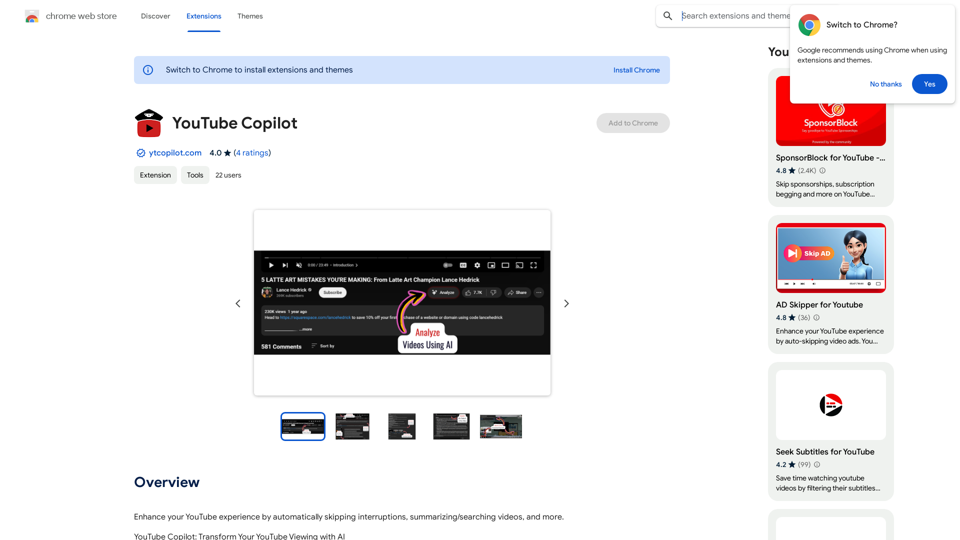
AI Voice Over for YouTube 

This is a guide to using AI voice over for your YouTube videos. 

Why Use AI Voice Over?

* Cost-Effective: AI voice over is much cheaper than hiring a professional voice actor.
* Time-Saving: You can generate voice over quickly and easily, without needing to schedule recording sessions.
* Variety of Voices: Choose from a wide range of AI voices, including male, female, and even robotic voices.
* Accessibility: Make your videos accessible to viewers who are deaf or hard of hearing by adding captions generated by AI.

How to Use AI Voice Over

1. Choose a Platform: There are many different platforms that offer AI voice over services, such as:
    * Google Cloud Text-to-Speech
    * Amazon Polly
    * Microsoft Azure Text to Speech
    * Murf.ai
    * NaturalReader
2. Write Your Script:  Write a clear and concise script for your video.
3. Upload Your Script:  Upload your script to the chosen platform.
4. Select a Voice: Choose the voice that best suits your video.
5. Adjust Settings:  Adjust settings such as speed, pitch, and volume.
6. Generate Voice Over:  Click the "Generate" button to create your voice over.
7. Download and Edit: Download the generated voice over file and edit it as needed.
8. Add to Your Video:  Add the voice over to your YouTube video.

Tips for Using AI Voice Over

* Use Natural Language:  Write your script as if you were speaking naturally.
* Vary Your Tone:  Use different tones of voice to keep your viewers engaged.
* Add Pauses:  Include pauses in your script to allow viewers to process information.
* Proofread Carefully:  Always proofread your script before generating the voice over.
* Experiment:  Try different voices, settings, and styles to find what works best for you.
View Detail

AI Voice Over for YouTube This is a guide to using AI voice over for your YouTube videos. Why Use AI Voice Over? * Cost-Effective: AI voice over is much cheaper than hiring a professional voice actor. * Time-Saving: You can generate voice over quickly and easily, without needing to schedule recording sessions. * Variety of Voices: Choose from a wide range of AI voices, including male, female, and even robotic voices. * Accessibility: Make your videos accessible to viewers who are deaf or hard of hearing by adding captions generated by AI. How to Use AI Voice Over 1. Choose a Platform: There are many different platforms that offer AI voice over services, such as: * Google Cloud Text-to-Speech * Amazon Polly * Microsoft Azure Text to Speech * Murf.ai * NaturalReader 2. Write Your Script: Write a clear and concise script for your video. 3. Upload Your Script: Upload your script to the chosen platform. 4. Select a Voice: Choose the voice that best suits your video. 5. Adjust Settings: Adjust settings such as speed, pitch, and volume. 6. Generate Voice Over: Click the "Generate" button to create your voice over. 7. Download and Edit: Download the generated voice over file and edit it as needed. 8. Add to Your Video: Add the voice over to your YouTube video. Tips for Using AI Voice Over * Use Natural Language: Write your script as if you were speaking naturally. * Vary Your Tone: Use different tones of voice to keep your viewers engaged. * Add Pauses: Include pauses in your script to allow viewers to process information. * Proofread Carefully: Always proofread your script before generating the voice over. * Experiment: Try different voices, settings, and styles to find what works best for you.

AI Voice Over for YouTube This is a guide to using AI voice over for your YouTube videos. Why Use AI Voice Over? * Cost-Effective: AI voice over is much cheaper than hiring a professional voice actor. * Time-Saving: You can generate voice over quickly and easily, without needing to schedule recording sessions. * Variety of Voices: Choose from a wide range of AI voices, including male, female, and even robotic voices. * Accessibility: Make your videos accessible to viewers who are deaf or hard of hearing by adding captions generated by AI. How to Use AI Voice Over 1. Choose a Platform: There are many different platforms that offer AI voice over services, such as: * Google Cloud Text-to-Speech * Amazon Polly * Microsoft Azure Text to Speech * Murf.ai * NaturalReader 2. Write Your Script: Write a clear and concise script for your video. 3. Upload Your Script: Upload your script to the chosen platform. 4. Select a Voice: Choose the voice that best suits your video. 5. Adjust Settings: Adjust settings such as speed, pitch, and volume. 6. Generate Voice Over: Click the "Generate" button to create your voice over. 7. Download and Edit: Download the generated voice over file and edit it as needed. 8. Add to Your Video: Add the voice over to your YouTube video. Tips for Using AI Voice Over * Use Natural Language: Write your script as if you were speaking naturally. * Vary Your Tone: Use different tones of voice to keep your viewers engaged. * Add Pauses: Include pauses in your script to allow viewers to process information. * Proofread Carefully: Always proofread your script before generating the voice over. * Experiment: Try different voices, settings, and styles to find what works best for you.

Watch foreign language YouTube videos in your own language.

193.90 M
Astra Vision
View Detail

Astra Vision

Astra Vision

Astra Vision is an AI-powered web extension that includes a set of powerful AI tools: Astra Guard and AI Snapper.

193.90 M
Spoken
View Detail

Spoken

Spoken

Production version

193.90 M
Coursnap - Summarizer for Long YouTube Videos
View Detail

Coursnap - Summarizer for Long YouTube Videos

Coursnap - Summarizer for Long YouTube Videos

Premier Summarizer for Courses, Lectures, and Long YouTube Videos.

193.90 M
Lingban AI Assistant - GPT Chat, Web Translation, Bilingual Comparison, Intelligent Writing, AI Full-Network Search, AI Article Reading, Real-Time Internet Connection
View Detail

Lingban AI Assistant - GPT Chat, Web Translation, Bilingual Comparison, Intelligent Writing, AI Full-Network Search, AI Article Reading, Real-Time Internet Connection

Lingban AI Assistant - GPT Chat, Web Translation, Bilingual Comparison, Intelligent Writing, AI Full-Network Search, AI Article Reading, Real-Time Internet Connection

Lingban AI Assistant is your personal AI assistant on any webpage. It can help you translate various webpages, provide bilingual comparisons, offer creative inspiration, and answer your questions in chat conversations.

193.90 M
Summify: Summarize YouTube and Web Content 

This is a tool that can summarize videos from YouTube and web pages.
View Detail

Summify: Summarize YouTube and Web Content This is a tool that can summarize videos from YouTube and web pages.

Summify: Summarize YouTube and Web Content This is a tool that can summarize videos from YouTube and web pages.

Quickly get the main points of websites and YouTube videos.

193.90 M
Wintermute: AI Web Companion
View Detail

Wintermute: AI Web Companion

Wintermute: AI Web Companion

Hey! I'm Wintermute, your personal AI companion. I understand web pages and can help you with your questions about anything.

193.90 M
Sentimetric

Sentimetric is a method used to measure the sentiment of text data, such as customer reviews, comments, or social media posts. It involves analyzing the emotional tone or attitude conveyed by the text, whether it's positive, negative, or neutral.
View Detail

Sentimetric Sentimetric is a method used to measure the sentiment of text data, such as customer reviews, comments, or social media posts. It involves analyzing the emotional tone or attitude conveyed by the text, whether it's positive, negative, or neutral.

Sentimetric Sentimetric is a method used to measure the sentiment of text data, such as customer reviews, comments, or social media posts. It involves analyzing the emotional tone or attitude conveyed by the text, whether it's positive, negative, or neutral.

Unlock your career potential with our AI-powered job application presentation builder designed to help you stand out in the competitive job market. Our app goes beyond traditional cover letters and resumes by creating personalized presentations that show recruiters how your skills and experience align with company goals and values. Plus, we provide project ideas with SWOT analyses that will impress every recruiter.

0