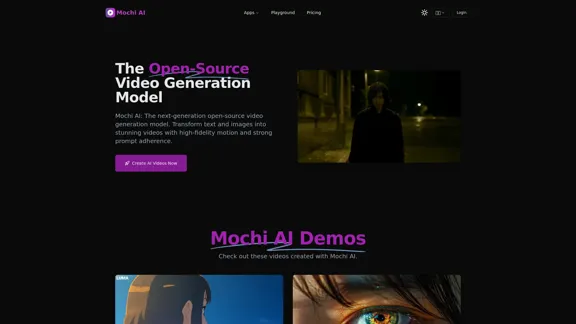
Mochi AI is an advanced open-source video generation model that transforms text and images into high-quality videos. It utilizes a sophisticated AI architecture to deliver stunning visuals with strong adherence to user prompts, making it suitable for both personal and commercial projects.
Mochi AI - Advanced Open-Source Video Generation Model
Mochi AI: The next-generation open-source video generation model. Create stunning videos with high-fidelity motion and strong prompt adherence using our cutting-edge AI technology.
Introduction
Feature
-
Advanced AI Architecture
Mochi AI employs a 10 billion parameter diffusion model with the Asymmetric Diffusion Transformer (AsymmDiT) architecture, enhancing its video generation capabilities.
-
Exceptional Video Quality
The model generates high-fidelity videos at 30 frames per second, with a maximum duration of 5.4 seconds, ensuring smooth motion and clarity.
-
Precise Prompt Adherence
Users can experience superior text-to-video synthesis, as Mochi AI effectively interprets and renders complex prompts with accuracy.
-
Open-Source Availability
The model is available under the Apache 2.0 license, allowing users to access the open-source code for personal and commercial use.
-
Flexible Access Methods
Users can utilize Mochi AI through a free playground, download the model weights, or integrate it via API partners for various projects.
-
Continuous Improvement
The development team is committed to enhancing Mochi AI, with plans for higher resolution and longer video generation capabilities in future updates.
How to Use?
- Visit the Mochi AI website and log in to your account.
- Access the free playground to start creating videos.
- Input your text description or image to generate a video.
- Experiment with different prompts to see how the model interprets them.
- Download the generated videos for personal or commercial use.
FAQ
What is Mochi AI?
Mochi AI is an advanced open-source AI video generation model that creates high-quality videos from text descriptions, offering state-of-the-art visual quality and prompt adherence.
How can I use Mochi AI?
You can use Mochi AI through the free playground, download the open-source weights, or integrate it via API partners. It is available for both personal and commercial use under the Apache 2.0 license.
Is Mochi AI free to use?
Yes, Mochi AI is open-source and free to use, accessible through the playground or by downloading the model weights.
What makes Mochi AI unique?
Mochi AI features a 10 billion parameter diffusion model, exceptional prompt adherence, and high-fidelity motion in generated videos, along with its open-source nature that encourages community contributions.
Can I use Mochi AI for commercial purposes?
Yes, Mochi AI can be used for commercial purposes as it is released under the Apache 2.0 license.
Price
Mochi AI is open-source and free to use, with no associated costs for accessing the playground or downloading the model weights.
The price is for reference only, please refer to the latest official data for actual information.
Evaluation
- Mochi AI showcases impressive capabilities in generating high-quality videos from text prompts, making it a valuable tool for content creators and filmmakers.
- The open-source nature allows for community engagement and continuous improvements, enhancing its functionality over time.
- However, the current limitation of video duration (up to 5.4 seconds) may restrict its use for longer projects, which could be a drawback for some users.
- The model's performance may vary with complex animations or intricate prompts, indicating a need for further refinement in those areas.
- Overall, Mochi AI is a promising tool for generating videos, but users should be aware of its current limitations and the potential need for additional features in future updates.
Related Websites
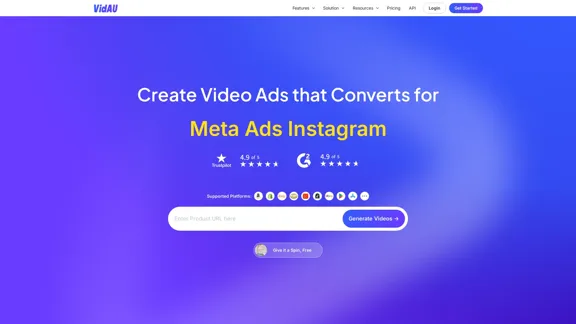
VidAu AI video generator creates high-quality videos for you featuring avatar spokespersons, face swapping, multi-language translation, subtitle and watermark removal, as well as video mixing and editing capabilities—begin at no cost.
243.37 K
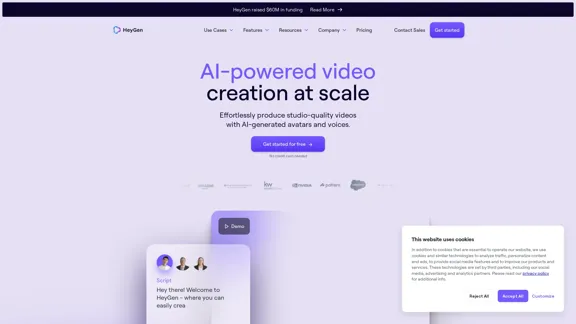
HeyGen is an innovative video platform that harnesses the power of generative AI to streamline your video creation process. Unleash your creativity with HeyGen - the future of video production.
7.03 M
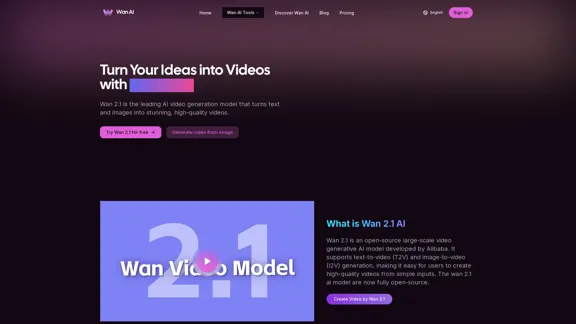
Wan 2.1 is an advanced AI video generation model by Alibaba. Create videos from text or images with Wan 2.1 AI.
1.14 K
AI Shorts Generator - Create AI Videos in minutes, post automatically on your Social Media. High quality video in 5 minutes
90.24 K
Pixfun – Fast AI Video Animation Generation for TikTok and Facebook
Pixfun – Fast AI Video Animation Generation for TikTok and Facebook33
AI influencer content in minutes: create stunning images and videos with one consistent virtual persona, skipping weeks of production with The Influencer AI.
111.22 K
![[Official] AnyEnhancer - Enhance and Upscale Video with AI](https://static.right-ai.com/tools/2024/10/17/imobie-com-anyenhancer-thumbnail-1729134010.webp "[Official] AnyEnhancer - Enhance and Upscale Video with AI")
[Official] AnyEnhancer - Enhance and Upscale Video with AI
[Official] AnyEnhancer - Enhance and Upscale Video with AIAnyEnhancer is the ultimate AI video enhancer for transforming your videos into high quality by upscaling, denoising, colorizing, or smoothing them.
1.68 M