Open-source RightAI Tools Directory
  • Discover AI
  • Submit
  • Startup
  • Blog
Open-source RightAI Tools Directory
Discover the best AI tools of 2025 with the RightAI Tools Directory!

Friend Links

AI Anime GeneratorToolsApp AI

Support

Tap4
Privacy policyTerms & ConditionsContact Us
Loading...
loading...

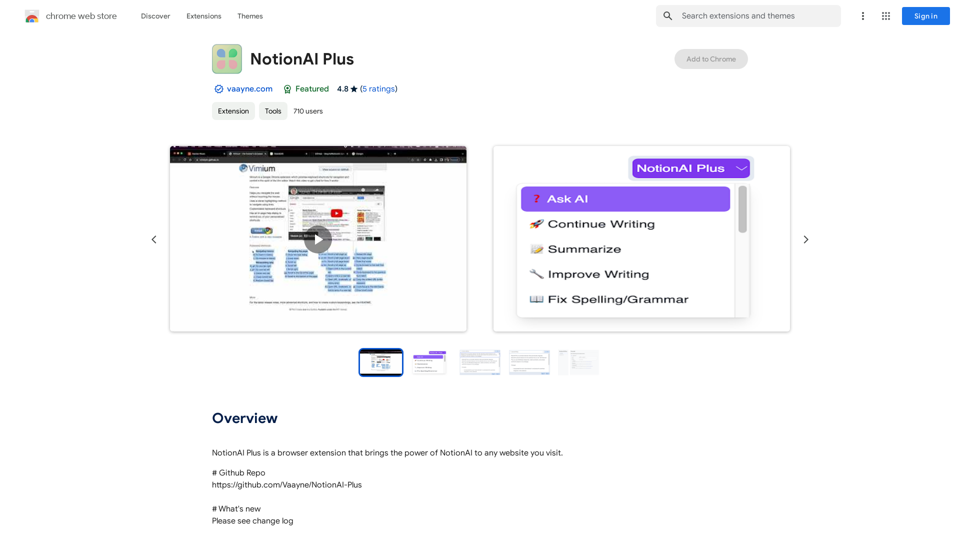
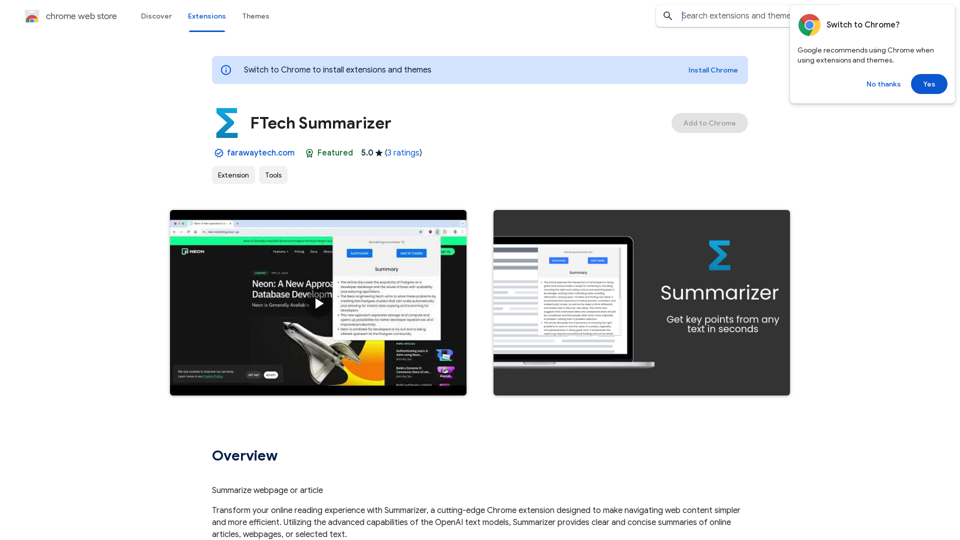
Torii Image Translator β€” Use GPT-4 & DeepL to Translate Any Image, Manga...

Translate any image on any website into any language! Perfect for Manga, Manhwa, Manhua, Comics, ArtistCG, Memes, or any image at all!

Visit Website
Torii Image Translator β€” Use GPT-4 & DeepL to Translate Any Image, Manga...
Visit Website

Introduction

Torii Image Translator is a Chrome extension that revolutionizes the way users interact with visual content across the internet. By leveraging advanced AI technologies like GPT-4 and DeepL, it offers seamless translation of text within images, manga, and comic books into the user's preferred language. This powerful tool breaks down language barriers, making global content accessible with just a hover and click.

Feature

Seamless Integration and Translation

  • Hover-and-click functionality for instant translation
  • Works on any website directly from Chrome browser
  • Replaces original text with high-quality translations
  • Renders new images with translated text

Advanced Translation Technology

  • Utilizes GPT-4, GPT-3.5, and DeepL
  • Offers exceptional precision and contextual understanding
  • Users can choose between different translation models

User-Friendly Interface

  • Intuitive and easy-to-use design
  • Eliminates linguistic barriers effortlessly

Secure Authentication

  • Simple login process for request authentication
  • Ensures secure and efficient image processing

Flexible Pricing Model

  • Credits-based system for on-demand usage
  • Provides value and flexibility for users

FAQ

How does Torii Image Translator work?

Torii Image Translator uses a simple login process to authenticate requests. It then employs advanced AI translation technology to process images, replacing the original text with high-quality translations in the user's chosen language.

Why is login required to use the extension?

Login is required to authenticate requests, ensuring that images are processed securely and efficiently.

Can Torii Image Translator be used offline?

No, an internet connection is required for Torii Image Translator to process requests and perform translations.

Are there options for more credits or subscription tiers?

Currently, Torii Image Translator only offers a credits-based system due to the substantial costs involved in running the service. This system is designed to provide flexibility and value for users.

Latest Traffic Insights

  • Monthly Visits

    193.90 M

  • Bounce Rate

    56.27%

  • Pages Per Visit

    2.71

  • Time on Site(s)

    115.91

  • Global Rank

    -

  • Country Rank

    -

Recent Visits

Traffic Sources

  • Social Media:
    0.48%
  • Paid Referrals:
    0.55%
  • Email:
    0.15%
  • Referrals:
    12.81%
  • Search Engines:
    16.21%
  • Direct:
    69.81%
More Data

Related Websites

Simplified Chrome Extension

This is a basic Chrome extension designed to be easy to understand and modify. 

Manifest File (manifest.json):

```json
{
  "manifest_version": 3,
  "name": "Simplified Extension",
  "version": "1.0",
  "description": "A simple Chrome extension example.",
  "permissions": [
    "activeTab"
  ],
  "action": {
    "default_popup": "popup.html"
  }
}
```

Popup HTML (popup.html):

```html
<!DOCTYPE html>
<html>
<head>
  <title>Simplified Extension</title>
</head>
<body>
  <h1>Hello from the extension!</h1>
  <p>This is a simple popup.</p>
</body>
</html>
```

Explanation:

* manifest.json: This file tells Chrome what your extension does.
    * `manifest_version`: Specifies the version of the manifest file format.
    * `name`: The name of your extension.
    * `version`: The current version of your extension.
    * `description`: A brief description of your extension.
    * `permissions`: Lists the permissions your extension needs to function. Here, it needs access to the active tab.
    * `action`: Defines the popup that appears when the extension icon is clicked.

* popup.html: This file contains the HTML code for the popup window.

How it works:

1. When you install the extension, Chrome reads the `manifest.json` file.
2. When you click the extension icon, Chrome opens the `popup.html` file in a new window.
3. The popup displays the "Hello from the extension!" message.
View Detail

Simplified Chrome Extension This is a basic Chrome extension designed to be easy to understand and modify. Manifest File (manifest.json): ```json { "manifest_version": 3, "name": "Simplified Extension", "version": "1.0", "description": "A simple Chrome extension example.", "permissions": [ "activeTab" ], "action": { "default_popup": "popup.html" } } ``` Popup HTML (popup.html): ```html <!DOCTYPE html> <html> <head> <title>Simplified Extension</title> </head> <body> <h1>Hello from the extension!</h1> <p>This is a simple popup.</p> </body> </html> ``` Explanation: * manifest.json: This file tells Chrome what your extension does. * `manifest_version`: Specifies the version of the manifest file format. * `name`: The name of your extension. * `version`: The current version of your extension. * `description`: A brief description of your extension. * `permissions`: Lists the permissions your extension needs to function. Here, it needs access to the active tab. * `action`: Defines the popup that appears when the extension icon is clicked. * popup.html: This file contains the HTML code for the popup window. How it works: 1. When you install the extension, Chrome reads the `manifest.json` file. 2. When you click the extension icon, Chrome opens the `popup.html` file in a new window. 3. The popup displays the "Hello from the extension!" message.

Simplified Chrome Extension This is a basic Chrome extension designed to be easy to understand and modify. Manifest File (manifest.json): ```json { "manifest_version": 3, "name": "Simplified Extension", "version": "1.0", "description": "A simple Chrome extension example.", "permissions": [ "activeTab" ], "action": { "default_popup": "popup.html" } } ``` Popup HTML (popup.html): ```html <!DOCTYPE html> <html> <head> <title>Simplified Extension</title> </head> <body> <h1>Hello from the extension!</h1> <p>This is a simple popup.</p> </body> </html> ``` Explanation: * manifest.json: This file tells Chrome what your extension does. * `manifest_version`: Specifies the version of the manifest file format. * `name`: The name of your extension. * `version`: The current version of your extension. * `description`: A brief description of your extension. * `permissions`: Lists the permissions your extension needs to function. Here, it needs access to the active tab. * `action`: Defines the popup that appears when the extension icon is clicked. * popup.html: This file contains the HTML code for the popup window. How it works: 1. When you install the extension, Chrome reads the `manifest.json` file. 2. When you click the extension icon, Chrome opens the `popup.html` file in a new window. 3. The popup displays the "Hello from the extension!" message.

Design & Collaborate Marketing made easy #Simplified

193.90 M
Nude AI Generator – Uncensored AI Image Generator
View Detail

Nude AI Generator – Uncensored AI Image Generator

Nude AI Generator – Uncensored AI Image Generator

Nude AI Generator is an advanced tool designed to create custom adult artwork using artificial intelligence.

11.06 K
LogoAI.ai: Free Online AI Logo Creator
View Detail

LogoAI.ai: Free Online AI Logo Creator

LogoAI.ai: Free Online AI Logo Creator

Create unique and professional logos effortlessly with LogoAI.ai's AI logo maker. Enjoy free online access, advanced customization, watermark-free logos, and secure design.

129.09 K
Musick.ai: Free AI Music Generator & AI Song Maker Online
View Detail

Musick.ai: Free AI Music Generator & AI Song Maker Online

Musick.ai: Free AI Music Generator & AI Song Maker Online

Explore Musick.ai as an innovative AI Music Generator, including music theory and music plaza. Create songs with AI and make AI music now!

57.04 K
Rock and Search
View Detail

Rock and Search

Rock and Search

Install Rock and Search - a custom New Tab with beautiful wallpapers and backgrounds to brighten your day!

193.90 M
Image Describer - AI Describe Image or Picture Online

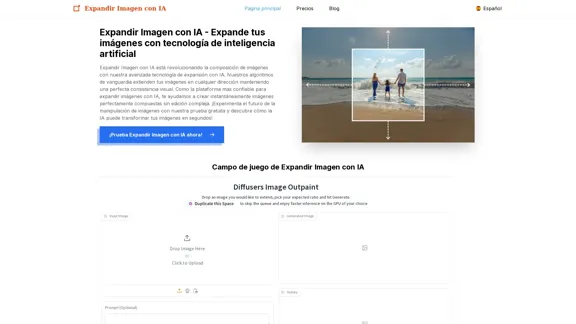
With the advancement of Artificial Intelligence (AI), it is now possible to describe images or pictures online using an Image Describer. This innovative tool uses computer vision and machine learning algorithms to analyze and identify the contents of an image, generating a descriptive text of what it sees.

How it Works

The process is quite simple:

1. Upload an Image: You can upload an image or enter the URL of an online image to the Image Describer tool.
2. AI Analysis: The AI algorithm analyzes the image, detecting objects, people, animals, and other elements within the picture.
3. Generate Description: The AI generates a descriptive text based on the analysis, providing a clear and concise description of the image.

Applications of Image Describer

The Image Describer has numerous applications, including:

* Accessibility: Helping visually impaired individuals to understand the content of an image.
* E-commerce: Providing product descriptions for online shopping platforms.
* Search Engine Optimization (SEO): Generating alt tags and descriptions for images to improve search engine rankings.
* Content Creation: Assisting writers and content creators with image descriptions.

Benefits of Image Describer

The Image Describer offers several benefits, including:

* Time-Saving: Automating the process of image description, saving time and effort.
* Accuracy: Providing accurate and objective descriptions of images.
* Efficiency: Enabling individuals to focus on other tasks while the AI handles image description.

Try it Out

Experience the power of AI-driven image description today! Upload an image or enter a URL to see the Image Describer in action.
View Detail

Image Describer - AI Describe Image or Picture Online With the advancement of Artificial Intelligence (AI), it is now possible to describe images or pictures online using an Image Describer. This innovative tool uses computer vision and machine learning algorithms to analyze and identify the contents of an image, generating a descriptive text of what it sees. How it Works The process is quite simple: 1. Upload an Image: You can upload an image or enter the URL of an online image to the Image Describer tool. 2. AI Analysis: The AI algorithm analyzes the image, detecting objects, people, animals, and other elements within the picture. 3. Generate Description: The AI generates a descriptive text based on the analysis, providing a clear and concise description of the image. Applications of Image Describer The Image Describer has numerous applications, including: * Accessibility: Helping visually impaired individuals to understand the content of an image. * E-commerce: Providing product descriptions for online shopping platforms. * Search Engine Optimization (SEO): Generating alt tags and descriptions for images to improve search engine rankings. * Content Creation: Assisting writers and content creators with image descriptions. Benefits of Image Describer The Image Describer offers several benefits, including: * Time-Saving: Automating the process of image description, saving time and effort. * Accuracy: Providing accurate and objective descriptions of images. * Efficiency: Enabling individuals to focus on other tasks while the AI handles image description. Try it Out Experience the power of AI-driven image description today! Upload an image or enter a URL to see the Image Describer in action.

Image Describer - AI Describe Image or Picture Online With the advancement of Artificial Intelligence (AI), it is now possible to describe images or pictures online using an Image Describer. This innovative tool uses computer vision and machine learning algorithms to analyze and identify the contents of an image, generating a descriptive text of what it sees. How it Works The process is quite simple: 1. Upload an Image: You can upload an image or enter the URL of an online image to the Image Describer tool. 2. AI Analysis: The AI algorithm analyzes the image, detecting objects, people, animals, and other elements within the picture. 3. Generate Description: The AI generates a descriptive text based on the analysis, providing a clear and concise description of the image. Applications of Image Describer The Image Describer has numerous applications, including: * Accessibility: Helping visually impaired individuals to understand the content of an image. * E-commerce: Providing product descriptions for online shopping platforms. * Search Engine Optimization (SEO): Generating alt tags and descriptions for images to improve search engine rankings. * Content Creation: Assisting writers and content creators with image descriptions. Benefits of Image Describer The Image Describer offers several benefits, including: * Time-Saving: Automating the process of image description, saving time and effort. * Accuracy: Providing accurate and objective descriptions of images. * Efficiency: Enabling individuals to focus on other tasks while the AI handles image description. Try it Out Experience the power of AI-driven image description today! Upload an image or enter a URL to see the Image Describer in action.

AI Image Describer is a tool to describe images or pictures online. It can be used as an image description and caption generator. Additionally, it supports image-to-prompt and text extraction from photos.

5.16 K
Krea
View Detail

Krea

Krea

Krea makes generative AI intuitive. Generate, edit, and enhance images and videos using powerful AI for free.

5.34 M
MagicPhotos
View Detail

MagicPhotos

MagicPhotos

Beautiful photos that tell your story. Ready for Tinder, Instagram, Bumble, TikTok, Hinge, Grindr, Facebook, Snapchat.

38.27 K