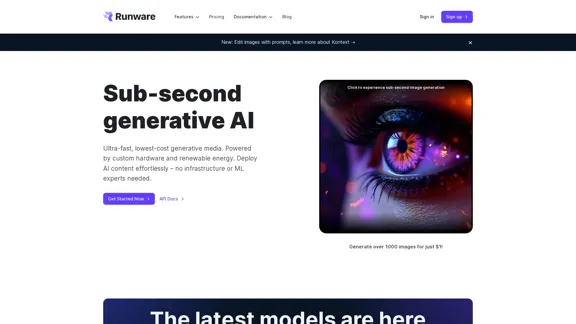
Runware offers a low-cost, ultra-fast Stable Diffusion API designed for generative media tasks. It enables users to generate images quickly and affordably, powered by custom hardware and renewable energy. The platform is user-friendly, requiring no extensive infrastructure or machine learning expertise, making it accessible for various applications.
Low Cost, Ultra-Fast Stable Diffusion API
The most affordable and flexible image generation API. Easily deploy blazing-fast AI features in any app. Start today and create 1000 images for free.
Introduction
Feature
-
Ultra-Fast Image Generation
Runware's Sonic Inference Engine™ provides sub-second generative AI capabilities, allowing users to generate over 1000 images for just $1.
-
Custom Hardware
The platform utilizes a unique server architecture specifically developed for AI workloads, ensuring low costs and high-speed performance.
-
Flexible API Integration
The API supports real-time communication via Websockets and stateless integration through REST API calls, making it adaptable to various business needs.
-
Extensive Model Library
Users have access to a vast library of over 312,356 models, including the latest image generation technologies, allowing for diverse creative applications.
-
Image Editing Features
Runware includes tools for background removal, inpainting, outpainting, and upscaling, enhancing the image generation experience.
-
Sustainable Performance
The platform is powered by renewable energy, contributing to a sustainable approach to media generation while saving significant CO₂ emissions.
How to Use?
- Visit the Runware website and sign up for an account.
- Access the API documentation to understand the integration process.
- Use the Playground feature to test AI capabilities instantly.
- Experiment with different models and parameters to find the best fit for your project.
- Take advantage of the image editing tools to enhance your generated images.
FAQ
What is Runware?
Runware is a generative media platform that provides an API for ultra-fast image generation and editing, suitable for various applications without requiring extensive technical knowledge.
How does Runware's API work?
The API allows users to send requests for image generation using specific parameters, and it returns high-quality images based on the provided prompts.
Can I use the images generated by Runware commercially?
Yes, images generated through Runware can be used commercially, as they are created under a royalty-free model.
What types of tasks can I perform with Runware?
Runware supports a variety of tasks, including image generation, editing, background removal, and upscaling, making it versatile for different creative needs.
How do I get started with Runware?
To get started, sign up on the Runware website, explore the API documentation, and begin testing the features in the Playground.
Price
| Plan Type | Monthly Cost |
|---|---|
| Free Plan | $0 |
| Basic Plan | $9.99 |
| Standard Plan | $19.99 |
| Professional Plan | $49.99 |
The price is for reference only, please refer to the latest official data for actual information.
Evaluation
Runware excels in providing a cost-effective and fast solution for image generation, making it suitable for both individuals and businesses. The extensive model library and user-friendly API are significant advantages, allowing for diverse applications without the need for specialized knowledge.
However, the platform could improve by offering more detailed documentation and tutorials for beginners to better understand the capabilities and integration processes. Additionally, while the speed is impressive, users may encounter limitations in customization options compared to more complex systems. Overall, Runware is a strong contender in the generative media space, particularly for users seeking efficiency and affordability.
Related Websites

Transform your photos effortlessly with Pincel, the intelligent and user-friendly online image editing application. Perfect your images, one brush stroke at a time.
562.68 K
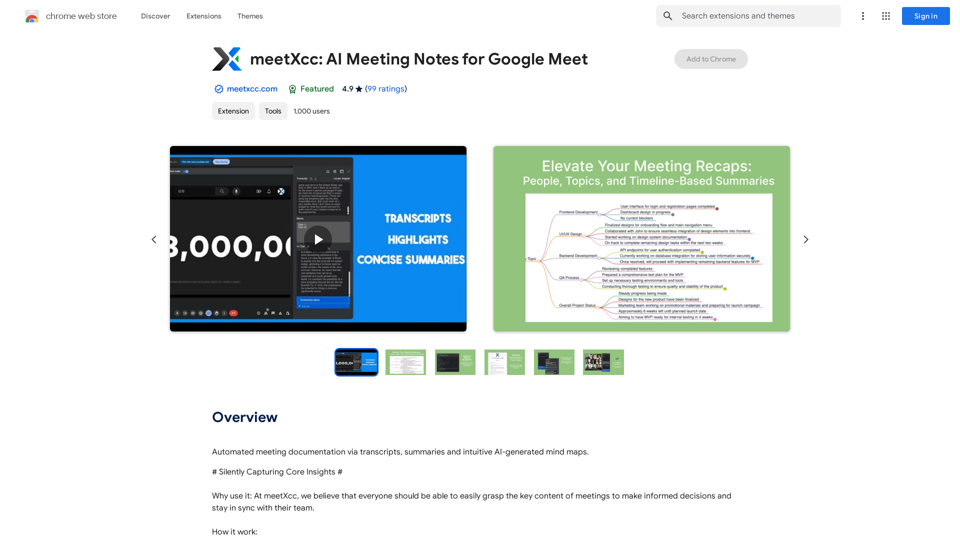
Automated meeting documentation via transcripts, summaries and intuitive AI-generated mind maps.
193.90 M
![Simplified Chrome Extension
This is a basic Chrome extension designed to be easy to understand and modify.
Manifest File (manifest.json):
```json
{
"manifest_version": 3,
"name": "Simplified Extension",
"version": "1.0",
"description": "A simple Chrome extension example.",
"permissions": [
"activeTab"
],
"action": {
"default_popup": "popup.html"
}
}
```
Popup HTML (popup.html):
```html
<!DOCTYPE html>
<html>
<head>
<title>Simplified Extension</title>
</head>
<body>
<h1>Hello from the extension!</h1>
<p>This is a simple popup.</p>
</body>
</html>
```
Explanation:
* manifest.json: This file tells Chrome what your extension does.
* `manifest_version`: Specifies the version of the manifest file format.
* `name`: The name of your extension.
* `version`: The current version of your extension.
* `description`: A brief description of your extension.
* `permissions`: Lists the permissions your extension needs to function. Here, it needs access to the active tab.
* `action`: Defines the popup that appears when the extension icon is clicked.
* popup.html: This file contains the HTML code for the popup window.
How it works:
1. When you install the extension, Chrome reads the `manifest.json` file.
2. When you click the extension icon, Chrome opens the `popup.html` file in a new window.
3. The popup displays the "Hello from the extension!" message.](https://static.right-ai.com/tools/2024/7/4/chromewebstore-google-com-detail-simplified-chrome-extensi-hibfheifkaehlpnfggmfimfbhhffcmla-thumbnail-1720057553.png "Simplified Chrome Extension
This is a basic Chrome extension designed to be easy to understand and modify.
Manifest File (manifest.json):
```json
{
\"manifest_version\": 3,
\"name\": \"Simplified Extension\",
\"version\": \"1.0\",
\"description\": \"A simple Chrome extension example.\",
\"permissions\": [
\"activeTab\"
],
\"action\": {
\"default_popup\": \"popup.html\"
}
}
```
Popup HTML (popup.html):
```html
<!DOCTYPE html>
<html>
<head>
<title>Simplified Extension</title>
</head>
<body>
<h1>Hello from the extension!</h1>
<p>This is a simple popup.</p>
</body>
</html>
```
Explanation:
* manifest.json: This file tells Chrome what your extension does.
* `manifest_version`: Specifies the version of the manifest file format.
* `name`: The name of your extension.
* `version`: The current version of your extension.
* `description`: A brief description of your extension.
* `permissions`: Lists the permissions your extension needs to function. Here, it needs access to the active tab.
* `action`: Defines the popup that appears when the extension icon is clicked.
* popup.html: This file contains the HTML code for the popup window.
How it works:
1. When you install the extension, Chrome reads the `manifest.json` file.
2. When you click the extension icon, Chrome opens the `popup.html` file in a new window.
3. The popup displays the \"Hello from the extension!\" message.")
Simplified Chrome Extension This is a basic Chrome extension designed to be easy to understand and modify. Manifest File (manifest.json): ```json { "manifest_version": 3, "name": "Simplified Extension", "version": "1.0", "description": "A simple Chrome extension example.", "permissions": [ "activeTab" ], "action": { "default_popup": "popup.html" } } ``` Popup HTML (popup.html): ```html <!DOCTYPE html> <html> <head> <title>Simplified Extension</title> </head> <body> <h1>Hello from the extension!</h1> <p>This is a simple popup.</p> </body> </html> ``` Explanation: * manifest.json: This file tells Chrome what your extension does. * `manifest_version`: Specifies the version of the manifest file format. * `name`: The name of your extension. * `version`: The current version of your extension. * `description`: A brief description of your extension. * `permissions`: Lists the permissions your extension needs to function. Here, it needs access to the active tab. * `action`: Defines the popup that appears when the extension icon is clicked. * popup.html: This file contains the HTML code for the popup window. How it works: 1. When you install the extension, Chrome reads the `manifest.json` file. 2. When you click the extension icon, Chrome opens the `popup.html` file in a new window. 3. The popup displays the "Hello from the extension!" message.
Simplified Chrome Extension This is a basic Chrome extension designed to be easy to understand and modify. Manifest File (manifest.json): ```json { "manifest_version": 3, "name": "Simplified Extension", "version": "1.0", "description": "A simple Chrome extension example.", "permissions": [ "activeTab" ], "action": { "default_popup": "popup.html" } } ``` Popup HTML (popup.html): ```html <!DOCTYPE html> <html> <head> <title>Simplified Extension</title> </head> <body> <h1>Hello from the extension!</h1> <p>This is a simple popup.</p> </body> </html> ``` Explanation: * manifest.json: This file tells Chrome what your extension does. * `manifest_version`: Specifies the version of the manifest file format. * `name`: The name of your extension. * `version`: The current version of your extension. * `description`: A brief description of your extension. * `permissions`: Lists the permissions your extension needs to function. Here, it needs access to the active tab. * `action`: Defines the popup that appears when the extension icon is clicked. * popup.html: This file contains the HTML code for the popup window. How it works: 1. When you install the extension, Chrome reads the `manifest.json` file. 2. When you click the extension icon, Chrome opens the `popup.html` file in a new window. 3. The popup displays the "Hello from the extension!" message.Design & Collaborate Marketing made easy #Simplified
193.90 M

Flux Tools: Comprehensive Guide to AI Image Creation and Editing
Flux Tools: Comprehensive Guide to AI Image Creation and EditingDiscover how Flux Tools transforms image generation and editing. Expert guide with hands-on experience, use cases, and best practices for creators.
0