Open-source RightAI Tools Directory
  • Discover AI
  • Submit
  • Startup
  • Blog
Open-source RightAI Tools Directory
Discover the best AI tools of 2025 with the RightAI Tools Directory!

Friend Links

AI Anime GeneratorToolsApp AI

Support

Tap4
Privacy policyTerms & ConditionsContact Us
Loading...
loading...

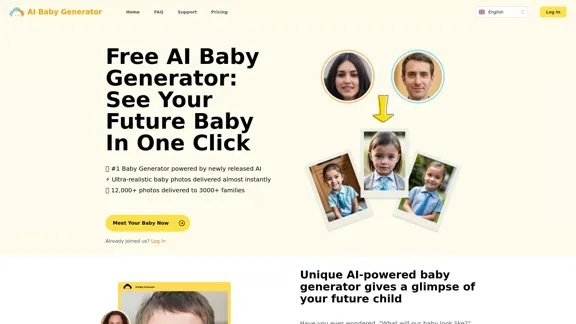
Free AI Baby Generator - See Your Future Baby's Face Instantly

See your own future baby using our free AI baby face generator. Get ultra-realistic baby photo predictions in just seconds, with one click!
Visit Website
Free AI Baby Generator - See Your Future Baby's Face Instantly
Visit Website

Introduction

The Free AI Baby Generator allows users to visualize their future child's appearance by generating ultra-realistic baby photos in seconds. By combining the features of both parents, this innovative tool provides a glimpse into what a future baby might look like, making it a fun and engaging experience for expecting couples and families.

Feature

  1. Ultra-Realistic Baby Photos

    The AI Baby Generator produces highly realistic images of babies by analyzing and merging the characteristics of both parents.

  2. Instant Delivery

    Users can generate their future baby’s image almost instantly, with most photos created in less than 20 seconds.

  3. User-Friendly Process

    Simply upload clear, front-facing photos of both parents, select the desired baby gender, and activate the AI to generate the image.

  4. Privacy Protection

    The generator prioritizes user privacy, ensuring that uploaded and generated images are deleted promptly after delivery.

  5. Ownership of Images

    Users have full ownership of the generated images, allowing them to keep and share the photos freely.

  6. Advanced AI Technology

    The tool utilizes newly developed AI algorithms, fine-tuned with a dataset of millions of images, to create personalized baby images.

How to Use?

  1. Upload clear, front-facing photos of both parents for the best results.
  2. Choose the desired gender of the baby before generating the image.
  3. Ensure that the photos are of high quality to enhance the realism of the generated image.
  4. Share the generated images with family and friends to enjoy the experience together.

FAQ

What is the AI Baby Generator?

The AI Baby Generator is a tool that creates realistic images of potential future babies by combining the features of both parents.

How long does it take to generate a photo?

Most photos are generated in less than 20 seconds.

Can I use the generated photos anywhere?

Yes, the images generated are yours to keep and share freely.

How does the AI Baby Generator work?

Users upload photos of both parents, select the baby’s gender, and activate the AI to generate a lifelike image of their future child.

Is my privacy protected?

Yes, the service prioritizes privacy, ensuring that uploaded and generated images are deleted after delivery.

Price

  • Free Plan: $0/month
  • Basic Plan: $9.99/month
  • Standard Plan: $19.99/month
  • Professional Plan: $49.99/month
The price is for reference only, please refer to the latest official data for actual information.

Evaluation

  1. The AI Baby Generator effectively delivers realistic baby images, making it an enjoyable tool for couples curious about their future children.
  2. The instant delivery feature enhances user experience, allowing for quick results.
  3. While the tool is user-friendly, it could benefit from additional customization options for users who want to tweak specific facial features.
  4. The privacy measures in place are commendable, ensuring users feel secure when using the service.
  5. Overall, the generator serves as a delightful novelty for families, though it may not be a regular use tool for everyone.

Latest Traffic Insights

  • Monthly Visits

    32.64 K

  • Bounce Rate

    37.88%

  • Pages Per Visit

    2.25

  • Time on Site(s)

    23.76

  • Global Rank

    818769

  • Country Rank

    United States 477143

Recent Visits

Traffic Sources

  • Social Media:
    5.48%
  • Paid Referrals:
    1.01%
  • Email:
    0.13%
  • Referrals:
    10.32%
  • Search Engines:
    50.12%
  • Direct:
    32.69%
More Data

Related Websites

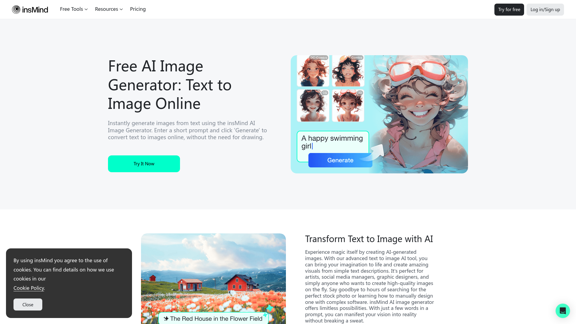
100% Free AI Image Generator: Text to Image Online | insMind
View Detail

100% Free AI Image Generator: Text to Image Online | insMind

100% Free AI Image Generator: Text to Image Online | insMind

Looking for a free AI image generator from text? Create stunning images with a simple text prompt using the most advanced AI text-to-image generator.

1.77 M
PaintShop Pro: Photo Editing Software by Corel
View Detail

PaintShop Pro: Photo Editing Software by Corel

PaintShop Pro: Photo Editing Software by Corel

The official website for the PaintShop Pro family of products. Get product information, updates and free trials. Access special offers, tutorials and videos.

155.73 K
Dressplay
View Detail

Dressplay

Dressplay

Dressplay

0
Topaz Labs | Professional-level photo and video editing powered by AI.
View Detail

Topaz Labs | Professional-level photo and video editing powered by AI.

Topaz Labs | Professional-level photo and video editing powered by AI.

Deep learning-powered photo and video enhancement software delivers the highest image quality available for noise reduction, sharpening, upscaling, and additional improvements.

3.12 M
Doodles generated by GPTConsole's AI Agent DOODLE
View Detail

Doodles generated by GPTConsole's AI Agent DOODLE

Doodles generated by GPTConsole's AI Agent DOODLE

Explore a collection of unique, AI-generated doodles. Doodle Agent provides insights into the world of creative doodles. See the future of digital art now!

0
Cloudbooklet AI Tools, AI News & More
View Detail

Cloudbooklet AI Tools, AI News & More

Cloudbooklet AI Tools, AI News & More

Cloudbooklet AI is the free and most popular source to find and use all the artificial intelligence tools and AI news. Follow us to stay updated in AI.

167.63 K
Text to Voice Generator
==========================

A text-to-voice generator, also known as a text-to-speech (TTS) system, is a software that converts written text into a spoken voice output. This technology has been widely used in various applications, including virtual assistants, audiobooks, and language learning platforms.

How it Works
---------------

The process of generating voice from text involves several steps:

1. Text Analysis: The input text is analyzed to identify the language, syntax, and semantics.
2. Phonetic Transcription: The text is converted into a phonetic transcription, which represents the sounds of the spoken language.
3. Prosody Generation: The phonetic transcription is then used to generate the prosody, or rhythm and intonation, of the spoken voice.
4. Waveform Generation: The prosody and phonetic transcription are combined to generate the audio waveform, which is the final spoken voice output.

Types of Text-to-Voice Generators
-----------------------------------

There are two main types of text-to-voice generators:

Rule-Based Systems

These systems use a set of predefined rules to generate the spoken voice output. They are often limited in their ability to produce natural-sounding voices and may sound robotic.

Machine Learning-Based Systems

These systems use machine learning algorithms to learn from large datasets of spoken voices and generate more natural-sounding voices. They are often more advanced and can produce high-quality voice outputs.

Applications of Text-to-Voice Generators
-----------------------------------------

Text-to-voice generators have a wide range of applications, including:

Virtual Assistants

Virtual assistants, such as Siri and Alexa, use text-to-voice generators to respond to user queries.

Audiobooks

Text-to-voice generators can be used to create audiobooks from written texts, making it easier for people to access written content.

Language Learning

Language learning platforms use text-to-voice generators to provide pronunciation guidance and practice exercises for learners.

Accessibility

Text-to-voice generators can be used to assist people with disabilities, such as visual impairments, by providing an auditory interface to written content.
View Detail

Text to Voice Generator ========================== A text-to-voice generator, also known as a text-to-speech (TTS) system, is a software that converts written text into a spoken voice output. This technology has been widely used in various applications, including virtual assistants, audiobooks, and language learning platforms. How it Works --------------- The process of generating voice from text involves several steps: 1. Text Analysis: The input text is analyzed to identify the language, syntax, and semantics. 2. Phonetic Transcription: The text is converted into a phonetic transcription, which represents the sounds of the spoken language. 3. Prosody Generation: The phonetic transcription is then used to generate the prosody, or rhythm and intonation, of the spoken voice. 4. Waveform Generation: The prosody and phonetic transcription are combined to generate the audio waveform, which is the final spoken voice output. Types of Text-to-Voice Generators ----------------------------------- There are two main types of text-to-voice generators: Rule-Based Systems These systems use a set of predefined rules to generate the spoken voice output. They are often limited in their ability to produce natural-sounding voices and may sound robotic. Machine Learning-Based Systems These systems use machine learning algorithms to learn from large datasets of spoken voices and generate more natural-sounding voices. They are often more advanced and can produce high-quality voice outputs. Applications of Text-to-Voice Generators ----------------------------------------- Text-to-voice generators have a wide range of applications, including: Virtual Assistants Virtual assistants, such as Siri and Alexa, use text-to-voice generators to respond to user queries. Audiobooks Text-to-voice generators can be used to create audiobooks from written texts, making it easier for people to access written content. Language Learning Language learning platforms use text-to-voice generators to provide pronunciation guidance and practice exercises for learners. Accessibility Text-to-voice generators can be used to assist people with disabilities, such as visual impairments, by providing an auditory interface to written content.

Text to Voice Generator ========================== A text-to-voice generator, also known as a text-to-speech (TTS) system, is a software that converts written text into a spoken voice output. This technology has been widely used in various applications, including virtual assistants, audiobooks, and language learning platforms. How it Works --------------- The process of generating voice from text involves several steps: 1. Text Analysis: The input text is analyzed to identify the language, syntax, and semantics. 2. Phonetic Transcription: The text is converted into a phonetic transcription, which represents the sounds of the spoken language. 3. Prosody Generation: The phonetic transcription is then used to generate the prosody, or rhythm and intonation, of the spoken voice. 4. Waveform Generation: The prosody and phonetic transcription are combined to generate the audio waveform, which is the final spoken voice output. Types of Text-to-Voice Generators ----------------------------------- There are two main types of text-to-voice generators: Rule-Based Systems These systems use a set of predefined rules to generate the spoken voice output. They are often limited in their ability to produce natural-sounding voices and may sound robotic. Machine Learning-Based Systems These systems use machine learning algorithms to learn from large datasets of spoken voices and generate more natural-sounding voices. They are often more advanced and can produce high-quality voice outputs. Applications of Text-to-Voice Generators ----------------------------------------- Text-to-voice generators have a wide range of applications, including: Virtual Assistants Virtual assistants, such as Siri and Alexa, use text-to-voice generators to respond to user queries. Audiobooks Text-to-voice generators can be used to create audiobooks from written texts, making it easier for people to access written content. Language Learning Language learning platforms use text-to-voice generators to provide pronunciation guidance and practice exercises for learners. Accessibility Text-to-voice generators can be used to assist people with disabilities, such as visual impairments, by providing an auditory interface to written content.

Generate Voice from Text on Any Web Page With the advancement of technology, it is now possible to generate voice from text on any web page. This feature is particularly useful for people who prefer listening to content rather than reading it. Here's how you can do it: #Method 1: Using Browser Extension You can use a browser extension like Read Aloud or SpeakIt! to generate voice from text on any web page. These extensions are available for both Google Chrome and Mozilla Firefox browsers. #Method 2: Using Online Tools There are several online tools available that can convert text to speech. Some popular tools include NaturalReader, Voice Dream Reader, and Google Text-to-Speech. You can copy and paste the text from any web page into these tools to generate voice. #Method 3: Using Screen Reader If you are using a Windows operating system, you can use the built-in Narrator screen reader to generate voice from text on any web page. For Mac users, you can use VoiceOver. By using any of these methods, you can easily generate voice from text on any web page and enjoy a more convenient and accessible reading experience.

193.90 M
The Exciting Destination for Generating AI Images & Videos
View Detail

The Exciting Destination for Generating AI Images & Videos

The Exciting Destination for Generating AI Images & Videos

Join thousands of creators using our AI Art Generator to bring their creative visions to life. Explore our advanced AI tools to generate stunning images and videos effortlessly.

409.36 K