Open-source RightAI Tools Directory
  • Discover AI
  • Submit
  • Startup
  • Blog
Open-source RightAI Tools Directory
Discover the best AI tools of 2025 with the RightAI Tools Directory!

Friend Links

AI Anime GeneratorToolsApp AI

Support

Tap4
Privacy policyTerms & ConditionsContact Us
Loading...
loading...

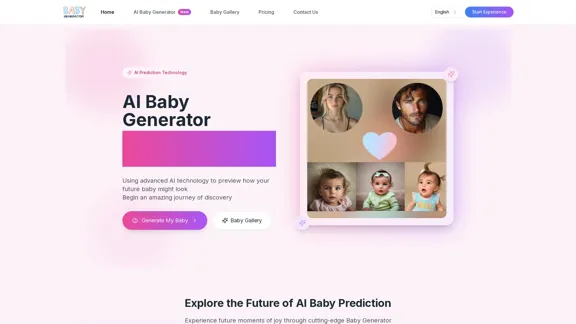
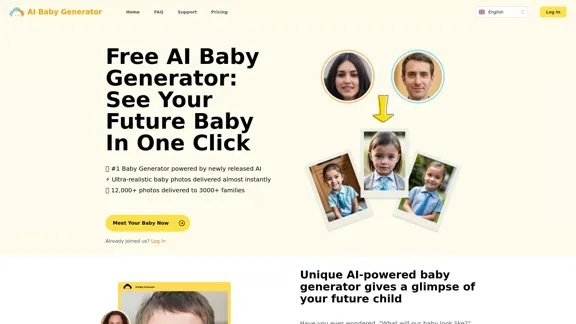
Free AI Baby Generator - See Your Future Baby's Face Instantly

See your own future baby using our free AI baby face generator. Get ultra-realistic baby photo predictions in just seconds, with one click!
Visit Website
Free AI Baby Generator - See Your Future Baby's Face Instantly
Visit Website

Introduction

The Free AI Baby Generator allows users to visualize their future child's appearance by generating ultra-realistic baby photos in seconds. By combining the features of both parents, this innovative tool provides a glimpse into what a future baby might look like, making it a fun and engaging experience for expecting couples and families.

Feature

  1. Ultra-Realistic Baby Photos

    The AI Baby Generator produces highly realistic images of babies by analyzing and merging the characteristics of both parents.

  2. Instant Delivery

    Users can generate their future baby’s image almost instantly, with most photos created in less than 20 seconds.

  3. User-Friendly Process

    Simply upload clear, front-facing photos of both parents, select the desired baby gender, and activate the AI to generate the image.

  4. Privacy Protection

    The generator prioritizes user privacy, ensuring that uploaded and generated images are deleted promptly after delivery.

  5. Ownership of Images

    Users have full ownership of the generated images, allowing them to keep and share the photos freely.

  6. Advanced AI Technology

    The tool utilizes newly developed AI algorithms, fine-tuned with a dataset of millions of images, to create personalized baby images.

How to Use?

  1. Upload clear, front-facing photos of both parents for the best results.
  2. Choose the desired gender of the baby before generating the image.
  3. Ensure that the photos are of high quality to enhance the realism of the generated image.
  4. Share the generated images with family and friends to enjoy the experience together.

FAQ

What is the AI Baby Generator?

The AI Baby Generator is a tool that creates realistic images of potential future babies by combining the features of both parents.

How long does it take to generate a photo?

Most photos are generated in less than 20 seconds.

Can I use the generated photos anywhere?

Yes, the images generated are yours to keep and share freely.

How does the AI Baby Generator work?

Users upload photos of both parents, select the baby’s gender, and activate the AI to generate a lifelike image of their future child.

Is my privacy protected?

Yes, the service prioritizes privacy, ensuring that uploaded and generated images are deleted after delivery.

Price

  • Free Plan: $0/month
  • Basic Plan: $9.99/month
  • Standard Plan: $19.99/month
  • Professional Plan: $49.99/month
The price is for reference only, please refer to the latest official data for actual information.

Evaluation

  1. The AI Baby Generator effectively delivers realistic baby images, making it an enjoyable tool for couples curious about their future children.
  2. The instant delivery feature enhances user experience, allowing for quick results.
  3. While the tool is user-friendly, it could benefit from additional customization options for users who want to tweak specific facial features.
  4. The privacy measures in place are commendable, ensuring users feel secure when using the service.
  5. Overall, the generator serves as a delightful novelty for families, though it may not be a regular use tool for everyone.

Latest Traffic Insights

  • Monthly Visits

    32.64 K

  • Bounce Rate

    37.88%

  • Pages Per Visit

    2.25

  • Time on Site(s)

    23.76

  • Global Rank

    818769

  • Country Rank

    United States 477143

Recent Visits

Traffic Sources

  • Social Media:
    5.48%
  • Paid Referrals:
    1.01%
  • Email:
    0.13%
  • Referrals:
    10.32%
  • Search Engines:
    50.12%
  • Direct:
    32.69%
More Data

Related Websites

Image Search
View Detail

Image Search

Image Search

Find Similar Images in Popular Search Engines You can find similar images in popular search engines like Google, Bing, and Yandex using the following methods: #Google Images * Drag and drop an image into the search bar or click on the camera icon to upload an image. * Click on the "Search by image" button. * Google will display a list of similar images. #Bing Images * Click on the "Images" tab on the Bing homepage. * Click on the "Camera" icon in the search bar. * Upload an image or enter the image URL. * Bing will display a list of similar images. #Yandex Images * Click on the "Images" tab on the Yandex homepage. * Click on the "Lens" icon in the search bar. * Upload an image or enter the image URL. * Yandex will display a list of similar images. These search engines use advanced algorithms to find similar images based on various factors such as color, shape, and texture.

193.90 M
MarketingAI: You don't need more features. You need marketing.
View Detail

MarketingAI: You don't need more features. You need marketing.

MarketingAI: You don't need more features. You need marketing.

Get a 15-page marketing action plan tailored to your SaaS business, including a step-by-step guide on acquiring users and a projected return on investment (ROI).

0
Home of AI Stock Images
View Detail

Home of AI Stock Images

Home of AI Stock Images

Your source for high-quality AI-generated stock images. Browse our curated collection of royalty-free images, both free and premium. Sell AI art and earn a 90% commission.

0
Midjourney API - Automate Midjourney AI Image Generation 

This document outlines how to use the Midjourney API to automate the generation of AI images. 

What is the Midjourney API?

The Midjourney API allows developers to programmatically interact with the powerful Midjourney AI model. This means you can generate images, control various parameters, and integrate Midjourney into your own applications and workflows.

Why Use the Midjourney API?

* Automation: Automate the creation of images for various purposes, such as marketing materials, website content, or research projects.
* Customization: Fine-tune image generation by controlling parameters like aspect ratio, style, and seed values.
* Integration: Seamlessly integrate Midjourney's capabilities into your existing tools and platforms.

Getting Started

1. Sign Up for a Midjourney Account: You'll need a Midjourney account to access the API.

2. Obtain an API Key: Once you have an account, you can generate an API key from your account settings.

3. Choose a Programming Language: The Midjourney API supports various programming languages, including Python, JavaScript, and Go.

4. Install the API Client: Install the appropriate API client library for your chosen language.

5. Start Generating Images: Use the API client to send image generation requests to the Midjourney server.

Example (Python):

```python
import midjourney

Replace with your actual API key
api_key = "YOUR_API_KEY"

Create a Midjourney client
client = midjourney.Client(api_key=api_key)

Generate an image
response = client.create_image(prompt="A cat wearing a hat", num_images=1)

Print the image URL
print(response.images[0].url)
```

Documentation and Resources

For detailed information about the Midjourney API, including available endpoints, parameters, and examples, please refer to the official documentation: [https://docs.midjourney.com/](https://docs.midjourney.com/)
View Detail

Midjourney API - Automate Midjourney AI Image Generation This document outlines how to use the Midjourney API to automate the generation of AI images. What is the Midjourney API? The Midjourney API allows developers to programmatically interact with the powerful Midjourney AI model. This means you can generate images, control various parameters, and integrate Midjourney into your own applications and workflows. Why Use the Midjourney API? * Automation: Automate the creation of images for various purposes, such as marketing materials, website content, or research projects. * Customization: Fine-tune image generation by controlling parameters like aspect ratio, style, and seed values. * Integration: Seamlessly integrate Midjourney's capabilities into your existing tools and platforms. Getting Started 1. Sign Up for a Midjourney Account: You'll need a Midjourney account to access the API. 2. Obtain an API Key: Once you have an account, you can generate an API key from your account settings. 3. Choose a Programming Language: The Midjourney API supports various programming languages, including Python, JavaScript, and Go. 4. Install the API Client: Install the appropriate API client library for your chosen language. 5. Start Generating Images: Use the API client to send image generation requests to the Midjourney server. Example (Python): ```python import midjourney Replace with your actual API key api_key = "YOUR_API_KEY" Create a Midjourney client client = midjourney.Client(api_key=api_key) Generate an image response = client.create_image(prompt="A cat wearing a hat", num_images=1) Print the image URL print(response.images[0].url) ``` Documentation and Resources For detailed information about the Midjourney API, including available endpoints, parameters, and examples, please refer to the official documentation: [https://docs.midjourney.com/](https://docs.midjourney.com/)

Midjourney API - Automate Midjourney AI Image Generation This document outlines how to use the Midjourney API to automate the generation of AI images. What is the Midjourney API? The Midjourney API allows developers to programmatically interact with the powerful Midjourney AI model. This means you can generate images, control various parameters, and integrate Midjourney into your own applications and workflows. Why Use the Midjourney API? * Automation: Automate the creation of images for various purposes, such as marketing materials, website content, or research projects. * Customization: Fine-tune image generation by controlling parameters like aspect ratio, style, and seed values. * Integration: Seamlessly integrate Midjourney's capabilities into your existing tools and platforms. Getting Started 1. Sign Up for a Midjourney Account: You'll need a Midjourney account to access the API. 2. Obtain an API Key: Once you have an account, you can generate an API key from your account settings. 3. Choose a Programming Language: The Midjourney API supports various programming languages, including Python, JavaScript, and Go. 4. Install the API Client: Install the appropriate API client library for your chosen language. 5. Start Generating Images: Use the API client to send image generation requests to the Midjourney server. Example (Python): ```python import midjourney Replace with your actual API key api_key = "YOUR_API_KEY" Create a Midjourney client client = midjourney.Client(api_key=api_key) Generate an image response = client.create_image(prompt="A cat wearing a hat", num_images=1) Print the image URL print(response.images[0].url) ``` Documentation and Resources For detailed information about the Midjourney API, including available endpoints, parameters, and examples, please refer to the official documentation: [https://docs.midjourney.com/](https://docs.midjourney.com/)

Easily integrate Midjourney AI into your apps using the Midjourney API. Start creating AI images automatically today!

0
Simpedit One Click to Change Your Image with a Stylish Trend
View Detail

Simpedit One Click to Change Your Image with a Stylish Trend

Simpedit One Click to Change Your Image with a Stylish Trend

We've curated a rich library of effects. Transform your image into something beautiful and unique with just one click on Simpedit.

21.33 K
Free QR Code AI Art Generator (2024) • Scanner, Link in Bio, Smart Link, Analytics, Workspace, Monkey, Tiger
View Detail

Free QR Code AI Art Generator (2024) • Scanner, Link in Bio, Smart Link, Analytics, Workspace, Monkey, Tiger

Free QR Code AI Art Generator (2024) • Scanner, Link in Bio, Smart Link, Analytics, Workspace, Monkey, Tiger

Create an artistic QR Code for free, featuring images, logos, colors, and shapes. Select from templates that link to your website, email, WiFi, URL, phone, UPI, PIX, or Rick Roll. Use tools like Canva, Adobe, or Google to design. Compatible with Android and iOS devices. A top alternative to QR Monkey, Tiger, Chimp, and Unitag.

194.49 K
#1 AI Dating Assistant for Rizz Pick Up Lines - WingmanX
View Detail

#1 AI Dating Assistant for Rizz Pick Up Lines - WingmanX

#1 AI Dating Assistant for Rizz Pick Up Lines - WingmanX

Be visible on Tinder, Hinge, Bumble with WingmanX. Attract any woman, get instant replies, and say goodbye to wasted matches. Boost your dating success.

4.90 K
Specific – Capture User Feedback
View Detail

Specific – Capture User Feedback

Specific – Capture User Feedback

The easiest way to capture feedback. Just highlight the text and categorize it right away.

193.90 M