Open-source RightAI Tools Directory
  • Discover AI
  • Submit
  • Startup
  • Blog
Open-source RightAI Tools Directory
Discover the best AI tools of 2025 with the RightAI Tools Directory!

Friend Links

AI Anime GeneratorToolsApp AI

Support

Tap4
Privacy policyTerms & ConditionsContact Us
Loading...
loading...

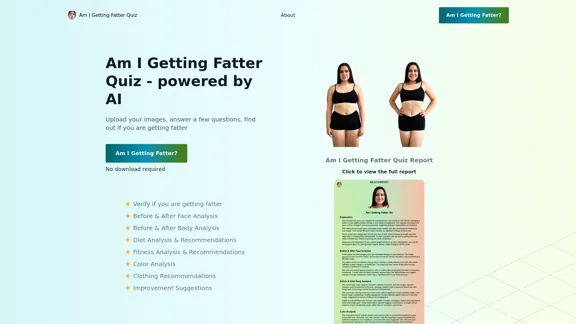
Am I Getting Fatter Quiz - Find out with AI

Take our AI 'Am I Getting Fatter Quiz' to discover if you're fatter than you think. Find out if you need to lose weight, change your lifestyle or if you're on the right track.
Visit Website
Am I Getting Fatter Quiz - Find out with AI
Visit Website

Introduction

Am I Getting Fatter Quiz is an AI-powered tool designed to help users assess their weight changes and overall health. By uploading photos and answering a series of questions, users receive a personalized report analyzing their body composition, lifestyle habits, and potential weight gain. The quiz aims to provide honest feedback and actionable recommendations for those concerned about their weight and health.

Feature

  1. AI-powered analysis

    • Before & After Face Analysis
    • Before & After Body Analysis
    • Diet Analysis & Recommendations
    • Fitness Analysis & Recommendations
    • Color Analysis
    • Clothing Recommendations
    • Improvement Suggestions
  2. User-friendly process

    StepDescription
    1Upload images (selfie, before, and after photos)
    2Complete the quiz
    3AI processes the information
    4Receive personalized report
  3. Comprehensive questionnaire

    • Weight changes over 5 years
    • Appetite and eating habits
    • Energy levels and exercise routines
    • Clothing fit
    • Physical appearance changes
    • Lifestyle factors
  4. Privacy protection

    • No account required
    • No personal information stored
    • Report sent via email within 2-3 minutes
  5. Instant results

    • Real-time processing
    • Report displayed on-screen and emailed

How to Use?

  1. Be honest when answering the quiz questions for the most accurate results.
  2. Upload clear, well-lit photos for better AI analysis.
  3. Use recent photos for the "after" image to get the most up-to-date assessment.
  4. Consider taking the quiz periodically to track changes over time.
  5. Use the recommendations provided in the report as a starting point for lifestyle changes.

FAQ

What is the Am I Getting Fatter Quiz?

It's an AI-powered tool that analyzes your photos and quiz answers to determine if you're gaining weight and provides personalized health recommendations.

How does the Am I Getting Fatter Quiz work?

Users upload photos, answer a series of questions about their lifestyle and health, and receive an AI-generated report with analysis and recommendations.

What's included in the Am I Getting Fatter Quiz Report?

The report includes analysis of your current weight status, body composition changes, diet and exercise habits, sleep patterns, and lifestyle factors affecting your weight.

How much does the Am I Getting Fatter Quiz report cost?

The report costs $29 USD.

How will I receive my Am I Getting Fatter Quiz report?

The report is displayed on-screen immediately after completion and sent to your email within 2-3 minutes.

Price

The Am I Getting Fatter Quiz report costs $29 USD.

The price is for reference only, please refer to the latest official data for actual information.

Evaluation

  1. The Am I Getting Fatter Quiz offers a unique approach to weight assessment by combining AI image analysis with a comprehensive lifestyle questionnaire. This holistic approach can provide valuable insights for users concerned about their weight.

  2. The quiz's privacy measures, such as not requiring an account and not storing personal information, are commendable in an era of increasing data privacy concerns.

  3. The $29 price point may be a barrier for some users, especially considering that the service is primarily based on self-reported information and photo analysis. Some users might prefer free or lower-cost alternatives for weight tracking.

  4. While the AI-powered analysis is impressive, it's important to note that this tool should not replace professional medical advice. The website could benefit from more prominent disclaimers about the limitations of its analysis.

  5. The comprehensive nature of the questionnaire is a strong point, covering various aspects of lifestyle and health. However, the accuracy of the results heavily depends on the user's honesty and self-awareness when answering questions.

  6. The instant results and email delivery are convenient features that cater to users seeking immediate feedback. However, the 2-3 minute processing time for email delivery seems inconsistent with the claim of "real-time" processing.

Latest Traffic Insights

  • Monthly Visits

    1.25 K

  • Bounce Rate

    42.82%

  • Pages Per Visit

    1.06

  • Time on Site(s)

    0.00

  • Global Rank

    12849029

  • Country Rank

    -

Recent Visits

Traffic Sources

  • Social Media:
    2.84%
  • Paid Referrals:
    0.93%
  • Email:
    0.28%
  • Referrals:
    12.82%
  • Search Engines:
    47.78%
  • Direct:
    34.48%
More Data

Related Websites

WriteText.ai
View Detail

WriteText.ai

WriteText.ai

WriteText.ai Page Review WriteText.ai is an AI-powered writing assistant that helps you generate different creative text formats, like poems, code, scripts, musical pieces, email, letters, etc. It's designed to be user-friendly and accessible to everyone, regardless of their writing experience. Here's a breakdown of its key features and benefits: * Multiple Text Formats: WriteText.ai can generate a variety of text formats, including poems, code, scripts, musical pieces, emails, letters, and more. This versatility makes it a valuable tool for writers, developers, and anyone who needs to create different types of content. * User-Friendly Interface: The platform boasts a clean and intuitive interface that is easy to navigate, even for beginners. * AI-Powered Generation: WriteText.ai leverages the power of artificial intelligence to generate high-quality text. The AI model is trained on a massive dataset of text and code, allowing it to produce creative and coherent outputs. * Customization Options: Users can customize their text generation by providing specific instructions, keywords, or examples. This level of control ensures that the generated text meets their exact needs. * Fast and Efficient: WriteText.ai is designed to be fast and efficient, generating text quickly and accurately. This saves users time and effort, allowing them to focus on other aspects of their work. Overall, WriteText.ai is a powerful and versatile AI writing assistant that can be a valuable tool for a wide range of users. Its user-friendly interface, multiple text format options, and AI-powered generation make it a compelling choice for anyone looking to enhance their writing process.

193.90 M
AI Infographic Generator
View Detail

AI Infographic Generator

AI Infographic Generator

Discover our AI-powered Infographic maker, infographic generator online ,infographics,infographic of infographics, infographic, infographic examples,piktochart, text to infographic,infographic of infographics

3.33 K
AI Photo Editor - Edit photos online for free
View Detail

AI Photo Editor - Edit photos online for free

AI Photo Editor - Edit photos online for free

Pixelfox AI is one of the best free AI image editing tools, designed to automatically edit images and photos. Start editing photos now.

58.05 K
Alt Text Generator for Webflow 

This tool helps you generate descriptive alt text for your Webflow images. 

Why is Alt Text Important?

* Accessibility: Alt text allows screen readers to describe images to visually impaired users.
* SEO: Search engines use alt text to understand the content of your images, improving your website's ranking.

How to Use:

1. Paste your image URL: Enter the URL of the image you want to generate alt text for.
2. Click "Generate Alt Text": The tool will analyze the image and suggest relevant alt text.
3. Review and Edit:  Read the generated alt text and make any necessary changes to ensure it accurately describes the image.

Example:

Image URL: https://www.example.com/image.jpg

Generated Alt Text: A photo of a smiling woman holding a cup of coffee.

Remember:

* Keep alt text concise and descriptive.
* Use keywords that accurately reflect the image content.
* Avoid using generic phrases like "image" or "picture."
View Detail

Alt Text Generator for Webflow This tool helps you generate descriptive alt text for your Webflow images. Why is Alt Text Important? * Accessibility: Alt text allows screen readers to describe images to visually impaired users. * SEO: Search engines use alt text to understand the content of your images, improving your website's ranking. How to Use: 1. Paste your image URL: Enter the URL of the image you want to generate alt text for. 2. Click "Generate Alt Text": The tool will analyze the image and suggest relevant alt text. 3. Review and Edit: Read the generated alt text and make any necessary changes to ensure it accurately describes the image. Example: Image URL: https://www.example.com/image.jpg Generated Alt Text: A photo of a smiling woman holding a cup of coffee. Remember: * Keep alt text concise and descriptive. * Use keywords that accurately reflect the image content. * Avoid using generic phrases like "image" or "picture."

Alt Text Generator for Webflow This tool helps you generate descriptive alt text for your Webflow images. Why is Alt Text Important? * Accessibility: Alt text allows screen readers to describe images to visually impaired users. * SEO: Search engines use alt text to understand the content of your images, improving your website's ranking. How to Use: 1. Paste your image URL: Enter the URL of the image you want to generate alt text for. 2. Click "Generate Alt Text": The tool will analyze the image and suggest relevant alt text. 3. Review and Edit: Read the generated alt text and make any necessary changes to ensure it accurately describes the image. Example: Image URL: https://www.example.com/image.jpg Generated Alt Text: A photo of a smiling woman holding a cup of coffee. Remember: * Keep alt text concise and descriptive. * Use keywords that accurately reflect the image content. * Avoid using generic phrases like "image" or "picture."

Big update! Reconfigured the API to get rid of cold starts. What does this mean? Faster alt text generation! Completely redesigned...

193.90 M
Ziko.ai Extension
View Detail

Ziko.ai Extension

Ziko.ai Extension

Here are some examples of auto-replies you can use for Google Business reviews: For Positive Reviews: * "Thank you so much for the wonderful review! We're thrilled you had a positive experience. We appreciate your business and look forward to seeing you again soon." * "We're so happy to hear you enjoyed your time with us! Your feedback means a lot to us. Thanks for taking the time to leave a review." * "Wow, thank you for the kind words! We strive to provide excellent service and we're glad we met your expectations. We appreciate your support!" For Negative Reviews: * "We're sorry to hear that you had a negative experience. We value your feedback and would like to learn more about what happened. Please contact us directly at [phone number] or [email address] so we can address your concerns." * "Thank you for your honest feedback. We apologize that we didn't meet your expectations. We're always working to improve our services and we appreciate you bringing this to our attention." * "We understand your frustration and sincerely apologize for any inconvenience caused. We'd like to make things right. Please contact us at [phone number] or [email address] so we can discuss this further." Tips: * Be prompt: Respond to reviews as quickly as possible. * Be genuine: Your responses should sound sincere and authentic. * Be professional: Avoid getting defensive or argumentative. * Keep it concise: Get to the point and avoid writing lengthy responses. * Offer solutions: If possible, offer a way to resolve the issue.

193.90 M
FLUX Redux - A Professional Tool for Generating AI Images
View Detail

FLUX Redux - A Professional Tool for Generating AI Images

FLUX Redux - A Professional Tool for Generating AI Images

FLUX Redux is an enterprise-level AI image processing tool that provides advanced features for generating variations, restyling, and enhancing images.

0
Text Summarizer
View Detail

Text Summarizer

Text Summarizer

Summarizing texts is an application that creates short text from much longer text files.

193.90 M
Midjourney API - Automate Midjourney AI Image Generation 

This document outlines how to use the Midjourney API to automate the generation of AI images. 

What is the Midjourney API?

The Midjourney API allows developers to programmatically interact with the powerful Midjourney AI model. This means you can generate images, control various parameters, and integrate Midjourney into your own applications and workflows.

Why Use the Midjourney API?

* Automation: Automate the creation of images for various purposes, such as marketing materials, website content, or research projects.
* Customization: Fine-tune image generation by controlling parameters like aspect ratio, style, and seed values.
* Integration: Seamlessly integrate Midjourney's capabilities into your existing tools and platforms.

Getting Started

1. Sign Up for a Midjourney Account: You'll need a Midjourney account to access the API.

2. Obtain an API Key: Once you have an account, you can generate an API key from your account settings.

3. Choose a Programming Language: The Midjourney API supports various programming languages, including Python, JavaScript, and Go.

4. Install the API Client: Install the appropriate API client library for your chosen language.

5. Start Generating Images: Use the API client to send image generation requests to the Midjourney server.

Example (Python):

```python
import midjourney

Replace with your actual API key
api_key = "YOUR_API_KEY"

Create a Midjourney client
client = midjourney.Client(api_key=api_key)

Generate an image
response = client.create_image(prompt="A cat wearing a hat", num_images=1)

Print the image URL
print(response.images[0].url)
```

Documentation and Resources

For detailed information about the Midjourney API, including available endpoints, parameters, and examples, please refer to the official documentation: [https://docs.midjourney.com/](https://docs.midjourney.com/)
View Detail

Midjourney API - Automate Midjourney AI Image Generation This document outlines how to use the Midjourney API to automate the generation of AI images. What is the Midjourney API? The Midjourney API allows developers to programmatically interact with the powerful Midjourney AI model. This means you can generate images, control various parameters, and integrate Midjourney into your own applications and workflows. Why Use the Midjourney API? * Automation: Automate the creation of images for various purposes, such as marketing materials, website content, or research projects. * Customization: Fine-tune image generation by controlling parameters like aspect ratio, style, and seed values. * Integration: Seamlessly integrate Midjourney's capabilities into your existing tools and platforms. Getting Started 1. Sign Up for a Midjourney Account: You'll need a Midjourney account to access the API. 2. Obtain an API Key: Once you have an account, you can generate an API key from your account settings. 3. Choose a Programming Language: The Midjourney API supports various programming languages, including Python, JavaScript, and Go. 4. Install the API Client: Install the appropriate API client library for your chosen language. 5. Start Generating Images: Use the API client to send image generation requests to the Midjourney server. Example (Python): ```python import midjourney Replace with your actual API key api_key = "YOUR_API_KEY" Create a Midjourney client client = midjourney.Client(api_key=api_key) Generate an image response = client.create_image(prompt="A cat wearing a hat", num_images=1) Print the image URL print(response.images[0].url) ``` Documentation and Resources For detailed information about the Midjourney API, including available endpoints, parameters, and examples, please refer to the official documentation: [https://docs.midjourney.com/](https://docs.midjourney.com/)

Midjourney API - Automate Midjourney AI Image Generation This document outlines how to use the Midjourney API to automate the generation of AI images. What is the Midjourney API? The Midjourney API allows developers to programmatically interact with the powerful Midjourney AI model. This means you can generate images, control various parameters, and integrate Midjourney into your own applications and workflows. Why Use the Midjourney API? * Automation: Automate the creation of images for various purposes, such as marketing materials, website content, or research projects. * Customization: Fine-tune image generation by controlling parameters like aspect ratio, style, and seed values. * Integration: Seamlessly integrate Midjourney's capabilities into your existing tools and platforms. Getting Started 1. Sign Up for a Midjourney Account: You'll need a Midjourney account to access the API. 2. Obtain an API Key: Once you have an account, you can generate an API key from your account settings. 3. Choose a Programming Language: The Midjourney API supports various programming languages, including Python, JavaScript, and Go. 4. Install the API Client: Install the appropriate API client library for your chosen language. 5. Start Generating Images: Use the API client to send image generation requests to the Midjourney server. Example (Python): ```python import midjourney Replace with your actual API key api_key = "YOUR_API_KEY" Create a Midjourney client client = midjourney.Client(api_key=api_key) Generate an image response = client.create_image(prompt="A cat wearing a hat", num_images=1) Print the image URL print(response.images[0].url) ``` Documentation and Resources For detailed information about the Midjourney API, including available endpoints, parameters, and examples, please refer to the official documentation: [https://docs.midjourney.com/](https://docs.midjourney.com/)

Easily integrate Midjourney AI into your apps using the Midjourney API. Start creating AI images automatically today!

0