Open-source RightAI Tools Directory
  • Discover AI
  • Submit
  • Startup
  • Blog
Open-source RightAI Tools Directory
Discover the best AI tools of 2025 with the RightAI Tools Directory!

Friend Links

AI Anime GeneratorToolsApp AI

Support

Tap4
Privacy policyTerms & ConditionsContact Us
Loading...
loading...

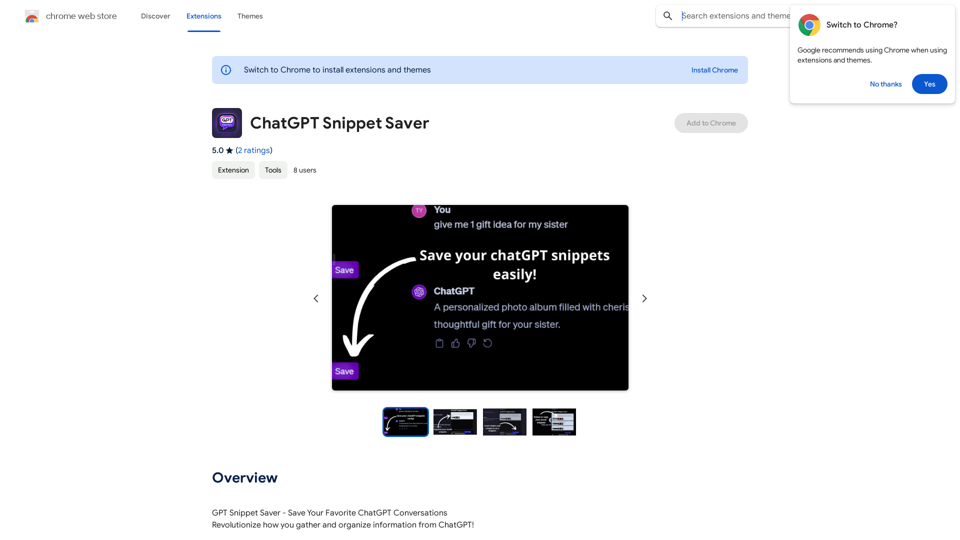
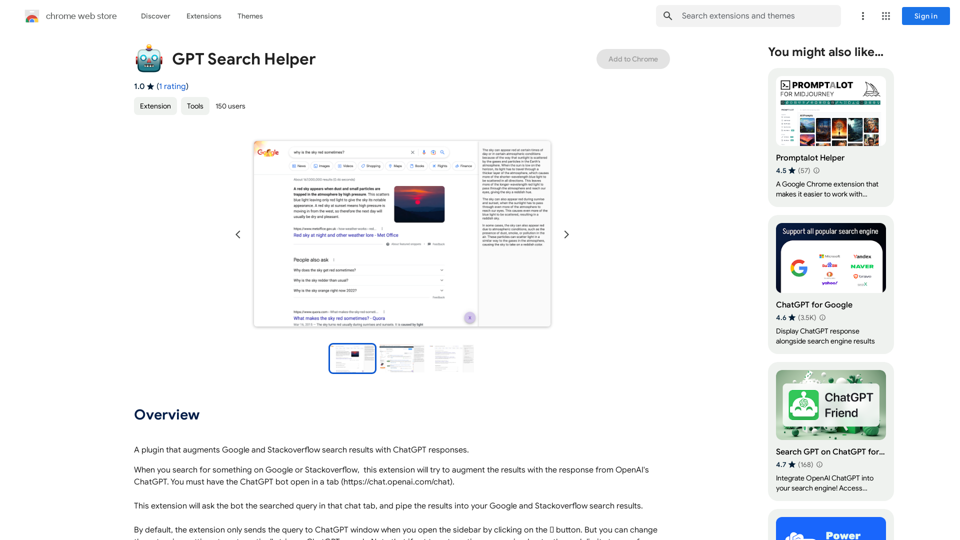
ChatGPT Snippet Saver This is a simple tool to save snippets from your ChatGPT conversations. How to Use: 1. Copy the text snippet you want to save from your ChatGPT conversation. 2. Paste the text into the input box below. 3. Click the "Save Snippet" button. Your snippet will be saved to your local storage. You can access your saved snippets later by clicking the "View Saved Snippets" button.

GPT Snippet Saver - Save Your Favorite ChatGPT Conversations Revolutionize how you gather and organize information from ChatGPT! - Effortlessly capture and store your most valuable ChatGPT interactions. - Organize your saved conversations by topic, date, or any custom tag. - Easily search and retrieve specific snippets from your saved history. - Share your favorite ChatGPT insights with others. - Never lose track of a brilliant idea or helpful response again.
Visit Website
ChatGPT Snippet Saver

This is a simple tool to save snippets from your ChatGPT conversations. 

How to Use:

1.  Copy the text snippet you want to save from your ChatGPT conversation.
2.  Paste the text into the input box below.
3.  Click the "Save Snippet" button.

Your snippet will be saved to your local storage. You can access your saved snippets later by clicking the "View Saved Snippets" button.
Visit Website

Introduction

ChatGPT Snippet Saver is a Chrome extension designed to help users save important parts of their ChatGPT conversations quickly and easily. It allows users to preserve engaging ideas, educational answers, and inspiring insights with a single click, making it an invaluable tool for professionals, students, and creative minds who want to capture and organize knowledge from their ChatGPT interactions.

Feature

Easy Saving

Instantly save interesting parts of your ChatGPT conversations with a single click, streamlining the process of capturing valuable information.

Seamless Integration

Works harmoniously with ChatGPT without disrupting your browsing experience, ensuring a smooth and efficient workflow.

Organization

Manage your saved snippets in categories for easy access and reference, allowing you to keep your information well-structured and readily available.

Shareability

Easily share your saved snippets with friends or colleagues, facilitating collaboration and knowledge sharing.

Privacy-Centered

Your conversations remain private and are stored locally on your device, ensuring the security and confidentiality of your data.

Free to Use

ChatGPT Snippet Saver is a free extension with no subscription fees or hidden costs, making it accessible to all users.

Multi-Device Compatibility

Compatible with all devices that support the Chrome browser, providing flexibility and convenience across different platforms.

FAQ

Is ChatGPT Snippet Saver compatible with all devices?

Yes, ChatGPT Snippet Saver is compatible with all devices that support the Chrome browser.

Can I use ChatGPT Snippet Saver with other AI-powered tools?

Yes, ChatGPT Snippet Saver can be used with other AI-powered tools and extensions.

Is my data safe with ChatGPT Snippet Saver?

Yes, your data is stored locally on your device and is not shared with any third-party services, ensuring your privacy and data security.

Related Websites

popup
View Detail

popup

popup

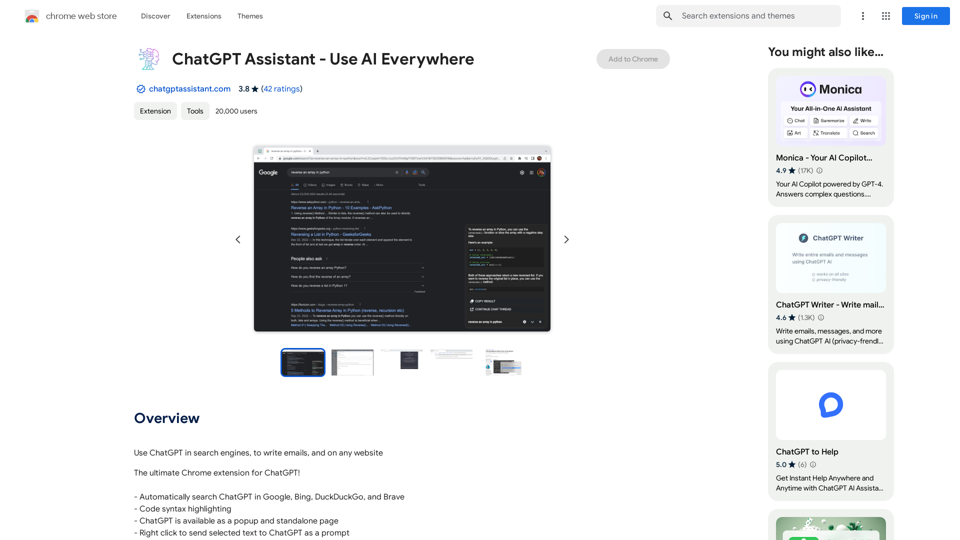
An assistant powered by ChatGPT

193.90 M
Article Summary with ChatGPT and Take Notes

This is a guide on how to use ChatGPT to summarize articles and take notes effectively. 

Step 1:  Provide ChatGPT with the Article

Copy and paste the full text of the article into the ChatGPT interface. 

Step 2:  Craft Your Prompt

Tell ChatGPT what you want it to do. Here are some examples:

* Summarize: "Please summarize this article in 200 words."
* Key Points: "What are the main points of this article?"
* Bullet Points: "Summarize the key findings of this article in bullet points."
* Notes: "Take notes on this article, focusing on the author's arguments and supporting evidence."

Step 3:  Review and Refine

ChatGPT will generate a summary, key points, bullet points, or notes based on your prompt. 

* Read carefully: Make sure the output accurately reflects the article's content.
* Edit as needed:  You can ask ChatGPT to rephrase sections or provide more detail.
* Add your own insights:  Don't just copy ChatGPT's output. Use it as a starting point and add your own thoughts, questions, and connections.

Tips for Effective Use:

* Be specific: The more specific your prompt, the better the output will be.
* Experiment with different prompts: Try various phrasing to see what works best.
* Use ChatGPT as a tool:  It's a powerful aid, but it's not a replacement for critical reading and thinking.
View Detail

Article Summary with ChatGPT and Take Notes This is a guide on how to use ChatGPT to summarize articles and take notes effectively. Step 1: Provide ChatGPT with the Article Copy and paste the full text of the article into the ChatGPT interface. Step 2: Craft Your Prompt Tell ChatGPT what you want it to do. Here are some examples: * Summarize: "Please summarize this article in 200 words." * Key Points: "What are the main points of this article?" * Bullet Points: "Summarize the key findings of this article in bullet points." * Notes: "Take notes on this article, focusing on the author's arguments and supporting evidence." Step 3: Review and Refine ChatGPT will generate a summary, key points, bullet points, or notes based on your prompt. * Read carefully: Make sure the output accurately reflects the article's content. * Edit as needed: You can ask ChatGPT to rephrase sections or provide more detail. * Add your own insights: Don't just copy ChatGPT's output. Use it as a starting point and add your own thoughts, questions, and connections. Tips for Effective Use: * Be specific: The more specific your prompt, the better the output will be. * Experiment with different prompts: Try various phrasing to see what works best. * Use ChatGPT as a tool: It's a powerful aid, but it's not a replacement for critical reading and thinking.

Article Summary with ChatGPT and Take Notes This is a guide on how to use ChatGPT to summarize articles and take notes effectively. Step 1: Provide ChatGPT with the Article Copy and paste the full text of the article into the ChatGPT interface. Step 2: Craft Your Prompt Tell ChatGPT what you want it to do. Here are some examples: * Summarize: "Please summarize this article in 200 words." * Key Points: "What are the main points of this article?" * Bullet Points: "Summarize the key findings of this article in bullet points." * Notes: "Take notes on this article, focusing on the author's arguments and supporting evidence." Step 3: Review and Refine ChatGPT will generate a summary, key points, bullet points, or notes based on your prompt. * Read carefully: Make sure the output accurately reflects the article's content. * Edit as needed: You can ask ChatGPT to rephrase sections or provide more detail. * Add your own insights: Don't just copy ChatGPT's output. Use it as a starting point and add your own thoughts, questions, and connections. Tips for Effective Use: * Be specific: The more specific your prompt, the better the output will be. * Experiment with different prompts: Try various phrasing to see what works best. * Use ChatGPT as a tool: It's a powerful aid, but it's not a replacement for critical reading and thinking.

I can do that! Please provide me with the URL of the webpage or article you'd like me to summarize. I'll do my best to create a concise and easy-to-understand summary for you.

193.90 M
Summarize and Translate with Gemini
Gemini是一个基于人工智能的多语言翻译和文本摘要工具。它可以将长篇文本转换为简洁的摘要,同时提供多种语言的翻译选项。

#Key Features
* Multilingual Translation: Gemini支持多种语言的翻译,包括英语、法语、德语、西班牙语、葡萄牙语、意大利语、荷兰语、俄语、中文、日语和韩语等。
* Text Summarization: Gemini可以将长篇文本转换为简洁的摘要,帮助用户快速了解文本的主要内容。
* AI-powered: Gemini基于人工智能技术,能够智能地识别和处理语言,提供高质量的翻译和摘要结果。

#How to Use Gemini
1. Copy and Paste: 将需要翻译或摘要的文本复制并粘贴到Gemini的输入框中。
2. Select Language: 选择需要翻译的语言或摘要的格式。
3. Get Result: Gemini将提供翻译或摘要结果,用户可以根据需要进行调整和编辑。

#Benefits
* Save Time: Gemini可以快速地翻译和摘要长篇文本,节省用户的时间和精力。
* Improve Efficiency: Gemini的翻译和摘要结果可以帮助用户更好地理解和处理文本,提高工作效率。
* Enhance Productivity: Gemini可以帮助用户更好地与他人交流和合作,提高生产力和效率。
View Detail

Summarize and Translate with Gemini Gemini是一个基于人工智能的多语言翻译和文本摘要工具。它可以将长篇文本转换为简洁的摘要,同时提供多种语言的翻译选项。 #Key Features * Multilingual Translation: Gemini支持多种语言的翻译,包括英语、法语、德语、西班牙语、葡萄牙语、意大利语、荷兰语、俄语、中文、日语和韩语等。 * Text Summarization: Gemini可以将长篇文本转换为简洁的摘要,帮助用户快速了解文本的主要内容。 * AI-powered: Gemini基于人工智能技术,能够智能地识别和处理语言,提供高质量的翻译和摘要结果。 #How to Use Gemini 1. Copy and Paste: 将需要翻译或摘要的文本复制并粘贴到Gemini的输入框中。 2. Select Language: 选择需要翻译的语言或摘要的格式。 3. Get Result: Gemini将提供翻译或摘要结果,用户可以根据需要进行调整和编辑。 #Benefits * Save Time: Gemini可以快速地翻译和摘要长篇文本,节省用户的时间和精力。 * Improve Efficiency: Gemini的翻译和摘要结果可以帮助用户更好地理解和处理文本,提高工作效率。 * Enhance Productivity: Gemini可以帮助用户更好地与他人交流和合作,提高生产力和效率。

Summarize and Translate with Gemini Gemini是一个基于人工智能的多语言翻译和文本摘要工具。它可以将长篇文本转换为简洁的摘要,同时提供多种语言的翻译选项。 #Key Features * Multilingual Translation: Gemini支持多种语言的翻译,包括英语、法语、德语、西班牙语、葡萄牙语、意大利语、荷兰语、俄语、中文、日语和韩语等。 * Text Summarization: Gemini可以将长篇文本转换为简洁的摘要,帮助用户快速了解文本的主要内容。 * AI-powered: Gemini基于人工智能技术,能够智能地识别和处理语言,提供高质量的翻译和摘要结果。 #How to Use Gemini 1. Copy and Paste: 将需要翻译或摘要的文本复制并粘贴到Gemini的输入框中。 2. Select Language: 选择需要翻译的语言或摘要的格式。 3. Get Result: Gemini将提供翻译或摘要结果,用户可以根据需要进行调整和编辑。 #Benefits * Save Time: Gemini可以快速地翻译和摘要长篇文本,节省用户的时间和精力。 * Improve Efficiency: Gemini的翻译和摘要结果可以帮助用户更好地理解和处理文本,提高工作效率。 * Enhance Productivity: Gemini可以帮助用户更好地与他人交流和合作,提高生产力和效率。

Summarize and Translate Web Pages This tool utilizes Gemini as its backend to provide a convenient way to summarize and translate web pages.

193.90 M
HexarAI
View Detail

HexarAI

HexarAI

Unlock your business's full potential with HexarAI, the all-in-one AI platform. Seamlessly integrate marketing, tech development, accounting, design, and business management for unparalleled efficiency and success.

0
inai Webhooks & Reports Integrator
View Detail

inai Webhooks & Reports Integrator

inai Webhooks & Reports Integrator

Helps you quickly set up Adyen Webhooks and Reports so they work with inai Optimize and inai Recon.

193.90 M
TermsAi
View Detail

TermsAi

TermsAi

TermsAi provides quick summaries of terms and agreements using AI. Understand key points effortlessly with a single click.

193.90 M
Surveys, Forms & Quizzes with AI by Responsly
View Detail

Surveys, Forms & Quizzes with AI by Responsly

Surveys, Forms & Quizzes with AI by Responsly

Powerful survey and form maker powered by AI. Generate what you want in seconds.

193.90 M
AI Voice Generator & Text to Speech | Deepgram

Transform written text into natural-sounding speech with our AI voice generator and text-to-speech technology.
View Detail

AI Voice Generator & Text to Speech | Deepgram Transform written text into natural-sounding speech with our AI voice generator and text-to-speech technology.

AI Voice Generator & Text to Speech | Deepgram Transform written text into natural-sounding speech with our AI voice generator and text-to-speech technology.

Unlock the potential of Deepgram's AI Voice Generator. Experience natural-sounding text to speech for all your projects.

835.16 K