Open-source RightAI Tools Directory
  • Discover AI
  • Submit
  • Startup
  • Blog
Open-source RightAI Tools Directory
Discover the best AI tools of 2025 with the RightAI Tools Directory!

Friend Links

AI Anime GeneratorToolsApp AI

Support

Tap4
Privacy policyTerms & ConditionsContact Us
Loading...
loading...

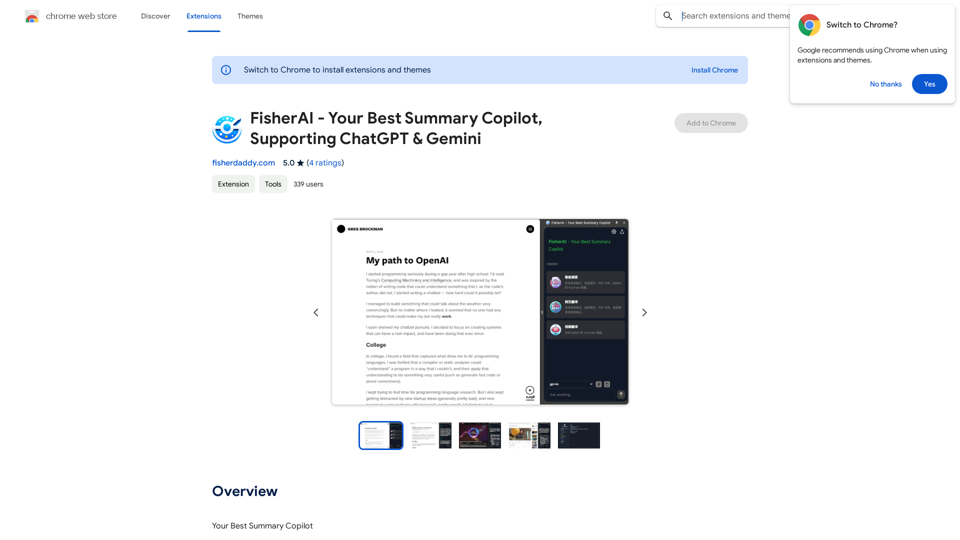
FisherAI - Your Best Summary Copilot, Supporting ChatGPT & Gemini

Your Best AI Summary Assistant
Visit Website
FisherAI - Your Best Summary Copilot, Supporting ChatGPT & Gemini
Visit Website

Introduction

FisherAI is an advanced Chrome extension designed to enhance web browsing efficiency. It offers quick summarization of web and video content, supporting multiple AI models. This tool enables users to analyze webpages, extract key information, and present it concisely. FisherAI is particularly useful for quickly grasping core points from long articles, research reports, or daily news.

Feature

Free and Secure

  • Customizable API key
  • Offline storage on local device
  • Ensures user privacy and data security

Wide Model Support

  • OpenAI models: GPT-3.5, GPT-4, GPT-4O
  • Google models: Gemini-Pro, Gemini-1.5-Pro, Gemini-1.5-Flash
  • Moonshot models: v1 8k/32k/128k
  • Mistral models: Mixtral 8x7b/8x22b
  • Groq models: LLaMA3 70b/8b
  • Other models: LLaMA2 70b, Mixtral-8x7b, Gemma-7b, DeepSeek, Zero-One
  • Support for Ollama local models

Intelligent Summarization and Translation

  • Automatic analysis of webpage and video content
  • Quick generation of summaries and translations
  • Supports YouTube and Bilibili for video summaries and subtitle translation/download

Shortcut Functions

  • Triggered by '/' key
  • Includes translation, summary, polishing, image-to-text, and code explanation

Additional Features

  • Highlight translation
  • Webpage main text extraction
  • Video subtitle download

Efficiency Improvement

  • Saves reading time
  • Facilitates quick browsing and understanding of large information volumes

User-Friendly Interface

  • One-key summary/translation
  • Suitable for all user types

Multi-Scenario Application

  • Academic research
  • Commercial reports
  • Daily news browsing

FAQ

What is FisherAI?

FisherAI is an advanced Chrome extension that helps users quickly summarize web and video content, supporting multiple AI models. It analyzes webpages, extracts key information, and presents it concisely, making it ideal for grasping core points from long articles, research reports, or daily news in seconds.

What are the main features of FisherAI?

FisherAI offers:

  • Free and secure usage with customizable API keys
  • Support for multiple AI models
  • Intelligent summarization and translation of web and video content
  • Video summary and subtitle translation/download for YouTube and Bilibili
  • Shortcut functions for various tasks
  • Additional features like highlight translation and webpage text extraction

How does FisherAI improve efficiency?

FisherAI improves efficiency by:

  • Saving reading time
  • Enabling quick browsing and understanding of large amounts of information
  • Providing one-key summary/translation
  • Offering a user-friendly interface suitable for all types of users

In what scenarios can FisherAI be used?

FisherAI is applicable in various scenarios, including:

  • Academic research
  • Commercial report analysis
  • Daily news browsing
  • Any situation requiring quick information extraction and understanding

Latest Traffic Insights

  • Monthly Visits

    193.90 M

  • Bounce Rate

    56.27%

  • Pages Per Visit

    2.71

  • Time on Site(s)

    115.91

  • Global Rank

    -

  • Country Rank

    -

Recent Visits

Traffic Sources

  • Social Media:
    0.48%
  • Paid Referrals:
    0.55%
  • Email:
    0.15%
  • Referrals:
    12.81%
  • Search Engines:
    16.21%
  • Direct:
    69.81%
More Data

Related Websites

LinkedIn AI Result Booster
View Detail

LinkedIn AI Result Booster

LinkedIn AI Result Booster

Handle Objections. Smart Follow-ups. Personalized Invites. Boost your LinkedIn prospecting with Salee and get booked meetings!

193.90 M
NodeFlair - One-Click Job Apply
View Detail

NodeFlair - One-Click Job Apply

NodeFlair - One-Click Job Apply

Say goodbye to filling out repetitive job applications and apply to millions of jobs with just one click!

193.90 M
Lingban AI Assistant - GPT Chat, Web Translation, Bilingual Comparison, Intelligent Writing, AI Full-Network Search, AI Article Reading, Real-Time Internet Connection
View Detail

Lingban AI Assistant - GPT Chat, Web Translation, Bilingual Comparison, Intelligent Writing, AI Full-Network Search, AI Article Reading, Real-Time Internet Connection

Lingban AI Assistant - GPT Chat, Web Translation, Bilingual Comparison, Intelligent Writing, AI Full-Network Search, AI Article Reading, Real-Time Internet Connection

Lingban AI Assistant is your personal AI assistant on any webpage. It can help you translate various webpages, provide bilingual comparisons, offer creative inspiration, and answer your questions in chat conversations.

193.90 M
Article Summary with ChatGPT and Take Notes

This is a guide on how to use ChatGPT to summarize articles and take notes effectively. 

Step 1:  Provide ChatGPT with the Article

Copy and paste the full text of the article into the ChatGPT interface. 

Step 2:  Craft Your Prompt

Tell ChatGPT what you want it to do. Here are some examples:

* Summarize: "Please summarize this article in 200 words."
* Key Points: "What are the main points of this article?"
* Bullet Points: "Summarize the key findings of this article in bullet points."
* Notes: "Take notes on this article, focusing on the author's arguments and supporting evidence."

Step 3:  Review and Refine

ChatGPT will generate a summary, key points, bullet points, or notes based on your prompt. 

* Read carefully: Make sure the output accurately reflects the article's content.
* Edit as needed:  You can ask ChatGPT to rephrase sections or provide more detail.
* Add your own insights:  Don't just copy ChatGPT's output. Use it as a starting point and add your own thoughts, questions, and connections.

Tips for Effective Use:

* Be specific: The more specific your prompt, the better the output will be.
* Experiment with different prompts: Try various phrasing to see what works best.
* Use ChatGPT as a tool:  It's a powerful aid, but it's not a replacement for critical reading and thinking.
View Detail

Article Summary with ChatGPT and Take Notes This is a guide on how to use ChatGPT to summarize articles and take notes effectively. Step 1: Provide ChatGPT with the Article Copy and paste the full text of the article into the ChatGPT interface. Step 2: Craft Your Prompt Tell ChatGPT what you want it to do. Here are some examples: * Summarize: "Please summarize this article in 200 words." * Key Points: "What are the main points of this article?" * Bullet Points: "Summarize the key findings of this article in bullet points." * Notes: "Take notes on this article, focusing on the author's arguments and supporting evidence." Step 3: Review and Refine ChatGPT will generate a summary, key points, bullet points, or notes based on your prompt. * Read carefully: Make sure the output accurately reflects the article's content. * Edit as needed: You can ask ChatGPT to rephrase sections or provide more detail. * Add your own insights: Don't just copy ChatGPT's output. Use it as a starting point and add your own thoughts, questions, and connections. Tips for Effective Use: * Be specific: The more specific your prompt, the better the output will be. * Experiment with different prompts: Try various phrasing to see what works best. * Use ChatGPT as a tool: It's a powerful aid, but it's not a replacement for critical reading and thinking.

Article Summary with ChatGPT and Take Notes This is a guide on how to use ChatGPT to summarize articles and take notes effectively. Step 1: Provide ChatGPT with the Article Copy and paste the full text of the article into the ChatGPT interface. Step 2: Craft Your Prompt Tell ChatGPT what you want it to do. Here are some examples: * Summarize: "Please summarize this article in 200 words." * Key Points: "What are the main points of this article?" * Bullet Points: "Summarize the key findings of this article in bullet points." * Notes: "Take notes on this article, focusing on the author's arguments and supporting evidence." Step 3: Review and Refine ChatGPT will generate a summary, key points, bullet points, or notes based on your prompt. * Read carefully: Make sure the output accurately reflects the article's content. * Edit as needed: You can ask ChatGPT to rephrase sections or provide more detail. * Add your own insights: Don't just copy ChatGPT's output. Use it as a starting point and add your own thoughts, questions, and connections. Tips for Effective Use: * Be specific: The more specific your prompt, the better the output will be. * Experiment with different prompts: Try various phrasing to see what works best. * Use ChatGPT as a tool: It's a powerful aid, but it's not a replacement for critical reading and thinking.

I can do that! Please provide me with the URL of the webpage or article you'd like me to summarize. I'll do my best to create a concise and easy-to-understand summary for you.

193.90 M
Best Mental Health Services in Nigeria | SereniMind
View Detail

Best Mental Health Services in Nigeria | SereniMind

Best Mental Health Services in Nigeria | SereniMind

SereniMind is a top mental health platform in Nigeria, offering accessible online counseling services across Africa. Our expert counselors provide personalized mental health support to help you overcome challenges like depression, anxiety, and stress. Join SereniMind today for a path to better mental well-being.

88
TurboLearn AI
View Detail

TurboLearn AI

TurboLearn AI

TurboLearn AI quickly makes complete notes, interactive flashcards, and custom quizzes from your lectures. Made to help you learn better and remember more, TurboLearn AI changes to fit your specific learning needs. Make the most of your study time today!

292.80 K
ChatGPT Assistant - MyBrainOnAI
View Detail

ChatGPT Assistant - MyBrainOnAI

ChatGPT Assistant - MyBrainOnAI

Prompt Library Personal Library Tools to enhance using ChatGPT Tools to create prompts Improve your productivity and results

193.90 M
AI Blog Writer - Create Humanized, SEO-Optimized Blogs | QuickCreator
View Detail

AI Blog Writer - Create Humanized, SEO-Optimized Blogs | QuickCreator

AI Blog Writer - Create Humanized, SEO-Optimized Blogs | QuickCreator

Elevate your content with AI Blog Writer by QuickCreator. Generate engaging, human-like blog posts using real-time data and verified citations. Try it for Free.

97.34 K