Open-source RightAI Tools Directory
  • Discover AI
  • Submit
  • Startup
  • Blog
Open-source RightAI Tools Directory
Discover the best AI tools of 2025 with the RightAI Tools Directory!

Friend Links

AI Anime GeneratorToolsApp AI

Support

Tap4
Privacy policyTerms & ConditionsContact Us
Loading...
loading...

eFiling.us

eFiling.us
Visit Website
eFiling.us
Visit Website

Introduction

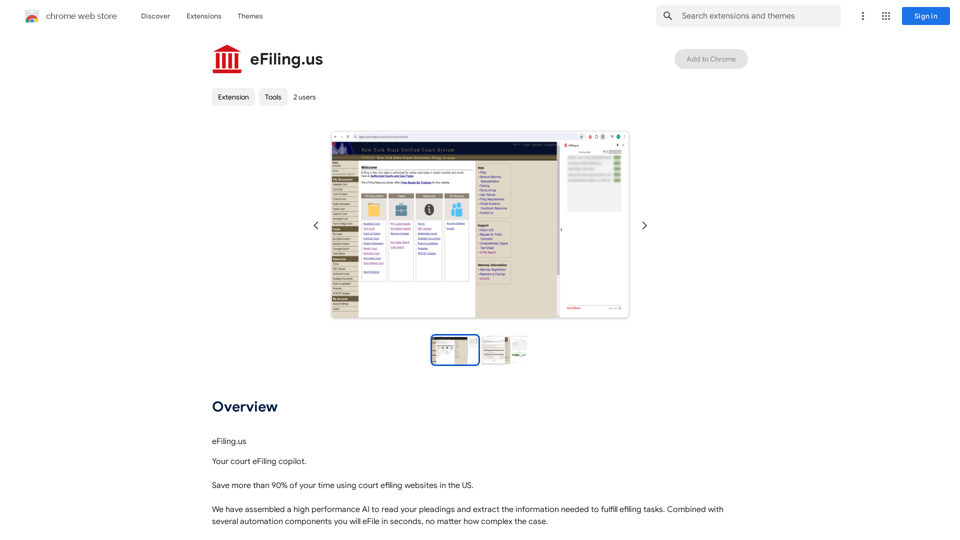
eFiling.us is an innovative court eFiling copilot designed to streamline the process of filing legal documents in US courts. By leveraging high-performance AI and automation components, the platform significantly reduces the time spent on eFiling tasks, allowing legal professionals to complete their filings in seconds, regardless of case complexity. eFiling.us offers a free trial and aims to revolutionize the court filing process by making it more efficient and accessible.

Feature

AI-Powered Document Analysis

The platform utilizes advanced AI technology to read and extract essential information from legal pleadings, automating the data entry process for eFiling tasks.

Rapid eFiling Automation

eFiling.us incorporates multiple automation components that work in tandem with the AI analysis, enabling users to complete eFiling tasks in seconds, even for complex cases.

Time-Saving Efficiency

Users can save more than 90% of their time typically spent on court eFiling websites, significantly improving productivity for legal professionals.

User-Friendly Interface

The platform offers a straightforward three-step process:

  1. Sign up for an account
  2. Upload pleadings for AI analysis
  3. Utilize automation components to complete eFiling

Free Trial Availability

eFiling.us provides a free trial period, allowing users to experience the platform's capabilities before committing to a subscription.

Data Privacy and Security

The platform prioritizes user data protection, ensuring that submitted information is not used for training purposes and maintaining a secure eFiling experience.

FAQ

What types of documents can eFiling.us process?

eFiling.us is designed to handle various legal pleadings and documents commonly used in US court filings. The AI can analyze and extract information from a wide range of legal document types.

Is eFiling.us compatible with all US court systems?

While eFiling.us aims to streamline the eFiling process for US courts, it's best to check with the platform for specific court system compatibility, as requirements may vary by jurisdiction.

How does the subscription model work?

eFiling.us offers a free trial period. For frequent use or access to advanced features, users may need to subscribe to a paid plan. Detailed subscription information should be available on the eFiling.us website.

Can multiple users in a law firm use the same eFiling.us account?

For specific details on multi-user accounts or firm-wide usage, it's recommended to contact eFiling.us directly or refer to their account management documentation.

Is technical support available for eFiling.us users?

While not explicitly mentioned, most SaaS platforms offer some form of customer support. Users should check the eFiling.us website or contact their customer service for information on available support options.

Latest Traffic Insights

  • Monthly Visits

    193.90 M

  • Bounce Rate

    56.27%

  • Pages Per Visit

    2.71

  • Time on Site(s)

    115.91

  • Global Rank

    -

  • Country Rank

    -

Recent Visits

Traffic Sources

  • Social Media:
    0.48%
  • Paid Referrals:
    0.55%
  • Email:
    0.15%
  • Referrals:
    12.81%
  • Search Engines:
    16.21%
  • Direct:
    69.81%
More Data

Related Websites

Mirror AI - Emoji Maker and Free AI Avatar Creator
View Detail

Mirror AI - Emoji Maker and Free AI Avatar Creator

Mirror AI - Emoji Maker and Free AI Avatar Creator

Mirror is your personal sticker creator! Take a single selfie and receive thousands of personalized emojis and stickers featuring you and your friends. Use them in WhatsApp, Facebook, iMessage, Telegram, and other messaging apps!

33.59 K
AI Image Tools for Free Online | PicPicAI
View Detail

AI Image Tools for Free Online | PicPicAI

AI Image Tools for Free Online | PicPicAI

- Remove Background - Photo Enhancer - Photo Upscaler - Change Background Color - Restore Old Photos - Colorize Photos - Compress Photos - Photo Retouch

15.66 K
Midjourney API - Automate Midjourney AI Image Generation 

This document outlines how to use the Midjourney API to automate the generation of AI images. 

What is the Midjourney API?

The Midjourney API allows developers to programmatically interact with the powerful Midjourney AI model. This means you can generate images, control various parameters, and integrate Midjourney into your own applications and workflows.

Why Use the Midjourney API?

* Automation: Automate the creation of images for various purposes, such as marketing materials, website content, or research projects.
* Customization: Fine-tune image generation by controlling parameters like aspect ratio, style, and seed values.
* Integration: Seamlessly integrate Midjourney's capabilities into your existing tools and platforms.

Getting Started

1. Sign Up for a Midjourney Account: You'll need a Midjourney account to access the API.

2. Obtain an API Key: Once you have an account, you can generate an API key from your account settings.

3. Choose a Programming Language: The Midjourney API supports various programming languages, including Python, JavaScript, and Go.

4. Install the API Client: Install the appropriate API client library for your chosen language.

5. Start Generating Images: Use the API client to send image generation requests to the Midjourney server.

Example (Python):

```python
import midjourney

Replace with your actual API key
api_key = "YOUR_API_KEY"

Create a Midjourney client
client = midjourney.Client(api_key=api_key)

Generate an image
response = client.create_image(prompt="A cat wearing a hat", num_images=1)

Print the image URL
print(response.images[0].url)
```

Documentation and Resources

For detailed information about the Midjourney API, including available endpoints, parameters, and examples, please refer to the official documentation: [https://docs.midjourney.com/](https://docs.midjourney.com/)
View Detail

Midjourney API - Automate Midjourney AI Image Generation This document outlines how to use the Midjourney API to automate the generation of AI images. What is the Midjourney API? The Midjourney API allows developers to programmatically interact with the powerful Midjourney AI model. This means you can generate images, control various parameters, and integrate Midjourney into your own applications and workflows. Why Use the Midjourney API? * Automation: Automate the creation of images for various purposes, such as marketing materials, website content, or research projects. * Customization: Fine-tune image generation by controlling parameters like aspect ratio, style, and seed values. * Integration: Seamlessly integrate Midjourney's capabilities into your existing tools and platforms. Getting Started 1. Sign Up for a Midjourney Account: You'll need a Midjourney account to access the API. 2. Obtain an API Key: Once you have an account, you can generate an API key from your account settings. 3. Choose a Programming Language: The Midjourney API supports various programming languages, including Python, JavaScript, and Go. 4. Install the API Client: Install the appropriate API client library for your chosen language. 5. Start Generating Images: Use the API client to send image generation requests to the Midjourney server. Example (Python): ```python import midjourney Replace with your actual API key api_key = "YOUR_API_KEY" Create a Midjourney client client = midjourney.Client(api_key=api_key) Generate an image response = client.create_image(prompt="A cat wearing a hat", num_images=1) Print the image URL print(response.images[0].url) ``` Documentation and Resources For detailed information about the Midjourney API, including available endpoints, parameters, and examples, please refer to the official documentation: [https://docs.midjourney.com/](https://docs.midjourney.com/)

Midjourney API - Automate Midjourney AI Image Generation This document outlines how to use the Midjourney API to automate the generation of AI images. What is the Midjourney API? The Midjourney API allows developers to programmatically interact with the powerful Midjourney AI model. This means you can generate images, control various parameters, and integrate Midjourney into your own applications and workflows. Why Use the Midjourney API? * Automation: Automate the creation of images for various purposes, such as marketing materials, website content, or research projects. * Customization: Fine-tune image generation by controlling parameters like aspect ratio, style, and seed values. * Integration: Seamlessly integrate Midjourney's capabilities into your existing tools and platforms. Getting Started 1. Sign Up for a Midjourney Account: You'll need a Midjourney account to access the API. 2. Obtain an API Key: Once you have an account, you can generate an API key from your account settings. 3. Choose a Programming Language: The Midjourney API supports various programming languages, including Python, JavaScript, and Go. 4. Install the API Client: Install the appropriate API client library for your chosen language. 5. Start Generating Images: Use the API client to send image generation requests to the Midjourney server. Example (Python): ```python import midjourney Replace with your actual API key api_key = "YOUR_API_KEY" Create a Midjourney client client = midjourney.Client(api_key=api_key) Generate an image response = client.create_image(prompt="A cat wearing a hat", num_images=1) Print the image URL print(response.images[0].url) ``` Documentation and Resources For detailed information about the Midjourney API, including available endpoints, parameters, and examples, please refer to the official documentation: [https://docs.midjourney.com/](https://docs.midjourney.com/)

Easily integrate Midjourney AI into your apps using the Midjourney API. Start creating AI images automatically today!

0
Toucu AI Directory | Curated List of over 8,000 AI Tools in 2024
View Detail

Toucu AI Directory | Curated List of over 8,000 AI Tools in 2024

Toucu AI Directory | Curated List of over 8,000 AI Tools in 2024

Toucu AI Directory is a curated list of over 8,000 AI tools in 2024, providing access to a wide variety of AI technologies for different purposes.

585
AI Image Generator - Free Text to Image | Freepik

Generate stunning images from text prompts with our AI-powered tool. No design skills needed!
View Detail

AI Image Generator - Free Text to Image | Freepik Generate stunning images from text prompts with our AI-powered tool. No design skills needed!

AI Image Generator - Free Text to Image | Freepik Generate stunning images from text prompts with our AI-powered tool. No design skills needed!

Real-time Text-to-Image AI Tool: Convert Your Ideas into Images and Illustrations Instantly!

98.96 M
G-Data Screen Data
View Detail

G-Data Screen Data

G-Data Screen Data

Use the G-Data Screen Data extension and the g-datalabs.com platform to gather screen and facial information for training artificial intelligence.

193.90 M
Visual Search
View Detail

Visual Search

Visual Search

This extension connects Flickr Explore with EyeRecognize's image search feature.

193.90 M
SEO All Stars tools: in 1 place ⭐️
View Detail

SEO All Stars tools: in 1 place ⭐️

SEO All Stars tools: in 1 place ⭐️

A Free AI-Powered SEO Toolkit. Analyze your website from a crawler's perspective, comparing metadata, server responses, headlines, content, and links.

193.90 M