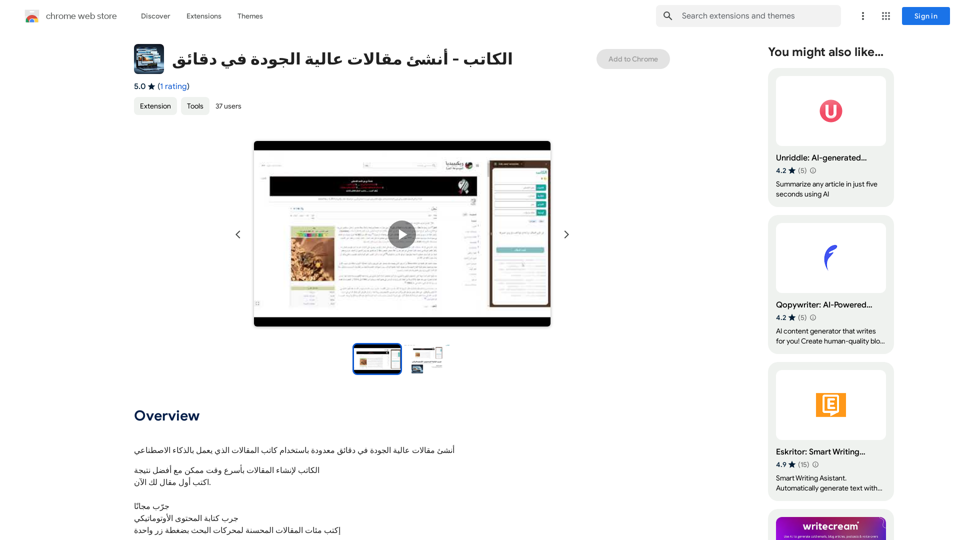
Article Writer is an AI-powered platform designed to create high-quality articles quickly. It supports over 100 languages, making it a versatile tool for content creation across various genres. The platform offers features like automatic content generation, image integration, and unlimited editing capabilities, catering to students, professionals, and businesses alike.
Writer - Create high-quality articles in minutes.
Create high-quality articles in minutes using an AI-powered writing assistant.
Introduction
Feature
Rapid Content Generation
Article Writer utilizes advanced AI technology to produce articles, blog posts, news, and press releases in seconds. Users can simply input a topic, and the platform generates high-quality content instantly.
Multilingual Support
With support for over 100 languages, Article Writer enables users to create content for global audiences, expanding their reach and impact.
Image Integration
The platform enhances content by incorporating relevant images, making articles more visually appealing and engaging for readers.
Human-like Writing Style
Article Writer's AI is designed to mimic human writing styles, ensuring that the generated content is natural, engaging, and of high quality.
Unlimited Editing
Users have the flexibility to refine and perfect their content with unlimited editing capabilities, allowing for customization and improvement.
Versatile Pricing Plans
Article Writer offers three pricing tiers to suit different needs:
| Plan | Price | Target Audience |
|---|---|---|
| Basic | $5 per point | Students and individuals |
| Professional | $30 per point | Businesses and professionals |
| Creative | $10 per point | Creatives and entrepreneurs |
User-Friendly Interface
The platform is designed for ease of use, requiring minimal effort to generate content. Users can start creating articles with just a few clicks.
FAQ
Is there a free trial available for Article Writer?
Yes, Article Writer offers a free trial period for users to test the platform's capabilities before committing to a paid plan.
How do I begin using Article Writer?
Getting started with Article Writer is simple. Just sign up for an account on the platform, and you can immediately begin generating content.
Can I modify the content created by Article Writer?
Absolutely. Article Writer provides unlimited editing capabilities, allowing you to refine and customize the generated content to meet your specific needs and preferences.
What types of content can I create with Article Writer?
Article Writer is versatile and can generate various types of content, including articles, blog posts, news pieces, and press releases, among others.
Related Websites
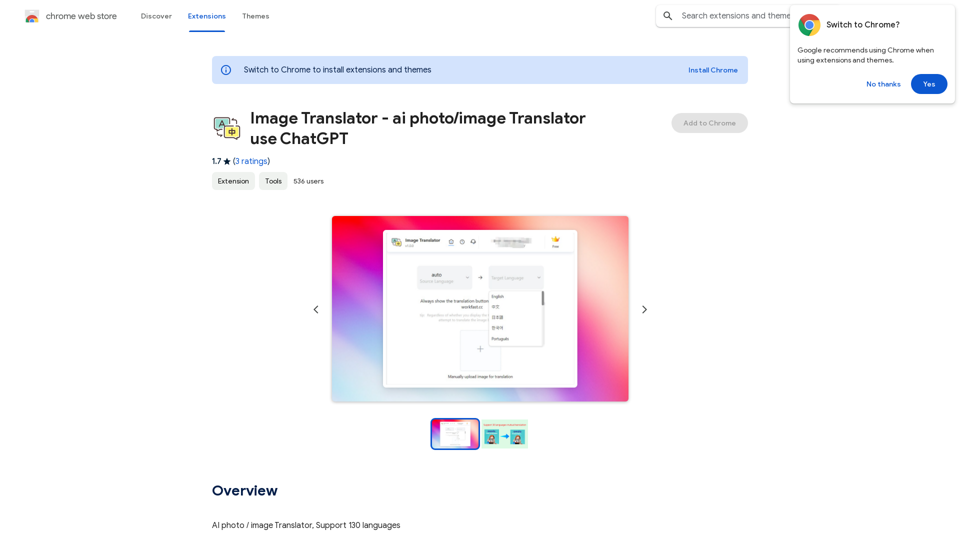
Image Translator - ai photo/image Translator use ChatGPT This is a tool that uses ChatGPT to describe images. You can upload a photo and ChatGPT will generate a written description of what it sees.
Image Translator - ai photo/image Translator use ChatGPT This is a tool that uses ChatGPT to describe images. You can upload a photo and ChatGPT will generate a written description of what it sees.AI Photo/Image Translator, Supports 130 Languages
193.90 M
Save countless hours reading, writing, replying to, and reviewing emails with the power of AI.
193.90 M
![CrackerJack Resume
Objective: To obtain a challenging and rewarding position in a fast-paced environment where I can utilize my skills and experience to contribute to the success of a dynamic team.
Summary of Qualifications:
* Highly motivated and results-oriented individual with a proven track record of success in [mention your field].
* Excellent communication, interpersonal, and problem-solving skills.
* Strong analytical and critical thinking abilities.
* Proficient in [list your relevant skills].
* Adaptable and eager to learn new technologies and processes.
Experience:
* [Job Title], [Company Name], [City, State] - [Dates of Employment]
* [List your responsibilities and achievements using action verbs]
* [Job Title], [Company Name], [City, State] - [Dates of Employment]
* [List your responsibilities and achievements using action verbs]
Education:
* [Degree Name], [Major], [University Name], [City, State] - [Year of Graduation]
* [List any relevant coursework, honors, or awards]
Skills:
* [List your hard and soft skills]
Projects:
* [List any relevant projects you have worked on, including a brief description and your role]
Awards and Recognition:
* [List any awards or recognition you have received]
Volunteer Experience:
* [List any volunteer experience you have]
References:
* Available upon request.](https://static.right-ai.com/tools/2024/7/4/chromewebstore-google-com-detail-crackerjack-resume-fgbdkdeofkmfocghddgppkdelglifokg-thumbnail-1720061173.png "CrackerJack Resume
Objective: To obtain a challenging and rewarding position in a fast-paced environment where I can utilize my skills and experience to contribute to the success of a dynamic team.
Summary of Qualifications:
* Highly motivated and results-oriented individual with a proven track record of success in [mention your field].
* Excellent communication, interpersonal, and problem-solving skills.
* Strong analytical and critical thinking abilities.
* Proficient in [list your relevant skills].
* Adaptable and eager to learn new technologies and processes.
Experience:
* [Job Title], [Company Name], [City, State] - [Dates of Employment]
* [List your responsibilities and achievements using action verbs]
* [Job Title], [Company Name], [City, State] - [Dates of Employment]
* [List your responsibilities and achievements using action verbs]
Education:
* [Degree Name], [Major], [University Name], [City, State] - [Year of Graduation]
* [List any relevant coursework, honors, or awards]
Skills:
* [List your hard and soft skills]
Projects:
* [List any relevant projects you have worked on, including a brief description and your role]
Awards and Recognition:
* [List any awards or recognition you have received]
Volunteer Experience:
* [List any volunteer experience you have]
References:
* Available upon request.")
CrackerJack Resume Objective: To obtain a challenging and rewarding position in a fast-paced environment where I can utilize my skills and experience to contribute to the success of a dynamic team. Summary of Qualifications: * Highly motivated and results-oriented individual with a proven track record of success in [mention your field]. * Excellent communication, interpersonal, and problem-solving skills. * Strong analytical and critical thinking abilities. * Proficient in [list your relevant skills]. * Adaptable and eager to learn new technologies and processes. Experience: * [Job Title], [Company Name], [City, State] - [Dates of Employment] * [List your responsibilities and achievements using action verbs] * [Job Title], [Company Name], [City, State] - [Dates of Employment] * [List your responsibilities and achievements using action verbs] Education: * [Degree Name], [Major], [University Name], [City, State] - [Year of Graduation] * [List any relevant coursework, honors, or awards] Skills: * [List your hard and soft skills] Projects: * [List any relevant projects you have worked on, including a brief description and your role] Awards and Recognition: * [List any awards or recognition you have received] Volunteer Experience: * [List any volunteer experience you have] References: * Available upon request.
CrackerJack Resume Objective: To obtain a challenging and rewarding position in a fast-paced environment where I can utilize my skills and experience to contribute to the success of a dynamic team. Summary of Qualifications: * Highly motivated and results-oriented individual with a proven track record of success in [mention your field]. * Excellent communication, interpersonal, and problem-solving skills. * Strong analytical and critical thinking abilities. * Proficient in [list your relevant skills]. * Adaptable and eager to learn new technologies and processes. Experience: * [Job Title], [Company Name], [City, State] - [Dates of Employment] * [List your responsibilities and achievements using action verbs] * [Job Title], [Company Name], [City, State] - [Dates of Employment] * [List your responsibilities and achievements using action verbs] Education: * [Degree Name], [Major], [University Name], [City, State] - [Year of Graduation] * [List any relevant coursework, honors, or awards] Skills: * [List your hard and soft skills] Projects: * [List any relevant projects you have worked on, including a brief description and your role] Awards and Recognition: * [List any awards or recognition you have received] Volunteer Experience: * [List any volunteer experience you have] References: * Available upon request.Are you frustrated by the lack of response to your job applications? The secret may lie within your resume. Stop getting rejected…
193.90 M