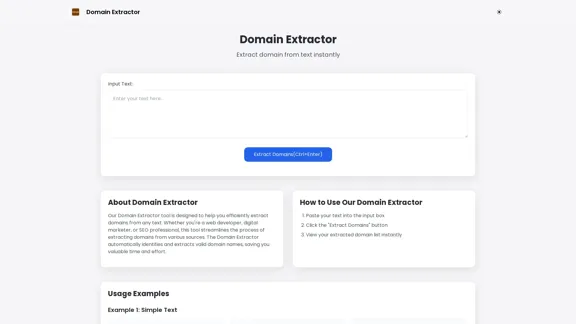
Domain Extractor is a free online tool designed to efficiently extract domain names from any text input. It caters to web developers, digital marketers, and SEO professionals by streamlining the process of identifying and extracting valid domain names. This tool saves users valuable time and effort, making domain extraction quick and easy.
Free Online Tool to Extract Domains
Free online Domain Extractor tool to easily extract domain names from text or URLs. Extract domains quickly and efficiently.
Introduction
Feature
-
Bulk Processing
Process text simultaneously with the Domain Extractor tool, ideal for analyzing large datasets and extracting domains in bulk.
-
Fast & Efficient
Utilizes advanced algorithms to quickly identify and extract domains from input text, ensuring rapid results.
-
User-Friendly Interface
The simple interface allows users of all experience levels, from beginners to professionals, to extract domains easily.
-
Instant Results
Provides immediate feedback by displaying extracted domains as soon as the extraction process is complete.
-
Versatile Usage
Suitable for various tasks such as competitor analysis, link database building, and SEO research.
How to Use?
- Paste your text into the input box on the Domain Extractor website.
- Click the "Extract Domains" button to initiate the extraction process.
- View your extracted domain list instantly displayed on the screen.
FAQ
What is Domain Extractor?
Domain Extractor is an online tool that automatically identifies and extracts domain names from any given text, making it useful for web developers, digital marketers, and SEO professionals.
How does Domain Extractor work?
Users input text into the tool, and it employs advanced algorithms to detect and extract valid domain names, providing instant results.
Can I use Domain Extractor for bulk processing?
Yes, the Domain Extractor supports bulk processing, allowing users to analyze large datasets and extract multiple domains simultaneously.
What types of input can I use with Domain Extractor?
You can input plain text, HTML content, or any text that may contain domain names for extraction.
Is Domain Extractor free to use?
Yes, Domain Extractor is a free online tool available for anyone needing to extract domains from text.
Price
Free to use.
The price is for reference only, please refer to the latest official data for actual information.
Evaluation
- Domain Extractor effectively simplifies the domain extraction process, making it accessible for users of all skill levels.
- The bulk processing feature is particularly beneficial for professionals dealing with large amounts of text.
- While the tool is efficient, it could improve by offering additional features such as saving extracted domains or exporting them in various formats.
- Overall, Domain Extractor serves its purpose well, but enhancements in functionality could further increase its utility for advanced users.
Related Websites
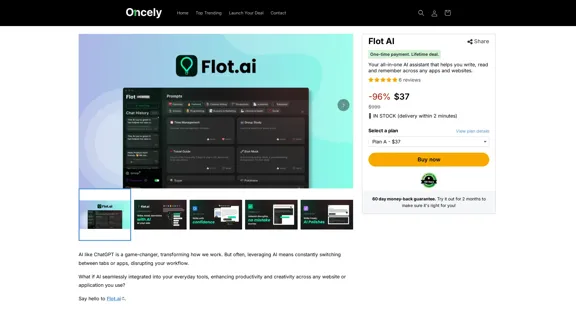
Flot AI: Write, Read, Memorize with AI at your side. – Oncely
Flot AI: Write, Read, Memorize with AI at your side. – OncelyFlot is your all-in-one AI assistant, enhancing your writing, speeding up your reading, and helping you remember information across websites and apps. (Available on Windows and macOS)
645

Digital All-in-One Planner for Productivity & Time Management | Elisi
Digital All-in-One Planner for Productivity & Time Management | ElisiElisi is a user-friendly, cross-device All-in-one Planner to help you improve personal productivity and manage your time effectively. Features include pre-templated modules in a bullet journal along with task planning, habit tracking, project management and note taking. Try Elisi on your iPhone or Android device today!
8.90 K

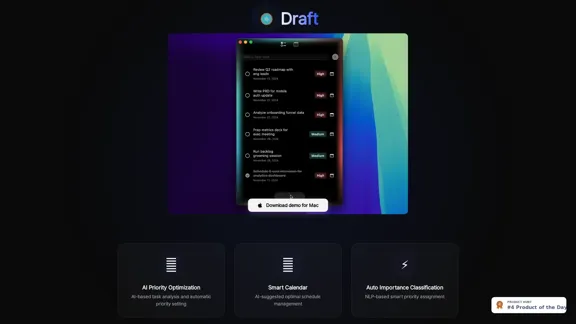
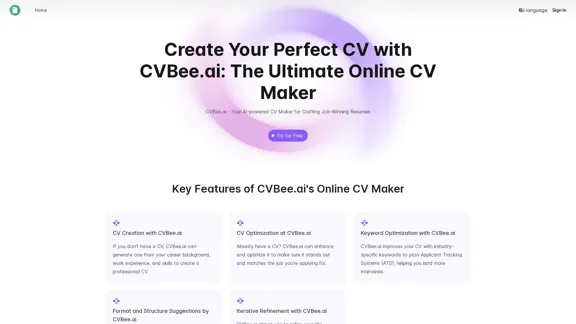
CVBee.ai: AI-Powered Online CV Maker | Resume Builder & CV Optimization
CVBee.ai: AI-Powered Online CV Maker | Resume Builder & CV OptimizationCVBee.ai is an AI-powered online CV maker that helps you create, optimize, and refine professional resumes. Whether you're a job seeker or an experienced professional, CVBee.ai ensures your CV is ATS-friendly and perfectly structured.
0

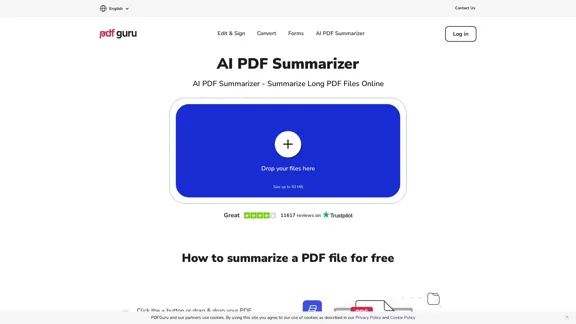
AI PDF Summarizer - Summarize lengthy PDF documents online.
AI PDF Summarizer - Summarize lengthy PDF documents online.Get concise summaries and ask questions with our PDF analyzer — perfect for efficient document review. Summarize PDFs quickly with our AI-powered tool.
5.90 M