Open-source RightAI Tools Directory
  • Discover AI
  • Submit
  • Startup
  • Blog
Open-source RightAI Tools Directory
Discover the best AI tools of 2025 with the RightAI Tools Directory!

Friend Links

AI Anime GeneratorToolsApp AI

Support

Tap4
Privacy policyTerms & ConditionsContact Us
Loading...
loading...

AI Powered Image Generator for Unique and Custom Images

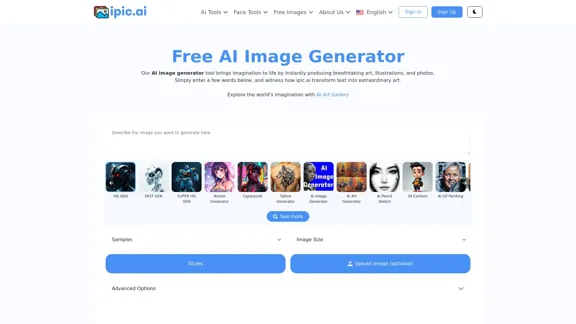
Create unique and custom images effortlessly with iPic.Ai - the AI-powered image generator.
Visit Website
AI Powered Image Generator for Unique and Custom Images
Visit Website

Introduction

The Free AI Image Generator is a powerful tool designed to create unique and custom images using artificial intelligence. Users can input text prompts, and the generator transforms these into stunning visuals, including art, illustrations, and photographs. The platform offers a variety of features, including an AI Art Gallery, and supports multiple styles and formats, making it accessible for both casual users and professionals.

Feature

  1. Diverse Image Generation

    The AI image generator can create a wide range of images, including abstract art, anime, landscapes, and more, catering to various creative needs.

  2. User-Friendly Interface

    The platform is designed with simplicity in mind, allowing users to easily input text prompts and customize their image generation experience.

  3. High-Quality Outputs

    The tool produces high-resolution images that are suitable for personal and professional use, ensuring quality in every creation.

  4. Customization Options

    Users can specify parameters such as image size, style, and additional features to tailor the generated images to their preferences.

  5. Accessibility

    The AI image generator is accessible to users with varying levels of technical expertise, making it a versatile tool for anyone interested in image creation.

  6. Free and Paid Plans

    The platform offers a free plan with basic features, as well as premium plans that unlock advanced functionalities and higher quality outputs.

How to Use?

  1. Start by visiting the Free AI Image Generator website and signing up for an account.
  2. Enter a descriptive text prompt to guide the AI in generating your desired image.
  3. Explore different styles and customization options to enhance your image output.
  4. Experiment with various prompts to discover unique and creative results.
  5. Utilize the AI Art Gallery for inspiration and to see examples of generated images.

FAQ

What is an AI Image Generator?

An AI image generator is a tool that uses artificial intelligence to create images based on text prompts. It employs deep learning techniques to produce realistic and coherent visuals.

Can I use the images generated through the Free AI Image Generator?

Yes, users can utilize the generated images as long as they adhere to the platform's terms of use, which outline guidelines for proper usage.

Why should I use an AI image generator?

AI image generators save time and costs in the design process, provide unique and creative outputs, and are accessible to users with limited design skills.

What are some tips for creating better AI images?

Using high-quality training data, employing data augmentation techniques, and experimenting with advanced AI models can significantly improve the quality of generated images.

Price

  • Free Plan: $0/month
  • Basic Plan: $9.99/month
  • Standard Plan: $19.99/month
  • Professional Plan: $49.99/month
The price is for reference only, please refer to the latest official data for actual information.

Evaluation

  1. The Free AI Image Generator excels in producing diverse and high-quality images quickly, making it a valuable tool for users seeking creative solutions.
  2. The user-friendly interface enhances accessibility, allowing individuals with varying skill levels to create impressive visuals.
  3. However, the reliance on text prompts may limit the creativity of users who are not familiar with effective prompting techniques.
  4. The premium plans may be seen as costly for casual users, which could deter some from fully utilizing the platform.
  5. Overall, while the tool offers significant advantages, continuous improvements in customization options and user guidance could enhance the overall experience.

Latest Traffic Insights

  • Monthly Visits

    68.28 K

  • Bounce Rate

    38.82%

  • Pages Per Visit

    1.87

  • Time on Site(s)

    32.18

  • Global Rank

    499182

  • Country Rank

    United States 360592

Recent Visits

Traffic Sources

  • Social Media:
    3.32%
  • Paid Referrals:
    0.80%
  • Email:
    0.13%
  • Referrals:
    7.67%
  • Search Engines:
    57.23%
  • Direct:
    30.66%
More Data

Related Websites

Journey ArtPrompt with Midjourney

This guide will walk you through creating stunning artwork using Midjourney, a powerful AI art generator. 

1. Accessing Midjourney

* You'll need a Discord account to use Midjourney. 
* Join the official Midjourney server: [https://discord.gg/midjourney](https://discord.gg/midjourney)

2. Understanding the Basics

* `/imagine` Command: This is the core command for generating images.
* Prompt:  A text description of the artwork you want to create. Be specific and descriptive!
* Parameters: Options that control aspects like image size, aspect ratio, and style.

3. Crafting Your Journey Prompt

Think about the story you want to tell with your artwork.  

* Setting: Where does your journey take place? (e.g., a mystical forest, a futuristic city, a desolate wasteland)
* Characters: Who is on this journey? (e.g., a lone traveler, a group of adventurers, mythical creatures)
* Mood: What feeling do you want to evoke? (e.g., adventurous, mysterious, hopeful, melancholic)
* Style: What artistic style appeals to you? (e.g., photorealistic, painterly, abstract)

4. Putting it Together

Combine these elements into a clear and concise prompt. 

Example:

`/imagine A lone traveler journeys through a mystical forest at sunset, bathed in golden light. The path ahead is shrouded in mist, hinting at unknown wonders. Style: painterly, ethereal`

5. Experiment and Refine

* Midjourney is all about experimentation! Try different prompts, parameters, and styles.
* Use the "upscale" command to enlarge your favorite images and reveal more detail.
* Don't be afraid to iterate and refine your prompts based on the results.
View Detail

Journey ArtPrompt with Midjourney This guide will walk you through creating stunning artwork using Midjourney, a powerful AI art generator. 1. Accessing Midjourney * You'll need a Discord account to use Midjourney. * Join the official Midjourney server: [https://discord.gg/midjourney](https://discord.gg/midjourney) 2. Understanding the Basics * `/imagine` Command: This is the core command for generating images. * Prompt: A text description of the artwork you want to create. Be specific and descriptive! * Parameters: Options that control aspects like image size, aspect ratio, and style. 3. Crafting Your Journey Prompt Think about the story you want to tell with your artwork. * Setting: Where does your journey take place? (e.g., a mystical forest, a futuristic city, a desolate wasteland) * Characters: Who is on this journey? (e.g., a lone traveler, a group of adventurers, mythical creatures) * Mood: What feeling do you want to evoke? (e.g., adventurous, mysterious, hopeful, melancholic) * Style: What artistic style appeals to you? (e.g., photorealistic, painterly, abstract) 4. Putting it Together Combine these elements into a clear and concise prompt. Example: `/imagine A lone traveler journeys through a mystical forest at sunset, bathed in golden light. The path ahead is shrouded in mist, hinting at unknown wonders. Style: painterly, ethereal` 5. Experiment and Refine * Midjourney is all about experimentation! Try different prompts, parameters, and styles. * Use the "upscale" command to enlarge your favorite images and reveal more detail. * Don't be afraid to iterate and refine your prompts based on the results.

Journey ArtPrompt with Midjourney This guide will walk you through creating stunning artwork using Midjourney, a powerful AI art generator. 1. Accessing Midjourney * You'll need a Discord account to use Midjourney. * Join the official Midjourney server: [https://discord.gg/midjourney](https://discord.gg/midjourney) 2. Understanding the Basics * `/imagine` Command: This is the core command for generating images. * Prompt: A text description of the artwork you want to create. Be specific and descriptive! * Parameters: Options that control aspects like image size, aspect ratio, and style. 3. Crafting Your Journey Prompt Think about the story you want to tell with your artwork. * Setting: Where does your journey take place? (e.g., a mystical forest, a futuristic city, a desolate wasteland) * Characters: Who is on this journey? (e.g., a lone traveler, a group of adventurers, mythical creatures) * Mood: What feeling do you want to evoke? (e.g., adventurous, mysterious, hopeful, melancholic) * Style: What artistic style appeals to you? (e.g., photorealistic, painterly, abstract) 4. Putting it Together Combine these elements into a clear and concise prompt. Example: `/imagine A lone traveler journeys through a mystical forest at sunset, bathed in golden light. The path ahead is shrouded in mist, hinting at unknown wonders. Style: painterly, ethereal` 5. Experiment and Refine * Midjourney is all about experimentation! Try different prompts, parameters, and styles. * Use the "upscale" command to enlarge your favorite images and reveal more detail. * Don't be afraid to iterate and refine your prompts based on the results.

New backgrounds with Midjourney on new tabs

193.90 M
Vmake AI - All-In-One E-commerce
Creative Solutions
View Detail

Vmake AI - All-In-One E-commerce Creative Solutions

Vmake AI - All-In-One E-commerce Creative Solutions

Vmake is an online image and video editing platform that simplifies the process of creating product photos and social media content.

2.22 M
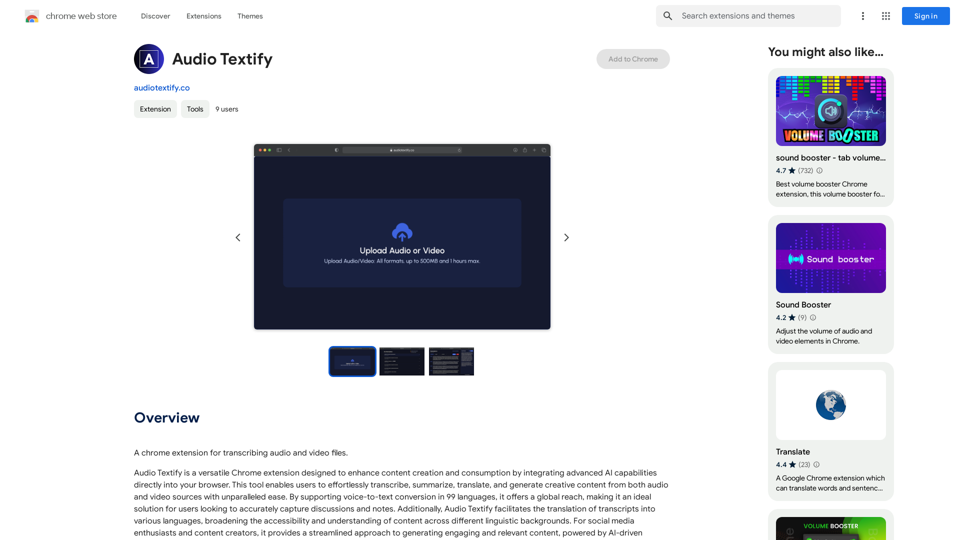
Live captions with translation (ChatGPT)
View Detail

Live captions with translation (ChatGPT)

Live captions with translation (ChatGPT)

Live audio/video streaming with subtitles and translation, Live captions powered by ChatGPT

193.90 M
#1 AI Dating Assistant for Rizz Pick Up Lines - WingmanX
View Detail

#1 AI Dating Assistant for Rizz Pick Up Lines - WingmanX

#1 AI Dating Assistant for Rizz Pick Up Lines - WingmanX

Be visible on Tinder, Hinge, Bumble with WingmanX. Attract any woman, get instant replies, and say goodbye to wasted matches. Boost your dating success.

4.90 K
Editing and Design Tools | Picsart
View Detail

Editing and Design Tools | Picsart

Editing and Design Tools | Picsart

Picsart is the biggest comprehensive creative platform offering photo and video editing tools along with design capabilities. It provides an ecosystem of freely available content and inspiration drawn from other creators.

13.31 M
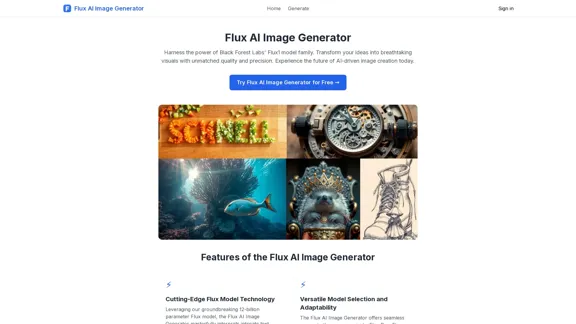
Free Flux.1 | Flux | flux image generator | FLUX-1.net
View Detail

Free Flux.1 | Flux | flux image generator | FLUX-1.net

Free Flux.1 | Flux | flux image generator | FLUX-1.net

Free FLUX.1, online FLUX, FLUX ai image generator, FLUX-1.net

149
eFiling.us
View Detail

eFiling.us

eFiling.us

eFiling.us

193.90 M
Mapify: Transform Anything to Mind Maps by AI, formerly Chatmind
View Detail

Mapify: Transform Anything to Mind Maps by AI, formerly Chatmind

Mapify: Transform Anything to Mind Maps by AI, formerly Chatmind

Mapify, upgraded from Chatmind by the Xmind Team, is a free online mind mapping and brainstorming tool powered by AI. It can summarize PDF, Word, PowerPoint, YouTube, long text, and images into mind maps in just a few minutes.

1.15 M