Open-source RightAI Tools Directory
  • Discover AI
  • Submit
  • Startup
  • Blog
Open-source RightAI Tools Directory
Discover the best AI tools of 2025 with the RightAI Tools Directory!

Friend Links

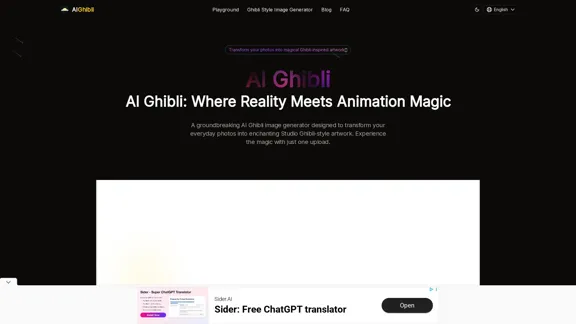
AI Anime GeneratorToolsApp AI

Support

Tap4
Privacy policyTerms & ConditionsContact Us
Loading...
loading...

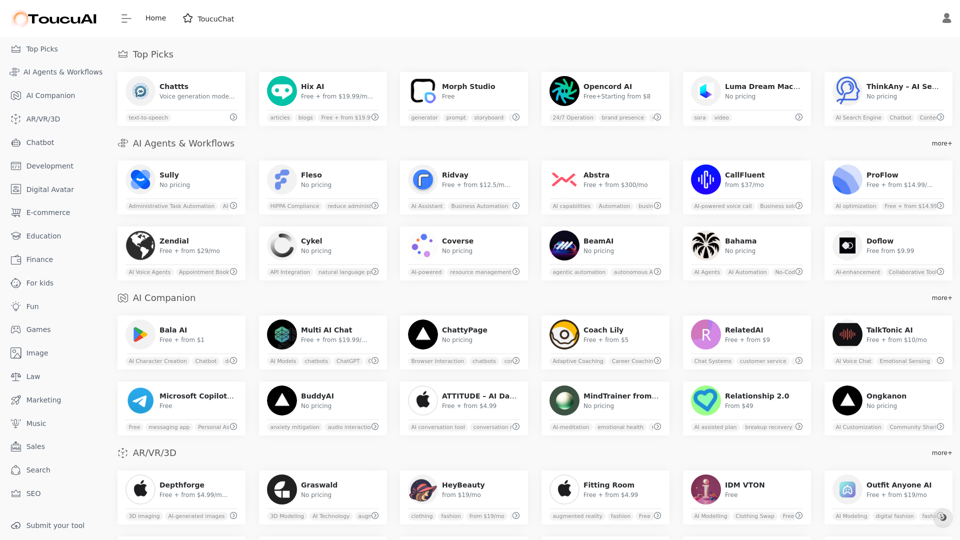
Toucu AI Directory | Curated List of over 8,000 AI Tools in 2024

Toucu AI Directory is a curated list of over 8,000 AI tools in 2024, providing access to a wide variety of AI technologies for different purposes.
Visit Website
Toucu AI Directory | Curated List of over 8,000 AI Tools in 2024
Visit Website

Introduction

Toucu AI Directory is a comprehensive platform offering access to over 8,000 AI tools in 2024. It provides a curated list of AI technologies for various needs, including text generation, image understanding, and creation. The directory features popular AI models like ChatGPT, GPT-4o, and Dalle3, catering to a wide range of applications in work, study, and daily life.

Feature

Extensive AI Tool Collection

  • Over 8,000 AI tools available
  • More than 1,000 AIs and 200+ categories
  • Nearly 200,000 GPT models for diverse applications

User-Friendly Discovery

  • Easy-to-use interface for discovering AI tools
  • Categorized listing for efficient navigation

Free Submissions and Usage

  • Free AI tools submission for developers
  • 20 free daily uses of GPT-4o for all users

Advanced AI Capabilities

  • GPT-4o for text generation and document analysis
  • Dalle3 for image creation from text descriptions

Diverse AI Categories

  • AI Agents & Workflows
  • AR/VR/3D
  • Chatbots
  • Development tools
  • Digital Avatars
  • E-commerce solutions
  • Educational resources
  • Entertainment and gaming
  • Image processing
  • Legal, marketing, and sales tools
  • Music and audio processing
  • Search and SEO optimization
  • Video and voice technologies
  • Well-being and productivity aids

Privacy Protection

  • User data not used for training purposes
  • Option to delete account and remove all data

Subscription Options

  • Extended access beyond free usage limits
  • Affordable subscription plans for heavy users

FAQ

What is Toucu AI Directory?

Toucu AI Directory is a curated platform offering access to over 8,000 AI tools in 2024. It provides a vast array of AI technologies for various needs, including text generation, image understanding, and creation, featuring popular models like ChatGPT, GPT-4o, and Dalle3.

How many GPTs are available on Toucu AI Directory?

Toucu AI Directory offers nearly 200,000 GPT models for a wide variety of applications in work, study, and everyday life. Users can freely access these GPTs without requiring a ChatGPT Plus subscription.

How can I use Toucu AI Directory?

Every user can utilize GPT-4o for free up to 20 times a day on Toucu AI Directory. Subscribing to the platform grants additional benefits and extended access beyond the free usage limits. Users can also leverage Dalle3's image generation capabilities, sharing credits with GPT-4o for a seamless creative experience.

Will my information be used for training data?

Toucu AI Directory highly values user privacy. Your data will not be used for any training purposes. If needed, you can delete your account at any time, and all your data will be removed as well.

When would I need a Toucu AI Directory subscription?

If the 20 free GPT-4o conversations per day do not meet your needs and you heavily rely on GPT-4o, you may consider subscribing to Toucu AI Directory's affordable products for extended access and benefits.

Related Websites
Unblur Image

Unblur image refers to the process of removing blur or haze from an image to make it sharper and clearer. This technique is often used to enhance the quality of images that have been affected by camera shake, motion blur, or other factors that cause blur.
View Detail

Unblur Image Unblur image refers to the process of removing blur or haze from an image to make it sharper and clearer. This technique is often used to enhance the quality of images that have been affected by camera shake, motion blur, or other factors that cause blur.

Unblur Image Unblur image refers to the process of removing blur or haze from an image to make it sharper and clearer. This technique is often used to enhance the quality of images that have been affected by camera shake, motion blur, or other factors that cause blur.

Automatically unblur images in one click with our AI photo blur remover.

193.90 M
Journey ArtPrompt with Midjourney

This guide will walk you through creating stunning artwork using Midjourney, a powerful AI art generator. 

1. Accessing Midjourney

* You'll need a Discord account to use Midjourney. 
* Join the official Midjourney server: [https://discord.gg/midjourney](https://discord.gg/midjourney)

2. Understanding the Basics

* `/imagine` Command: This is the core command for generating images.
* Prompt:  A text description of the artwork you want to create. Be specific and descriptive!
* Parameters: Options that control aspects like image size, aspect ratio, and style.

3. Crafting Your Journey Prompt

Think about the story you want to tell with your artwork.  

* Setting: Where does your journey take place? (e.g., a mystical forest, a futuristic city, a desolate wasteland)
* Characters: Who is on this journey? (e.g., a lone traveler, a group of adventurers, mythical creatures)
* Mood: What feeling do you want to evoke? (e.g., adventurous, mysterious, hopeful, melancholic)
* Style: What artistic style appeals to you? (e.g., photorealistic, painterly, abstract)

4. Putting it Together

Combine these elements into a clear and concise prompt. 

Example:

`/imagine A lone traveler journeys through a mystical forest at sunset, bathed in golden light. The path ahead is shrouded in mist, hinting at unknown wonders. Style: painterly, ethereal`

5. Experiment and Refine

* Midjourney is all about experimentation! Try different prompts, parameters, and styles.
* Use the "upscale" command to enlarge your favorite images and reveal more detail.
* Don't be afraid to iterate and refine your prompts based on the results.
View Detail

Journey ArtPrompt with Midjourney This guide will walk you through creating stunning artwork using Midjourney, a powerful AI art generator. 1. Accessing Midjourney * You'll need a Discord account to use Midjourney. * Join the official Midjourney server: [https://discord.gg/midjourney](https://discord.gg/midjourney) 2. Understanding the Basics * `/imagine` Command: This is the core command for generating images. * Prompt: A text description of the artwork you want to create. Be specific and descriptive! * Parameters: Options that control aspects like image size, aspect ratio, and style. 3. Crafting Your Journey Prompt Think about the story you want to tell with your artwork. * Setting: Where does your journey take place? (e.g., a mystical forest, a futuristic city, a desolate wasteland) * Characters: Who is on this journey? (e.g., a lone traveler, a group of adventurers, mythical creatures) * Mood: What feeling do you want to evoke? (e.g., adventurous, mysterious, hopeful, melancholic) * Style: What artistic style appeals to you? (e.g., photorealistic, painterly, abstract) 4. Putting it Together Combine these elements into a clear and concise prompt. Example: `/imagine A lone traveler journeys through a mystical forest at sunset, bathed in golden light. The path ahead is shrouded in mist, hinting at unknown wonders. Style: painterly, ethereal` 5. Experiment and Refine * Midjourney is all about experimentation! Try different prompts, parameters, and styles. * Use the "upscale" command to enlarge your favorite images and reveal more detail. * Don't be afraid to iterate and refine your prompts based on the results.

Journey ArtPrompt with Midjourney This guide will walk you through creating stunning artwork using Midjourney, a powerful AI art generator. 1. Accessing Midjourney * You'll need a Discord account to use Midjourney. * Join the official Midjourney server: [https://discord.gg/midjourney](https://discord.gg/midjourney) 2. Understanding the Basics * `/imagine` Command: This is the core command for generating images. * Prompt: A text description of the artwork you want to create. Be specific and descriptive! * Parameters: Options that control aspects like image size, aspect ratio, and style. 3. Crafting Your Journey Prompt Think about the story you want to tell with your artwork. * Setting: Where does your journey take place? (e.g., a mystical forest, a futuristic city, a desolate wasteland) * Characters: Who is on this journey? (e.g., a lone traveler, a group of adventurers, mythical creatures) * Mood: What feeling do you want to evoke? (e.g., adventurous, mysterious, hopeful, melancholic) * Style: What artistic style appeals to you? (e.g., photorealistic, painterly, abstract) 4. Putting it Together Combine these elements into a clear and concise prompt. Example: `/imagine A lone traveler journeys through a mystical forest at sunset, bathed in golden light. The path ahead is shrouded in mist, hinting at unknown wonders. Style: painterly, ethereal` 5. Experiment and Refine * Midjourney is all about experimentation! Try different prompts, parameters, and styles. * Use the "upscale" command to enlarge your favorite images and reveal more detail. * Don't be afraid to iterate and refine your prompts based on the results.

New backgrounds with Midjourney on new tabs

193.90 M
PS2 Filter AI - PS2 Video Game Style Generator
View Detail

PS2 Filter AI - PS2 Video Game Style Generator

PS2 Filter AI - PS2 Video Game Style Generator

Discover the magic of AI with our PS2 filter and instantly transform your photos into classic PS2 video game characters. Experience this retro style with a modern twist—just upload your photo and see the transformation in one click! Try it for free at ps2filterai.net.

0
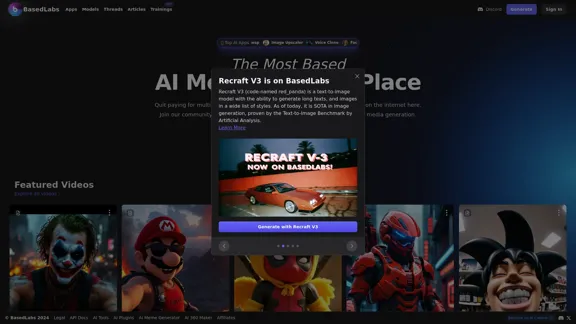
Based AI Image & Video Creator
View Detail

Based AI Image & Video Creator

Based AI Image & Video Creator

BasedLabs is your go-to source for AI video and tools. Join our community of thousands of AI enthusiasts and creators.

771.42 K
Skin Cancer Image Search
View Detail

Skin Cancer Image Search

Skin Cancer Image Search

Find pictures of skin cancer online that look most like your mole or skin spot.

193.90 M
AI Infographic Generator
View Detail

AI Infographic Generator

AI Infographic Generator

Discover our AI-powered Infographic maker, infographic generator online ,infographics,infographic of infographics, infographic, infographic examples,piktochart, text to infographic,infographic of infographics

3.33 K
Text to Voice Generator
==========================

A text-to-voice generator, also known as a text-to-speech (TTS) system, is a software that converts written text into a spoken voice output. This technology has been widely used in various applications, including virtual assistants, audiobooks, and language learning platforms.

How it Works
---------------

The process of generating voice from text involves several steps:

1. Text Analysis: The input text is analyzed to identify the language, syntax, and semantics.
2. Phonetic Transcription: The text is converted into a phonetic transcription, which represents the sounds of the spoken language.
3. Prosody Generation: The phonetic transcription is then used to generate the prosody, or rhythm and intonation, of the spoken voice.
4. Waveform Generation: The prosody and phonetic transcription are combined to generate the audio waveform, which is the final spoken voice output.

Types of Text-to-Voice Generators
-----------------------------------

There are two main types of text-to-voice generators:

Rule-Based Systems

These systems use a set of predefined rules to generate the spoken voice output. They are often limited in their ability to produce natural-sounding voices and may sound robotic.

Machine Learning-Based Systems

These systems use machine learning algorithms to learn from large datasets of spoken voices and generate more natural-sounding voices. They are often more advanced and can produce high-quality voice outputs.

Applications of Text-to-Voice Generators
-----------------------------------------

Text-to-voice generators have a wide range of applications, including:

Virtual Assistants

Virtual assistants, such as Siri and Alexa, use text-to-voice generators to respond to user queries.

Audiobooks

Text-to-voice generators can be used to create audiobooks from written texts, making it easier for people to access written content.

Language Learning

Language learning platforms use text-to-voice generators to provide pronunciation guidance and practice exercises for learners.

Accessibility

Text-to-voice generators can be used to assist people with disabilities, such as visual impairments, by providing an auditory interface to written content.
View Detail

Text to Voice Generator ========================== A text-to-voice generator, also known as a text-to-speech (TTS) system, is a software that converts written text into a spoken voice output. This technology has been widely used in various applications, including virtual assistants, audiobooks, and language learning platforms. How it Works --------------- The process of generating voice from text involves several steps: 1. Text Analysis: The input text is analyzed to identify the language, syntax, and semantics. 2. Phonetic Transcription: The text is converted into a phonetic transcription, which represents the sounds of the spoken language. 3. Prosody Generation: The phonetic transcription is then used to generate the prosody, or rhythm and intonation, of the spoken voice. 4. Waveform Generation: The prosody and phonetic transcription are combined to generate the audio waveform, which is the final spoken voice output. Types of Text-to-Voice Generators ----------------------------------- There are two main types of text-to-voice generators: Rule-Based Systems These systems use a set of predefined rules to generate the spoken voice output. They are often limited in their ability to produce natural-sounding voices and may sound robotic. Machine Learning-Based Systems These systems use machine learning algorithms to learn from large datasets of spoken voices and generate more natural-sounding voices. They are often more advanced and can produce high-quality voice outputs. Applications of Text-to-Voice Generators ----------------------------------------- Text-to-voice generators have a wide range of applications, including: Virtual Assistants Virtual assistants, such as Siri and Alexa, use text-to-voice generators to respond to user queries. Audiobooks Text-to-voice generators can be used to create audiobooks from written texts, making it easier for people to access written content. Language Learning Language learning platforms use text-to-voice generators to provide pronunciation guidance and practice exercises for learners. Accessibility Text-to-voice generators can be used to assist people with disabilities, such as visual impairments, by providing an auditory interface to written content.

Text to Voice Generator ========================== A text-to-voice generator, also known as a text-to-speech (TTS) system, is a software that converts written text into a spoken voice output. This technology has been widely used in various applications, including virtual assistants, audiobooks, and language learning platforms. How it Works --------------- The process of generating voice from text involves several steps: 1. Text Analysis: The input text is analyzed to identify the language, syntax, and semantics. 2. Phonetic Transcription: The text is converted into a phonetic transcription, which represents the sounds of the spoken language. 3. Prosody Generation: The phonetic transcription is then used to generate the prosody, or rhythm and intonation, of the spoken voice. 4. Waveform Generation: The prosody and phonetic transcription are combined to generate the audio waveform, which is the final spoken voice output. Types of Text-to-Voice Generators ----------------------------------- There are two main types of text-to-voice generators: Rule-Based Systems These systems use a set of predefined rules to generate the spoken voice output. They are often limited in their ability to produce natural-sounding voices and may sound robotic. Machine Learning-Based Systems These systems use machine learning algorithms to learn from large datasets of spoken voices and generate more natural-sounding voices. They are often more advanced and can produce high-quality voice outputs. Applications of Text-to-Voice Generators ----------------------------------------- Text-to-voice generators have a wide range of applications, including: Virtual Assistants Virtual assistants, such as Siri and Alexa, use text-to-voice generators to respond to user queries. Audiobooks Text-to-voice generators can be used to create audiobooks from written texts, making it easier for people to access written content. Language Learning Language learning platforms use text-to-voice generators to provide pronunciation guidance and practice exercises for learners. Accessibility Text-to-voice generators can be used to assist people with disabilities, such as visual impairments, by providing an auditory interface to written content.

Generate Voice from Text on Any Web Page With the advancement of technology, it is now possible to generate voice from text on any web page. This feature is particularly useful for people who prefer listening to content rather than reading it. Here's how you can do it: #Method 1: Using Browser Extension You can use a browser extension like Read Aloud or SpeakIt! to generate voice from text on any web page. These extensions are available for both Google Chrome and Mozilla Firefox browsers. #Method 2: Using Online Tools There are several online tools available that can convert text to speech. Some popular tools include NaturalReader, Voice Dream Reader, and Google Text-to-Speech. You can copy and paste the text from any web page into these tools to generate voice. #Method 3: Using Screen Reader If you are using a Windows operating system, you can use the built-in Narrator screen reader to generate voice from text on any web page. For Mac users, you can use VoiceOver. By using any of these methods, you can easily generate voice from text on any web page and enjoy a more convenient and accessible reading experience.

193.90 M
TextGPT - Smarter Text Input by OpenAI
View Detail

TextGPT - Smarter Text Input by OpenAI

TextGPT - Smarter Text Input by OpenAI

TextGPT: Your Virtual Co-Pilot for Smarter Text Input in the Browser, Powered by OpenAI's ChatGPT

193.90 M