Open-source RightAI Tools Directory
  • Discover AI
  • Submit
  • Startup
  • Blog
Open-source RightAI Tools Directory
Discover the best AI tools of 2025 with the RightAI Tools Directory!

Friend Links

AI Anime GeneratorToolsApp AI

Support

Tap4
Privacy policyTerms & ConditionsContact Us
Loading...
loading...

AIskNet

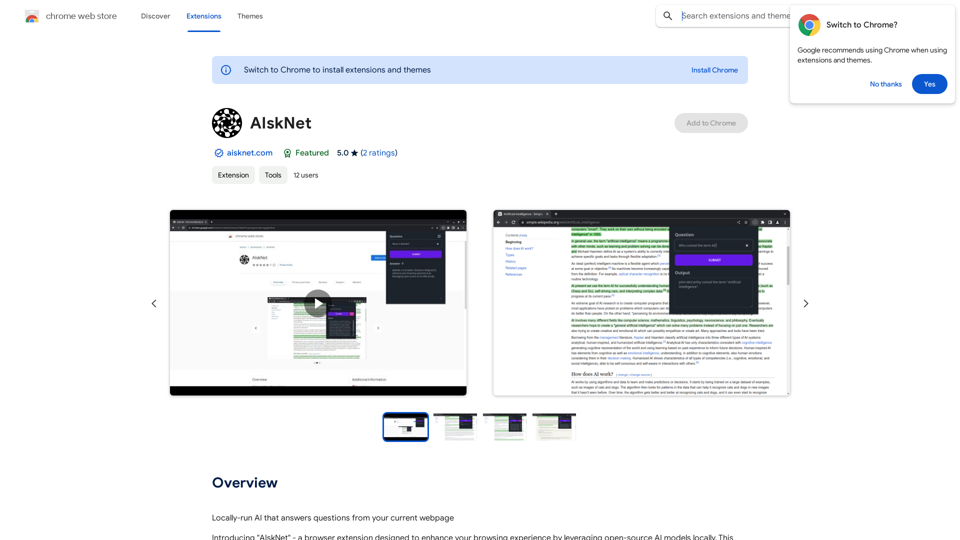
AI that runs on your computer and answers questions about the web page you are currently viewing.
Visit Website
AIskNet
Visit Website

Introduction

AIskNet is a browser extension that enhances web browsing by utilizing local open-source AI models. It operates a local AI model that interacts with the current web page content, providing quick answers to queries and facilitating efficient information gathering. AIskNet prioritizes user privacy, operates locally, and leverages advanced AI technology to improve the browsing experience.

Feature

Local AI-Powered Question Answering

AIskNet runs a local AI model that answers questions based on the content of your current webpage, eliminating the need for remote server interactions.

State-of-the-Art AI Models

The extension employs cutting-edge AI models optimized for compact size and efficiency, ensuring smooth performance without compromising functionality.

Privacy-Focused Design

AIskNet respects user privacy by not transmitting any data to remote servers, keeping all operations local to the user's device.

Source Text Highlighting

The extension highlights the specific text used as the source for generating answers, providing transparency and context for the AI-generated responses.

Automatic Content Indexing

Upon navigating to a new site and activating the extension, AIskNet automatically indexes the website content into "vector embeddings" for efficient processing.

Free Daily Uses

Users can take advantage of daily free uses of GPT-4o for document reading and Dalle's image generation, exploring a wide range of AI-powered tools.

Subscription Option

For users who require more than the 20 free GPT-4o conversations per day, AIskNet offers affordable subscription products to meet higher usage needs.

FAQ

How does AIskNet work?

AIskNet automatically indexes website content into "vector embeddings" when you navigate to a new site and activate the extension. When you ask a question, it searches these embeddings for the most relevant information chunks and generates a response based on this data.

Is my information used for training data?

No, AIskNet highly values user privacy. Your data will not be used for any training purposes. You can delete your account at any time, and all your data will be removed as well.

When would I need a subscription?

If the 20 free GPT-4o conversations per day do not meet your needs and you heavily rely on GPT-4o, you may consider subscribing to AIskNet's affordable products for increased usage.

Related Websites
Audimee - Unlimited Vocals, Unlimited Creative Freedom
View Detail

Audimee - Unlimited Vocals, Unlimited Creative Freedom

Audimee - Unlimited Vocals, Unlimited Creative Freedom

Convert your vocals with our royalty-free voices, train your own voices, create copyright-free cover vocals, and much more.

489.79 K
ChatBot AI - ChatGPT & Claude & Bard & BingOverviewChatBot AI
View Detail

ChatBot AI - ChatGPT & Claude & Bard & BingOverviewChatBot AI

ChatBot AI - ChatGPT & Claude & Bard & BingOverviewChatBot AI

ChatBot is a copilot that uses ChatGPT, Bing, Claude, Bard, and more to answer questions like translations, emails, Q&As, and more.

193.90 M
Transifii - Effortlessly import products
View Detail

Transifii - Effortlessly import products

Transifii - Effortlessly import products

Effortlessly import products with SEO-optimized content to your stores. We support Amazon, Tmall, Aliexpress, Alibaba, and more.

193.90 M
v3RPG
View Detail

v3RPG

v3RPG

Bringing gamification to storytelling.

582
MaxBot Plus
View Detail

MaxBot Plus

MaxBot Plus

Fast ways to get tickets for events on certain websites.

193.90 M
GPTBLOX - Save ChatGPT Conversations & Hunt GPTs
View Detail

GPTBLOX - Save ChatGPT Conversations & Hunt GPTs

GPTBLOX - Save ChatGPT Conversations & Hunt GPTs

Discover the Power of GPT Store: Explore, Save, and Organize Conversations and Articles Explore the vast collection of GPTs released by the GPT Store, featuring conversations and articles from popular AI models like ChatGPT, Bard, Claude, and HuggingChat. This innovative platform allows you to: * Save conversations: Preserve valuable interactions with AI models for future reference or sharing. * Organize content: Categorize and group conversations and articles by topic, theme, or project, making it easy to access and review relevant information. Unlock the full potential of the GPT Store and streamline your workflow with its intuitive conversation and article management system.

193.90 M
Copysense AI

Copysense AI is an innovative artificial intelligence technology designed to detect and prevent copyright infringement.
View Detail

Copysense AI Copysense AI is an innovative artificial intelligence technology designed to detect and prevent copyright infringement.

Copysense AI Copysense AI is an innovative artificial intelligence technology designed to detect and prevent copyright infringement.

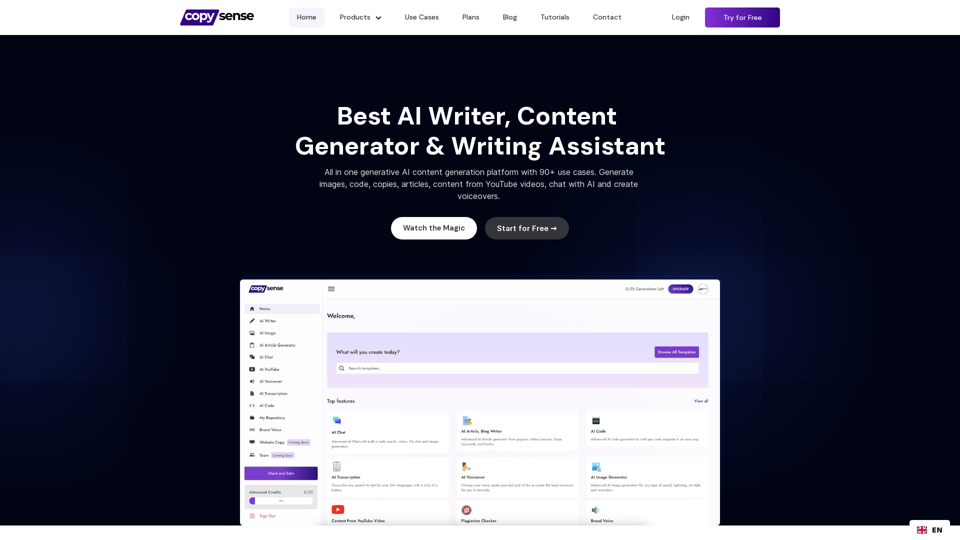
Copysense AI is the Generative AI platform for crafting factually accurate, on-brand content with real-time data, generating images, voiceovers, and content from YouTube and URLs.

0
Article Summary with ChatGPT and Take Notes

This is a guide on how to use ChatGPT to summarize articles and take notes effectively. 

Step 1:  Provide ChatGPT with the Article

Copy and paste the full text of the article into the ChatGPT interface. 

Step 2:  Craft Your Prompt

Tell ChatGPT what you want it to do. Here are some examples:

* Summarize: "Please summarize this article in 200 words."
* Key Points: "What are the main points of this article?"
* Bullet Points: "Summarize the key findings of this article in bullet points."
* Notes: "Take notes on this article, focusing on the author's arguments and supporting evidence."

Step 3:  Review and Refine

ChatGPT will generate a summary, key points, bullet points, or notes based on your prompt. 

* Read carefully: Make sure the output accurately reflects the article's content.
* Edit as needed:  You can ask ChatGPT to rephrase sections or provide more detail.
* Add your own insights:  Don't just copy ChatGPT's output. Use it as a starting point and add your own thoughts, questions, and connections.

Tips for Effective Use:

* Be specific: The more specific your prompt, the better the output will be.
* Experiment with different prompts: Try various phrasing to see what works best.
* Use ChatGPT as a tool:  It's a powerful aid, but it's not a replacement for critical reading and thinking.
View Detail

Article Summary with ChatGPT and Take Notes This is a guide on how to use ChatGPT to summarize articles and take notes effectively. Step 1: Provide ChatGPT with the Article Copy and paste the full text of the article into the ChatGPT interface. Step 2: Craft Your Prompt Tell ChatGPT what you want it to do. Here are some examples: * Summarize: "Please summarize this article in 200 words." * Key Points: "What are the main points of this article?" * Bullet Points: "Summarize the key findings of this article in bullet points." * Notes: "Take notes on this article, focusing on the author's arguments and supporting evidence." Step 3: Review and Refine ChatGPT will generate a summary, key points, bullet points, or notes based on your prompt. * Read carefully: Make sure the output accurately reflects the article's content. * Edit as needed: You can ask ChatGPT to rephrase sections or provide more detail. * Add your own insights: Don't just copy ChatGPT's output. Use it as a starting point and add your own thoughts, questions, and connections. Tips for Effective Use: * Be specific: The more specific your prompt, the better the output will be. * Experiment with different prompts: Try various phrasing to see what works best. * Use ChatGPT as a tool: It's a powerful aid, but it's not a replacement for critical reading and thinking.

Article Summary with ChatGPT and Take Notes This is a guide on how to use ChatGPT to summarize articles and take notes effectively. Step 1: Provide ChatGPT with the Article Copy and paste the full text of the article into the ChatGPT interface. Step 2: Craft Your Prompt Tell ChatGPT what you want it to do. Here are some examples: * Summarize: "Please summarize this article in 200 words." * Key Points: "What are the main points of this article?" * Bullet Points: "Summarize the key findings of this article in bullet points." * Notes: "Take notes on this article, focusing on the author's arguments and supporting evidence." Step 3: Review and Refine ChatGPT will generate a summary, key points, bullet points, or notes based on your prompt. * Read carefully: Make sure the output accurately reflects the article's content. * Edit as needed: You can ask ChatGPT to rephrase sections or provide more detail. * Add your own insights: Don't just copy ChatGPT's output. Use it as a starting point and add your own thoughts, questions, and connections. Tips for Effective Use: * Be specific: The more specific your prompt, the better the output will be. * Experiment with different prompts: Try various phrasing to see what works best. * Use ChatGPT as a tool: It's a powerful aid, but it's not a replacement for critical reading and thinking.

I can do that! Please provide me with the URL of the webpage or article you'd like me to summarize. I'll do my best to create a concise and easy-to-understand summary for you.

193.90 M