Open-source RightAI Tools Directory
  • Discover AI
  • Submit
  • Startup
  • Blog
Open-source RightAI Tools Directory
Discover the best AI tools of 2025 with the RightAI Tools Directory!

Friend Links

AI Anime GeneratorToolsApp AI

Support

Tap4
Privacy policyTerms & ConditionsContact Us
Loading...
loading...

Bing ChatGPT Bing ChatGPT is a conversational AI powered by Microsoft Bing and OpenAI's ChatGPT technology. It's a chatbot that allows users to have natural conversations, ask questions, and get accurate answers.

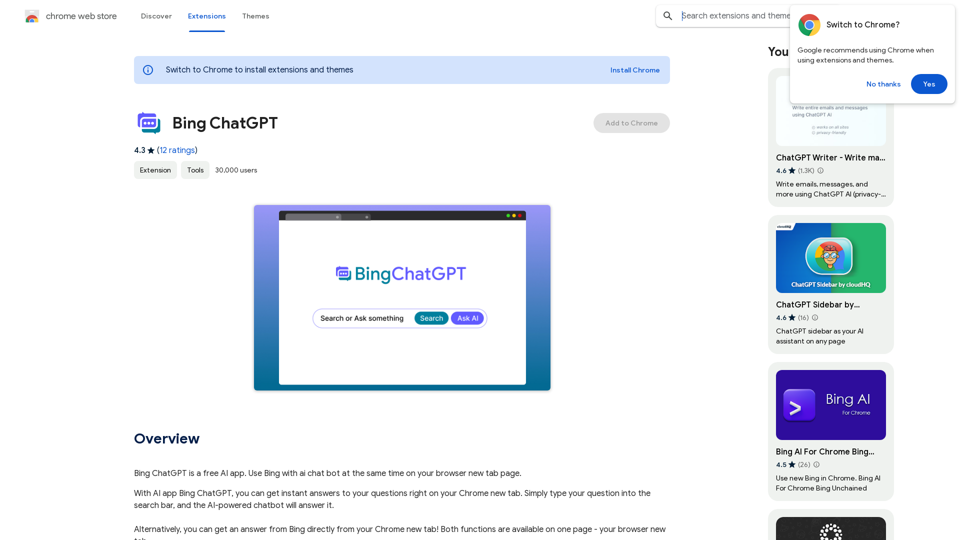
Bing ChatGPT is a free AI app. Use Bing with an AI chatbot simultaneously on your browser's new tab page.
Visit Website
Bing ChatGPT

Bing ChatGPT is a conversational AI powered by Microsoft Bing and OpenAI's ChatGPT technology. It's a chatbot that allows users to have natural conversations, ask questions, and get accurate answers.
Visit Website

Introduction

Bing ChatGPT is a free Chrome extension that integrates AI-powered chatbot functionality with Bing search on your browser's new tab page. It provides instant answers to questions and enhances productivity by offering access to ChatGPT API and Bing simultaneously. The extension supports multiple search engines and works in all countries, making it a versatile tool for users worldwide.

Feature

AI-Powered Chatbot Integration

  • Instant answers to questions on Chrome's new tab
  • Supports GPT-3, GPT-3.5, and GPT-4 models
  • Translates, paraphrases, and explains text
  • Works with code and supports code markup

Enhanced Search Experience

  • Combines Bing search with AI chatbot functionality
  • Supports Google, Bing, Yandex, and Yahoo search engines
  • Fast response times (comparable to ChatGPT Plus)

Productivity Tools

  • AI writer for Gmail, Twitter, and LinkedIn
  • One-click article, ad, blog, and resume writing
  • Blog summarization feature

User-Friendly Design

  • Quick access via Cmd+T or Ctrl+T
  • No Bing account required
  • Free to use with no hidden purchases

Extensive AI Tool Collection

  • Over 1000 AIs and 200+ categories
  • Easy discovery of AI tools
  • Free AI tools submission

FAQ

What is ChatGPT?

ChatGPT is an AI chatbot app that uses GPT technology to provide intelligent conversation. Users can access it by installing the Bing ChatGPT extension.

What can be done with ChatGPT?

ChatGPT offers features such as free access to OpenAI's GPT-4 model, blog summarization, AI writing for various platforms, and responses to a wide range of questions and tasks.

Is ChatGPT Bing free to use?

Yes, the extension is completely free with no hidden purchases.

Do I need a Microsoft or OpenAI account to use it?

A Bing account is not required, but users need to register for an OpenAI account. The extension provides guidance on creating an account quickly and easily.

When was this project launched?

ChatGPT Bing was launched on July 20th, 2023.

Does ChatGPT Bing work in countries where ChatGPT is banned?

Yes, the extension works in all countries.

Latest Traffic Insights

  • Monthly Visits

    193.90 M

  • Bounce Rate

    56.27%

  • Pages Per Visit

    2.71

  • Time on Site(s)

    115.91

  • Global Rank

    -

  • Country Rank

    -

Recent Visits

Traffic Sources

  • Social Media:
    0.48%
  • Paid Referrals:
    0.55%
  • Email:
    0.15%
  • Referrals:
    12.81%
  • Search Engines:
    16.21%
  • Direct:
    69.81%
More Data

Related Websites

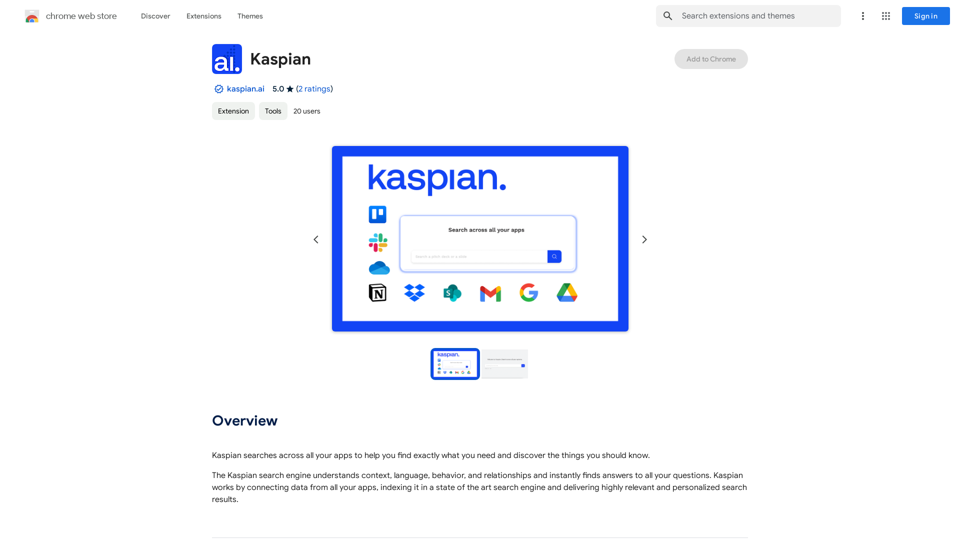
Mindie - Your AI Second Brain
View Detail

Mindie - Your AI Second Brain

Mindie - Your AI Second Brain

Talk to anything on the web, like YouTube videos, PDFs, or blogs - almost anything!

193.90 M
SupplyDrop
View Detail

SupplyDrop

SupplyDrop

A tool that automatically manages inventory and lists products on multiple platforms for resellers.

193.90 M
Transcript Helper for Chorus.ai 

This is a tool designed to help you work with transcripts generated by Chorus.ai. 


Let me know what you need help with! For example, you can ask me to:

* Summarize a transcript: Give me a transcript and I'll provide a concise summary of the main points.
* Find specific information: Tell me what you're looking for (e.g., "find all mentions of product X") and I'll search the transcript for relevant text.
* Identify key speakers: I can analyze the transcript and tell you who the main speakers are.
* Generate action items: Based on the transcript, I can help you identify tasks that need to be completed.
* Translate the transcript: I can translate the transcript into another language.


What can I do for you today?
View Detail

Transcript Helper for Chorus.ai This is a tool designed to help you work with transcripts generated by Chorus.ai. Let me know what you need help with! For example, you can ask me to: * Summarize a transcript: Give me a transcript and I'll provide a concise summary of the main points. * Find specific information: Tell me what you're looking for (e.g., "find all mentions of product X") and I'll search the transcript for relevant text. * Identify key speakers: I can analyze the transcript and tell you who the main speakers are. * Generate action items: Based on the transcript, I can help you identify tasks that need to be completed. * Translate the transcript: I can translate the transcript into another language. What can I do for you today?

Transcript Helper for Chorus.ai This is a tool designed to help you work with transcripts generated by Chorus.ai. Let me know what you need help with! For example, you can ask me to: * Summarize a transcript: Give me a transcript and I'll provide a concise summary of the main points. * Find specific information: Tell me what you're looking for (e.g., "find all mentions of product X") and I'll search the transcript for relevant text. * Identify key speakers: I can analyze the transcript and tell you who the main speakers are. * Generate action items: Based on the transcript, I can help you identify tasks that need to be completed. * Translate the transcript: I can translate the transcript into another language. What can I do for you today?

This extension finds chorus.ai transcripts and lets you copy them to your clipboard.

193.90 M
Talkative
View Detail

Talkative

Talkative

Chat with Web-LLM Models in the Browser You can interact with Web-LLM models directly in your web browser without requiring any additional setup or installation. This allows you to easily experiment with and explore the capabilities of these models. Getting Started To get started, simply open a web browser and navigate to the Web-LLM model's website or platform. Once you're on the website, you can usually find a chat interface or text input field where you can enter your prompts or questions. How it Works When you enter a prompt or question, the Web-LLM model processes your input and generates a response. This response is then displayed in the chat interface or output field, allowing you to read and interact with the model's output. Benefits The benefits of chatting with Web-LLM models in the browser include: * Convenience: No need to install any software or set up any development environments. * Accessibility: Anyone with a web browser can interact with the model, regardless of their technical expertise. * Ease of use: The chat interface provides a user-friendly way to interact with the model, making it easy to experiment and explore its capabilities. Use Cases Some potential use cases for chatting with Web-LLM models in the browser include: * Research and development: Quickly experiment with different models and prompts to explore their capabilities and limitations. * Education and learning: Use the chat interface to teach students about AI and language models, or to provide interactive learning experiences. * Creative writing and ideation: Use the model as a tool to generate ideas, write stories, or create poetry. Overall, chatting with Web-LLM models in the browser provides a convenient and accessible way to interact with these powerful language models, and can be a valuable tool for a wide range of applications.

2.59 K
Online Voice Generator for Free ❤️
View Detail

Online Voice Generator for Free ❤️

Online Voice Generator for Free ❤️

Online Voice Generator for Free with over 600 voices. Generate realistic voices on our website quickly and download it as MP3.

5.84 K
Translation Methods: Comparative Translation & Immersive AI Translation
View Detail

Translation Methods: Comparative Translation & Immersive AI Translation

Translation Methods: Comparative Translation & Immersive AI Translation

Provide users with better AI translation and a more fluent reading experience.

193.90 M
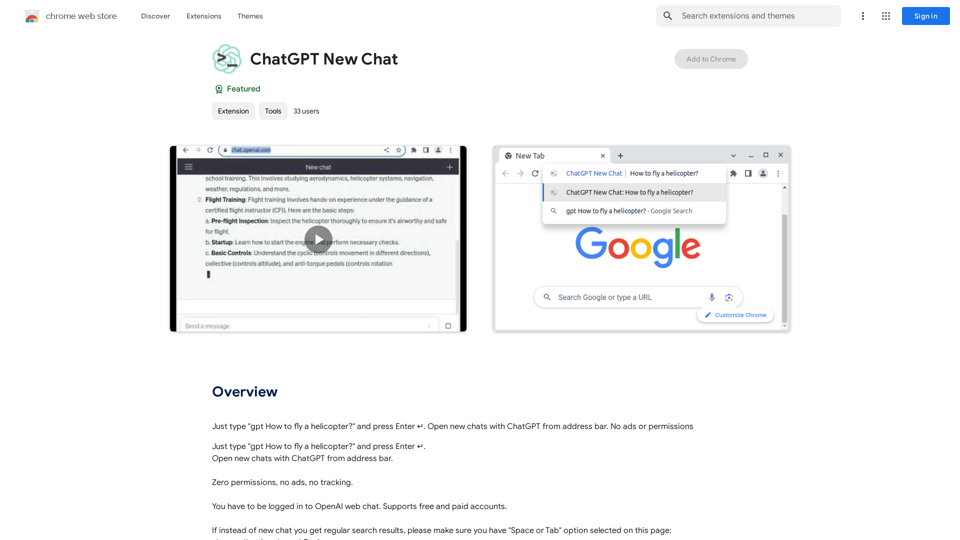
Open ChatGPT in a New Tab

You can open ChatGPT in a new tab by following these steps:

#Method 1: Using the Browser's Context Menu

1. Right-click on the ChatGPT link or button.
2. Select "Open in new tab" or "Open link in new tab" from the context menu.

#Method 2: Using the Keyboard Shortcut

1. Press `Ctrl + Click` (Windows/Linux) or `Cmd + Click` (Mac) on the ChatGPT link or button.

#Method 3: Using the Browser's Toolbar

1. Click on the ChatGPT link or button while holding down the `Ctrl` key (Windows/Linux) or `Cmd` key (Mac).
2. Release the key after the new tab is opened.

By following these methods, you can easily open ChatGPT in a new tab and start chatting without leaving your current page.
View Detail

Open ChatGPT in a New Tab You can open ChatGPT in a new tab by following these steps: #Method 1: Using the Browser's Context Menu 1. Right-click on the ChatGPT link or button. 2. Select "Open in new tab" or "Open link in new tab" from the context menu. #Method 2: Using the Keyboard Shortcut 1. Press `Ctrl + Click` (Windows/Linux) or `Cmd + Click` (Mac) on the ChatGPT link or button. #Method 3: Using the Browser's Toolbar 1. Click on the ChatGPT link or button while holding down the `Ctrl` key (Windows/Linux) or `Cmd` key (Mac). 2. Release the key after the new tab is opened. By following these methods, you can easily open ChatGPT in a new tab and start chatting without leaving your current page.

Open ChatGPT in a New Tab You can open ChatGPT in a new tab by following these steps: #Method 1: Using the Browser's Context Menu 1. Right-click on the ChatGPT link or button. 2. Select "Open in new tab" or "Open link in new tab" from the context menu. #Method 2: Using the Keyboard Shortcut 1. Press `Ctrl + Click` (Windows/Linux) or `Cmd + Click` (Mac) on the ChatGPT link or button. #Method 3: Using the Browser's Toolbar 1. Click on the ChatGPT link or button while holding down the `Ctrl` key (Windows/Linux) or `Cmd` key (Mac). 2. Release the key after the new tab is opened. By following these methods, you can easily open ChatGPT in a new tab and start chatting without leaving your current page.

New Tab with Quick ChatGPT Access

193.90 M
QueryKitty: Bring ChatGPT Context to Any Website
View Detail

QueryKitty: Bring ChatGPT Context to Any Website

QueryKitty: Bring ChatGPT Context to Any Website

Unlock the Power of ChatGPT Prompts on Any Website Are you tired of switching between multiple tabs to find the perfect prompt for your ChatGPT conversations? Imagine having the power to generate prompts on any website, at any time, with just a few clicks. #Introducing the ChatGPT Prompt Extension Our innovative browser extension brings the magic of ChatGPT prompts directly to your fingertips. With this game-changing tool, you can: * Generate prompts on any webpage: Highlight a sentence, phrase, or paragraph, and our AI will suggest relevant prompts to spark insightful conversations. * Explore new topics and ideas: Get instant access to a vast library of prompts, carefully curated to inspire creativity and foster meaningful discussions. * Enhance your research and learning: Use our prompts to delve deeper into topics, uncover new perspectives, and gain a deeper understanding of complex subjects. #How it Works 1. Install the extension: Add our browser extension to your favorite browser. 2. Highlight and generate: Highlight any text on a webpage, and our AI will suggest relevant prompts. 3. Explore and refine: Browse through the suggested prompts, refine them to your liking, and start conversing with ChatGPT. #Unlock the Full Potential of ChatGPT Don't let the limitations of traditional prompt searching hold you back. With our ChatGPT Prompt Extension, you'll unlock a world of possibilities, including: * Faster research and learning: Get instant access to relevant prompts, saving you time and effort. * Improved conversation quality: Engage in more meaningful and insightful conversations with ChatGPT. * Enhanced creativity and productivity: Spark new ideas and explore fresh perspectives with our AI-generated prompts. #Try it Today! Install our ChatGPT Prompt Extension now and discover the power of AI-driven prompts on any website.

193.90 M