Open-source RightAI Tools Directory
  • Discover AI
  • Submit
  • Startup
  • Blog
Open-source RightAI Tools Directory
Discover the best AI tools of 2025 with the RightAI Tools Directory!

Friend Links

AI Anime GeneratorToolsApp AI

Support

Tap4
Privacy policyTerms & ConditionsContact Us
Loading...
loading...

BuildClub Price Finder

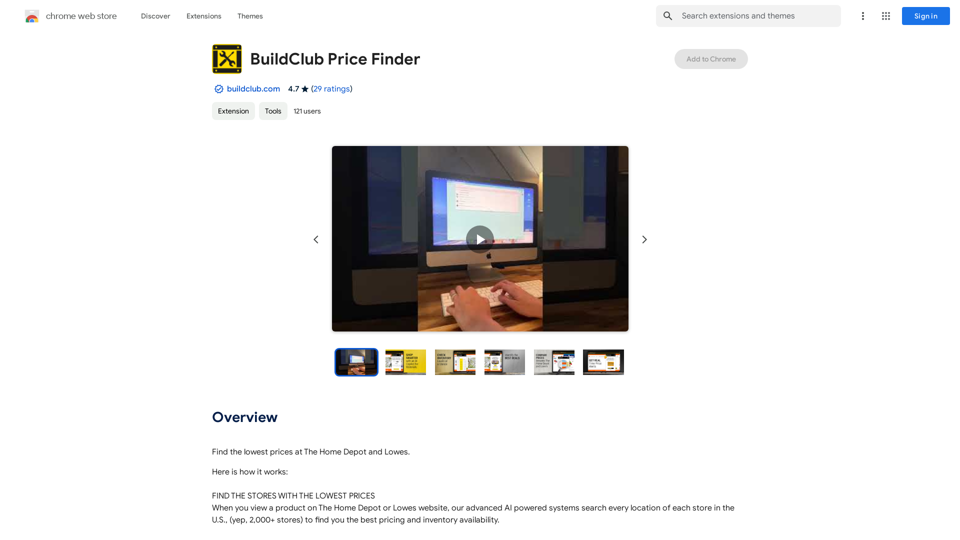
Find the lowest prices at The Home Depot and Lowe's.
Visit Website
BuildClub Price Finder
Visit Website

Introduction

BuildClub Price Finder is an AI-powered browser extension designed to help users find the lowest prices at The Home Depot and Lowes. By leveraging advanced AI systems, it searches over 2,000 stores across the United States to provide users with the best pricing and inventory availability. This free tool aims to bring transparency to the building materials market and save small contractors both money and time.

Feature

AI-Powered Price Comparison

BuildClub Price Finder uses advanced AI systems to search over 2,000 stores in the US, providing users with the best pricing and inventory availability for products at The Home Depot and Lowes.

One-Click Store Change

Users can easily switch between stores with a single click. The extension displays a list of stores along with prices and inventory levels, allowing users to choose the best option based on price, quantity, and distance.

Price Drop Notifications

By emailing receipts to [email protected], users can track purchased items for 30 days. The system will notify users of any price drops, potentially entitling them to a refund of the difference.

Extensive Store Coverage

The extension searches every location of The Home Depot and Lowes across the United States, ensuring comprehensive coverage and the best possible deals.

User-Friendly Interface

When viewing a product on The Home Depot or Lowes website, the extension automatically pops up with relevant information, making it easy for users to compare prices and make informed decisions.

100% Free Service

BuildClub Price Finder is completely free to use, making it accessible to all consumers and small contractors looking to save money on building materials.

FAQ

How does BuildClub Price Finder work?

The extension searches every location of The Home Depot and Lowes in the US to find the best pricing and inventory availability. When you view a product on either website, the extension pops up with a list of stores, prices, and inventory levels.

How can I maximize my use of BuildClub Price Finder?

To get the most out of the extension:

  1. Install and enable it on your browser
  2. Use it when viewing products on The Home Depot or Lowes websites
  3. Click on the dropdown box to change to your preferred store/location
  4. Email your receipts to [email protected] for 30-day price tracking

How do I get notified about price drops?

Email your receipts (including pictures of in-store receipts) to [email protected]. The system will track purchased items for 30 days and notify you if there's a price drop, potentially entitling you to a refund of the difference.

Latest Traffic Insights

  • Monthly Visits

    193.90 M

  • Bounce Rate

    56.27%

  • Pages Per Visit

    2.71

  • Time on Site(s)

    115.91

  • Global Rank

    -

  • Country Rank

    -

Recent Visits

Traffic Sources

  • Social Media:
    0.48%
  • Paid Referrals:
    0.55%
  • Email:
    0.15%
  • Referrals:
    12.81%
  • Search Engines:
    16.21%
  • Direct:
    69.81%
More Data

Related Websites

GPTCheck — fact-check ChatGPT
View Detail

GPTCheck — fact-check ChatGPT

GPTCheck — fact-check ChatGPT

✅ Highlight, right-click, verify with references

193.90 M
Owl AI - Logo Generator Powered by GPT-4
View Detail

Owl AI - Logo Generator Powered by GPT-4

Owl AI - Logo Generator Powered by GPT-4

Save time and money with our logo generator

0
Vöiston
View Detail

Vöiston

Vöiston

Vöiston Integration Extension

193.90 M
TabCrunch - AI Tab Manager
View Detail

TabCrunch - AI Tab Manager

TabCrunch - AI Tab Manager

AI-Powered Tab Manager for Researchers

193.90 M
LeadSpot Flex - AI Messaging on LinkedIn
View Detail

LeadSpot Flex - AI Messaging on LinkedIn

LeadSpot Flex - AI Messaging on LinkedIn

AI Messaging on LinkedIn Let's explore the potential and pitfalls of using AI for messaging on LinkedIn. Potential Benefits: * Increased Efficiency: AI can automate repetitive tasks like sending personalized connection requests or follow-up messages, freeing up your time for more strategic activities. * Improved Targeting: AI algorithms can analyze user profiles and identify potential connections based on shared interests, industry, or other relevant criteria. * Enhanced Personalization: AI can help craft personalized messages that resonate with individual recipients, increasing the likelihood of engagement. * Data-Driven Insights: AI can track message performance and provide insights into which messages are most effective, allowing you to refine your approach. Potential Pitfalls: * Lack of Authenticity: Overly generic or robotic messages can come across as impersonal and insincere, damaging your professional reputation. * Ethical Concerns: Using AI to manipulate or deceive users on LinkedIn raises ethical questions about transparency and consent. * Technical Limitations: Current AI technology may struggle to understand nuanced conversations or respond appropriately to complex queries. * Spam and Abuse: Malicious actors could exploit AI to send spam messages or engage in other harmful activities on LinkedIn. Best Practices: * Use AI as a Tool, Not a Replacement: Leverage AI to enhance your messaging, but always maintain human oversight and authenticity. * Prioritize Quality over Quantity: Focus on sending personalized messages to a targeted audience rather than mass-sending generic content. * Be Transparent: Disclose when you are using AI to assist with your messaging, and respect user preferences for communication. * Stay Informed: Keep up-to-date on the latest developments in AI ethics and best practices for using AI on LinkedIn.

193.90 M
Kimi Reading Assistant
View Detail

Kimi Reading Assistant

Kimi Reading Assistant

Enjoy the Fun of AI-Assisted Reading~

193.90 M
OneClick AI
View Detail

OneClick AI

OneClick AI

Instantly understand web content and extract key points with AI-powered summarization and translation with just one click.

193.90 M
Hints Playbook AI

This playbook provides guidance on how to effectively use hints to improve the performance of AI models.

Understanding Hints

Hints are additional pieces of information provided to an AI model to guide its output. They can take various forms, such as:

* Textual prompts: Direct instructions or suggestions.
* Examples: Demonstrating the desired output format or style.
* Constraints: Specifying limitations or boundaries for the response.

Types of Hints

* Zero-shot: Hints are provided without any examples.
* Few-shot: A small number of examples are given to illustrate the desired output.
* Fine-tuning: Hints are incorporated into the training data to adjust the model's behavior.

Best Practices for Using Hints

* Be specific: Clearly articulate what you want the AI to do.
* Provide context: Give the model enough background information to understand the task.
* Use examples: Demonstrate the desired output format or style.
* Iterate and refine: Experiment with different types and formats of hints to find what works best.
* Evaluate results: Assess the quality of the AI's output and adjust hints accordingly.
View Detail

Hints Playbook AI This playbook provides guidance on how to effectively use hints to improve the performance of AI models. Understanding Hints Hints are additional pieces of information provided to an AI model to guide its output. They can take various forms, such as: * Textual prompts: Direct instructions or suggestions. * Examples: Demonstrating the desired output format or style. * Constraints: Specifying limitations or boundaries for the response. Types of Hints * Zero-shot: Hints are provided without any examples. * Few-shot: A small number of examples are given to illustrate the desired output. * Fine-tuning: Hints are incorporated into the training data to adjust the model's behavior. Best Practices for Using Hints * Be specific: Clearly articulate what you want the AI to do. * Provide context: Give the model enough background information to understand the task. * Use examples: Demonstrate the desired output format or style. * Iterate and refine: Experiment with different types and formats of hints to find what works best. * Evaluate results: Assess the quality of the AI's output and adjust hints accordingly.

Hints Playbook AI This playbook provides guidance on how to effectively use hints to improve the performance of AI models. Understanding Hints Hints are additional pieces of information provided to an AI model to guide its output. They can take various forms, such as: * Textual prompts: Direct instructions or suggestions. * Examples: Demonstrating the desired output format or style. * Constraints: Specifying limitations or boundaries for the response. Types of Hints * Zero-shot: Hints are provided without any examples. * Few-shot: A small number of examples are given to illustrate the desired output. * Fine-tuning: Hints are incorporated into the training data to adjust the model's behavior. Best Practices for Using Hints * Be specific: Clearly articulate what you want the AI to do. * Provide context: Give the model enough background information to understand the task. * Use examples: Demonstrate the desired output format or style. * Iterate and refine: Experiment with different types and formats of hints to find what works best. * Evaluate results: Assess the quality of the AI's output and adjust hints accordingly.

Hints automatically updates CRM fields from video calls. Keep your CRM up-to-date.

193.90 M