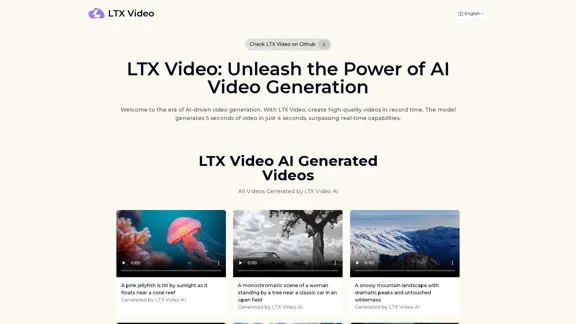
LTX Video is an innovative AI video generator that allows users to create stunning visuals quickly and efficiently. With the ability to generate 5 seconds of video in just 4 seconds, it sets a new benchmark in video creation speed. The platform supports both AI image-to-video and AI text-to-video tasks, making it a versatile tool for various applications.
LTX Video: AI Video Generator for Amazing Visuals
Experience the cutting-edge of AI video generation with LTX-Video AI! LTX-Video AI transforms text and images into dynamic, engaging videos in just minutes.
Introduction
Feature
-
Real-time Video Generation
LTX Video can produce 5 seconds of 24 FPS video at 768×512 resolution in just 4 seconds using an Nvidia H100 GPU, showcasing its exceptional speed.
-
High-Quality Video Output
The tool delivers high-fidelity videos that minimize flickering and artifacts, ensuring seamless and lifelike visuals.
-
Versatility in Video Creation
LTX Video excels in both image-to-video and text-to-video generation, providing creative freedom for diverse use cases.
-
Open-Source Accessibility
Available on platforms like GitHub and Hugging Face, LTX Video encourages experimentation and community-driven development.
-
Consumer-Friendly Hardware Compatibility
Designed to run on everyday hardware such as the Nvidia RTX 4090, it is accessible to individuals and small businesses.
-
Enhanced Motion Consistency
The diffusion Transformer architecture ensures smooth motion between frames, addressing limitations of earlier video generation models.
How to Use?
- Update to the latest version of ComfyUI.
- Download the LTX-video-2b-v0.9.safetensors file into the 'models/checkpoints' folder.
- Ensure t5xxl_fp16 is in the 'models/clip' folder.
- Grab the workflow from the Example Workflows page to start creating.
FAQ
What is LTX Video?
LTX Video is a groundbreaking AI video generation model developed by Lightricks, capable of generating high-quality videos in real-time.
How fast is LTX Video in generating videos?
It generates 5 seconds of 24 FPS video at 768×512 resolution in just 4 seconds using an Nvidia H100 GPU.
What is the quality of videos produced by LTX Video?
Creators can expect high-fidelity outputs that minimize flickering and artifacts, delivering seamless and lifelike AI videos.
Can LTX Video generate long-form videos?
Yes, it can produce extended, high-quality videos with consistent quality.
How does LTX Video ensure motion consistency in videos?
Its unique Diffusion Transformer architecture facilitates frame-to-frame learning, ensuring coherent transitions between frames.
Price
- Free plan: $0/month
- Basic plan: $9.99/month
- Standard plan: $19.99/month
- Professional plan: $49.99/month
The price is for reference only, please refer to the latest official data for actual information.
Evaluation
LTX Video demonstrates impressive capabilities in AI video generation, producing high-quality visuals rapidly. Its open-source nature and compatibility with standard hardware make it accessible to a wide range of users. However, the reliance on specific hardware may limit some users, and the learning curve associated with its features could be challenging for beginners. Overall, LTX Video is a powerful tool for creators, but ongoing support and resources would enhance user experience and mastery of the platform.
Related Websites

VideoGen - AI Video Generator - Create Videos in Seconds
VideoGen - AI Video Generator - Create Videos in SecondsInstantly generate videos with VideoGen, the fastest video creation experience. Ever. Create and edit videos in one click. Try it now for free.
415.93 K
Minimax AI | Advanced AI-powered Video Generation & Photo Enhancement Platform
Minimax AI | Advanced AI-powered Video Generation & Photo Enhancement PlatformMinimax AI revolutionizes content creation with cutting-edge AI. Generate stunning videos from text and transform your photos with innovative AI effects.
158.66 K
The Most Natural AI Dubbing – Reach Millions with PERSO.ai
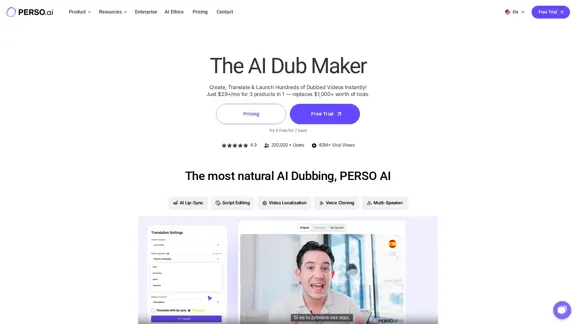
The Most Natural AI Dubbing – Reach Millions with PERSO.aiSign up for free! Localize videos in minutes with seamless AI dubbing, voice cloning & lip sync – Grow your global audience effortlessly.
245.18 K
Magic Light AI - Free AI Art Generator, Text to Image to Video! AI Studio School
Magic Light AI - Free AI Art Generator, Text to Image to Video! AI Studio SchoolMagicLight AI is an innovative AI text-to-image-to-video platform that easily transforms your written content into engaging, professional-quality videos. Ideal for marketers, school educators, and content creator studios, our tool enables you to produce dynamic video content in minutes—Free AI Art Generator enhancing your digital storytelling and marketing initiatives.
822.97 K

Uhmegle: Omegle Alternative for Video and Text Chat
Uhmegle: Omegle Alternative for Video and Text ChatExplore Uhmegle, a new Omegle alternative for free video and text chats. Talk to strangers globally with our new Omegle TV feature.
7.81 M

Overlap builds multimodal AI agents and has the most advanced video marketing agent for autonomous editing and short-form content.
44.54 K
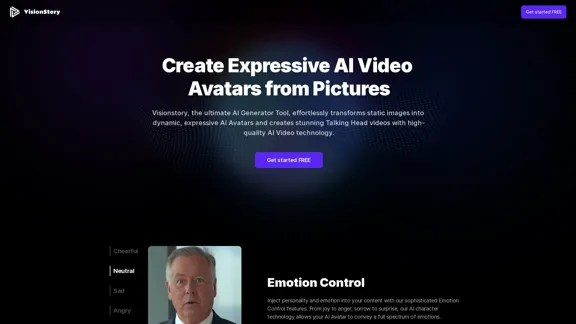
Create high-quality AI video avatars from your photos with our AI Text to Video and AI Image to Video generators. Upload your picture, input text or voice, and watch your AI character come to life with realistic expressions and voice cloning. Perfect for AI faces, talking heads, and more. Experience fast and expressive AI video creation comparable to Sora, Kling, Runway, Viggle and more.
163.64 K