Opulli is an innovative AI fashion model platform designed to revolutionize the way clothing brands showcase their products. By leveraging advanced AI technology, Opulli offers a smart and cost-effective alternative to traditional photoshoots, allowing brands to create captivating product images with AI-generated models. This platform aims to streamline content production, reduce costs, and accelerate market readiness for fashion brands of all sizes.
Opulli | AI Fashion Model Platform for Clothing Brands
Create captivating AI-generated fashion models, cutting photoshoot costs dramatically. Enhance audience engagement, accelerate market debut, and lead fashion trends with unparalleled speed and precision.
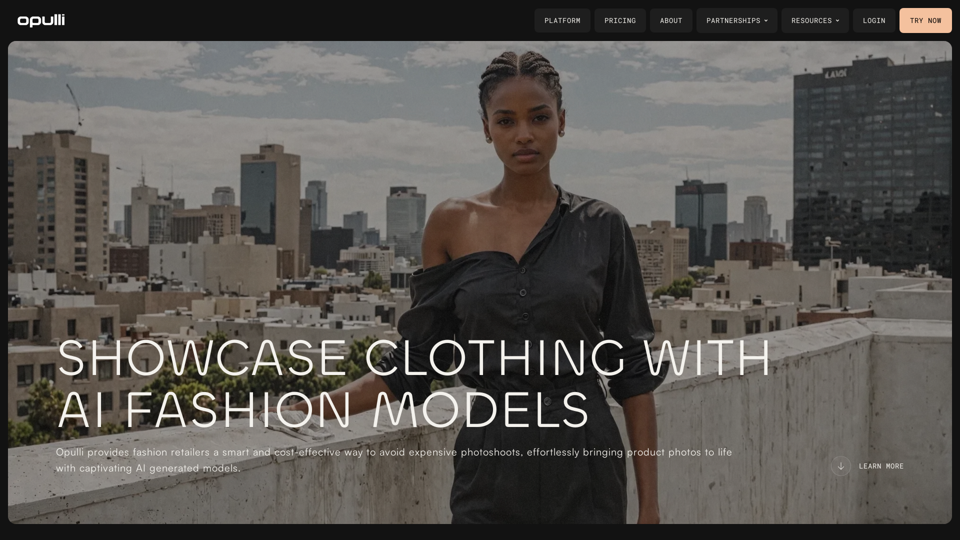
Introduction
Feature
AI Fashion Model Generation
- Create high-quality product images using AI-generated models
- Choose from a vast array of AI fashion models with unique styles and features
- Option to use real models in AI for a more realistic experience
User-Friendly Process
Upload and Customize
- Simply upload your product image
- Select the model's look to match your desired style
- Download your elegantly showcased product
Flexible Pricing Options
- Free trial available for instant access
- Subscription plans for increased usage (beyond 20 free AI-generated model conversations per day)
- Cost-effective solution for brands of all sizes
Privacy and Data Protection
- User information is not used for training data
- Commitment to protecting user privacy and data
Resources and Support
- Comprehensive FAQ and glossary
- Guides and resources for fashion brands
- Information on partnerships with fashion brands and creative agencies
FAQ
How does Opulli work?
Opulli allows users to upload product images, select AI-generated models, and create high-quality product showcases. The platform offers a simple three-step process: upload your product image, select the model's look, and download the final image.
What are the benefits of using Opulli?
Opulli offers several benefits:
- Cost-effective alternative to traditional photoshoots
- Streamlined content production process
- Accelerated market readiness
- Access to a wide variety of AI-generated models
- High-quality product images without the need for expensive equipment or studio space
Is there a limit to how many images I can generate?
Opulli offers 20 free AI-generated model conversations per day. For users requiring more, subscription plans are available to meet higher volume needs.
Can I use Opulli for different types of clothing and accessories?
Yes, Opulli is designed to showcase various fashion products, including different types of clothing and accessories. The platform's diverse range of AI-generated models can be used to display a wide array of fashion items.
How can I get started with Opulli?
To get started with Opulli:
- Visit the Opulli website
- Click on the "TRY NOW" button for instant access
- Explore the platform's features with the free trial
- Upload your product images and start creating AI-generated showcases
Related Websites
![AI-Powered Cover Letter
==========================
Introduction
As a highly motivated and innovative professional, I am excited to apply for the [Position] role at [Company]. With a strong background in [Industry/Field], I am confident that my skills and experience make me an ideal candidate for this position.
Summary
With [Number] years of experience in [Industry/Field], I have developed a unique combination of skills in [Key Skills]. My expertise in [Technical Skills] has enabled me to [Desirable Outcome], resulting in [Desirable Metric]. I am excited to leverage my skills to drive success at [Company].
Achievements
* [ Achievement 1 ]: Developed and implemented [Project/Initiative], resulting in [Desirable Metric] and [Desirable Outcome].
* [ Achievement 2 ]: Successfully [Key Skill] to [Desirable Outcome], resulting in [Desirable Metric].
* [ Achievement 3 ]: Collaborated with [Team/Department] to [Desirable Outcome], resulting in [Desirable Metric].
Education
* [Degree], [Field of Study], [University], [Graduation Date]
* [Relevant Coursework or Specialization]
Skills
* Technical Skills: [Technical Skill 1], [Technical Skill 2], [Technical Skill 3]
* Soft Skills: [Soft Skill 1], [Soft Skill 2], [Soft Skill 3]
Why [Company]?
I am drawn to [Company] because of its [Reason for Interest]. I am impressed by the company's [Initiative/Value] and believe that my skills and experience align with its mission to [Company Mission].
Conclusion
Thank you for considering my application. I am excited about the opportunity to contribute to [Company] and discuss how my skills and experience can drive success. Please feel free to contact me at [Contact Information].
Sincerely,
[Your Name]](https://static.right-ai.com/tools/2024/7/3/chromewebstore-google-com-detail-ai-cover-letter-bcomdehdkdilamaajciocnpgapckeong-thumbnail-1720036712.png "AI-Powered Cover Letter
==========================
Introduction
As a highly motivated and innovative professional, I am excited to apply for the [Position] role at [Company]. With a strong background in [Industry/Field], I am confident that my skills and experience make me an ideal candidate for this position.
Summary
With [Number] years of experience in [Industry/Field], I have developed a unique combination of skills in [Key Skills]. My expertise in [Technical Skills] has enabled me to [Desirable Outcome], resulting in [Desirable Metric]. I am excited to leverage my skills to drive success at [Company].
Achievements
* [ Achievement 1 ]: Developed and implemented [Project/Initiative], resulting in [Desirable Metric] and [Desirable Outcome].
* [ Achievement 2 ]: Successfully [Key Skill] to [Desirable Outcome], resulting in [Desirable Metric].
* [ Achievement 3 ]: Collaborated with [Team/Department] to [Desirable Outcome], resulting in [Desirable Metric].
Education
* [Degree], [Field of Study], [University], [Graduation Date]
* [Relevant Coursework or Specialization]
Skills
* Technical Skills: [Technical Skill 1], [Technical Skill 2], [Technical Skill 3]
* Soft Skills: [Soft Skill 1], [Soft Skill 2], [Soft Skill 3]
Why [Company]?
I am drawn to [Company] because of its [Reason for Interest]. I am impressed by the company's [Initiative/Value] and believe that my skills and experience align with its mission to [Company Mission].
Conclusion
Thank you for considering my application. I am excited about the opportunity to contribute to [Company] and discuss how my skills and experience can drive success. Please feel free to contact me at [Contact Information].
Sincerely,
[Your Name]")
AI-Powered Cover Letter ========================== Introduction As a highly motivated and innovative professional, I am excited to apply for the [Position] role at [Company]. With a strong background in [Industry/Field], I am confident that my skills and experience make me an ideal candidate for this position. Summary With [Number] years of experience in [Industry/Field], I have developed a unique combination of skills in [Key Skills]. My expertise in [Technical Skills] has enabled me to [Desirable Outcome], resulting in [Desirable Metric]. I am excited to leverage my skills to drive success at [Company]. Achievements * [ Achievement 1 ]: Developed and implemented [Project/Initiative], resulting in [Desirable Metric] and [Desirable Outcome]. * [ Achievement 2 ]: Successfully [Key Skill] to [Desirable Outcome], resulting in [Desirable Metric]. * [ Achievement 3 ]: Collaborated with [Team/Department] to [Desirable Outcome], resulting in [Desirable Metric]. Education * [Degree], [Field of Study], [University], [Graduation Date] * [Relevant Coursework or Specialization] Skills * Technical Skills: [Technical Skill 1], [Technical Skill 2], [Technical Skill 3] * Soft Skills: [Soft Skill 1], [Soft Skill 2], [Soft Skill 3] Why [Company]? I am drawn to [Company] because of its [Reason for Interest]. I am impressed by the company's [Initiative/Value] and believe that my skills and experience align with its mission to [Company Mission]. Conclusion Thank you for considering my application. I am excited about the opportunity to contribute to [Company] and discuss how my skills and experience can drive success. Please feel free to contact me at [Contact Information]. Sincerely, [Your Name]
AI-Powered Cover Letter ========================== Introduction As a highly motivated and innovative professional, I am excited to apply for the [Position] role at [Company]. With a strong background in [Industry/Field], I am confident that my skills and experience make me an ideal candidate for this position. Summary With [Number] years of experience in [Industry/Field], I have developed a unique combination of skills in [Key Skills]. My expertise in [Technical Skills] has enabled me to [Desirable Outcome], resulting in [Desirable Metric]. I am excited to leverage my skills to drive success at [Company]. Achievements * [ Achievement 1 ]: Developed and implemented [Project/Initiative], resulting in [Desirable Metric] and [Desirable Outcome]. * [ Achievement 2 ]: Successfully [Key Skill] to [Desirable Outcome], resulting in [Desirable Metric]. * [ Achievement 3 ]: Collaborated with [Team/Department] to [Desirable Outcome], resulting in [Desirable Metric]. Education * [Degree], [Field of Study], [University], [Graduation Date] * [Relevant Coursework or Specialization] Skills * Technical Skills: [Technical Skill 1], [Technical Skill 2], [Technical Skill 3] * Soft Skills: [Soft Skill 1], [Soft Skill 2], [Soft Skill 3] Why [Company]? I am drawn to [Company] because of its [Reason for Interest]. I am impressed by the company's [Initiative/Value] and believe that my skills and experience align with its mission to [Company Mission]. Conclusion Thank you for considering my application. I am excited about the opportunity to contribute to [Company] and discuss how my skills and experience can drive success. Please feel free to contact me at [Contact Information]. Sincerely, [Your Name]Craft tailored cover letters in seconds using AI, based on your CV and the job description. ✍️🤖📄
193.90 M
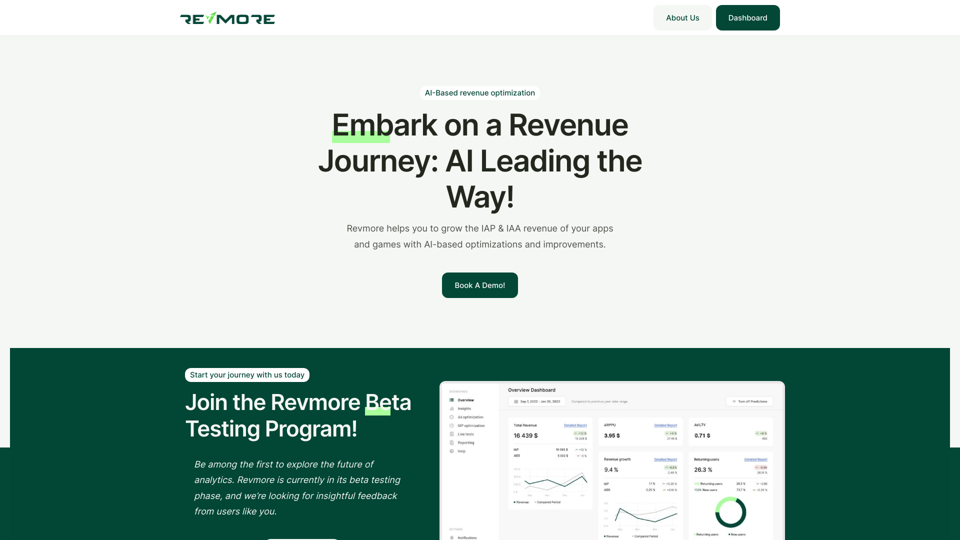
AI-Based Revenue Optimization Embark on a Revenue Journey: AI Leading the Way! Revmore helps you to grow the in-app purchase (IAP) and in-app advertising (IAA) revenue of your apps and games with AI-based optimizations and improvements. Book A Demo! Elevate your revenue with our AI magic. Explore our diverse optimization solutions, meticulously crafted to meet unique demands. In-app Purchase (IAP)
0
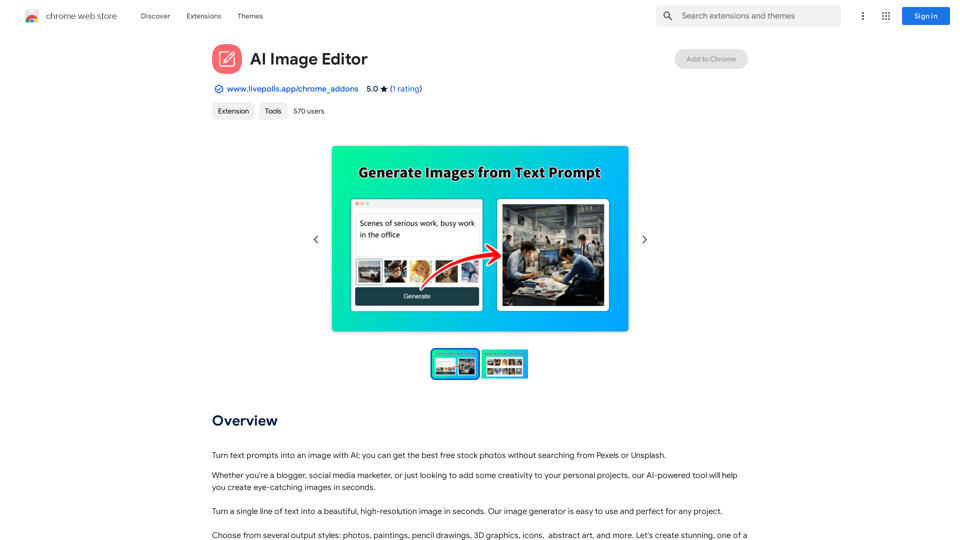
Use AI to create images from text descriptions; find high-quality free stock photos without using Pexels or Unsplash.
193.90 M
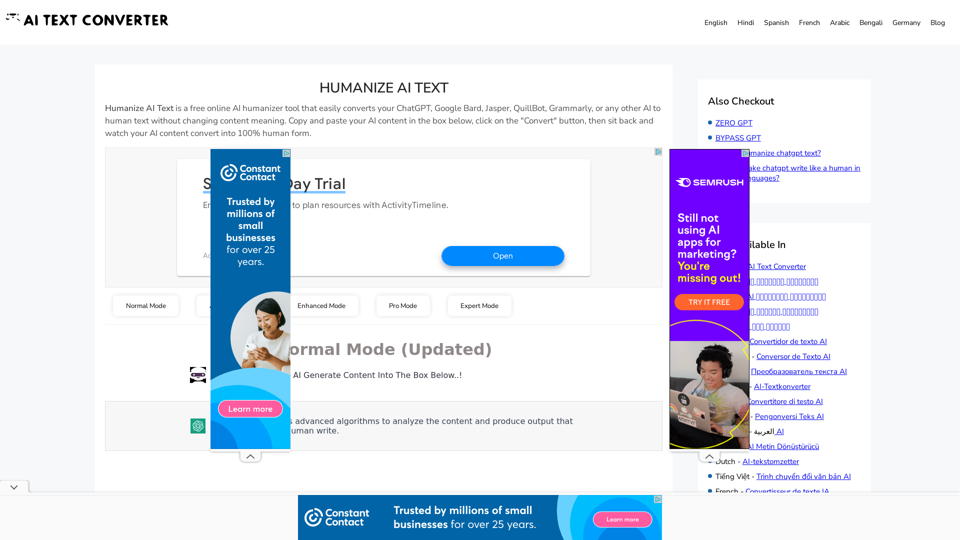
Humanize AI Text - Convert AI to Human-Like Text Instantly Are you tired of robotic AI-generated content that lacks the personal touch? Do you want to breathe life into your AI-written text and make it sound more human? Look no further! Our AI humanizer tool is here to help you convert your AI text into engaging, natural-sounding content that resonates with your audience. How Does it Work? Our advanced AI humanizer uses sophisticated algorithms to analyze your AI-generated text and identify areas that need improvement. It then applies a range of linguistic and stylistic adjustments to make your text more relatable, conversational, and authentic. The result is a rewritten text that sounds like it was written by a human, not a machine. Benefits of Humanizing AI Text * Increased Engagement: Human-like text is more likely to capture your audience's attention and keep them engaged. * Improved Credibility: Authentic-sounding content builds trust and credibility with your readers. * Enhanced Readability: Our AI humanizer ensures that your text is easy to read and understand, making it more accessible to a wider audience. Try Our AI Humanizer Today! Don't settle for robotic AI-generated content. Convert your AI text into human-like content that resonates with your audience. Try our AI humanizer tool now and see the difference for yourself!
Humanize AI Text - Convert AI to Human-Like Text Instantly Are you tired of robotic AI-generated content that lacks the personal touch? Do you want to breathe life into your AI-written text and make it sound more human? Look no further! Our AI humanizer tool is here to help you convert your AI text into engaging, natural-sounding content that resonates with your audience. How Does it Work? Our advanced AI humanizer uses sophisticated algorithms to analyze your AI-generated text and identify areas that need improvement. It then applies a range of linguistic and stylistic adjustments to make your text more relatable, conversational, and authentic. The result is a rewritten text that sounds like it was written by a human, not a machine. Benefits of Humanizing AI Text * Increased Engagement: Human-like text is more likely to capture your audience's attention and keep them engaged. * Improved Credibility: Authentic-sounding content builds trust and credibility with your readers. * Enhanced Readability: Our AI humanizer ensures that your text is easy to read and understand, making it more accessible to a wider audience. Try Our AI Humanizer Today! Don't settle for robotic AI-generated content. Convert your AI text into human-like content that resonates with your audience. Try our AI humanizer tool now and see the difference for yourself!Humanize AI Text is a free online tool that converts AI-generated text into human-like text, helping to evade AI detection and improving the quality of your writing to match that of a human.
157.34 K
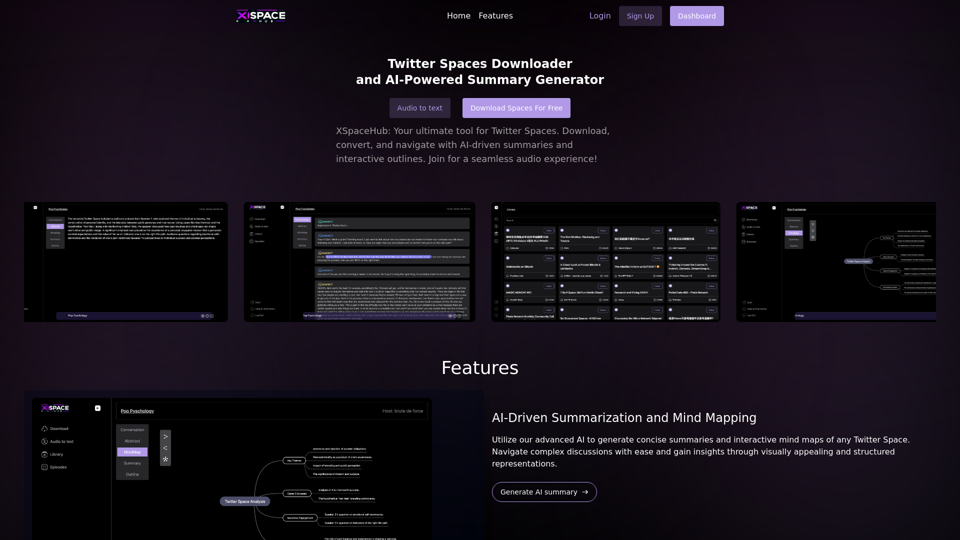
Spaces Downloader and AI-Powered Summary Generator | xspacehub.com
Spaces Downloader and AI-Powered Summary Generator | xspacehub.comXSPaceHub is your ultimate tool to download, convert, summarize, and navigate Twitter Spaces. Access a rich library, enjoy AI-driven summaries, interactive mind maps, and detailed outlines with clickable audio timestamps. Join now for a seamless audio experience!
0