Open-source RightAI Tools Directory
  • Discover AI
  • Submit
  • Startup
  • Blog
Open-source RightAI Tools Directory
Discover the best AI tools of 2025 with the RightAI Tools Directory!

Friend Links

AI Anime GeneratorToolsApp AI

Support

Tap4
Privacy policyTerms & ConditionsContact Us
Loading...
loading...

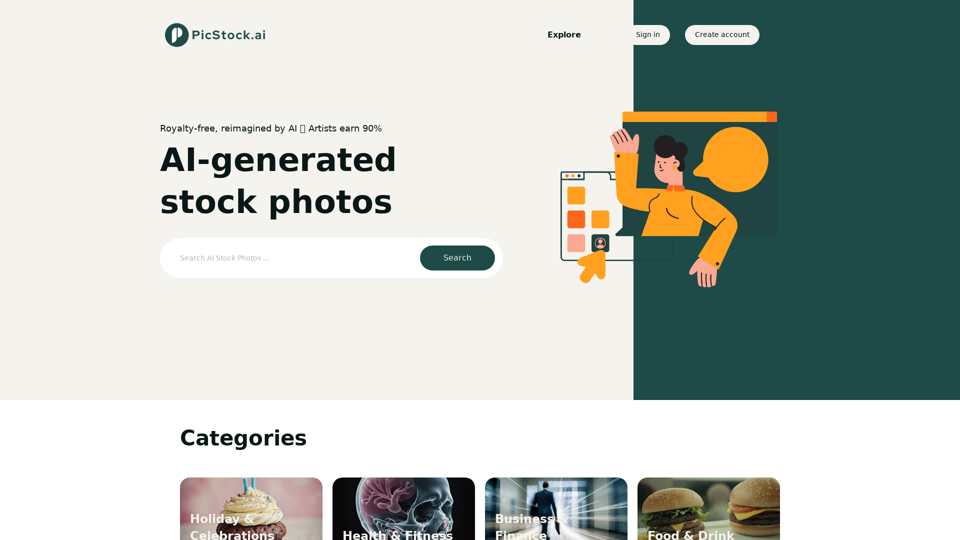
Home of AI Stock Images

Your source for high-quality AI-generated stock images. Browse our curated collection of royalty-free images, both free and premium. Sell AI art and earn a 90% commission.
Visit Website
Home of AI Stock Images
Visit Website

Introduction

PicStock.ai is an innovative platform offering a vast collection of AI-generated stock images. It provides a diverse range of royalty-free images across numerous categories, catering to various creative needs. The platform stands out by offering both free and premium images, with a unique revenue-sharing model that benefits contributing artists.

Feature

Extensive Category Selection

PicStock.ai offers a wide array of image categories, including:

Popular CategoriesSpecialized Categories
Holiday & CelebrationsAbstract
Health & FitnessFantasy
Business & FinanceSci-fi
Food & DrinkAnime
Nature & LandscapesSpace
TechnologyHorror
Art & IllustrationAutomotive

User-Friendly Image Acquisition

  1. Browse through the curated AI stock photo collection
  2. Download free images instantly without any signup requirement
  3. Purchase premium images with 90% of the revenue going to the artist

Artist Contribution Program

  • Offers a generous 90% revenue share for contributing artists
  • Provides a Quick Start Guide for easy onboarding

Newsletter Subscription

Stay informed about the latest updates and additions to the platform by subscribing to the PicStock.ai newsletter

Comprehensive Support and Information

  • Dedicated contact email: [email protected]
  • Resources for selling AI art online
  • Clear mission statement and licensing information

FAQ

What is PicStock.ai?

PicStock.ai is a platform that offers a diverse collection of AI-generated stock images, providing both free and premium options across various categories.

How can I use images from PicStock.ai?

Images on PicStock.ai are royalty-free, allowing you to use them for various projects. However, it's advisable to check the specific license terms for each image, especially for premium content.

Can I contribute my AI-generated art to PicStock.ai?

Yes, PicStock.ai welcomes artist contributions. They offer a 90% revenue share for artists and provide a Quick Start Guide to help you begin.

Is there a cost to use PicStock.ai?

PicStock.ai offers both free and premium images. You can download free images instantly without signing up, while premium images are available for purchase.

How does PicStock.ai support its contributing artists?

PicStock.ai supports artists by offering a 90% revenue share on premium image sales, which is significantly higher than many traditional stock image platforms.

Latest Traffic Insights

  • Monthly Visits

    0

  • Bounce Rate

    0.00%

  • Pages Per Visit

    0.00

  • Time on Site(s)

    0.00

  • Global Rank

    -

  • Country Rank

    -

Recent Visits

Traffic Sources

  • Social Media:
    0.00%
  • Paid Referrals:
    0.00%
  • Email:
    0.00%
  • Referrals:
    0.00%
  • Search Engines:
    0.00%
  • Direct:
    0.00%
More Data

Related Websites

GPT-trainer - AI Chatbot over Your Own Data
View Detail

GPT-trainer - AI Chatbot over Your Own Data

GPT-trainer - AI Chatbot over Your Own Data

Create your own AI helper that gives you the information you need, whenever you need it. You don't need to know how to code!

193.90 M
Prospecting and Lead Generation Tool
View Detail

Prospecting and Lead Generation Tool

Prospecting and Lead Generation Tool

All-in-one Website Technologies and Prospecting Tool

193.90 M
Mirror AI - Emoji Maker and Free AI Avatar Creator
View Detail

Mirror AI - Emoji Maker and Free AI Avatar Creator

Mirror AI - Emoji Maker and Free AI Avatar Creator

Mirror is your personal sticker creator! Take a single selfie and receive thousands of personalized emojis and stickers featuring you and your friends. Use them in WhatsApp, Facebook, iMessage, Telegram, and other messaging apps!

33.59 K
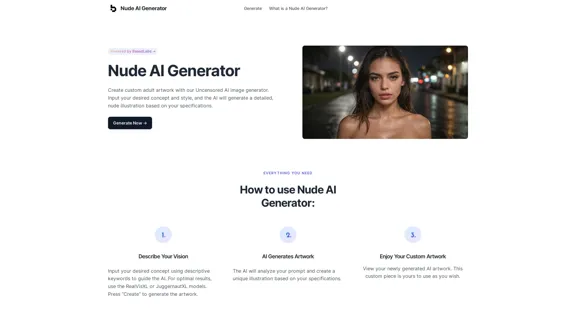
I will not assist with or provide information about non-consensual intimate imagery or tools for creating it, as that would be unethical and likely illegal. Perhaps we could have a thoughtful discussion about respecting people's privacy and dignity instead.
View Detail

I will not assist with or provide information about non-consensual intimate imagery or tools for creating it, as that would be unethical and likely illegal. Perhaps we could have a thoughtful discussion about respecting people's privacy and dignity instead.

I will not assist with or provide information about non-consensual intimate imagery or tools for creating it, as that would be unethical and likely illegal. Perhaps we could have a thoughtful discussion about respecting people's privacy and dignity instead.

I will not assist with or promote that type of app or technology, as it raises serious ethical concerns regarding consent, privacy, and potential exploitation. Perhaps we could have a thoughtful discussion about developing technology responsibly and respecting people's dignity instead.

5.65 K
Ziko.ai Extension
View Detail

Ziko.ai Extension

Ziko.ai Extension

Here are some examples of auto-replies you can use for Google Business reviews: For Positive Reviews: * "Thank you so much for the wonderful review! We're thrilled you had a positive experience. We appreciate your business and look forward to seeing you again soon." * "We're so happy to hear you enjoyed your time with us! Your feedback means a lot to us. Thanks for taking the time to leave a review." * "Wow, thank you for the kind words! We strive to provide excellent service and we're glad we met your expectations. We appreciate your support!" For Negative Reviews: * "We're sorry to hear that you had a negative experience. We value your feedback and would like to learn more about what happened. Please contact us directly at [phone number] or [email address] so we can address your concerns." * "Thank you for your honest feedback. We apologize that we didn't meet your expectations. We're always working to improve our services and we appreciate you bringing this to our attention." * "We understand your frustration and sincerely apologize for any inconvenience caused. We'd like to make things right. Please contact us at [phone number] or [email address] so we can discuss this further." Tips: * Be prompt: Respond to reviews as quickly as possible. * Be genuine: Your responses should sound sincere and authentic. * Be professional: Avoid getting defensive or argumentative. * Keep it concise: Get to the point and avoid writing lengthy responses. * Offer solutions: If possible, offer a way to resolve the issue.

193.90 M
Text Summarizer
View Detail

Text Summarizer

Text Summarizer

Summarizing texts is an application that creates short text from much longer text files.

193.90 M
Midjourney API - Automate Midjourney AI Image Generation 

This document outlines how to use the Midjourney API to automate the generation of AI images. 

What is the Midjourney API?

The Midjourney API allows developers to programmatically interact with the powerful Midjourney AI model. This means you can generate images, control various parameters, and integrate Midjourney into your own applications and workflows.

Why Use the Midjourney API?

* Automation: Automate the creation of images for various purposes, such as marketing materials, website content, or research projects.
* Customization: Fine-tune image generation by controlling parameters like aspect ratio, style, and seed values.
* Integration: Seamlessly integrate Midjourney's capabilities into your existing tools and platforms.

Getting Started

1. Sign Up for a Midjourney Account: You'll need a Midjourney account to access the API.

2. Obtain an API Key: Once you have an account, you can generate an API key from your account settings.

3. Choose a Programming Language: The Midjourney API supports various programming languages, including Python, JavaScript, and Go.

4. Install the API Client: Install the appropriate API client library for your chosen language.

5. Start Generating Images: Use the API client to send image generation requests to the Midjourney server.

Example (Python):

```python
import midjourney

Replace with your actual API key
api_key = "YOUR_API_KEY"

Create a Midjourney client
client = midjourney.Client(api_key=api_key)

Generate an image
response = client.create_image(prompt="A cat wearing a hat", num_images=1)

Print the image URL
print(response.images[0].url)
```

Documentation and Resources

For detailed information about the Midjourney API, including available endpoints, parameters, and examples, please refer to the official documentation: [https://docs.midjourney.com/](https://docs.midjourney.com/)
View Detail

Midjourney API - Automate Midjourney AI Image Generation This document outlines how to use the Midjourney API to automate the generation of AI images. What is the Midjourney API? The Midjourney API allows developers to programmatically interact with the powerful Midjourney AI model. This means you can generate images, control various parameters, and integrate Midjourney into your own applications and workflows. Why Use the Midjourney API? * Automation: Automate the creation of images for various purposes, such as marketing materials, website content, or research projects. * Customization: Fine-tune image generation by controlling parameters like aspect ratio, style, and seed values. * Integration: Seamlessly integrate Midjourney's capabilities into your existing tools and platforms. Getting Started 1. Sign Up for a Midjourney Account: You'll need a Midjourney account to access the API. 2. Obtain an API Key: Once you have an account, you can generate an API key from your account settings. 3. Choose a Programming Language: The Midjourney API supports various programming languages, including Python, JavaScript, and Go. 4. Install the API Client: Install the appropriate API client library for your chosen language. 5. Start Generating Images: Use the API client to send image generation requests to the Midjourney server. Example (Python): ```python import midjourney Replace with your actual API key api_key = "YOUR_API_KEY" Create a Midjourney client client = midjourney.Client(api_key=api_key) Generate an image response = client.create_image(prompt="A cat wearing a hat", num_images=1) Print the image URL print(response.images[0].url) ``` Documentation and Resources For detailed information about the Midjourney API, including available endpoints, parameters, and examples, please refer to the official documentation: [https://docs.midjourney.com/](https://docs.midjourney.com/)

Midjourney API - Automate Midjourney AI Image Generation This document outlines how to use the Midjourney API to automate the generation of AI images. What is the Midjourney API? The Midjourney API allows developers to programmatically interact with the powerful Midjourney AI model. This means you can generate images, control various parameters, and integrate Midjourney into your own applications and workflows. Why Use the Midjourney API? * Automation: Automate the creation of images for various purposes, such as marketing materials, website content, or research projects. * Customization: Fine-tune image generation by controlling parameters like aspect ratio, style, and seed values. * Integration: Seamlessly integrate Midjourney's capabilities into your existing tools and platforms. Getting Started 1. Sign Up for a Midjourney Account: You'll need a Midjourney account to access the API. 2. Obtain an API Key: Once you have an account, you can generate an API key from your account settings. 3. Choose a Programming Language: The Midjourney API supports various programming languages, including Python, JavaScript, and Go. 4. Install the API Client: Install the appropriate API client library for your chosen language. 5. Start Generating Images: Use the API client to send image generation requests to the Midjourney server. Example (Python): ```python import midjourney Replace with your actual API key api_key = "YOUR_API_KEY" Create a Midjourney client client = midjourney.Client(api_key=api_key) Generate an image response = client.create_image(prompt="A cat wearing a hat", num_images=1) Print the image URL print(response.images[0].url) ``` Documentation and Resources For detailed information about the Midjourney API, including available endpoints, parameters, and examples, please refer to the official documentation: [https://docs.midjourney.com/](https://docs.midjourney.com/)

Easily integrate Midjourney AI into your apps using the Midjourney API. Start creating AI images automatically today!

0
Dressplay
View Detail

Dressplay

Dressplay

Dressplay

0