Open-source RightAI Tools Directory
  • Discover AI
  • Submit
  • Startup
  • Blog
Open-source RightAI Tools Directory
Discover the best AI tools of 2025 with the RightAI Tools Directory!

Friend Links

AI Anime GeneratorToolsApp AI

Support

Tap4
Privacy policyTerms & ConditionsContact Us
Loading...
loading...

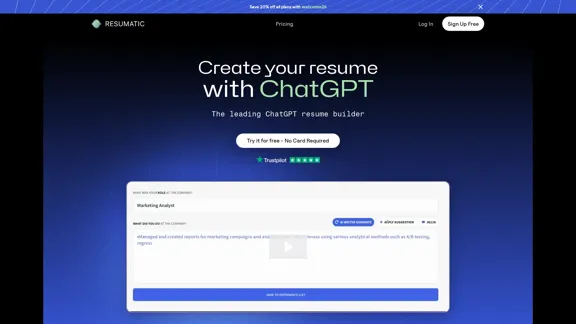
Resumatic - Fastest ChatGPT-Powered Resume Builder

Create your ideal resume quickly with Resumatic, the speediest ChatGPT-powered resume builder. Captivate employers with a professionally customized, AI-generated resume that showcases your distinctive skills and accomplishments. Give it a try today!
Visit Website
Resumatic - Fastest ChatGPT-Powered Resume Builder
Visit Website

Introduction

Resumatic is an AI-powered resume builder that utilizes ChatGPT technology to simplify and enhance the resume creation process. It offers a range of features designed to help job seekers create professional, targeted resumes that stand out to employers and recruiters. With both free and premium options available, Resumatic caters to various user needs and budgets.

Feature

AI-Powered Resume Building

Resumatic leverages ChatGPT technology to assist users in creating high-quality resumes. This feature helps job seekers craft compelling content tailored to their specific career goals.

Intelligent Keyword Targeting

The platform analyzes job descriptions and incorporates relevant keywords into resumes, increasing the chances of passing Applicant Tracking Systems (ATS) and catching recruiters' attention.

Real-Time Content Analysis

As users create their resumes, Resumatic provides instant feedback and suggestions to optimize content, ensuring the resume is well-structured and impactful.

Instant Resume Scoring

The system evaluates resumes in seconds, identifying areas for improvement and offering actionable feedback to enhance overall quality.

Expert Resume Review

Premium users can access professional resume reviews, where experienced experts provide personalized feedback and suggestions for improvement.

Multiple Document Types

Resumatic offers tools for creating resumes, cover letters, and resignation letters, providing a comprehensive solution for various career-related documents.

ATS Compatibility

The platform ensures that generated resumes are compatible with Applicant Tracking Systems, increasing the likelihood of resumes being seen by human recruiters.

File Format Options

Users can download their resumes in various formats, including PDF and DOCX, to suit different application requirements.

Blockchain Verification

Resumatic implements blockchain technology to verify resume authenticity, adding an extra layer of credibility to users' applications.

Flexible Pricing Options

The platform offers a range of pricing plans, including a free tier, monthly subscriptions, and a lifetime option, catering to different user needs and budgets.

FAQ

What is Resumatic?

Resumatic is an AI-powered resume builder that uses ChatGPT technology to help job seekers create professional, targeted resumes. It offers features such as intelligent keyword targeting, real-time content analysis, and instant resume scoring to enhance the quality of resumes.

How does Resumatic's pricing work?

Resumatic offers several pricing tiers:

  1. Free: Basic features with limited usage
  2. Basic ($3/month): Unlimited downloads with limited features
  3. Pro ($29/month): Unlimited access to all features and monthly resume review
  4. Lifetime ($129 one-time payment): Unlimited feature usage and downloads

All paid plans come with a 100% refund guarantee, except for the Lifetime plan, which is non-refundable.

Can I use Resumatic for free?

Yes, Resumatic offers a free tier that allows users to try the software without commitment. The free plan includes limited feature usage, 3 downloads, 6,000 free AI credits, and a monthly resume review.

What sets Resumatic apart from general AI tools like ChatGPT?

While Resumatic is powered by ChatGPT, it is specifically designed for resume writing. Unlike general AI models, Resumatic offers tailored features for creating professional resumes, such as ATS compatibility, keyword targeting, and resume-specific content analysis.

Is there a refund policy for Resumatic subscriptions?

Yes, Resumatic offers a 100% refund guarantee for its Basic and Pro subscription plans. Users can cancel at any time and retain access until the end of their subscription period. However, the Lifetime plan is non-refundable.

Latest Traffic Insights

  • Monthly Visits

    36.26 K

  • Bounce Rate

    49.96%

  • Pages Per Visit

    1.79

  • Time on Site(s)

    68.72

  • Global Rank

    840018

  • Country Rank

    United States 334108

Recent Visits

Traffic Sources

  • Social Media:
    11.54%
  • Paid Referrals:
    1.11%
  • Email:
    0.18%
  • Referrals:
    7.31%
  • Search Engines:
    42.94%
  • Direct:
    36.87%
More Data

Related Websites

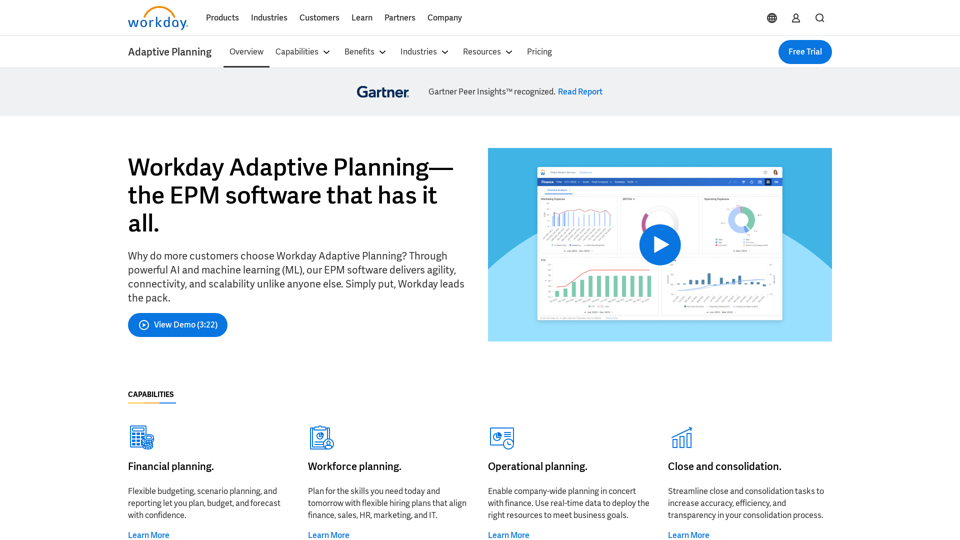
Copilot for Microsoft 365 – Microsoft Adoption

Copilot for Microsoft 365 is a powerful AI assistant that helps you work smarter and faster across Microsoft 365 apps and services. It combines the power of large language models (LLMs) with your organization's data in the Microsoft Graph and Microsoft 365 apps to turn your words into the most powerful productivity tool on the planet.

Copilot is designed to help you:

• Unleash creativity
• Unlock productivity
• Uplevel skills

Copilot is built on Microsoft's comprehensive approach to security, compliance, and privacy. Copilot in Microsoft 365 apps and services:

• Does not use your data to train the underlying LLM
• Does not replace human ingenuity and judgment
• Is designed to keep humans in the loop

Copilot is currently available in Word, Excel, PowerPoint, Outlook, Teams, and more.

Getting Started with Copilot

To get started with Copilot, follow these steps:

1. Check availability: Ensure your organization has access to Copilot.
2. Learn the basics: Familiarize yourself with Copilot's capabilities and how to use it effectively.
3. Explore use cases: Discover how Copilot can help you in your specific role and tasks.
4. Practice and refine: Use Copilot regularly and refine your prompts for better results.
5. Share and collaborate: Collaborate with colleagues using Copilot and share best practices.

Best Practices for Using Copilot

1. Be specific in your prompts
2. Provide context for better results
3. Review and edit Copilot's output
4. Use Copilot as a starting point, not a final product
5. Experiment with different approaches
6. Stay informed about new features and updates

Copilot in Different Microsoft 365 Apps

• Word: Draft, edit, summarize, and rewrite content
• Excel: Analyze data, create formulas, and generate insights
• PowerPoint: Create presentations, design slides, and generate content
• Outlook: Compose emails, summarize threads, and manage your inbox
• Teams: Summarize meetings, generate action items, and create meeting notes

Responsible AI and Copilot

Microsoft is committed to developing AI systems responsibly. When using Copilot, keep in mind:

• AI-generated content may contain biases or inaccuracies
• Always review and verify Copilot's output
• Use your judgment and expertise alongside Copilot's suggestions
• Be aware of your organization's policies regarding AI use

Conclusion

Copilot for Microsoft 365 is a powerful tool that can significantly enhance your productivity and creativity. By understanding its capabilities, following best practices, and using it responsibly, you can make the most of this AI assistant in your daily work.
View Detail

Copilot for Microsoft 365 – Microsoft Adoption Copilot for Microsoft 365 is a powerful AI assistant that helps you work smarter and faster across Microsoft 365 apps and services. It combines the power of large language models (LLMs) with your organization's data in the Microsoft Graph and Microsoft 365 apps to turn your words into the most powerful productivity tool on the planet. Copilot is designed to help you: • Unleash creativity • Unlock productivity • Uplevel skills Copilot is built on Microsoft's comprehensive approach to security, compliance, and privacy. Copilot in Microsoft 365 apps and services: • Does not use your data to train the underlying LLM • Does not replace human ingenuity and judgment • Is designed to keep humans in the loop Copilot is currently available in Word, Excel, PowerPoint, Outlook, Teams, and more. Getting Started with Copilot To get started with Copilot, follow these steps: 1. Check availability: Ensure your organization has access to Copilot. 2. Learn the basics: Familiarize yourself with Copilot's capabilities and how to use it effectively. 3. Explore use cases: Discover how Copilot can help you in your specific role and tasks. 4. Practice and refine: Use Copilot regularly and refine your prompts for better results. 5. Share and collaborate: Collaborate with colleagues using Copilot and share best practices. Best Practices for Using Copilot 1. Be specific in your prompts 2. Provide context for better results 3. Review and edit Copilot's output 4. Use Copilot as a starting point, not a final product 5. Experiment with different approaches 6. Stay informed about new features and updates Copilot in Different Microsoft 365 Apps • Word: Draft, edit, summarize, and rewrite content • Excel: Analyze data, create formulas, and generate insights • PowerPoint: Create presentations, design slides, and generate content • Outlook: Compose emails, summarize threads, and manage your inbox • Teams: Summarize meetings, generate action items, and create meeting notes Responsible AI and Copilot Microsoft is committed to developing AI systems responsibly. When using Copilot, keep in mind: • AI-generated content may contain biases or inaccuracies • Always review and verify Copilot's output • Use your judgment and expertise alongside Copilot's suggestions • Be aware of your organization's policies regarding AI use Conclusion Copilot for Microsoft 365 is a powerful tool that can significantly enhance your productivity and creativity. By understanding its capabilities, following best practices, and using it responsibly, you can make the most of this AI assistant in your daily work.

Copilot for Microsoft 365 – Microsoft Adoption Copilot for Microsoft 365 is a powerful AI assistant that helps you work smarter and faster across Microsoft 365 apps and services. It combines the power of large language models (LLMs) with your organization's data in the Microsoft Graph and Microsoft 365 apps to turn your words into the most powerful productivity tool on the planet. Copilot is designed to help you: • Unleash creativity • Unlock productivity • Uplevel skills Copilot is built on Microsoft's comprehensive approach to security, compliance, and privacy. Copilot in Microsoft 365 apps and services: • Does not use your data to train the underlying LLM • Does not replace human ingenuity and judgment • Is designed to keep humans in the loop Copilot is currently available in Word, Excel, PowerPoint, Outlook, Teams, and more. Getting Started with Copilot To get started with Copilot, follow these steps: 1. Check availability: Ensure your organization has access to Copilot. 2. Learn the basics: Familiarize yourself with Copilot's capabilities and how to use it effectively. 3. Explore use cases: Discover how Copilot can help you in your specific role and tasks. 4. Practice and refine: Use Copilot regularly and refine your prompts for better results. 5. Share and collaborate: Collaborate with colleagues using Copilot and share best practices. Best Practices for Using Copilot 1. Be specific in your prompts 2. Provide context for better results 3. Review and edit Copilot's output 4. Use Copilot as a starting point, not a final product 5. Experiment with different approaches 6. Stay informed about new features and updates Copilot in Different Microsoft 365 Apps • Word: Draft, edit, summarize, and rewrite content • Excel: Analyze data, create formulas, and generate insights • PowerPoint: Create presentations, design slides, and generate content • Outlook: Compose emails, summarize threads, and manage your inbox • Teams: Summarize meetings, generate action items, and create meeting notes Responsible AI and Copilot Microsoft is committed to developing AI systems responsibly. When using Copilot, keep in mind: • AI-generated content may contain biases or inaccuracies • Always review and verify Copilot's output • Use your judgment and expertise alongside Copilot's suggestions • Be aware of your organization's policies regarding AI use Conclusion Copilot for Microsoft 365 is a powerful tool that can significantly enhance your productivity and creativity. By understanding its capabilities, following best practices, and using it responsibly, you can make the most of this AI assistant in your daily work.

Microsoft Copilot combines the power of large language models (LLMs) with your organization's data to turn your words into one of the most powerful productivity tools on the planet.

608.60 K
Receipt OCR API: Precise Data Extraction Tool | ReceiptUp
View Detail

Receipt OCR API: Precise Data Extraction Tool | ReceiptUp

Receipt OCR API: Precise Data Extraction Tool | ReceiptUp

Transform your receipt management with our advanced OCR API. Experience fast, accurate data extraction for streamlined workflow and improved efficiency.

0
Artificial intelligence-powered software platform for aneurysms, pulmonary embolisms, and strokes
View Detail

Artificial intelligence-powered software platform for aneurysms, pulmonary embolisms, and strokes

Artificial intelligence-powered software platform for aneurysms, pulmonary embolisms, and strokes

RapidAI empowers neurovascular and vascular clinical teams to push the limits of care, decreasing treatment time and enhancing patient outcomes.

20.57 K
Automated Predictive Analytics Software
View Detail

Automated Predictive Analytics Software

Automated Predictive Analytics Software

Plat.AI is predictive analytics software for building and deploying custom models using machine learning and deep learning algorithms for real-time predictions.

10.79 K
Scottie - AI-Powered Daily News Summaries
View Detail

Scottie - AI-Powered Daily News Summaries

Scottie - AI-Powered Daily News Summaries

Get personalized daily news briefs powered by AI. Transform your news experience with Scottie's intelligent summaries.

0
qsourcer.com - Talent Acquisition with AI, Boolean and X-ray Search.
View Detail

qsourcer.com - Talent Acquisition with AI, Boolean and X-ray Search.

qsourcer.com - Talent Acquisition with AI, Boolean and X-ray Search.

Discover top-tier professionals on LinkedIn, GitHub, and StackOverflow using qSourcer's AI-powered Boolean search recruitment software.

1.38 K
BeforeSunset AI - Home
View Detail

BeforeSunset AI - Home

BeforeSunset AI - Home

Focus on completing your tasks while BeforeSunset AI plans the ideal schedule for you. Daily planning has never been simpler.

76.01 K
Tell a story
View Detail

Tell a story

Tell a story

the first voice-to-AI content solution

627