AI Video Face Swap is a free online tool that allows users to effortlessly swap faces in videos, photos, and GIFs. With an intelligent algorithm, it enables real-time or post-processing face replacement, enhancing the entertainment value of video content. The tool supports multiple formats and prioritizes user privacy, making it accessible and secure for all users.
AI Video Face Swap - Free Online Face Swapping Tool
Swap faces in videos with AI-powered precision. Our free online video face swap tool offers fast, secure, and high-quality results. No downloads needed!
Introduction
Feature
-
Video Face Swap
Users can swap faces between two individuals in a video, creating humorous or entertaining content with ease.
-
Photo Face Swap
This feature allows for the simultaneous swapping of multiple faces in a single video or image, ideal for group photos and party videos.
-
GIF Face Swap
Users can replace faces in GIF animations, generating personalized and entertaining animated GIFs.
-
Multiple Face Swap
Replace several faces in one video or image at once, perfect for creating compelling narratives or fun surprises.
-
Fast and Accurate
The tool utilizes advanced AI algorithms for smooth and realistic face swaps, capturing intricate details with precision.
-
100% Free
Unlimited face swaps with no hidden costs or fees, allowing users to create content freely.
-
Support for Any Format
Compatible with various video formats such as MP4, AVI, and MOV, providing flexibility for users.
-
Easy to Use
User-friendly interface suitable for both beginners and experienced users, enabling professional-quality results with minimal effort.
-
Secure & Private
Prioritizes user privacy by ensuring that all uploads and creations are accessible only to the user, with the option to delete creations at any time.
How to Use?
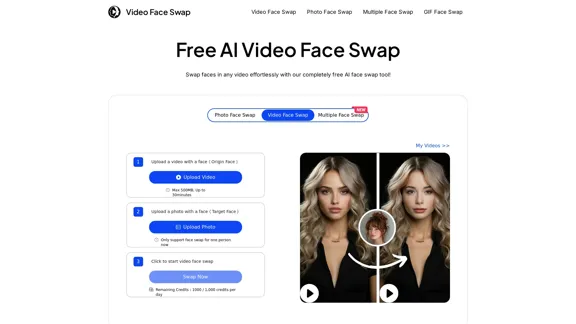
- Click on the “Upload Video” button to select the video you want to swap faces in.
- Upload the target face photo by clicking the “Upload Photo” button.
- Press the face swap button and wait for the process to finish before downloading the video.
FAQ
What is face swap?
Face swap is a technology that allows users to switch faces in images or videos using dedicated software or apps.
Is it possible to swap faces online at no cost?
Yes, the service is completely free with no hidden fees, allowing unlimited face swaps.
Can I swap my face with any image?
Yes, the tool allows for face swapping without needing another selected face, enabling creative possibilities.
Is it safe to perform video face swapping?
User data is only used for face-swapping and is deleted within 48 hours. The tool does not request sensitive information, ensuring security and privacy.
What video length works best?
Shorter videos are recommended for optimal efficiency, but longer videos can also be uploaded.
Is there a restriction on the number of videos in which I can swap faces?
There are no restrictions on video length, and users receive a daily allowance of 1,000 credits for face swapping.
Price
- Free: Unlimited face swaps at no cost.
The price is for reference only, please refer to the latest official data for actual information.
Evaluation
- The AI Video Face Swap tool excels in providing a user-friendly experience with high-quality results, making it suitable for both casual users and those looking for creative content.
- The ability to swap multiple faces and support for various formats enhances its versatility.
- However, the tool may require a stable internet connection for optimal performance, especially with larger files.
- While the service is free, users may benefit from additional features or enhancements in a premium version to further improve the face-swapping experience.
Related Websites
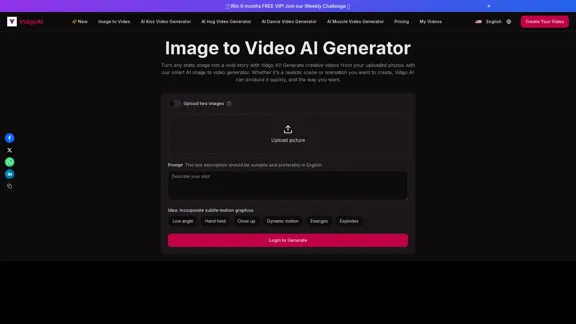
Image to Video AI Generator: Convert Images into Videos for Free
Image to Video AI Generator: Convert Images into Videos for FreeUse the Vidgo AI image to video generator for free. Transform photos into videos with high-quality and engaging results. Try our image to video AI now!
206.70 K

Create and dub videos instantly with AI – fast, easy, scalable.
Create and dub videos instantly with AI – fast, easy, scalable.Transform scripts and videos into content ready to share. Use voice cloning for dubbing, add subtitles, edit with B-roll footage, and personalize videos with templates, avatars, and human-like voices.
411.55 K
![[Official] AnyEnhancer - Enhance and Upscale Video with AI](https://static.right-ai.com/tools/2024/10/17/imobie-com-anyenhancer-thumbnail-1729134010.webp "[Official] AnyEnhancer - Enhance and Upscale Video with AI")
[Official] AnyEnhancer - Enhance and Upscale Video with AI
[Official] AnyEnhancer - Enhance and Upscale Video with AIAnyEnhancer is the ultimate AI video enhancer for transforming your videos into high quality by upscaling, denoising, colorizing, or smoothing them.
1.68 M
KLING AI: Studio for Creative AI of the Next Generation
KLING AI: Studio for Creative AI of the Next GenerationKLING AI, tools for creating imaginative images and videos, based on state-of-the-art generative AI methods.
11.51 M
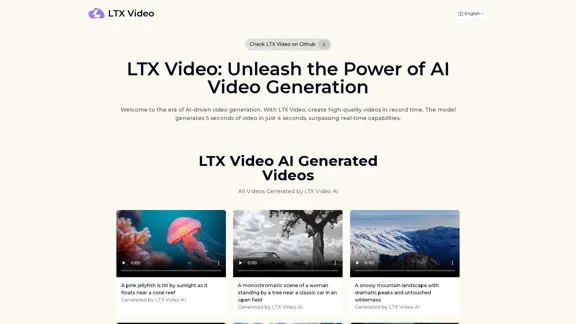
Experience the cutting-edge of AI video generation with LTX-Video AI! LTX-Video AI transforms text and images into dynamic, engaging videos in just minutes.
0
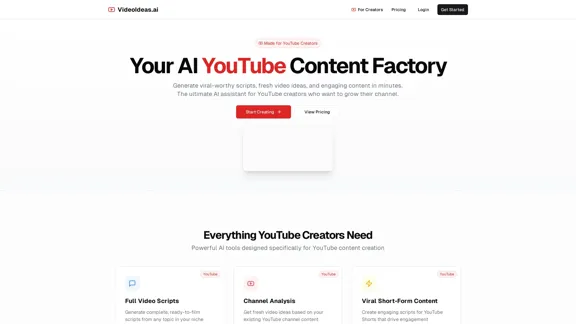
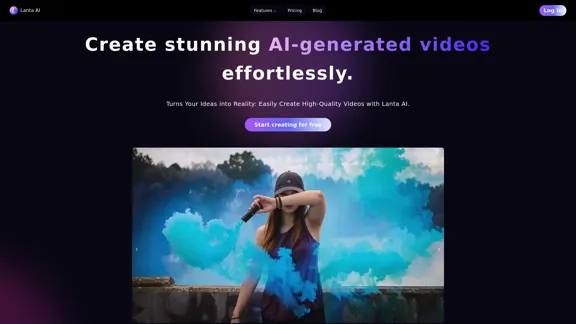
Lanta AI - Text to Video Generator: Powered by CogVideoX & Mochi 1
Lanta AI - Text to Video Generator: Powered by CogVideoX & Mochi 1Transform texts into stunning AI creations with Lanta AI. Powered by advanced technologies like CogVideoX and Mochi 1, our AI Video Generator redefines video editing and animation. Perfect for creators, marketers, and innovators seeking effortless text-to-video transformation.
389.41 K