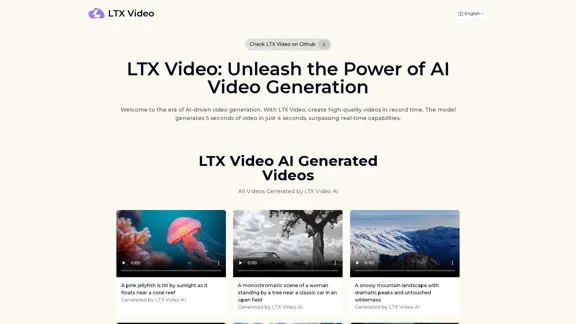
LTX Video is an innovative AI video generator that allows users to create stunning visuals quickly and efficiently. With the ability to generate 5 seconds of video in just 4 seconds, it sets a new benchmark in video creation speed. The platform supports both AI image-to-video and AI text-to-video tasks, making it a versatile tool for various applications.
LTX Video: AI Video Generator for Amazing Visuals
Experience the cutting-edge of AI video generation with LTX-Video AI! LTX-Video AI transforms text and images into dynamic, engaging videos in just minutes.
Introduction
Feature
-
Real-time Video Generation
LTX Video can produce 5 seconds of 24 FPS video at 768×512 resolution in just 4 seconds using an Nvidia H100 GPU, showcasing its exceptional speed.
-
High-Quality Video Output
The tool delivers high-fidelity videos that minimize flickering and artifacts, ensuring seamless and lifelike visuals.
-
Versatility in Video Creation
LTX Video excels in both image-to-video and text-to-video generation, providing creative freedom for diverse use cases.
-
Open-Source Accessibility
Available on platforms like GitHub and Hugging Face, LTX Video encourages experimentation and community-driven development.
-
Consumer-Friendly Hardware Compatibility
Designed to run on everyday hardware such as the Nvidia RTX 4090, it is accessible to individuals and small businesses.
-
Enhanced Motion Consistency
The diffusion Transformer architecture ensures smooth motion between frames, addressing limitations of earlier video generation models.
How to Use?
- Update to the latest version of ComfyUI.
- Download the LTX-video-2b-v0.9.safetensors file into the 'models/checkpoints' folder.
- Ensure t5xxl_fp16 is in the 'models/clip' folder.
- Grab the workflow from the Example Workflows page to start creating.
FAQ
What is LTX Video?
LTX Video is a groundbreaking AI video generation model developed by Lightricks, capable of generating high-quality videos in real-time.
How fast is LTX Video in generating videos?
It generates 5 seconds of 24 FPS video at 768×512 resolution in just 4 seconds using an Nvidia H100 GPU.
What is the quality of videos produced by LTX Video?
Creators can expect high-fidelity outputs that minimize flickering and artifacts, delivering seamless and lifelike AI videos.
Can LTX Video generate long-form videos?
Yes, it can produce extended, high-quality videos with consistent quality.
How does LTX Video ensure motion consistency in videos?
Its unique Diffusion Transformer architecture facilitates frame-to-frame learning, ensuring coherent transitions between frames.
Price
- Free plan: $0/month
- Basic plan: $9.99/month
- Standard plan: $19.99/month
- Professional plan: $49.99/month
The price is for reference only, please refer to the latest official data for actual information.
Evaluation
LTX Video demonstrates impressive capabilities in AI video generation, producing high-quality visuals rapidly. Its open-source nature and compatibility with standard hardware make it accessible to a wide range of users. However, the reliance on specific hardware may limit some users, and the learning curve associated with its features could be challenging for beginners. Overall, LTX Video is a powerful tool for creators, but ongoing support and resources would enhance user experience and mastery of the platform.
Related Websites
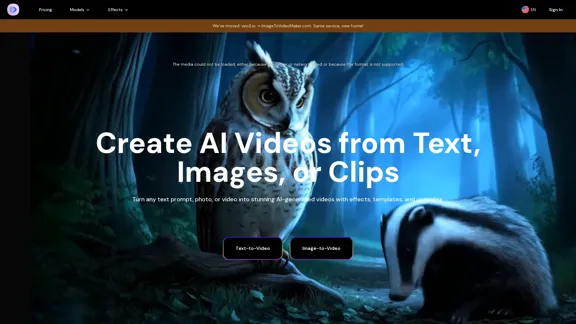
AI Video Generator – Create Videos from Text, Images, or Clips | Image-to-Video Maker
AI Video Generator – Create Videos from Text, Images, or Clips | Image-to-Video MakerGenerate AI videos from text, images, or video clips with the Image-to-Video Maker. Add effects, templates, and upscale to 4K—all in one powerful video platform.
25.40 K

Image to video AI: Convert images to MP4, AI video creator.
Image to video AI: Convert images to MP4, AI video creator.Image to video AI Free: Effortlessly convert images to MP4 videos with our advanced AI video maker. Transform your creativity into captivating visual stories.
371.47 K

Create your AI MODELS account instantly for the highest quality experience! Watch the video to see how easy it is !
41.00 K
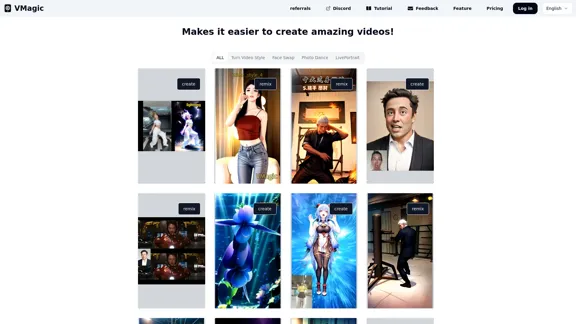
VMagic AI: Convert Videos to Animations & AI Face Swap
VMagic AI: Convert Videos to Animations & AI Face SwapAI video platform featuring video-to-animation conversion, image dance, AI video face swap, face motion, and video enhancer
1.04 K

Convert YouTube videos to text with accurate transcripts and timestamps. Easily extract and download YouTube transcripts. Supports multiple languages.
1.32 K

Scale your TikTok and Instagram content with AI-generated user content.
Scale your TikTok and Instagram content with AI-generated user content.The #1 UGC creator. Scale TikTok & Instagram content with AI UGC. With AI-powered avatars, you can generate high-quality UGC videos in minutes. Just write your script, choose an avatar, and let AI handle the rest.
9.35 K
Experience the cutting-edge of AI video generation with LTX-Video AI! LTX-Video AI transforms text and images into dynamic, engaging videos in just minutes.
0
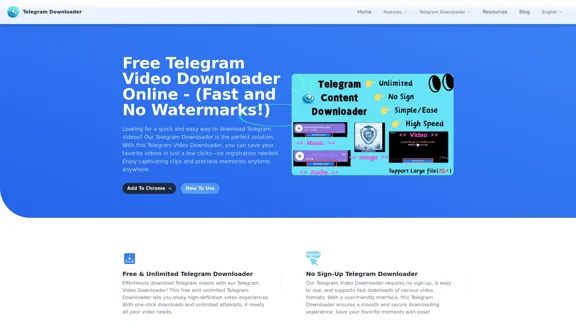
Free Telegram Video Downloader Online - (Quick and No Watermarks!)
Free Telegram Video Downloader Online - (Quick and No Watermarks!)The best Free Telegram Video Downloader for downloading high-quality videos from Telegram channels and groups—no watermarks, no sign-up, no limits. Enjoy seamless, user-friendly downloads with our Telegram Downloader. Get it now!
9.13 K