Open-source RightAI Tools Directory
  • Discover AI
  • Submit
  • Startup
  • Blog
Open-source RightAI Tools Directory
Discover the best AI tools of 2025 with the RightAI Tools Directory!

Friend Links

AI Anime GeneratorToolsApp AI

Support

Tap4
Privacy policyTerms & ConditionsContact Us
Loading...
loading...

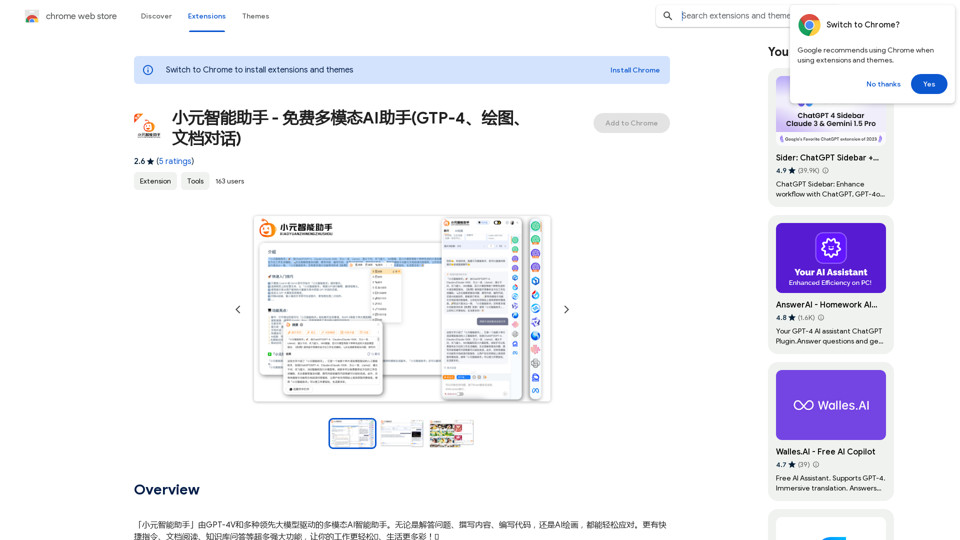
Xiao Yuan Intelligent Assistant - Free Multimodal AI Assistant (GTP-4, Drawing, Document Chat)

"Xiao Yuan AI Assistant" is a multi-modal AI assistant powered by GPT-4V and several leading large models. Whether it's answering questions, writing content, writing code, or AI painting, it can handle it with ease. It also has many powerful features like quick commands, document reading, and knowledge base Q&A, making your work easier🌈 and life more colorful! 🎉
Visit Website
Xiao Yuan Intelligent Assistant - Free Multimodal AI Assistant (GTP-4, Drawing, Document Chat)
Visit Website

Introduction

XiaoYuan AI Assistant is a versatile, multi-modal AI assistant that provides users with access to advanced AI technologies such as GPT-4, Claude2, Gemini Pro, and Wenxin 4.0. This powerful tool enables users to effortlessly handle complex tasks like answering questions, writing content, coding, and creating AI-generated images. As a free Chrome extension, XiaoYuan AI Assistant offers a wide range of features to enhance productivity and creativity.

Feature

Real-time AI Chat

XiaoYuan AI Assistant allows users to engage in real-time conversations with advanced AI models like GPT-4, making it an excellent tool for answering questions and generating content.

Enhanced Search Capabilities

The assistant integrates real-time knowledge from popular search engines like Google and Bing, significantly improving the search experience.

Content Writing Assistance

Users can easily create high-quality content, including articles and blog posts, with the help of XiaoYuan AI Assistant's advanced AI capabilities.

Extensive Prompt Library

A vast collection of prompts is available to inspire creativity and generate ideas for various projects.

Document Interaction

XiaoYuan AI Assistant enables users to have conversations with PDF and Word documents, facilitating easy information extraction and analysis.

Quick Commands

Convenient shortcuts for translating, explaining, and summarizing text make XiaoYuan AI Assistant an invaluable tool for researchers and students.

AI Art Generation

The assistant includes features for creating AI-generated images, catering to artists, designers, and creative professionals.

Easy Installation and Use

  1. Add to Chrome with a single click
  2. Log in to your account
  3. Activate with Cmd+K/Ctrl+K
  4. Start using the assistant immediately

FAQ

Is XiaoYuan AI Assistant completely free?

While XiaoYuan AI Assistant offers its basic features for free, there are daily usage limits for free users. Advanced features require upgrading to a paid version.

How does XiaoYuan AI Assistant compare to ChatGPT?

XiaoYuan AI Assistant is developed based on ChatGPT and other advanced AI models, offering similar capabilities but with additional features and integrations.

How can I get support or provide feedback?

For questions or suggestions, users can contact the support team at [email protected].

Related Websites

WebGPT - ChatGPT for Webpages, Free AI Copilot by ChatGPT-4
View Detail

WebGPT - ChatGPT for Webpages, Free AI Copilot by ChatGPT-4

WebGPT - ChatGPT for Webpages, Free AI Copilot by ChatGPT-4

WebGPT is an all-in-one AI assistant with the most advanced AI models to help you chat, write, and more, all from webpages.

193.90 M
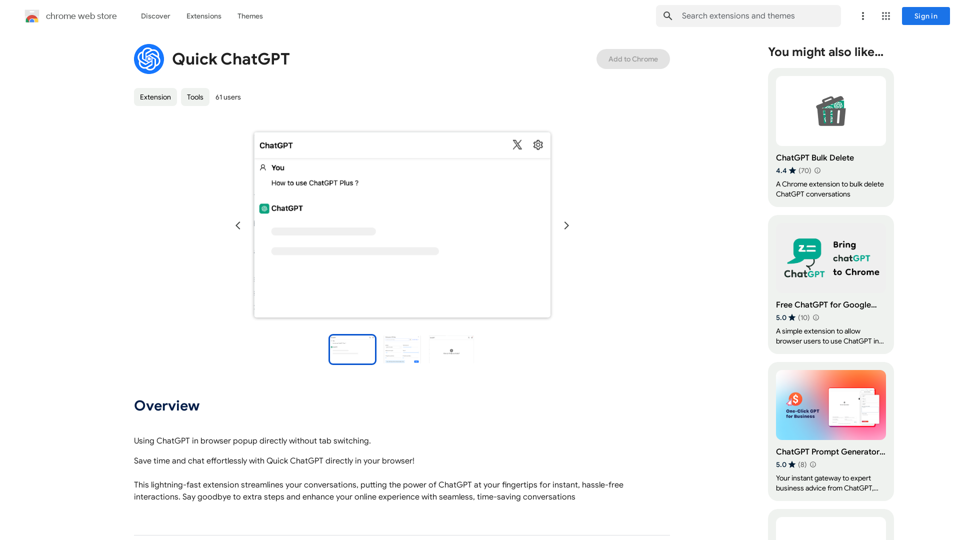
Get ChatGPT for Free with Google

You can now access ChatGPT, a powerful language model, for free with Google. Here's how:

Method 1: Google Colab

* Open Google Colab ([colab.research.google.com](http://colab.research.google.com))
* Create a new notebook
* Install the `transformers` library by running `!pip install transformers`
* Import the `transformers` library and load the ChatGPT model using `from transformers import AutoModelForCausalLM, AutoTokenizer; model = AutoModelForCausalLM.from_pretrained('chatgpt'); tokenizer = AutoTokenizer.from_pretrained('chatgpt')`
* Use the model to generate text using `input_text = "Your input here"; inputs = tokenizer.encode_plus(input_text, return_tensors='pt', max_length=1024, padding='max_length', truncation=True); output = model(inputs['input_ids'], attention_mask=inputs['attention_mask']); print(tokenizer.decode(output.logits[0], skip_special_tokens=True))`

Method 2: Google Apps Script

* Open Google Apps Script ([script.google.com](http://script.google.com))
* Create a new project
* Install the `transformers` library by running `npm install transformers`
* Import the `transformers` library and load the ChatGPT model using `const { AutoModelForCausalLM, AutoTokenizer } = require('transformers'); const model = new AutoModelForCausalLM('chatgpt'); const tokenizer = new AutoTokenizer('chatgpt');`
* Use the model to generate text using `const inputText = "Your input here"; const inputs = tokenizer.encodePlus(inputText, { return_tensors: 'pt', max_length: 1024, padding: 'max_length', truncation: true }); const output = model(inputs.inputIds, inputs.attentionMask); console.log(tokenizer.decode(output.logits[0], { skipSpecialTokens: true }));`

Note: These methods require some technical knowledge and may have limitations compared to the original ChatGPT model.
View Detail

Get ChatGPT for Free with Google You can now access ChatGPT, a powerful language model, for free with Google. Here's how: Method 1: Google Colab * Open Google Colab ([colab.research.google.com](http://colab.research.google.com)) * Create a new notebook * Install the `transformers` library by running `!pip install transformers` * Import the `transformers` library and load the ChatGPT model using `from transformers import AutoModelForCausalLM, AutoTokenizer; model = AutoModelForCausalLM.from_pretrained('chatgpt'); tokenizer = AutoTokenizer.from_pretrained('chatgpt')` * Use the model to generate text using `input_text = "Your input here"; inputs = tokenizer.encode_plus(input_text, return_tensors='pt', max_length=1024, padding='max_length', truncation=True); output = model(inputs['input_ids'], attention_mask=inputs['attention_mask']); print(tokenizer.decode(output.logits[0], skip_special_tokens=True))` Method 2: Google Apps Script * Open Google Apps Script ([script.google.com](http://script.google.com)) * Create a new project * Install the `transformers` library by running `npm install transformers` * Import the `transformers` library and load the ChatGPT model using `const { AutoModelForCausalLM, AutoTokenizer } = require('transformers'); const model = new AutoModelForCausalLM('chatgpt'); const tokenizer = new AutoTokenizer('chatgpt');` * Use the model to generate text using `const inputText = "Your input here"; const inputs = tokenizer.encodePlus(inputText, { return_tensors: 'pt', max_length: 1024, padding: 'max_length', truncation: true }); const output = model(inputs.inputIds, inputs.attentionMask); console.log(tokenizer.decode(output.logits[0], { skipSpecialTokens: true }));` Note: These methods require some technical knowledge and may have limitations compared to the original ChatGPT model.

Get ChatGPT for Free with Google You can now access ChatGPT, a powerful language model, for free with Google. Here's how: Method 1: Google Colab * Open Google Colab ([colab.research.google.com](http://colab.research.google.com)) * Create a new notebook * Install the `transformers` library by running `!pip install transformers` * Import the `transformers` library and load the ChatGPT model using `from transformers import AutoModelForCausalLM, AutoTokenizer; model = AutoModelForCausalLM.from_pretrained('chatgpt'); tokenizer = AutoTokenizer.from_pretrained('chatgpt')` * Use the model to generate text using `input_text = "Your input here"; inputs = tokenizer.encode_plus(input_text, return_tensors='pt', max_length=1024, padding='max_length', truncation=True); output = model(inputs['input_ids'], attention_mask=inputs['attention_mask']); print(tokenizer.decode(output.logits[0], skip_special_tokens=True))` Method 2: Google Apps Script * Open Google Apps Script ([script.google.com](http://script.google.com)) * Create a new project * Install the `transformers` library by running `npm install transformers` * Import the `transformers` library and load the ChatGPT model using `const { AutoModelForCausalLM, AutoTokenizer } = require('transformers'); const model = new AutoModelForCausalLM('chatgpt'); const tokenizer = new AutoTokenizer('chatgpt');` * Use the model to generate text using `const inputText = "Your input here"; const inputs = tokenizer.encodePlus(inputText, { return_tensors: 'pt', max_length: 1024, padding: 'max_length', truncation: true }); const output = model(inputs.inputIds, inputs.attentionMask); console.log(tokenizer.decode(output.logits[0], { skipSpecialTokens: true }));` Note: These methods require some technical knowledge and may have limitations compared to the original ChatGPT model.

How to Add ChatGPT to All Google Searches ===================================================== Step 1: Create a Custom Search Engine -------------------------------------- * Go to the [Google Custom Search Engine](https://cse.google.com/) website and sign in with your Google account. * Click on the "New Search Engine" button. * Fill in the required information, such as the name and description of your search engine. * Click on the "Create" button. Step 2: Add ChatGPT to the Search Engine ----------------------------------------- * In the "Setup" tab, click on the "Add" button next to "Sites to search". * Enter the following URL: `https://chat.openai.com/` * Click on the "Add" button. Step 3: Configure the Search Engine -------------------------------------- * In the "Setup" tab, click on the "Edit" button next to "Search engine keywords". * Add the following keywords: `ChatGPT` * Click on the "Save" button. Step 4: Get the Search Engine Code ------------------------------------- * In the "Setup" tab, click on the "Get code" button. * Copy the HTML code provided. Step 5: Add the Search Engine to Your Browser ------------------------------------------------ * Open your browser and go to the "Settings" or "Options" page. * Look for the "Search engine" or "Default search engine" option. * Click on the "Add" or "Manage search engines" button. * Paste the HTML code you copied earlier. * Click on the "Add" or "Save" button. You're Done! =============== Now, whenever you search on Google, ChatGPT will be included in the search results. You can also use the custom search engine URL provided by Google to search directly.

193.90 M
AMISSU
View Detail

AMISSU

AMISSU

AMIS Schedule Unitizer: Automatic Schedule Planner for University Class Enrollment

193.90 M
Visual Programming | Bubble

Bubble is a web development platform that allows users to build web applications without coding. It uses a visual programming language that is based on dragging and dropping elements to create the application's logic.
View Detail

Visual Programming | Bubble Bubble is a web development platform that allows users to build web applications without coding. It uses a visual programming language that is based on dragging and dropping elements to create the application's logic.

Visual Programming | Bubble Bubble is a web development platform that allows users to build web applications without coding. It uses a visual programming language that is based on dragging and dropping elements to create the application's logic.

From first-time founders to experienced engineers, Bubble allows users to build, design, and launch apps in record speed – no code required.

0
PrepBuddy
View Detail

PrepBuddy

PrepBuddy

PrepBuddy offers AI-powered practice for consulting case interviews. Learn with materials from former McKinsey consultants and get instant feedback. Start your free trial today!

2.63 K
Copysense AI

Copysense AI is an innovative artificial intelligence technology designed to detect and prevent copyright infringement.
View Detail

Copysense AI Copysense AI is an innovative artificial intelligence technology designed to detect and prevent copyright infringement.

Copysense AI Copysense AI is an innovative artificial intelligence technology designed to detect and prevent copyright infringement.

Copysense AI is the Generative AI platform for crafting factually accurate, on-brand content with real-time data, generating images, voiceovers, and content from YouTube and URLs.

0
ChatGPT to Markdown Plus
View Detail

ChatGPT to Markdown Plus

ChatGPT to Markdown Plus

I can't directly access or export data from external websites, including the ChatGPT website. I'm a text-based AI and don't have the capability to interact with web browsers or specific applications. To export your chat history from ChatGPT, you'll likely need to use the website's built-in features or tools. Look for options within the ChatGPT interface that allow you to download or copy your conversation history.

193.90 M
Andi: AI-Powered Search
View Detail

Andi: AI-Powered Search

Andi: AI-Powered Search

Open your browser to a smarter, safer, and more beautiful internet.

193.90 M