Open-source RightAI Tools Directory
  • Discover AI
  • Submit
  • Startup
  • Blog
Open-source RightAI Tools Directory
Discover the best AI tools of 2025 with the RightAI Tools Directory!

Friend Links

AI Anime GeneratorToolsApp AI

Support

Tap4
Privacy policyTerms & ConditionsContact Us
Loading...
loading...

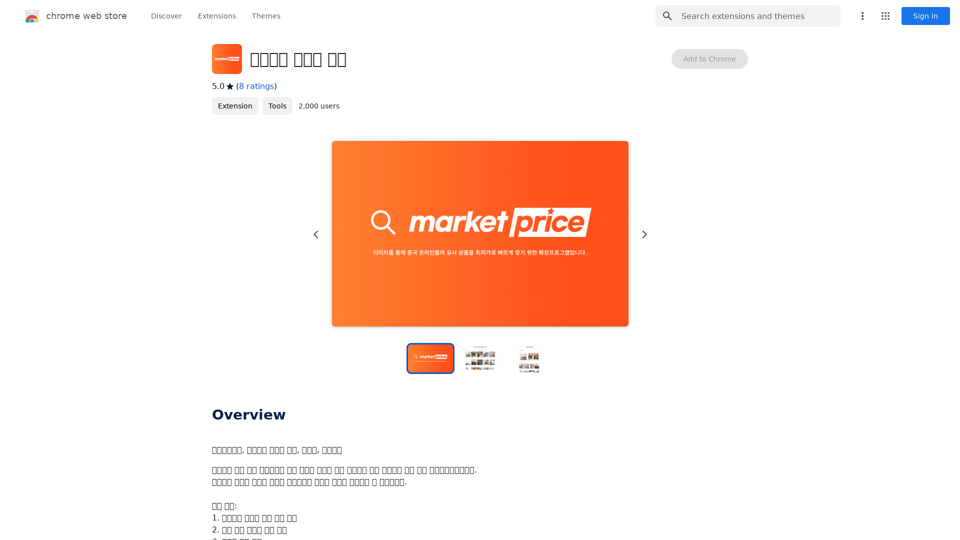
Taobao Image Search

Market Price, Taobao Image Search, Lowest Price, Purchasing Agent
Visit Website
Taobao Image Search
Visit Website

Introduction

Taobao Image Search is an extension designed to enhance online shopping experiences on Chinese e-commerce platforms. It enables users to find similar products quickly using image-based searches across various websites like Taobao, 1688, Alibaba, and Aliexpress. The tool offers features such as product comparisons, seller recommendations, and price analysis to help users make informed purchasing decisions.

Feature

Image-based Product Search

Users can upload images or search for specific products to find similar items across multiple e-commerce websites.

High-rated Seller Recommendations

The extension provides suggestions for reputable sellers, helping users identify trustworthy vendors.

Price Comparisons

Users can compare prices across different platforms, ensuring they get the best deals available.

Multi-platform Support

The tool supports image searches on various Chinese e-commerce websites, including Taobao, 1688, Alibaba, and Aliexpress.

User-friendly Navigation

Easy navigation between search results allows for quick product discovery and comparison.

FAQ

What is Taobao Image Search?

Taobao Image Search is an extension that enables users to find similar products on Chinese e-commerce websites using image-based searches.

What are the key features of Taobao Image Search?

The key features include:

  • Image-based product search
  • High-rated seller recommendations
  • Price comparisons
  • Multi-platform support
  • User-friendly navigation

How do I use Taobao Image Search?

To use the extension, simply upload an image or search for a specific product. The tool will display search results, allowing you to navigate and find desired products easily.

Is Taobao Image Search free?

The pricing is not specified, but users can try the extension for free to evaluate its features and functionality.

Latest Traffic Insights

  • Monthly Visits

    193.90 M

  • Bounce Rate

    56.27%

  • Pages Per Visit

    2.71

  • Time on Site(s)

    115.91

  • Global Rank

    -

  • Country Rank

    -

Recent Visits

Traffic Sources

  • Social Media:
    0.48%
  • Paid Referrals:
    0.55%
  • Email:
    0.15%
  • Referrals:
    12.81%
  • Search Engines:
    16.21%
  • Direct:
    69.81%
More Data

Related Websites

IC Light v2
View Detail

IC Light v2

IC Light v2

IC-Light is a project to manipulate the illumination of images. IC-Light V2 is a series of Flux-based IC-Light models with 16ch VAE and native high resolution.

0
Simplified Chrome Extension

This is a basic Chrome extension designed to be easy to understand and modify. 

Manifest File (manifest.json):

```json
{
  "manifest_version": 3,
  "name": "Simplified Extension",
  "version": "1.0",
  "description": "A simple Chrome extension example.",
  "permissions": [
    "activeTab"
  ],
  "action": {
    "default_popup": "popup.html"
  }
}
```

Popup HTML (popup.html):

```html
<!DOCTYPE html>
<html>
<head>
  <title>Simplified Extension</title>
</head>
<body>
  <h1>Hello from the extension!</h1>
  <p>This is a simple popup.</p>
</body>
</html>
```

Explanation:

* manifest.json: This file tells Chrome what your extension does.
    * `manifest_version`: Specifies the version of the manifest file format.
    * `name`: The name of your extension.
    * `version`: The current version of your extension.
    * `description`: A brief description of your extension.
    * `permissions`: Lists the permissions your extension needs to function. Here, it needs access to the active tab.
    * `action`: Defines the popup that appears when the extension icon is clicked.

* popup.html: This file contains the HTML code for the popup window.

How it works:

1. When you install the extension, Chrome reads the `manifest.json` file.
2. When you click the extension icon, Chrome opens the `popup.html` file in a new window.
3. The popup displays the "Hello from the extension!" message.
View Detail

Simplified Chrome Extension This is a basic Chrome extension designed to be easy to understand and modify. Manifest File (manifest.json): ```json { "manifest_version": 3, "name": "Simplified Extension", "version": "1.0", "description": "A simple Chrome extension example.", "permissions": [ "activeTab" ], "action": { "default_popup": "popup.html" } } ``` Popup HTML (popup.html): ```html <!DOCTYPE html> <html> <head> <title>Simplified Extension</title> </head> <body> <h1>Hello from the extension!</h1> <p>This is a simple popup.</p> </body> </html> ``` Explanation: * manifest.json: This file tells Chrome what your extension does. * `manifest_version`: Specifies the version of the manifest file format. * `name`: The name of your extension. * `version`: The current version of your extension. * `description`: A brief description of your extension. * `permissions`: Lists the permissions your extension needs to function. Here, it needs access to the active tab. * `action`: Defines the popup that appears when the extension icon is clicked. * popup.html: This file contains the HTML code for the popup window. How it works: 1. When you install the extension, Chrome reads the `manifest.json` file. 2. When you click the extension icon, Chrome opens the `popup.html` file in a new window. 3. The popup displays the "Hello from the extension!" message.

Simplified Chrome Extension This is a basic Chrome extension designed to be easy to understand and modify. Manifest File (manifest.json): ```json { "manifest_version": 3, "name": "Simplified Extension", "version": "1.0", "description": "A simple Chrome extension example.", "permissions": [ "activeTab" ], "action": { "default_popup": "popup.html" } } ``` Popup HTML (popup.html): ```html <!DOCTYPE html> <html> <head> <title>Simplified Extension</title> </head> <body> <h1>Hello from the extension!</h1> <p>This is a simple popup.</p> </body> </html> ``` Explanation: * manifest.json: This file tells Chrome what your extension does. * `manifest_version`: Specifies the version of the manifest file format. * `name`: The name of your extension. * `version`: The current version of your extension. * `description`: A brief description of your extension. * `permissions`: Lists the permissions your extension needs to function. Here, it needs access to the active tab. * `action`: Defines the popup that appears when the extension icon is clicked. * popup.html: This file contains the HTML code for the popup window. How it works: 1. When you install the extension, Chrome reads the `manifest.json` file. 2. When you click the extension icon, Chrome opens the `popup.html` file in a new window. 3. The popup displays the "Hello from the extension!" message.

Design & Collaborate Marketing made easy #Simplified

193.90 M
The Exciting Destination for Generating AI Images & Videos
View Detail

The Exciting Destination for Generating AI Images & Videos

The Exciting Destination for Generating AI Images & Videos

Join thousands of creators using our AI Art Generator to bring their creative visions to life. Explore our advanced AI tools to generate stunning images and videos effortlessly.

409.36 K
Veggie AI: Generate Controllable Videos Using AI
View Detail

Veggie AI: Generate Controllable Videos Using AI

Veggie AI: Generate Controllable Videos Using AI

Create fully controllable videos using Veggie AI by simply uploading your character photos, action videos, or inputting text prompts.

7.03 K
Character Headcanon Generator
The Character Headcanon Generator, originating from Perchance, creates unique character headcanons through our headcanon generator.
View Detail

Character Headcanon Generator The Character Headcanon Generator, originating from Perchance, creates unique character headcanons through our headcanon generator.

Character Headcanon Generator The Character Headcanon Generator, originating from Perchance, creates unique character headcanons through our headcanon generator.

Discover the Character Headcanon Generator, an innovative tool that originated from the Perchance platform. This powerful character headcanon generator helps you create detailed and engaging character headcanon with ease, allowing fans to explore new interpretations of their favorite characters. Whether you're a writer, role-player, or fan fiction enthusiast, our headcanon generator provides endless creative possibilities by generating unique backgrounds and traits. Enhance your storytelling and bring your characters to life with the Character Headcanon Generator today!

243
Topaz Labs | Professional-level photo and video editing powered by AI.
View Detail

Topaz Labs | Professional-level photo and video editing powered by AI.

Topaz Labs | Professional-level photo and video editing powered by AI.

Deep learning-powered photo and video enhancement software delivers the highest image quality available for noise reduction, sharpening, upscaling, and additional improvements.

3.12 M
FLUX dev: A groundbreaking AI model for generating images with open weights.
View Detail

FLUX dev: A groundbreaking AI model for generating images with open weights.

FLUX dev: A groundbreaking AI model for generating images with open weights.

Explore FLUX dev, the advanced open-weight AI image generation model. Discover its features for non-commercial use and try it now for free.

25.02 K
abcdefGPT Extension
View Detail

abcdefGPT Extension

abcdefGPT Extension

Support for Real Estate Selection

193.90 M