Open-source RightAI Tools Directory
  • Discover AI
  • Submit
  • Startup
  • Blog
Open-source RightAI Tools Directory
Discover the best AI tools of 2025 with the RightAI Tools Directory!

Friend Links

AI Anime GeneratorToolsApp AI

Support

Tap4
Privacy policyTerms & ConditionsContact Us
Loading...
loading...

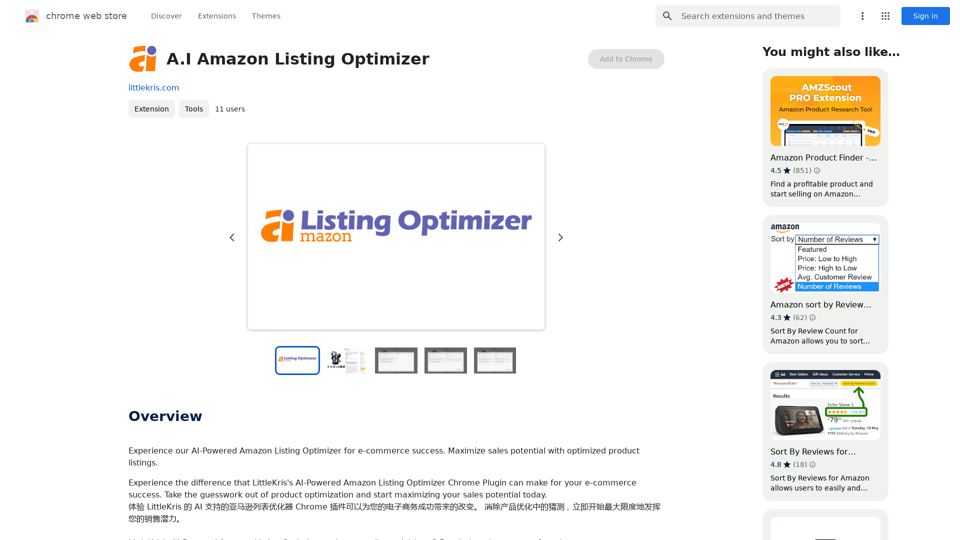
A.I. Amazon Listing Optimizer

Experience our AI-Powered Amazon Listing Optimizer for e-commerce success. Maximize sales potential with optimized product listings.
Visit Website
A.I. Amazon Listing Optimizer
Visit Website

Introduction

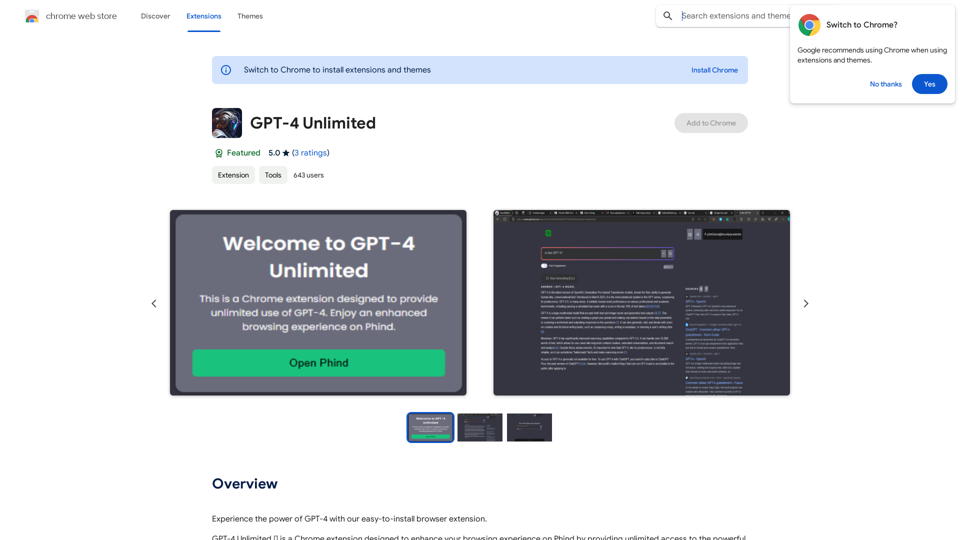
A.I Amazon Listing Optimizer is a Chrome extension designed to enhance e-commerce businesses' sales potential on Amazon. This AI-powered tool utilizes OpenAI's GPT-3.5-turbo model to analyze and improve product listings, making them more visible and appealing to potential customers. The extension is specifically tailored for Amazon listing pages on US sites, offering personalized recommendations to optimize product descriptions and increase sales.

Feature

Advanced AI Technology

The extension leverages OpenAI's GPT-3.5-turbo model to provide intelligent analysis and improvements for Amazon product listings.

Personalized Optimization Recommendations

A.I Amazon Listing Optimizer offers tailored suggestions to enhance product listings, increasing their visibility and sales potential.

Continuous Prompt Word Updates

The tool regularly updates its prompt words to train the GPT model, ensuring more appropriate and effective responses.

Easy-to-Use Chrome Extension

Users can easily install the extension on their Chrome browser and start optimizing listings with a simple click on the extension icon.

US Amazon Site Compatibility

Currently, the extension is designed to work specifically on Amazon listing pages of US sites.

Performance Monitoring

The tool allows users to continuously track their product listings' performance, enabling them to adjust their optimization strategy as needed.

Advanced Features

Additional capabilities, such as tone analysis, are available to further enhance product listings.

FAQ

What is the main purpose of A.I Amazon Listing Optimizer?

The primary goal of A.I Amazon Listing Optimizer is to help e-commerce businesses maximize their sales potential by optimizing product listings on Amazon.

How does the A.I Amazon Listing Optimizer function?

The extension utilizes OpenAI's GPT-3.5-turbo model to analyze and improve product listings, making them more discoverable and appealing to potential customers.

Is there a cost associated with using A.I Amazon Listing Optimizer?

While specific pricing details are not provided on the website, it is likely that A.I Amazon Listing Optimizer operates on a subscription-based model with various pricing tiers based on service level and support requirements.

What are some best practices for using A.I Amazon Listing Optimizer?

To maximize the benefits of A.I Amazon Listing Optimizer:

  • Regularly update your product listings
  • Implement the extension's personalized recommendations
  • Monitor your listings' performance consistently
  • Explore advanced features like tone analysis for further improvements

Related Websites

Chrome Web Store
View Detail

Chrome Web Store

Chrome Web Store

Add new features to your browser and personalize your browsing experience.

193.90 M
YouTube Comment AI Powered Analyzer
View Detail

YouTube Comment AI Powered Analyzer

YouTube Comment AI Powered Analyzer

The AI-Powered YouTube Comment Analyzer

193.90 M
AI Voice Over for YouTube 

This is a guide to using AI voice over for your YouTube videos. 

Why Use AI Voice Over?

* Cost-Effective: AI voice over is much cheaper than hiring a professional voice actor.
* Time-Saving: You can generate voice over quickly and easily, without needing to schedule recording sessions.
* Variety of Voices: Choose from a wide range of AI voices, including male, female, and even robotic voices.
* Accessibility: Make your videos accessible to viewers who are deaf or hard of hearing by adding captions generated by AI.

How to Use AI Voice Over

1. Choose a Platform: There are many different platforms that offer AI voice over services, such as:
    * Google Cloud Text-to-Speech
    * Amazon Polly
    * Microsoft Azure Text to Speech
    * Murf.ai
    * NaturalReader
2. Write Your Script:  Write a clear and concise script for your video.
3. Upload Your Script:  Upload your script to the chosen platform.
4. Select a Voice: Choose the voice that best suits your video.
5. Adjust Settings:  Adjust settings such as speed, pitch, and volume.
6. Generate Voice Over:  Click the "Generate" button to create your voice over.
7. Download and Edit: Download the generated voice over file and edit it as needed.
8. Add to Your Video:  Add the voice over to your YouTube video.

Tips for Using AI Voice Over

* Use Natural Language:  Write your script as if you were speaking naturally.
* Vary Your Tone:  Use different tones of voice to keep your viewers engaged.
* Add Pauses:  Include pauses in your script to allow viewers to process information.
* Proofread Carefully:  Always proofread your script before generating the voice over.
* Experiment:  Try different voices, settings, and styles to find what works best for you.
View Detail

AI Voice Over for YouTube This is a guide to using AI voice over for your YouTube videos. Why Use AI Voice Over? * Cost-Effective: AI voice over is much cheaper than hiring a professional voice actor. * Time-Saving: You can generate voice over quickly and easily, without needing to schedule recording sessions. * Variety of Voices: Choose from a wide range of AI voices, including male, female, and even robotic voices. * Accessibility: Make your videos accessible to viewers who are deaf or hard of hearing by adding captions generated by AI. How to Use AI Voice Over 1. Choose a Platform: There are many different platforms that offer AI voice over services, such as: * Google Cloud Text-to-Speech * Amazon Polly * Microsoft Azure Text to Speech * Murf.ai * NaturalReader 2. Write Your Script: Write a clear and concise script for your video. 3. Upload Your Script: Upload your script to the chosen platform. 4. Select a Voice: Choose the voice that best suits your video. 5. Adjust Settings: Adjust settings such as speed, pitch, and volume. 6. Generate Voice Over: Click the "Generate" button to create your voice over. 7. Download and Edit: Download the generated voice over file and edit it as needed. 8. Add to Your Video: Add the voice over to your YouTube video. Tips for Using AI Voice Over * Use Natural Language: Write your script as if you were speaking naturally. * Vary Your Tone: Use different tones of voice to keep your viewers engaged. * Add Pauses: Include pauses in your script to allow viewers to process information. * Proofread Carefully: Always proofread your script before generating the voice over. * Experiment: Try different voices, settings, and styles to find what works best for you.

AI Voice Over for YouTube This is a guide to using AI voice over for your YouTube videos. Why Use AI Voice Over? * Cost-Effective: AI voice over is much cheaper than hiring a professional voice actor. * Time-Saving: You can generate voice over quickly and easily, without needing to schedule recording sessions. * Variety of Voices: Choose from a wide range of AI voices, including male, female, and even robotic voices. * Accessibility: Make your videos accessible to viewers who are deaf or hard of hearing by adding captions generated by AI. How to Use AI Voice Over 1. Choose a Platform: There are many different platforms that offer AI voice over services, such as: * Google Cloud Text-to-Speech * Amazon Polly * Microsoft Azure Text to Speech * Murf.ai * NaturalReader 2. Write Your Script: Write a clear and concise script for your video. 3. Upload Your Script: Upload your script to the chosen platform. 4. Select a Voice: Choose the voice that best suits your video. 5. Adjust Settings: Adjust settings such as speed, pitch, and volume. 6. Generate Voice Over: Click the "Generate" button to create your voice over. 7. Download and Edit: Download the generated voice over file and edit it as needed. 8. Add to Your Video: Add the voice over to your YouTube video. Tips for Using AI Voice Over * Use Natural Language: Write your script as if you were speaking naturally. * Vary Your Tone: Use different tones of voice to keep your viewers engaged. * Add Pauses: Include pauses in your script to allow viewers to process information. * Proofread Carefully: Always proofread your script before generating the voice over. * Experiment: Try different voices, settings, and styles to find what works best for you.

Watch foreign language YouTube videos in your own language.

193.90 M
ImagePrompt - Reverse Image To Prompt

This tool takes an image as input and generates a textual description (prompt) that can be used to recreate the image using text-to-image AI models.
View Detail

ImagePrompt - Reverse Image To Prompt This tool takes an image as input and generates a textual description (prompt) that can be used to recreate the image using text-to-image AI models.

ImagePrompt - Reverse Image To Prompt This tool takes an image as input and generates a textual description (prompt) that can be used to recreate the image using text-to-image AI models.

ImagePrompt: The Ultimate Tool for Generating Prompts From Images.

193.90 M
RightBlogger - AI for Bloggers
View Detail

RightBlogger - AI for Bloggers

RightBlogger - AI for Bloggers

AI-Powered Content Creation Tools for Bloggers

193.90 M
PlutoAI - AI Bookmarks and Tabs Manager
View Detail

PlutoAI - AI Bookmarks and Tabs Manager

PlutoAI - AI Bookmarks and Tabs Manager

An AI-powered bookmarking assistant that lets you quickly save, highlight, add notes to, and find web pages.

193.90 M
Upword: AI Notes & Summarization Tool
View Detail

Upword: AI Notes & Summarization Tool

Upword: AI Notes & Summarization Tool

Get the key information from every webpage. Generate AI-powered notes and save time with Upword.

193.90 M
Versabot.Co
View Detail

Versabot.Co

Versabot.Co

Automate outreach, content, customer service, and more with AI!

1.52 K