Open-source RightAI Tools Directory
  • Discover AI
  • Submit
  • Startup
  • Blog
Open-source RightAI Tools Directory
Discover the best AI tools of 2025 with the RightAI Tools Directory!

Friend Links

AI Anime GeneratorToolsApp AI

Support

Tap4
Privacy policyTerms & ConditionsContact Us
Loading...
loading...

TruthGPT for Google™

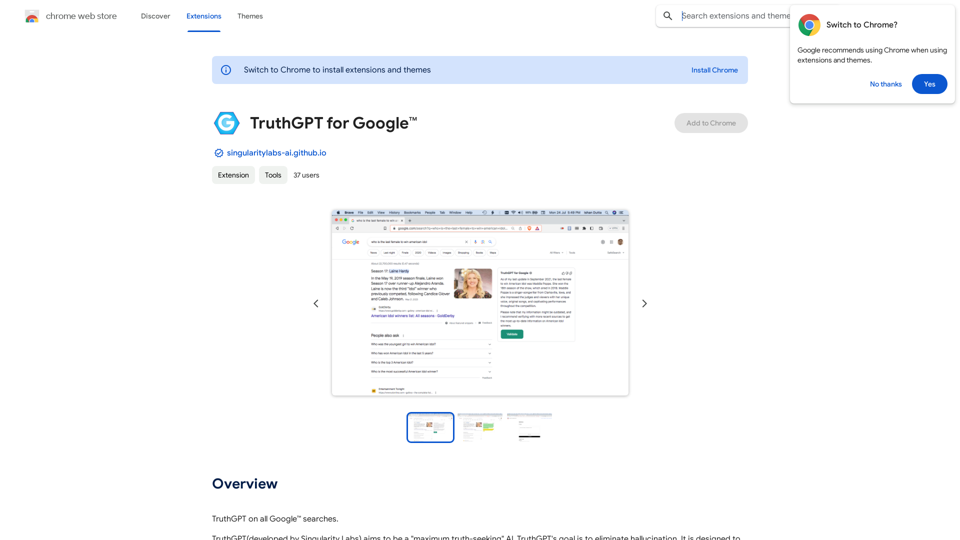
TruthGPT for all Google™ searches.
Visit Website
TruthGPT for Google™
Visit Website

Introduction

TruthGPT for Google is an innovative AI chatbot extension designed to combat misinformation and enhance the accuracy of search results. By integrating with Google search and leveraging multiple AI models, it aims to provide users with reliable, fact-checked information. This tool serves as a counterbalance to existing chatbots that have faced criticism for potentially spreading false information or harmful content.

Feature

AI-Powered Information Verification

TruthGPT for Google combines the capabilities of ChatGPT and Google's Bard chatbot to generate and validate information, ensuring a higher degree of accuracy in search results.

Seamless Google Integration

The extension automatically triggers queries to ChatGPT when users perform Google searches, enhancing the search experience with AI-generated insights.

Color-Coded Accuracy Indicators

Results are presented with an intuitive color-coding system:

  • RED: False information
  • YELLOW: Potentially true or false
  • GREEN: Verified true information

Free Access

TruthGPT for Google is freely available to all users, with no requirement for a ChatGPT Plus subscription.

User-Friendly Interface

The extension can be easily pinned for quick access, allowing users to seamlessly incorporate AI-powered fact-checking into their regular search routines.

Open Communication Channel

Users can provide feedback or request new features directly through the GitHub issues page, fostering continuous improvement and user engagement.

FAQ

Is TruthGPT for Google an official Google product?

No, TruthGPT for Google is an unofficial extension developed and maintained independently from Google.

How does TruthGPT for Google handle user data?

While TruthGPT for Google processes user activity and website content for its core functionality, it does not sell user data to third parties or use it for unrelated purposes.

What sets TruthGPT for Google apart from other AI chatbots?

TruthGPT for Google distinguishes itself by focusing on eliminating hallucinations and prioritizing accurate information. It uses a unique approach of cross-referencing information between multiple AI models to enhance reliability.

Latest Traffic Insights

  • Monthly Visits

    193.90 M

  • Bounce Rate

    56.27%

  • Pages Per Visit

    2.71

  • Time on Site(s)

    115.91

  • Global Rank

    -

  • Country Rank

    -

Recent Visits

Traffic Sources

  • Social Media:
    0.48%
  • Paid Referrals:
    0.55%
  • Email:
    0.15%
  • Referrals:
    12.81%
  • Search Engines:
    16.21%
  • Direct:
    69.81%
More Data

Related Websites

FlowTunes - Music for Focus
View Detail

FlowTunes - Music for Focus

FlowTunes - Music for Focus

FlowTunes - Enhance your focus with curated music playlists designed to boost your productivity.

27.51 K
AI Search
View Detail

AI Search

AI Search

Stop wasting time browsing ad-ridden, Search-Engine-Optimised sites and find what you are looking for

193.90 M
Media Vault AI | Your AI-Powered Media Curator and Cloud Storage Solution
View Detail

Media Vault AI | Your AI-Powered Media Curator and Cloud Storage Solution

Media Vault AI | Your AI-Powered Media Curator and Cloud Storage Solution

Media Vault AI is your comprehensive solution for media storage, curation, and analysis. Seamlessly integrating with your favorite generative AI tools, our platform provides AI-powered file naming, tagging, and unique folder structures, a powerful semantic search feature, and insightful analytics tools. Visit Discord today for early access.

203
AI Voice Over for YouTube 

This is a guide to using AI voice over for your YouTube videos. 

Why Use AI Voice Over?

* Cost-Effective: AI voice over is much cheaper than hiring a professional voice actor.
* Time-Saving: You can generate voice over quickly and easily, without needing to schedule recording sessions.
* Variety of Voices: Choose from a wide range of AI voices, including male, female, and even robotic voices.
* Accessibility: Make your videos accessible to viewers who are deaf or hard of hearing by adding captions generated by AI.

How to Use AI Voice Over

1. Choose a Platform: There are many different platforms that offer AI voice over services, such as:
    * Google Cloud Text-to-Speech
    * Amazon Polly
    * Microsoft Azure Text to Speech
    * Murf.ai
    * NaturalReader
2. Write Your Script:  Write a clear and concise script for your video.
3. Upload Your Script:  Upload your script to the chosen platform.
4. Select a Voice: Choose the voice that best suits your video.
5. Adjust Settings:  Adjust settings such as speed, pitch, and volume.
6. Generate Voice Over:  Click the "Generate" button to create your voice over.
7. Download and Edit: Download the generated voice over file and edit it as needed.
8. Add to Your Video:  Add the voice over to your YouTube video.

Tips for Using AI Voice Over

* Use Natural Language:  Write your script as if you were speaking naturally.
* Vary Your Tone:  Use different tones of voice to keep your viewers engaged.
* Add Pauses:  Include pauses in your script to allow viewers to process information.
* Proofread Carefully:  Always proofread your script before generating the voice over.
* Experiment:  Try different voices, settings, and styles to find what works best for you.
View Detail

AI Voice Over for YouTube This is a guide to using AI voice over for your YouTube videos. Why Use AI Voice Over? * Cost-Effective: AI voice over is much cheaper than hiring a professional voice actor. * Time-Saving: You can generate voice over quickly and easily, without needing to schedule recording sessions. * Variety of Voices: Choose from a wide range of AI voices, including male, female, and even robotic voices. * Accessibility: Make your videos accessible to viewers who are deaf or hard of hearing by adding captions generated by AI. How to Use AI Voice Over 1. Choose a Platform: There are many different platforms that offer AI voice over services, such as: * Google Cloud Text-to-Speech * Amazon Polly * Microsoft Azure Text to Speech * Murf.ai * NaturalReader 2. Write Your Script: Write a clear and concise script for your video. 3. Upload Your Script: Upload your script to the chosen platform. 4. Select a Voice: Choose the voice that best suits your video. 5. Adjust Settings: Adjust settings such as speed, pitch, and volume. 6. Generate Voice Over: Click the "Generate" button to create your voice over. 7. Download and Edit: Download the generated voice over file and edit it as needed. 8. Add to Your Video: Add the voice over to your YouTube video. Tips for Using AI Voice Over * Use Natural Language: Write your script as if you were speaking naturally. * Vary Your Tone: Use different tones of voice to keep your viewers engaged. * Add Pauses: Include pauses in your script to allow viewers to process information. * Proofread Carefully: Always proofread your script before generating the voice over. * Experiment: Try different voices, settings, and styles to find what works best for you.

AI Voice Over for YouTube This is a guide to using AI voice over for your YouTube videos. Why Use AI Voice Over? * Cost-Effective: AI voice over is much cheaper than hiring a professional voice actor. * Time-Saving: You can generate voice over quickly and easily, without needing to schedule recording sessions. * Variety of Voices: Choose from a wide range of AI voices, including male, female, and even robotic voices. * Accessibility: Make your videos accessible to viewers who are deaf or hard of hearing by adding captions generated by AI. How to Use AI Voice Over 1. Choose a Platform: There are many different platforms that offer AI voice over services, such as: * Google Cloud Text-to-Speech * Amazon Polly * Microsoft Azure Text to Speech * Murf.ai * NaturalReader 2. Write Your Script: Write a clear and concise script for your video. 3. Upload Your Script: Upload your script to the chosen platform. 4. Select a Voice: Choose the voice that best suits your video. 5. Adjust Settings: Adjust settings such as speed, pitch, and volume. 6. Generate Voice Over: Click the "Generate" button to create your voice over. 7. Download and Edit: Download the generated voice over file and edit it as needed. 8. Add to Your Video: Add the voice over to your YouTube video. Tips for Using AI Voice Over * Use Natural Language: Write your script as if you were speaking naturally. * Vary Your Tone: Use different tones of voice to keep your viewers engaged. * Add Pauses: Include pauses in your script to allow viewers to process information. * Proofread Carefully: Always proofread your script before generating the voice over. * Experiment: Try different voices, settings, and styles to find what works best for you.

Watch foreign language YouTube videos in your own language.

193.90 M
Empler AI | AI Workflows with GPT & More
View Detail

Empler AI | AI Workflows with GPT & More

Empler AI | AI Workflows with GPT & More

Next-Generation AI Tool For Better Outcomes.

193.90 M
Luma AI Video Generator: LunaAI's Dream Machine
View Detail

Luma AI Video Generator: LunaAI's Dream Machine

Luma AI Video Generator: LunaAI's Dream Machine

LunaAI’s Dream Machine is an advanced AI-powered video generator by Luma Labs that creates high-quality, realistic videos quickly.

446.29 K
Introducing Bard
View Detail

Introducing Bard

Introducing Bard

See the ChatGPT responses right next to your search engine results.

193.90 M
Writeseed - AI Assistant
View Detail

Writeseed - AI Assistant

Writeseed - AI Assistant

Using AI on Every Website With the rapid advancement of technology, Artificial Intelligence (AI) has become an integral part of our daily lives. From virtual assistants to self-driving cars, AI is revolutionizing the way we live and work. One area where AI can have a significant impact is on websites. Imagine a website that can learn from your behavior, adapt to your needs, and provide personalized experiences. In this article, we'll explore the possibilities of using AI on every website. Enhanced User Experience AI can analyze user behavior, preferences, and interests to provide a tailored experience. For instance, an e-commerce website can use AI to recommend products based on a user's browsing history and purchase behavior. This can lead to increased customer satisfaction, loyalty, and ultimately, revenue. Improved Website Performance AI can help optimize website performance by analyzing user traffic patterns, identifying bottlenecks, and providing insights to improve loading times. This can result in higher search engine rankings, increased conversions, and a better overall user experience. Personalized Content AI-powered content generation can help create personalized content for users based on their interests, preferences, and behavior. This can include customized product recommendations, tailored blog posts, and even personalized email marketing campaigns. Enhanced Security AI-powered security systems can detect and prevent cyber threats in real-time, providing an additional layer of protection for websites and their users. This can include identifying and blocking malicious traffic, detecting phishing attempts, and preventing data breaches. Chatbots and Virtual Assistants AI-powered chatbots and virtual assistants can provide 24/7 customer support, helping users navigate websites, answer questions, and resolve issues. This can lead to increased customer satisfaction, reduced support queries, and improved overall user experience. The Future of Web Development As AI technology continues to evolve, we can expect to see even more innovative applications on websites. From AI-powered design tools to AI-driven website analytics, the possibilities are endless. The future of web development is exciting, and AI is at the forefront of this revolution. Conclusion Using AI on every website can have a transformative impact on the way we interact with the internet. From enhanced user experiences to improved website performance, personalized content, enhanced security, and chatbots, the benefits of AI are undeniable. As technology continues to advance, we can expect to see even more innovative applications of AI on websites. The future is exciting, and AI is leading the way.

193.90 M