Open-source RightAI Tools Directory
  • Discover AI
  • Submit
  • Startup
  • Blog
Open-source RightAI Tools Directory
Discover the best AI tools of 2025 with the RightAI Tools Directory!

Friend Links

AI Anime GeneratorToolsApp AI

Support

Tap4
Privacy policyTerms & ConditionsContact Us
Loading...
loading...

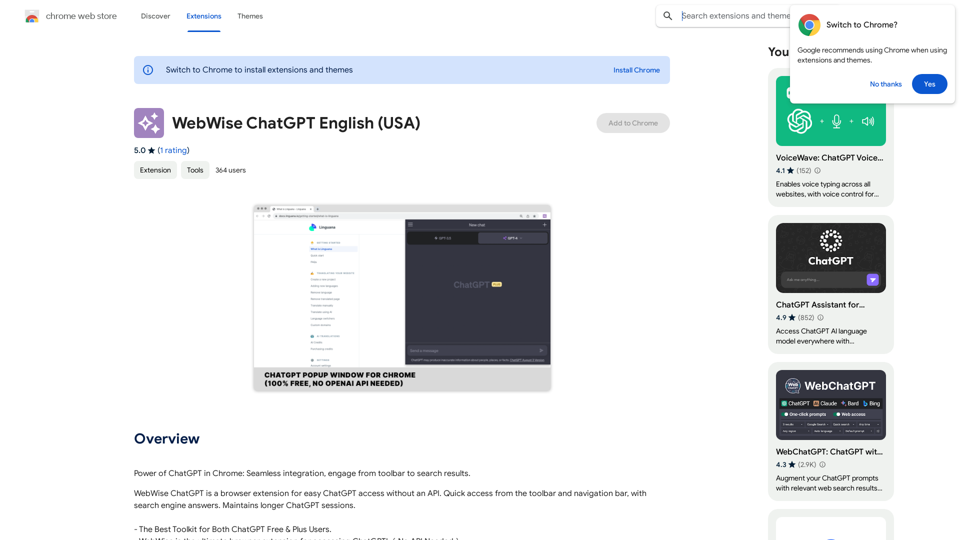
WebWise ChatGPT English (USA)

ChatGPT's power in Chrome: Seamlessly integrated, engage from the toolbar to search results.
Visit Website
WebWise ChatGPT English (USA)
Visit Website

Introduction

WebWise ChatGPT is a browser extension that seamlessly integrates ChatGPT into your browsing experience. It allows users to access ChatGPT with a single click on the browser toolbar or through the navigation bar. The extension offers features like obtaining answers from search result pages, running ChatGPT from the context menu, and maintaining longer ChatGPT sessions.

Feature

Easy Access to ChatGPT

  • One-click access from the browser toolbar
  • Quick access via navigation bar by typing 'gpt' and pressing space
  • Obtain answers from search result pages on popular search engines
  • Run ChatGPT from the context menu

Enhanced User Experience

  • Maintains longer ChatGPT sessions through periodic pinging
  • Compatible with both free and paid ChatGPT accounts
  • Free to use, no subscription or payment required

Versatile Integration

  • Works with popular search engines like Google, Yahoo, and Bing
  • Context menu integration for running ChatGPT from any webpage

FAQ

How do I access ChatGPT with the extension?

Simply click on the browser toolbar icon or type 'gpt' and press space in the navigation bar.

What should I do if I encounter an error?

Try the following steps:

  1. Reopen https://chat.openai.com
  2. Restart your browser
  3. Clear your browser cache

How can I report a bug or issue with the extension?

Please report any issues in the review section of the extension's page.

Is the extension compatible with ChatGPT Plus subscriptions?

Yes, the extension works with both free and paid ChatGPT accounts.

Related Websites
Imagifi: 1-Click AI Art Anywhere
View Detail

Imagifi: 1-Click AI Art Anywhere

Imagifi: 1-Click AI Art Anywhere

Create original AI images from any page on the web Introducing Imagifi from Easyfi.ai, your personal AI image generator! With…

193.90 M
WiseGPT
View Detail

WiseGPT

WiseGPT

Autocomplete and personal prompts for ChatGPT.

193.90 M
LeadSpot Flex - AI Messaging on LinkedIn
View Detail

LeadSpot Flex - AI Messaging on LinkedIn

LeadSpot Flex - AI Messaging on LinkedIn

AI Messaging on LinkedIn Let's explore the potential and pitfalls of using AI for messaging on LinkedIn. Potential Benefits: * Increased Efficiency: AI can automate repetitive tasks like sending personalized connection requests or follow-up messages, freeing up your time for more strategic activities. * Improved Targeting: AI algorithms can analyze user profiles and identify potential connections based on shared interests, industry, or other relevant criteria. * Enhanced Personalization: AI can help craft personalized messages that resonate with individual recipients, increasing the likelihood of engagement. * Data-Driven Insights: AI can track message performance and provide insights into which messages are most effective, allowing you to refine your approach. Potential Pitfalls: * Lack of Authenticity: Overly generic or robotic messages can come across as impersonal and insincere, damaging your professional reputation. * Ethical Concerns: Using AI to manipulate or deceive users on LinkedIn raises ethical questions about transparency and consent. * Technical Limitations: Current AI technology may struggle to understand nuanced conversations or respond appropriately to complex queries. * Spam and Abuse: Malicious actors could exploit AI to send spam messages or engage in other harmful activities on LinkedIn. Best Practices: * Use AI as a Tool, Not a Replacement: Leverage AI to enhance your messaging, but always maintain human oversight and authenticity. * Prioritize Quality over Quantity: Focus on sending personalized messages to a targeted audience rather than mass-sending generic content. * Be Transparent: Disclose when you are using AI to assist with your messaging, and respect user preferences for communication. * Stay Informed: Keep up-to-date on the latest developments in AI ethics and best practices for using AI on LinkedIn.

193.90 M
MOJi Dictionary Plugin
View Detail

MOJi Dictionary Plugin

MOJi Dictionary Plugin

MOJi Dictionary is an official Japanese learning dictionary browser extension that makes it easy and fast to look up and save Japanese words.

193.90 M
Overcome Copilot AI Message Limit, Export Chats to JSON File: TopicsGPT

This is a tool to help you work around the message limit in Copilot AI and export your conversations to a JSON file. 

Here's how it works:

* Extend Your Conversations: TopicsGPT allows you to continue your conversations with Copilot AI beyond the usual message limit. 

* Save Your History: Export your entire chat history with Copilot AI as a structured JSON file. This makes it easy to review past interactions, analyze your conversations, or even use the data for other purposes.

Benefits:

* No More Interruptions: Keep your creative flow going without worrying about hitting the message limit.
* Organized Data:  Have a clear and organized record of your conversations with Copilot AI.
* Flexibility: Use the exported JSON data for your own projects or analysis. 


Let me know if you have any questions!
View Detail

Overcome Copilot AI Message Limit, Export Chats to JSON File: TopicsGPT This is a tool to help you work around the message limit in Copilot AI and export your conversations to a JSON file. Here's how it works: * Extend Your Conversations: TopicsGPT allows you to continue your conversations with Copilot AI beyond the usual message limit. * Save Your History: Export your entire chat history with Copilot AI as a structured JSON file. This makes it easy to review past interactions, analyze your conversations, or even use the data for other purposes. Benefits: * No More Interruptions: Keep your creative flow going without worrying about hitting the message limit. * Organized Data: Have a clear and organized record of your conversations with Copilot AI. * Flexibility: Use the exported JSON data for your own projects or analysis. Let me know if you have any questions!

Overcome Copilot AI Message Limit, Export Chats to JSON File: TopicsGPT This is a tool to help you work around the message limit in Copilot AI and export your conversations to a JSON file. Here's how it works: * Extend Your Conversations: TopicsGPT allows you to continue your conversations with Copilot AI beyond the usual message limit. * Save Your History: Export your entire chat history with Copilot AI as a structured JSON file. This makes it easy to review past interactions, analyze your conversations, or even use the data for other purposes. Benefits: * No More Interruptions: Keep your creative flow going without worrying about hitting the message limit. * Organized Data: Have a clear and organized record of your conversations with Copilot AI. * Flexibility: Use the exported JSON data for your own projects or analysis. Let me know if you have any questions!

Bypass Copilot's Message Limit and Move Conversations * Get around the message limit in Microsoft's Copilot: Find ways to exceed the character or message count restrictions within Copilot. * Transfer conversations to new chats: Move existing conversations from one chat space to another. Export AI Chat Histories * Download chat history from any AI platform: Save your conversations with various AI systems as JSON files.

193.90 M
AI Voice Generator & Text to Speech | Deepgram

Transform written text into natural-sounding speech with our AI voice generator and text-to-speech technology.
View Detail

AI Voice Generator & Text to Speech | Deepgram Transform written text into natural-sounding speech with our AI voice generator and text-to-speech technology.

AI Voice Generator & Text to Speech | Deepgram Transform written text into natural-sounding speech with our AI voice generator and text-to-speech technology.

Unlock the potential of Deepgram's AI Voice Generator. Experience natural-sounding text to speech for all your projects.

835.16 K
WallySmarter
View Detail

WallySmarter

WallySmarter

WallySmarter is groundbreaking software for selling on Walmart. Grow your business on walmart.com.

193.90 M
Google Transcribe & Summarize Live

Automatically transcribe and summarize live audio and video streams in real-time using Google's AI technology.
View Detail

Google Transcribe & Summarize Live Automatically transcribe and summarize live audio and video streams in real-time using Google's AI technology.

Google Transcribe & Summarize Live Automatically transcribe and summarize live audio and video streams in real-time using Google's AI technology.

meetXcc: Instantly summarize Google Meet transcripts. Your AI meeting assistant.

193.90 M