Open-source RightAI Tools Directory
  • Discover AI
  • Submit
  • Startup
  • Blog
Open-source RightAI Tools Directory
Discover the best AI tools of 2025 with the RightAI Tools Directory!

Friend Links

AI Anime GeneratorToolsApp AI

Support

Tap4
Privacy policyTerms & ConditionsContact Us
Loading...
loading...

Kartiv: Automated Visual Content for eCommerce & Marketing Agencies

Elevate your brand with Kartiv's AI-powered design solutions. Perfect for eCommerce businesses and marketing agencies.
Visit Website
Kartiv: Automated Visual Content for eCommerce & Marketing Agencies
Visit Website

Introduction

Kartiv is an automated visual content platform tailored for eCommerce and marketing agencies. It offers tools to create high-quality product photos and videos that boost sales. The platform combines AI technology with human creativity to generate diverse creative variations for each product, making it easy for users to produce engaging visuals that showcase their products effectively.

Feature

Easy-to-Use Interface

Kartiv provides a user-friendly platform that simplifies the process of uploading products and generating visual content. This feature makes it accessible for users of all skill levels to create professional-quality product visuals.

AI-Powered Optimization

The platform utilizes artificial intelligence to generate multiple creative variations for each product automatically. This AI-driven approach ensures a wide range of options for users to choose from, optimizing the visual content creation process.

Diverse Visual Content Options

Kartiv offers various types of visual content, including:

  • 360° videos
  • White background images
  • Sales boosters

These options allow users to showcase their products from different angles and in various formats, enhancing the overall presentation.

Vetted Creative Team

Kartiv employs a team of vetted creatives who ensure that all visual content meets high-quality standards and aligns with the needs of eCommerce and marketing agencies.

Flexible Pricing Plans

Kartiv offers a range of pricing options to accommodate different business needs:

PlanDescription
FreeBasic features for small businesses or individuals
Paid PlansAdvanced features for growing businesses and agencies

This flexible pricing structure makes Kartiv accessible to businesses of all sizes.

3D Modeling Capability

Users can either upload their own product images or have Kartiv create a 3D model of their product. This feature adds versatility to the platform's offerings and allows for more dynamic visual content creation.

FAQ

How does Kartiv's platform work?

Kartiv's AI-powered platform combines artificial intelligence with human creativity to generate multiple creative variations tailored for each product. Users can upload their product image or request a 3D model, then review and select the best images and videos to download.

What types of visual content can I create using Kartiv?

Kartiv offers a variety of visual content options, including:

  • 360° videos
  • White background images
  • Sales boosters These diverse options allow users to create engaging and effective product presentations.

Is there a free option available for Kartiv?

Yes, Kartiv offers a free plan along with various paid plans to cater to different needs of eCommerce and marketing agencies. This allows businesses to choose the most suitable option based on their requirements and budget.

Related Websites

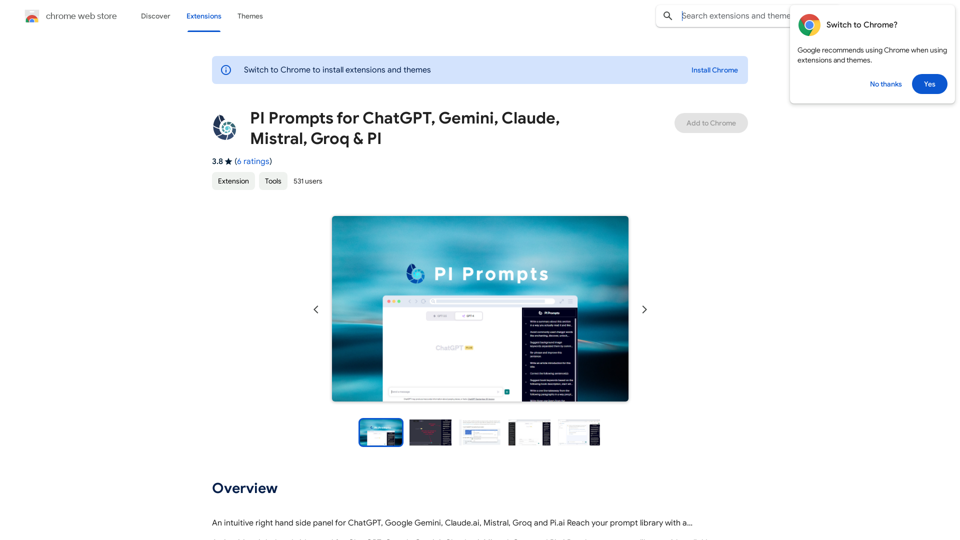
PI Prompts for ChatGPT, Gemini, Claude, Mistral, Groq & PI

General Instructions:

* Be specific: Clearly state what you want the AI to do.
* Provide context: Give the AI enough information to understand your request.
* Experiment: Try different prompts and see what works best.

Creative Writing:

* ChatGPT: Write a short story about a robot who learns to feel emotions.
* Gemini: Compose a poem in the style of Emily Dickinson about the nature of time.
* Claude: Create a fictional news article about a discovery on Mars.
* Mistral: Generate a song lyric about the feeling of falling in love.
* Groq: Write a screenplay for a 5-minute film about a lost dog finding its way home.
* PI: Design a worldbuilding document for a fantasy novel, including its history, geography, and magic system.

Informative Tasks:

* ChatGPT: Summarize the main points of the article on climate change.
* Gemini: Explain the concept of quantum mechanics in simple terms.
* Claude: Compare and contrast the philosophies of Socrates and Plato.
* Mistral: Create a list of 10 interesting facts about the human brain.
* Groq: Write a code snippet to scrape data from a website.
* PI: Generate a research proposal on the impact of social media on mental health.

Code Generation:

* ChatGPT: Write a Python function to calculate the factorial of a number.
* Gemini: Generate HTML code for a simple webpage with a heading and a paragraph.
* Claude: Create a SQL query to retrieve all customers from a database.
* Mistral: Write a JavaScript function to validate an email address.
* Groq: Generate code to create a new user account in a web application.
* PI: Design a machine learning model to classify images of cats and dogs.
View Detail

PI Prompts for ChatGPT, Gemini, Claude, Mistral, Groq & PI General Instructions: * Be specific: Clearly state what you want the AI to do. * Provide context: Give the AI enough information to understand your request. * Experiment: Try different prompts and see what works best. Creative Writing: * ChatGPT: Write a short story about a robot who learns to feel emotions. * Gemini: Compose a poem in the style of Emily Dickinson about the nature of time. * Claude: Create a fictional news article about a discovery on Mars. * Mistral: Generate a song lyric about the feeling of falling in love. * Groq: Write a screenplay for a 5-minute film about a lost dog finding its way home. * PI: Design a worldbuilding document for a fantasy novel, including its history, geography, and magic system. Informative Tasks: * ChatGPT: Summarize the main points of the article on climate change. * Gemini: Explain the concept of quantum mechanics in simple terms. * Claude: Compare and contrast the philosophies of Socrates and Plato. * Mistral: Create a list of 10 interesting facts about the human brain. * Groq: Write a code snippet to scrape data from a website. * PI: Generate a research proposal on the impact of social media on mental health. Code Generation: * ChatGPT: Write a Python function to calculate the factorial of a number. * Gemini: Generate HTML code for a simple webpage with a heading and a paragraph. * Claude: Create a SQL query to retrieve all customers from a database. * Mistral: Write a JavaScript function to validate an email address. * Groq: Generate code to create a new user account in a web application. * PI: Design a machine learning model to classify images of cats and dogs.

PI Prompts for ChatGPT, Gemini, Claude, Mistral, Groq & PI General Instructions: * Be specific: Clearly state what you want the AI to do. * Provide context: Give the AI enough information to understand your request. * Experiment: Try different prompts and see what works best. Creative Writing: * ChatGPT: Write a short story about a robot who learns to feel emotions. * Gemini: Compose a poem in the style of Emily Dickinson about the nature of time. * Claude: Create a fictional news article about a discovery on Mars. * Mistral: Generate a song lyric about the feeling of falling in love. * Groq: Write a screenplay for a 5-minute film about a lost dog finding its way home. * PI: Design a worldbuilding document for a fantasy novel, including its history, geography, and magic system. Informative Tasks: * ChatGPT: Summarize the main points of the article on climate change. * Gemini: Explain the concept of quantum mechanics in simple terms. * Claude: Compare and contrast the philosophies of Socrates and Plato. * Mistral: Create a list of 10 interesting facts about the human brain. * Groq: Write a code snippet to scrape data from a website. * PI: Generate a research proposal on the impact of social media on mental health. Code Generation: * ChatGPT: Write a Python function to calculate the factorial of a number. * Gemini: Generate HTML code for a simple webpage with a heading and a paragraph. * Claude: Create a SQL query to retrieve all customers from a database. * Mistral: Write a JavaScript function to validate an email address. * Groq: Generate code to create a new user account in a web application. * PI: Design a machine learning model to classify images of cats and dogs.

An intuitive right-hand side panel for ChatGPT, Google Gemini, Claude.ai, Mistral, Groq, and Pi.ai. Reach your prompt library with a...

193.90 M
Octane AI | Intelligent Quizzes That Boost Sales for Shopify Stores
View Detail

Octane AI | Intelligent Quizzes That Boost Sales for Shopify Stores

Octane AI | Intelligent Quizzes That Boost Sales for Shopify Stores

You can't afford to have leaks in your customer journey. Plug the leak with product quizzes that sell like crazy. No coding required (unless you want to!).

136.30 K
Welcome to enso
View Detail

Welcome to enso

Welcome to enso

At enso, you can get AI-powered digital services for most of your essential needs at a much lower price.

0
Article Summary with ChatGPT and Take Notes

This is a guide on how to use ChatGPT to summarize articles and take notes effectively. 

Step 1:  Provide ChatGPT with the Article

Copy and paste the full text of the article into the ChatGPT interface. 

Step 2:  Craft Your Prompt

Tell ChatGPT what you want it to do. Here are some examples:

* Summarize: "Please summarize this article in 200 words."
* Key Points: "What are the main points of this article?"
* Bullet Points: "Summarize the key findings of this article in bullet points."
* Notes: "Take notes on this article, focusing on the author's arguments and supporting evidence."

Step 3:  Review and Refine

ChatGPT will generate a summary, key points, bullet points, or notes based on your prompt. 

* Read carefully: Make sure the output accurately reflects the article's content.
* Edit as needed:  You can ask ChatGPT to rephrase sections or provide more detail.
* Add your own insights:  Don't just copy ChatGPT's output. Use it as a starting point and add your own thoughts, questions, and connections.

Tips for Effective Use:

* Be specific: The more specific your prompt, the better the output will be.
* Experiment with different prompts: Try various phrasing to see what works best.
* Use ChatGPT as a tool:  It's a powerful aid, but it's not a replacement for critical reading and thinking.
View Detail

Article Summary with ChatGPT and Take Notes This is a guide on how to use ChatGPT to summarize articles and take notes effectively. Step 1: Provide ChatGPT with the Article Copy and paste the full text of the article into the ChatGPT interface. Step 2: Craft Your Prompt Tell ChatGPT what you want it to do. Here are some examples: * Summarize: "Please summarize this article in 200 words." * Key Points: "What are the main points of this article?" * Bullet Points: "Summarize the key findings of this article in bullet points." * Notes: "Take notes on this article, focusing on the author's arguments and supporting evidence." Step 3: Review and Refine ChatGPT will generate a summary, key points, bullet points, or notes based on your prompt. * Read carefully: Make sure the output accurately reflects the article's content. * Edit as needed: You can ask ChatGPT to rephrase sections or provide more detail. * Add your own insights: Don't just copy ChatGPT's output. Use it as a starting point and add your own thoughts, questions, and connections. Tips for Effective Use: * Be specific: The more specific your prompt, the better the output will be. * Experiment with different prompts: Try various phrasing to see what works best. * Use ChatGPT as a tool: It's a powerful aid, but it's not a replacement for critical reading and thinking.

Article Summary with ChatGPT and Take Notes This is a guide on how to use ChatGPT to summarize articles and take notes effectively. Step 1: Provide ChatGPT with the Article Copy and paste the full text of the article into the ChatGPT interface. Step 2: Craft Your Prompt Tell ChatGPT what you want it to do. Here are some examples: * Summarize: "Please summarize this article in 200 words." * Key Points: "What are the main points of this article?" * Bullet Points: "Summarize the key findings of this article in bullet points." * Notes: "Take notes on this article, focusing on the author's arguments and supporting evidence." Step 3: Review and Refine ChatGPT will generate a summary, key points, bullet points, or notes based on your prompt. * Read carefully: Make sure the output accurately reflects the article's content. * Edit as needed: You can ask ChatGPT to rephrase sections or provide more detail. * Add your own insights: Don't just copy ChatGPT's output. Use it as a starting point and add your own thoughts, questions, and connections. Tips for Effective Use: * Be specific: The more specific your prompt, the better the output will be. * Experiment with different prompts: Try various phrasing to see what works best. * Use ChatGPT as a tool: It's a powerful aid, but it's not a replacement for critical reading and thinking.

I can do that! Please provide me with the URL of the webpage or article you'd like me to summarize. I'll do my best to create a concise and easy-to-understand summary for you.

193.90 M
Wispy-1 - Personal AI Agent for Chrome
View Detail

Wispy-1 - Personal AI Agent for Chrome

Wispy-1 - Personal AI Agent for Chrome

Discover, Use, and Share AI Abilities for the Web, right from your Chrome browser.

193.90 M
Door Insight AI Assistant
View Detail

Door Insight AI Assistant

Door Insight AI Assistant

Analyze rental properties in real time with your personal AI Property Analyst.

193.90 M
Visual Programming | Bubble

Bubble is a web development platform that allows users to build web applications without coding. It uses a visual programming language that is based on dragging and dropping elements to create the application's logic.
View Detail

Visual Programming | Bubble Bubble is a web development platform that allows users to build web applications without coding. It uses a visual programming language that is based on dragging and dropping elements to create the application's logic.

Visual Programming | Bubble Bubble is a web development platform that allows users to build web applications without coding. It uses a visual programming language that is based on dragging and dropping elements to create the application's logic.

From first-time founders to experienced engineers, Bubble allows users to build, design, and launch apps in record speed – no code required.

0
PromptForge
View Detail

PromptForge

PromptForge

PromptForge offers easy, diverse one-click prompts right inside ChatGPT, Gemini and more.

193.90 M