Open-source RightAI Tools Directory
  • Discover AI
  • Submit
  • Startup
  • Blog
Open-source RightAI Tools Directory
Discover the best AI tools of 2025 with the RightAI Tools Directory!

Friend Links

AI Anime GeneratorToolsApp AI

Support

Tap4
Privacy policyTerms & ConditionsContact Us
Loading...
loading...

Lexicore - AI for Legal Practices

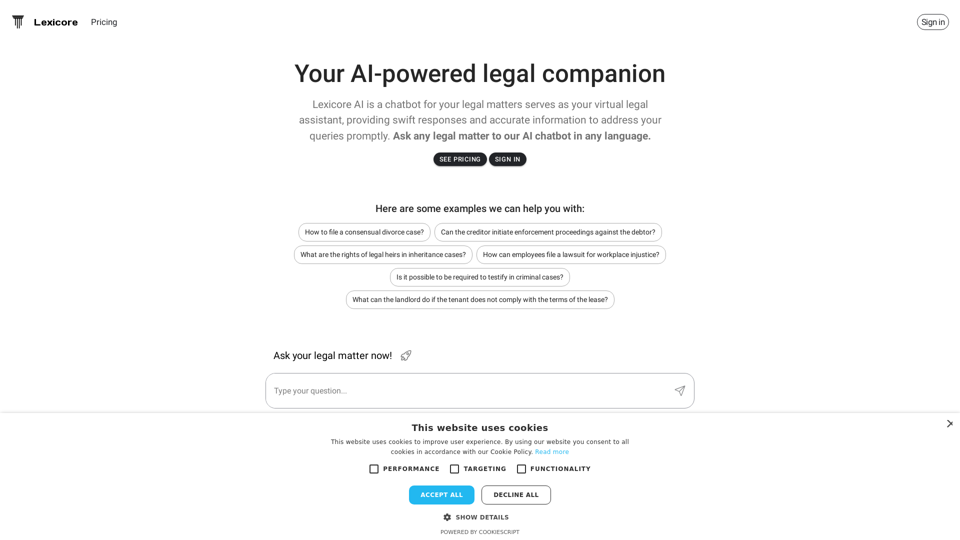
Lexicore is an AI-powered chatbot designed to be a virtual legal assistant. It can give you quick answers and accurate information to help you with your legal questions.
Visit Website
Lexicore - AI for Legal Practices
Visit Website

Introduction

Lexicore is an AI-powered virtual legal assistant designed to provide quick and accurate responses to legal queries. It offers multilingual support, allowing users to ask questions in their preferred language and receive reliable answers promptly. Lexicore aims to make legal information more accessible and efficient for users dealing with various legal matters.

Feature

Multilingual Support

Lexicore's AI chatbot supports multiple languages, enabling users to ask legal questions in their preferred language, making legal assistance more accessible to a diverse user base.

Accurate Information

The AI technology behind Lexicore provides reliable and precise information to address legal queries, ensuring users receive the best possible advice for their specific situations.

Swift Responses

Lexicore's AI chatbot is designed to respond quickly to legal questions, saving users valuable time and effort in their quest for legal information.

Wide Range of Legal Topics

Lexicore can assist with various legal matters, including:

  • Consensual divorce cases
  • Enforcement proceedings against debtors
  • Inheritance and probate laws
  • Workplace injustice lawsuits
  • Criminal case testimonies
  • Landlord-tenant disputes

User-Friendly Interface

Users can simply ask their legal questions to the AI chatbot and receive prompt, accurate responses, making the process of obtaining legal information straightforward and efficient.

Pricing Plans

Lexicore offers different pricing plans to cater to various user needs. Users can sign in to view the available plans and choose the one that best suits their requirements.

FAQ

How do I file a consensual divorce case?

Lexicore provides guidance on the process of filing a consensual divorce case, including necessary steps and legal requirements. Users can ask specific questions about their situation to receive tailored information.

Can creditors initiate enforcement proceedings against debtors?

Yes, Lexicore can provide information on creditors' rights and the process of initiating enforcement proceedings against debtors. The AI assistant can explain the legal procedures and requirements involved.

What are the rights of legal heirs in inheritance cases?

Lexicore offers information on the rights of legal heirs in inheritance cases, including details about probate processes and inheritance laws. Users can ask specific questions to understand their rights and obligations.

How can employees file a lawsuit for workplace injustice?

Lexicore provides guidance on the process of filing a lawsuit for workplace injustice, including the necessary steps and legal requirements. The AI assistant can offer information on employee rights and the legal procedures involved.

Is it possible to be required to testify in criminal cases?

Yes, Lexicore can explain the process of testifying in criminal cases, including the rights and responsibilities of witnesses. Users can ask about specific scenarios to better understand their obligations and protections.

What can landlords do if tenants don't comply with lease terms?

Lexicore offers information on landlord rights and the process of resolving disputes with tenants. The AI assistant can provide guidance on legal options available to landlords when tenants violate lease agreements.

Related Websites

AI Voice Over for YouTube 

This is a guide to using AI voice over for your YouTube videos. 

Why Use AI Voice Over?

* Cost-Effective: AI voice over is much cheaper than hiring a professional voice actor.
* Time-Saving: You can generate voice over quickly and easily, without needing to schedule recording sessions.
* Variety of Voices: Choose from a wide range of AI voices, including male, female, and even robotic voices.
* Accessibility: Make your videos accessible to viewers who are deaf or hard of hearing by adding captions generated by AI.

How to Use AI Voice Over

1. Choose a Platform: There are many different platforms that offer AI voice over services, such as:
    * Google Cloud Text-to-Speech
    * Amazon Polly
    * Microsoft Azure Text to Speech
    * Murf.ai
    * NaturalReader
2. Write Your Script:  Write a clear and concise script for your video.
3. Upload Your Script:  Upload your script to the chosen platform.
4. Select a Voice: Choose the voice that best suits your video.
5. Adjust Settings:  Adjust settings such as speed, pitch, and volume.
6. Generate Voice Over:  Click the "Generate" button to create your voice over.
7. Download and Edit: Download the generated voice over file and edit it as needed.
8. Add to Your Video:  Add the voice over to your YouTube video.

Tips for Using AI Voice Over

* Use Natural Language:  Write your script as if you were speaking naturally.
* Vary Your Tone:  Use different tones of voice to keep your viewers engaged.
* Add Pauses:  Include pauses in your script to allow viewers to process information.
* Proofread Carefully:  Always proofread your script before generating the voice over.
* Experiment:  Try different voices, settings, and styles to find what works best for you.
View Detail

AI Voice Over for YouTube This is a guide to using AI voice over for your YouTube videos. Why Use AI Voice Over? * Cost-Effective: AI voice over is much cheaper than hiring a professional voice actor. * Time-Saving: You can generate voice over quickly and easily, without needing to schedule recording sessions. * Variety of Voices: Choose from a wide range of AI voices, including male, female, and even robotic voices. * Accessibility: Make your videos accessible to viewers who are deaf or hard of hearing by adding captions generated by AI. How to Use AI Voice Over 1. Choose a Platform: There are many different platforms that offer AI voice over services, such as: * Google Cloud Text-to-Speech * Amazon Polly * Microsoft Azure Text to Speech * Murf.ai * NaturalReader 2. Write Your Script: Write a clear and concise script for your video. 3. Upload Your Script: Upload your script to the chosen platform. 4. Select a Voice: Choose the voice that best suits your video. 5. Adjust Settings: Adjust settings such as speed, pitch, and volume. 6. Generate Voice Over: Click the "Generate" button to create your voice over. 7. Download and Edit: Download the generated voice over file and edit it as needed. 8. Add to Your Video: Add the voice over to your YouTube video. Tips for Using AI Voice Over * Use Natural Language: Write your script as if you were speaking naturally. * Vary Your Tone: Use different tones of voice to keep your viewers engaged. * Add Pauses: Include pauses in your script to allow viewers to process information. * Proofread Carefully: Always proofread your script before generating the voice over. * Experiment: Try different voices, settings, and styles to find what works best for you.

AI Voice Over for YouTube This is a guide to using AI voice over for your YouTube videos. Why Use AI Voice Over? * Cost-Effective: AI voice over is much cheaper than hiring a professional voice actor. * Time-Saving: You can generate voice over quickly and easily, without needing to schedule recording sessions. * Variety of Voices: Choose from a wide range of AI voices, including male, female, and even robotic voices. * Accessibility: Make your videos accessible to viewers who are deaf or hard of hearing by adding captions generated by AI. How to Use AI Voice Over 1. Choose a Platform: There are many different platforms that offer AI voice over services, such as: * Google Cloud Text-to-Speech * Amazon Polly * Microsoft Azure Text to Speech * Murf.ai * NaturalReader 2. Write Your Script: Write a clear and concise script for your video. 3. Upload Your Script: Upload your script to the chosen platform. 4. Select a Voice: Choose the voice that best suits your video. 5. Adjust Settings: Adjust settings such as speed, pitch, and volume. 6. Generate Voice Over: Click the "Generate" button to create your voice over. 7. Download and Edit: Download the generated voice over file and edit it as needed. 8. Add to Your Video: Add the voice over to your YouTube video. Tips for Using AI Voice Over * Use Natural Language: Write your script as if you were speaking naturally. * Vary Your Tone: Use different tones of voice to keep your viewers engaged. * Add Pauses: Include pauses in your script to allow viewers to process information. * Proofread Carefully: Always proofread your script before generating the voice over. * Experiment: Try different voices, settings, and styles to find what works best for you.

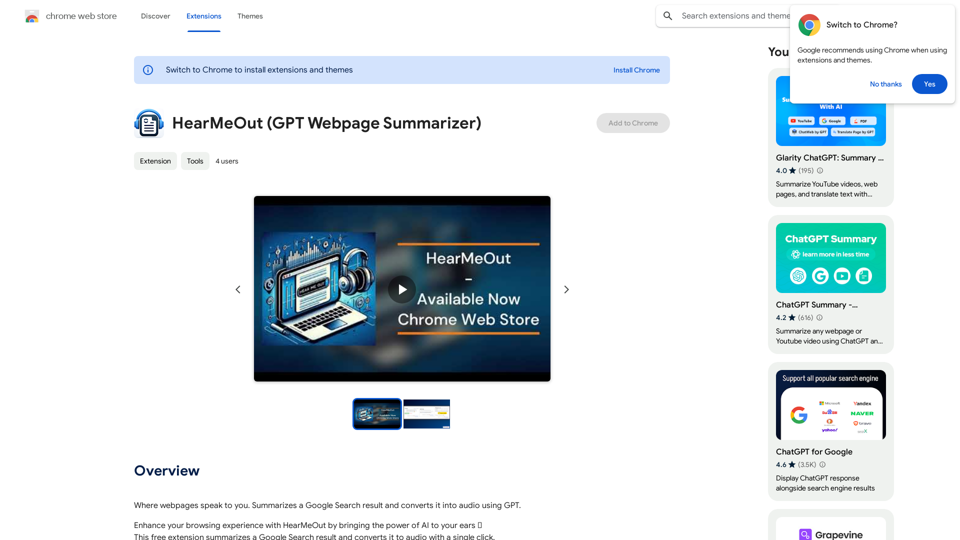
Watch foreign language YouTube videos in your own language.

193.90 M
AI Prompt Manager
View Detail

AI Prompt Manager

AI Prompt Manager

AI Prompt Manager: Store and manage GPT prompts. Sleek user interface, easy search and sharing. Maximize the potential of GPT.

193.90 M
Best Meme Coins with AI Insights at MEME is Game 

Let's explore the top meme coins gaining traction in the crypto space, enhanced by the power of AI insights at MEME is Game.
View Detail

Best Meme Coins with AI Insights at MEME is Game Let's explore the top meme coins gaining traction in the crypto space, enhanced by the power of AI insights at MEME is Game.

Best Meme Coins with AI Insights at MEME is Game Let's explore the top meme coins gaining traction in the crypto space, enhanced by the power of AI insights at MEME is Game.

Discover the newest and best meme coins at MEME is Game, featuring AI-powered insights. Stay informed with the latest trends, reviews, and AI analyses of top meme coins, including Hot New Meme Coins and Best Meme Coins.

0
WebGPT - ChatGPT for Webpages, Free AI Copilot by ChatGPT-4
View Detail

WebGPT - ChatGPT for Webpages, Free AI Copilot by ChatGPT-4

WebGPT - ChatGPT for Webpages, Free AI Copilot by ChatGPT-4

WebGPT is an all-in-one AI assistant with the most advanced AI models to help you chat, write, and more, all from webpages.

193.90 M
Warm and friendly
View Detail

Warm and friendly

Warm and friendly

Write the free spirit everywhere on the web with Cordial!

193.90 M
Algae
View Detail

Algae

Algae

Offers ideas for MSP support requests.

193.90 M
Chrome Web Store
View Detail

Chrome Web Store

Chrome Web Store

Add new features to your browser and personalize your browsing experience.

193.90 M
MashaGPT - Access to ChatGPT-4 with one click
View Detail

MashaGPT - Access to ChatGPT-4 with one click

MashaGPT - Access to ChatGPT-4 with one click

Description: Meet Mashagpt - your new helper for working with ChatGPT right in your browser! With Mashagpt you'll get access to...

193.90 M