Open-source RightAI Tools Directory
  • Discover AI
  • Submit
  • Startup
  • Blog
Open-source RightAI Tools Directory
Discover the best AI tools of 2025 with the RightAI Tools Directory!

Friend Links

AI Anime GeneratorToolsApp AI

Support

Tap4
Privacy policyTerms & ConditionsContact Us
Loading...
loading...

Luma Dream Machine

Dream Machine is an AI model that generates high-quality, realistic videos quickly from text and images using Luma AI.
Visit Website
Luma Dream Machine
Visit Website

Introduction

Luma Dream Machine is an advanced AI model designed for creating high-quality, realistic videos from text and images. This innovative transformer model is trained directly on videos, enabling it to generate physically accurate, consistent, and eventful shots. With its impressive speed and ability to produce smooth motion and cinematography, Luma Dream Machine offers users a powerful tool for turning static images into dynamic stories and bringing lifeless scenes to life.

Feature

High-Speed Video Generation

Luma Dream Machine generates 120 frames in just 120 seconds, allowing users to iterate quickly, explore more ideas, and dream bigger. This remarkable speed enhances productivity and creativity in video production.

Realistic Motion and Cinematography

The model creates 5-second shots with smooth, realistic motion and cinematic quality. It transforms static snapshots into dynamic stories, adding life and drama to otherwise lifeless scenes.

Physical Accuracy and Consistency

Luma Dream Machine demonstrates a deep understanding of how people, animals, and objects interact with the physical world. This knowledge enables the creation of videos with excellent character consistency and accurate physics.

Fluid Camera Movements

Users can experiment with a wide array of fluid, cinematic, and naturalistic camera motions. These movements are tailored to match the emotion and content of each scene, enhancing the overall visual impact.

Text and Image Input

The model accepts both text descriptions and images as input, providing flexibility in the video creation process. This feature allows users to start with either a written concept or a visual reference.

Accessibility

Luma Dream Machine is available to all users for generating high-quality videos. Subscribers gain additional benefits and extended access beyond the free usage limits.

FAQ

What are the main features of Luma Dream Machine?

Luma Dream Machine offers several key features:

  1. High-speed video generation (120 frames in 120 seconds)
  2. Realistic motion and cinematography in 5-second shots
  3. Physical accuracy and consistency in character and object interactions
  4. Fluid and cinematic camera movements
  5. Ability to generate videos from both text and image inputs

How fast is Luma Dream Machine?

Luma Dream Machine is incredibly fast, capable of generating 120 frames in just 120 seconds. This speed allows for rapid iteration and exploration of ideas.

Can Luma Dream Machine create videos with realistic characters and physics?

Yes, the model understands how people, animals, and objects interact with the physical world. This enables users to create videos with great character consistency and accurate physics.

Is user data used for training the model?

No, Luma Dream Machine values user privacy and does not use user data for training purposes.

What types of camera movements can be created with Luma Dream Machine?

The model allows users to experiment with a wide range of fluid, cinematic, and naturalistic camera motions. These movements are designed to match the emotion and content of each scene.

Related Websites
Get ChatGPT for Free with Google

You can now access ChatGPT, a powerful language model, for free with Google. Here's how:

Method 1: Google Colab

* Open Google Colab ([colab.research.google.com](http://colab.research.google.com))
* Create a new notebook
* Install the `transformers` library by running `!pip install transformers`
* Import the `transformers` library and load the ChatGPT model using `from transformers import AutoModelForCausalLM, AutoTokenizer; model = AutoModelForCausalLM.from_pretrained('chatgpt'); tokenizer = AutoTokenizer.from_pretrained('chatgpt')`
* Use the model to generate text using `input_text = "Your input here"; inputs = tokenizer.encode_plus(input_text, return_tensors='pt', max_length=1024, padding='max_length', truncation=True); output = model(inputs['input_ids'], attention_mask=inputs['attention_mask']); print(tokenizer.decode(output.logits[0], skip_special_tokens=True))`

Method 2: Google Apps Script

* Open Google Apps Script ([script.google.com](http://script.google.com))
* Create a new project
* Install the `transformers` library by running `npm install transformers`
* Import the `transformers` library and load the ChatGPT model using `const { AutoModelForCausalLM, AutoTokenizer } = require('transformers'); const model = new AutoModelForCausalLM('chatgpt'); const tokenizer = new AutoTokenizer('chatgpt');`
* Use the model to generate text using `const inputText = "Your input here"; const inputs = tokenizer.encodePlus(inputText, { return_tensors: 'pt', max_length: 1024, padding: 'max_length', truncation: true }); const output = model(inputs.inputIds, inputs.attentionMask); console.log(tokenizer.decode(output.logits[0], { skipSpecialTokens: true }));`

Note: These methods require some technical knowledge and may have limitations compared to the original ChatGPT model.
View Detail

Get ChatGPT for Free with Google You can now access ChatGPT, a powerful language model, for free with Google. Here's how: Method 1: Google Colab * Open Google Colab ([colab.research.google.com](http://colab.research.google.com)) * Create a new notebook * Install the `transformers` library by running `!pip install transformers` * Import the `transformers` library and load the ChatGPT model using `from transformers import AutoModelForCausalLM, AutoTokenizer; model = AutoModelForCausalLM.from_pretrained('chatgpt'); tokenizer = AutoTokenizer.from_pretrained('chatgpt')` * Use the model to generate text using `input_text = "Your input here"; inputs = tokenizer.encode_plus(input_text, return_tensors='pt', max_length=1024, padding='max_length', truncation=True); output = model(inputs['input_ids'], attention_mask=inputs['attention_mask']); print(tokenizer.decode(output.logits[0], skip_special_tokens=True))` Method 2: Google Apps Script * Open Google Apps Script ([script.google.com](http://script.google.com)) * Create a new project * Install the `transformers` library by running `npm install transformers` * Import the `transformers` library and load the ChatGPT model using `const { AutoModelForCausalLM, AutoTokenizer } = require('transformers'); const model = new AutoModelForCausalLM('chatgpt'); const tokenizer = new AutoTokenizer('chatgpt');` * Use the model to generate text using `const inputText = "Your input here"; const inputs = tokenizer.encodePlus(inputText, { return_tensors: 'pt', max_length: 1024, padding: 'max_length', truncation: true }); const output = model(inputs.inputIds, inputs.attentionMask); console.log(tokenizer.decode(output.logits[0], { skipSpecialTokens: true }));` Note: These methods require some technical knowledge and may have limitations compared to the original ChatGPT model.

Get ChatGPT for Free with Google You can now access ChatGPT, a powerful language model, for free with Google. Here's how: Method 1: Google Colab * Open Google Colab ([colab.research.google.com](http://colab.research.google.com)) * Create a new notebook * Install the `transformers` library by running `!pip install transformers` * Import the `transformers` library and load the ChatGPT model using `from transformers import AutoModelForCausalLM, AutoTokenizer; model = AutoModelForCausalLM.from_pretrained('chatgpt'); tokenizer = AutoTokenizer.from_pretrained('chatgpt')` * Use the model to generate text using `input_text = "Your input here"; inputs = tokenizer.encode_plus(input_text, return_tensors='pt', max_length=1024, padding='max_length', truncation=True); output = model(inputs['input_ids'], attention_mask=inputs['attention_mask']); print(tokenizer.decode(output.logits[0], skip_special_tokens=True))` Method 2: Google Apps Script * Open Google Apps Script ([script.google.com](http://script.google.com)) * Create a new project * Install the `transformers` library by running `npm install transformers` * Import the `transformers` library and load the ChatGPT model using `const { AutoModelForCausalLM, AutoTokenizer } = require('transformers'); const model = new AutoModelForCausalLM('chatgpt'); const tokenizer = new AutoTokenizer('chatgpt');` * Use the model to generate text using `const inputText = "Your input here"; const inputs = tokenizer.encodePlus(inputText, { return_tensors: 'pt', max_length: 1024, padding: 'max_length', truncation: true }); const output = model(inputs.inputIds, inputs.attentionMask); console.log(tokenizer.decode(output.logits[0], { skipSpecialTokens: true }));` Note: These methods require some technical knowledge and may have limitations compared to the original ChatGPT model.

How to Add ChatGPT to All Google Searches ===================================================== Step 1: Create a Custom Search Engine -------------------------------------- * Go to the [Google Custom Search Engine](https://cse.google.com/) website and sign in with your Google account. * Click on the "New Search Engine" button. * Fill in the required information, such as the name and description of your search engine. * Click on the "Create" button. Step 2: Add ChatGPT to the Search Engine ----------------------------------------- * In the "Setup" tab, click on the "Add" button next to "Sites to search". * Enter the following URL: `https://chat.openai.com/` * Click on the "Add" button. Step 3: Configure the Search Engine -------------------------------------- * In the "Setup" tab, click on the "Edit" button next to "Search engine keywords". * Add the following keywords: `ChatGPT` * Click on the "Save" button. Step 4: Get the Search Engine Code ------------------------------------- * In the "Setup" tab, click on the "Get code" button. * Copy the HTML code provided. Step 5: Add the Search Engine to Your Browser ------------------------------------------------ * Open your browser and go to the "Settings" or "Options" page. * Look for the "Search engine" or "Default search engine" option. * Click on the "Add" or "Manage search engines" button. * Paste the HTML code you copied earlier. * Click on the "Add" or "Save" button. You're Done! =============== Now, whenever you search on Google, ChatGPT will be included in the search results. You can also use the custom search engine URL provided by Google to search directly.

193.90 M
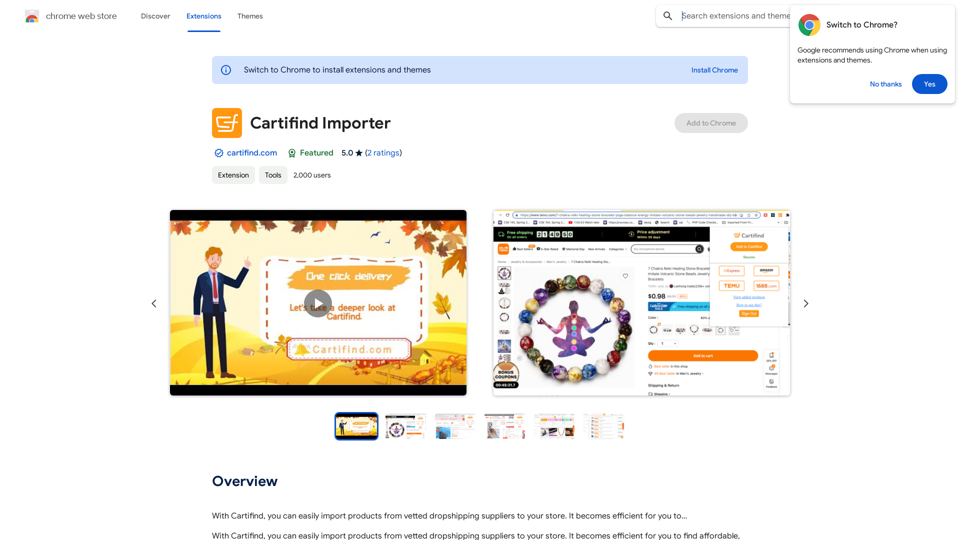
Cartifind Importer
View Detail

Cartifind Importer

Cartifind Importer

With Cartifind, you can easily import products from vetted dropshipping suppliers to your store. It becomes efficient for you to manage your product catalog, track inventory, and fulfill orders seamlessly.

193.90 M
MagicalAPI: YouTube SEO - Boost Your Channel with AI
View Detail

MagicalAPI: YouTube SEO - Boost Your Channel with AI

MagicalAPI: YouTube SEO - Boost Your Channel with AI

Your ultimate AI-powered tool for YouTube SEO and video optimization.

193.90 M
Aria - AI Chat&Speak Assistant on the App Store
View Detail

Aria - AI Chat&Speak Assistant on the App Store

Aria - AI Chat&Speak Assistant on the App Store

I'm Aria, your voice-activated AI chatbot assistant, here to transform how you interact with your digital world using the power of speech. With a vast array of…

124.77 M
Grow Your OnlyFans Agency - Supercreator Tools for OnlyFans
View Detail

Grow Your OnlyFans Agency - Supercreator Tools for OnlyFans

Grow Your OnlyFans Agency - Supercreator Tools for OnlyFans

CRM tools and automation bots for OnlyFans management agencies. Improve your chat interactions and promotions, and upsell more pay-per-view (PPV) content with the OnlyFans extension.

248.97 K
1PX.AI
View Detail

1PX.AI

1PX.AI

Here is the translation: AI Photo, Photo AI, AI Photo Editing, AI Generated Photos, Free AI Photo Editor, AI Photo Generator, AI Avatar Generator

105
SEOAIBOT
View Detail

SEOAIBOT

SEOAIBOT

SEOAIBOT is an AI-powered content creation platform designed to automate the process of researching, writing, and indexing high-quality articles for SEO purposes

3.87 K
Xmate: AI Girlfriend for Adults & Porn Chat & More
View Detail

Xmate: AI Girlfriend for Adults & Porn Chat & More

Xmate: AI Girlfriend for Adults & Porn Chat & More

Experience the ultimate thrill with NSFW Character AI Roleplay, where boundaries disappear. Engage in unrestricted AI conversations and uncensored NSFW AI interactions, and even request images from your virtual partner.

886