Open-source RightAI Tools Directory
  • Discover AI
  • Submit
  • Startup
  • Blog
Open-source RightAI Tools Directory
Discover the best AI tools of 2025 with the RightAI Tools Directory!

Friend Links

AI Anime GeneratorToolsApp AI

Support

Tap4
Privacy policyTerms & ConditionsContact Us
Loading...
loading...

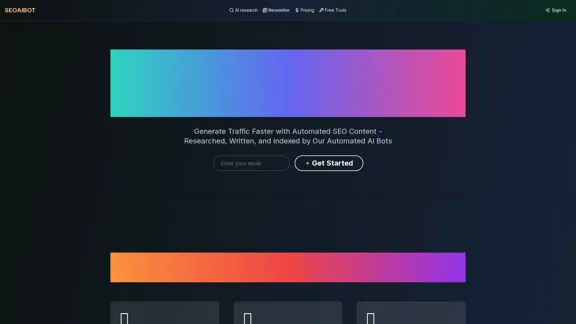
SEOAIBOT

SEOAIBOT is an AI-powered content creation platform designed to automate the process of researching, writing, and indexing high-quality articles for SEO purposes
Visit Website
SEOAIBOT
Visit Website

Introduction

SEOAIBOT is an AI-powered content creation platform designed to automate the process of researching, writing, and indexing high-quality articles for SEO purposes. It aims to help businesses and content creators generate traffic faster by producing in-depth, well-structured content on autopilot.

Feature

  1. AI-Powered Research

    • Conducts thorough investigations on given topics
    • Gathers comprehensive information from diverse, credible sources
    • Saves hours of manual research time
  2. Content Generation

    • Produces well-structured, long-form articles
    • Creates content that provides real value to readers
    • Offers different writing tones (professional, conversational, persuasive, technical)
  3. SEO Optimization

    • Crafts articles with search engines in mind
    • Optimizes keyword placement and HTML structure
    • Performs AI keyword research targeting competitors' keywords
    • Analyzes keyword difficulty and search volume
  4. Automatic WordPress Publishing

    • Seamlessly integrates with WordPress sites
    • Publishes articles directly from creation to the website
    • Supports multiple WordPress sites (varies by plan)
  5. Google Index Submission

    • Automatically submits newly published content to Google for indexing
    • Enables rapid appearance in search engine results pages (SERPs)
    • Allows indexing of any page, even those not created by the system
  6. AI Multi-Agent System

    • Designed to minimize human interaction while maintaining control
    • Enables scalable content generation
  7. Customizable Plans

    • Offers BYOK (Bring Your Own Key) plans for flexibility
    • Provides options to use personal OpenAI API keys
    • Scales from 50 to 500 generations per month

How to Use?

  1. Start by inputting your desired article topics or keywords in batches.

  2. Let the AI conduct thorough research on these keywords.

  3. Review the generated content before publishing to ensure it meets your standards.

  4. Utilize the keyword research feature to target high-potential, long-tail keywords.

  5. Take advantage of the automatic Google indexing to boost your content's visibility quickly.

  6. Experiment with different writing tones to find what resonates best with your audience.

  7. Monitor your organic traffic growth and adjust your content strategy accordingly.

FAQ

How does your service differ from basic AI writing tools?

SEOAIBOT goes beyond basic AI generation by offering a comprehensive system that includes automated research, writing, and submission to Google Index. It uses an AI multi-agent system designed to minimize human interaction while maintaining control throughout the process.

How do you ensure the content is SEO-optimized?

Every article is crafted with search engines in mind. This includes optimal keyword placement, proper HTML structure, and thorough keyword research based on competitors, seed keywords, queries, and local SEO factors. The system also analyzes keyword difficulty and search volume to target the most effective keywords.

Is the WordPress integration secure?

While specific security details aren't provided, the service offers seamless integration with WordPress sites. It's advisable to contact SEOAIBOT directly for more information about their security measures and best practices for safe integration.

Can I review articles before they're published?

The system is designed to minimize human interaction, but it's likely that there are options to review content before publication. It's best to check with SEOAIBOT's support team for specific details on how to implement a review process within their automated system.

Can I connect non-WordPress sites?

Yes, SEOAIBOT offers webhooks for non-WordPress sites, allowing you to integrate the service with other content management systems or custom websites.

Price

  • BYOK Basic: $45/month (50 generations/month)
  • BYOK Starter: $85/month (100 generations/month)
  • BYOK Growth: $203/month (250 generations/month)
  • BYOK Pro: $405/month (500 generations/month)

All plans offer a 10% discount on the regular price as a launch offer.

The price is for reference only, please refer to the latest official data for actual information.

Evaluation

  1. SEOAIBOT offers a comprehensive solution for businesses looking to scale their content creation and SEO efforts. The combination of AI-powered research, writing, and automatic indexing can significantly reduce the time and resources required for content marketing.

  2. The BYOK model, allowing users to use their own OpenAI API keys, provides flexibility and potentially better cost control for businesses with existing API arrangements.

  3. The automatic submission to Google Index is a standout feature, potentially accelerating the visibility of new content in search results.

  4. While the system promises minimal human interaction, this could be a double-edged sword. It may save time, but it also risks producing content that lacks a human touch or fails to capture nuanced brand voices.

  5. The pricing structure, while offering a range of options, may be steep for small businesses or individual bloggers, especially considering the limited number of generations in lower-tier plans.

  6. The platform's effectiveness will largely depend on the quality of the AI-generated content and its ability to truly engage readers and meet Google's increasingly sophisticated content quality standards.

  7. Users should be cautious about over-relying on automated content generation, as search engines like Google have expressed concerns about AI-generated content. It's crucial to ensure that the final output is high-quality, original, and provides genuine value to readers.

Related Websites

DeckBird
View Detail

DeckBird

DeckBird

DeckBird.ai is the number one presentation sharing tool, turning presentations into an AI sales and marketing assistant.

193.90 M
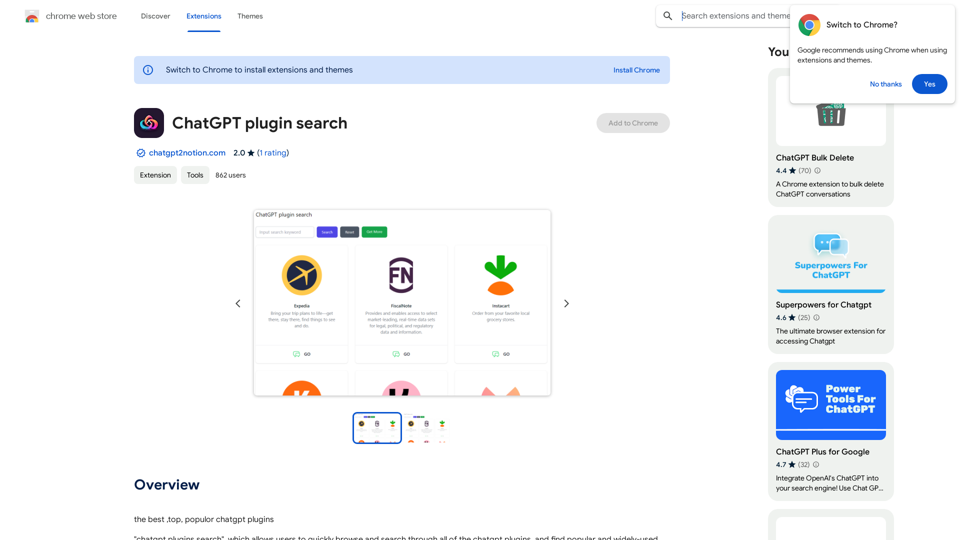
Searching for ChatGPT Plugins

Searching for ChatGPT plugins can be an exciting experience, as it allows you to explore and discover new features and functionalities to enhance your conversational AI model. Here are some ways to search for ChatGPT plugins:

Official Plugin Directory

The official ChatGPT plugin directory is a great place to start your search. This directory provides a curated list of plugins that are compatible with ChatGPT, along with their descriptions, features, and installation instructions.

GitHub and Open-Source Repositories

GitHub and other open-source repositories are treasure troves for ChatGPT plugins. You can search for plugins using keywords like "ChatGPT plugin" or "conversational AI plugin" to find relevant repositories. You can also explore popular open-source repositories like the ChatGPT community repository.

Plugin Marketplaces

Some plugin marketplaces, like the ChatGPT Marketplace, offer a wide range of plugins for ChatGPT. These marketplaces often provide user reviews, ratings, and descriptions to help you make informed decisions.

Forums and Communities

ChatGPT forums and communities are great places to ask for plugin recommendations or search for plugins. You can ask other users about their favorite plugins or search for threads related to specific plugin categories.

Search Engines

Finally, you can use search engines like Google to search for ChatGPT plugins. Use specific keywords like "ChatGPT plugin for [specific feature]" or "best ChatGPT plugins" to get relevant results.

Remember to always evaluate the plugins you find based on their compatibility, features, and user reviews before installing them. Happy searching!
View Detail

Searching for ChatGPT Plugins Searching for ChatGPT plugins can be an exciting experience, as it allows you to explore and discover new features and functionalities to enhance your conversational AI model. Here are some ways to search for ChatGPT plugins: Official Plugin Directory The official ChatGPT plugin directory is a great place to start your search. This directory provides a curated list of plugins that are compatible with ChatGPT, along with their descriptions, features, and installation instructions. GitHub and Open-Source Repositories GitHub and other open-source repositories are treasure troves for ChatGPT plugins. You can search for plugins using keywords like "ChatGPT plugin" or "conversational AI plugin" to find relevant repositories. You can also explore popular open-source repositories like the ChatGPT community repository. Plugin Marketplaces Some plugin marketplaces, like the ChatGPT Marketplace, offer a wide range of plugins for ChatGPT. These marketplaces often provide user reviews, ratings, and descriptions to help you make informed decisions. Forums and Communities ChatGPT forums and communities are great places to ask for plugin recommendations or search for plugins. You can ask other users about their favorite plugins or search for threads related to specific plugin categories. Search Engines Finally, you can use search engines like Google to search for ChatGPT plugins. Use specific keywords like "ChatGPT plugin for [specific feature]" or "best ChatGPT plugins" to get relevant results. Remember to always evaluate the plugins you find based on their compatibility, features, and user reviews before installing them. Happy searching!

Searching for ChatGPT Plugins Searching for ChatGPT plugins can be an exciting experience, as it allows you to explore and discover new features and functionalities to enhance your conversational AI model. Here are some ways to search for ChatGPT plugins: Official Plugin Directory The official ChatGPT plugin directory is a great place to start your search. This directory provides a curated list of plugins that are compatible with ChatGPT, along with their descriptions, features, and installation instructions. GitHub and Open-Source Repositories GitHub and other open-source repositories are treasure troves for ChatGPT plugins. You can search for plugins using keywords like "ChatGPT plugin" or "conversational AI plugin" to find relevant repositories. You can also explore popular open-source repositories like the ChatGPT community repository. Plugin Marketplaces Some plugin marketplaces, like the ChatGPT Marketplace, offer a wide range of plugins for ChatGPT. These marketplaces often provide user reviews, ratings, and descriptions to help you make informed decisions. Forums and Communities ChatGPT forums and communities are great places to ask for plugin recommendations or search for plugins. You can ask other users about their favorite plugins or search for threads related to specific plugin categories. Search Engines Finally, you can use search engines like Google to search for ChatGPT plugins. Use specific keywords like "ChatGPT plugin for [specific feature]" or "best ChatGPT plugins" to get relevant results. Remember to always evaluate the plugins you find based on their compatibility, features, and user reviews before installing them. Happy searching!

Here are some of the best, top, and popular ChatGPT plugins: 1. WebChat: A plugin that allows users to interact with ChatGPT through a web interface. 2. ChatGPT Writer: A plugin that helps users generate high-quality content, such as articles, stories, and emails, using ChatGPT's language generation capabilities. 3. ChatGPT Code Interpreter: A plugin that enables users to write code in various programming languages and have ChatGPT interpret and execute it. 4. ChatGPT Conversational AI: A plugin that allows users to create conversational AI models using ChatGPT's language understanding capabilities. 5. ChatGPT Language Translator: A plugin that enables users to translate text from one language to another using ChatGPT's language translation capabilities. 6. ChatGPT Summarizer: A plugin that helps users summarize long pieces of text, such as articles or documents, into concise summaries using ChatGPT's text summarization capabilities. 7. ChatGPT Q&A: A plugin that enables users to ask questions and receive answers from ChatGPT on a wide range of topics. 8. ChatGPT Creative Writing: A plugin that helps users generate creative writing, such as poetry, stories, and dialogues, using ChatGPT's language generation capabilities. 9. ChatGPT Dialogue System: A plugin that enables users to create conversational dialogue systems using ChatGPT's language understanding capabilities. 10. ChatGPT Sentiment Analyzer: A plugin that helps users analyze the sentiment of text, such as determining whether a piece of text is positive, negative, or neutral, using ChatGPT's sentiment analysis capabilities.

193.90 M
Octane AI | Intelligent Quizzes That Boost Sales for Shopify Stores
View Detail

Octane AI | Intelligent Quizzes That Boost Sales for Shopify Stores

Octane AI | Intelligent Quizzes That Boost Sales for Shopify Stores

You can't afford to have leaks in your customer journey. Plug the leak with product quizzes that sell like crazy. No coding required (unless you want to!).

136.30 K
ChatShelf - Save ChatGPT to Notion

ChatShelf is a tool that lets you save your ChatGPT conversations directly into Notion. 

It's a simple way to keep track of your AI interactions and use them later. 

Just copy the link to your ChatGPT conversation and paste it into ChatShelf. 

It will then extract the conversation and create a Notion page for you.
View Detail

ChatShelf - Save ChatGPT to Notion ChatShelf is a tool that lets you save your ChatGPT conversations directly into Notion. It's a simple way to keep track of your AI interactions and use them later. Just copy the link to your ChatGPT conversation and paste it into ChatShelf. It will then extract the conversation and create a Notion page for you.

ChatShelf - Save ChatGPT to Notion ChatShelf is a tool that lets you save your ChatGPT conversations directly into Notion. It's a simple way to keep track of your AI interactions and use them later. Just copy the link to your ChatGPT conversation and paste it into ChatShelf. It will then extract the conversation and create a Notion page for you.

It's fast, stable, beautiful, and free.

193.90 M
Convert Speech to Text
View Detail

Convert Speech to Text

Convert Speech to Text

Convert your audio or video into text or subtitles in seconds. Automatically transcribe your meetings, interviews, and lectures to text...

193.90 M
NoteGPT: ChatGPT Summary for Vimeo
===============

What is NoteGPT?

NoteGPT is an AI-powered note-taking tool that utilizes the capabilities of ChatGPT to assist users in summarizing and organizing their video content on Vimeo.

Key Features

* Automatic Summarization: NoteGPT can automatically generate a concise summary of Vimeo videos, saving users time and effort.
* Customizable Notes: Users can add their own notes and tags to the generated summary, making it easy to review and reference later.
* Organization: NoteGPT allows users to organize their video content by categorizing and tagging their notes, making it simple to find specific information.

Benefits

* Time-Saving: NoteGPT's automatic summarization feature saves users time and effort, allowing them to focus on more important tasks.
* Improved Productivity: With NoteGPT, users can quickly review and reference their video content, improving their overall productivity.
* Enhanced Learning: NoteGPT's customizable notes and organization features enable users to engage more effectively with their video content, leading to enhanced learning and retention.

Use Cases

* Education: NoteGPT is ideal for students and educators who need to review and summarize video lectures and online courses.
* Business: NoteGPT can be used by professionals to summarize and organize video content for meetings, training sessions, and presentations.
* Personal Development: Individuals can use NoteGPT to summarize and review video content for personal development, such as language learning or skill-building.
View Detail

NoteGPT: ChatGPT Summary for Vimeo =============== What is NoteGPT? NoteGPT is an AI-powered note-taking tool that utilizes the capabilities of ChatGPT to assist users in summarizing and organizing their video content on Vimeo. Key Features * Automatic Summarization: NoteGPT can automatically generate a concise summary of Vimeo videos, saving users time and effort. * Customizable Notes: Users can add their own notes and tags to the generated summary, making it easy to review and reference later. * Organization: NoteGPT allows users to organize their video content by categorizing and tagging their notes, making it simple to find specific information. Benefits * Time-Saving: NoteGPT's automatic summarization feature saves users time and effort, allowing them to focus on more important tasks. * Improved Productivity: With NoteGPT, users can quickly review and reference their video content, improving their overall productivity. * Enhanced Learning: NoteGPT's customizable notes and organization features enable users to engage more effectively with their video content, leading to enhanced learning and retention. Use Cases * Education: NoteGPT is ideal for students and educators who need to review and summarize video lectures and online courses. * Business: NoteGPT can be used by professionals to summarize and organize video content for meetings, training sessions, and presentations. * Personal Development: Individuals can use NoteGPT to summarize and review video content for personal development, such as language learning or skill-building.

NoteGPT: ChatGPT Summary for Vimeo =============== What is NoteGPT? NoteGPT is an AI-powered note-taking tool that utilizes the capabilities of ChatGPT to assist users in summarizing and organizing their video content on Vimeo. Key Features * Automatic Summarization: NoteGPT can automatically generate a concise summary of Vimeo videos, saving users time and effort. * Customizable Notes: Users can add their own notes and tags to the generated summary, making it easy to review and reference later. * Organization: NoteGPT allows users to organize their video content by categorizing and tagging their notes, making it simple to find specific information. Benefits * Time-Saving: NoteGPT's automatic summarization feature saves users time and effort, allowing them to focus on more important tasks. * Improved Productivity: With NoteGPT, users can quickly review and reference their video content, improving their overall productivity. * Enhanced Learning: NoteGPT's customizable notes and organization features enable users to engage more effectively with their video content, leading to enhanced learning and retention. Use Cases * Education: NoteGPT is ideal for students and educators who need to review and summarize video lectures and online courses. * Business: NoteGPT can be used by professionals to summarize and organize video content for meetings, training sessions, and presentations. * Personal Development: Individuals can use NoteGPT to summarize and review video content for personal development, such as language learning or skill-building.

Vimeo Summary with ChatGPT for Better Learning ===================================================== What is Vimeo? --------------- Vimeo is a video-hosting platform that allows users to upload, share, and view videos. It is popular among creative professionals, businesses, and individuals who want to showcase their videos in a high-quality format. How Can ChatGPT Help with Vimeo Courses? ----------------------------------------- ChatGPT is an AI-powered language model that can assist with summarizing Vimeo courses by: * Identifying key points: ChatGPT can analyze the video content and extract the most important information, making it easier to understand and retain. * Generating summaries: ChatGPT can create concise summaries of the video courses, saving time and effort. * Improving learning: By providing a clear and concise summary, ChatGPT can help learners focus on the essential concepts and improve their understanding of the material. Benefits of Using ChatGPT for Vimeo Courses --------------------------------------------- * Time-saving: ChatGPT can quickly summarize long video courses, saving learners time and effort. * Improved comprehension: ChatGPT's summaries can help learners understand complex concepts more easily. * Enhanced retention: By providing a concise summary, ChatGPT can help learners retain information better. How to Use ChatGPT for Vimeo Courses ----------------------------------------- 1. Upload the video course: Upload the Vimeo course to ChatGPT. 2. Analyze the content: ChatGPT will analyze the video content and extract key points. 3. Generate a summary: ChatGPT will create a concise summary of the video course. 4. Review and learn: Review the summary and use it to learn and retain the information. Conclusion ---------- ChatGPT can be a valuable tool for summarizing Vimeo courses, making it easier to learn and retain information. By using ChatGPT, learners can save time, improve comprehension, and enhance retention.

193.90 M
Ama POPSO AI — Free Marketplace Analytics
View Detail

Ama POPSO AI — Free Marketplace Analytics

Ama POPSO AI — Free Marketplace Analytics

Analysis of product cards and product reviews on marketplaces using POPSO AI

193.90 M
LunaNotes - Take notes on YouTube
View Detail

LunaNotes - Take notes on YouTube

LunaNotes - Take notes on YouTube

The Simplest Way to Take Notes on YouTube Videos!

193.90 M