Open-source RightAI Tools Directory
  • Discover AI
  • Submit
  • Startup
  • Blog
Open-source RightAI Tools Directory
Discover the best AI tools of 2025 with the RightAI Tools Directory!

Friend Links

AI Anime GeneratorToolsApp AI

Support

Tap4
Privacy policyTerms & ConditionsContact Us
Loading...
loading...

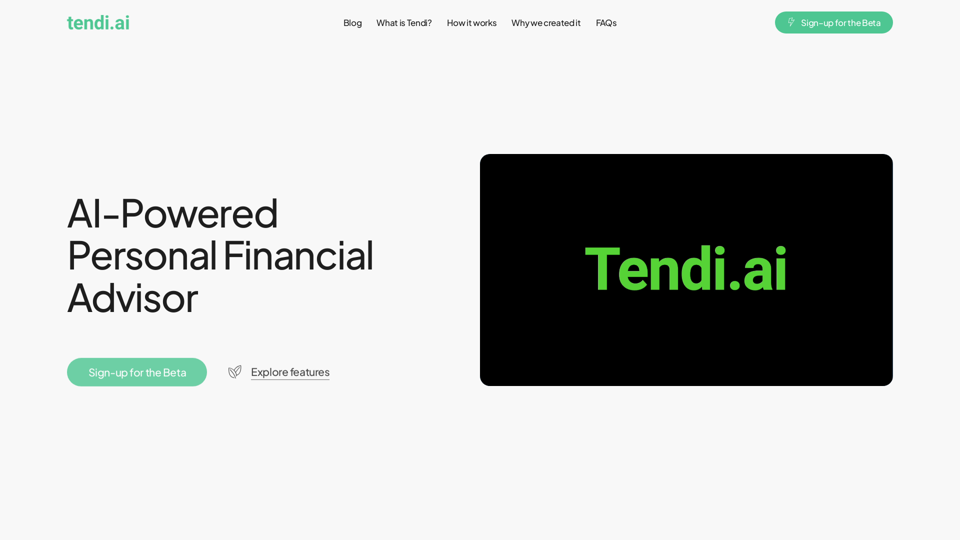
Tendi | Your Personal AI Financial Advisor

Tendi is a personal AI financial advisor that helps you set financial goals, plan, budget, and achieve them.
Visit Website
Tendi | Your Personal AI Financial Advisor
Visit Website

Introduction

Tendi is a personal AI financial advisor designed to help individuals manage their finances effectively. It offers personalized guidance for setting and achieving financial goals, including debt reduction, emergency fund creation, savings growth, wise investments, and retirement planning. Tendi aims to democratize financial advice, making it accessible to everyone, not just a select few.

Feature

Comprehensive Financial Assistance

  • Provides personalized financial advice
  • Assists with planning and budgeting
  • Offers challenges to keep users on track
  • Sends notifications for important updates

Secure Account Integration

  • Securely links to users' financial accounts
  • Analyzes spending, saving, and investing behaviors
  • Offers actionable insights based on financial data

Interactive AI Chat

  • Engages in conversations about personalized financial advice
  • Provides tailored guidance for achieving financial goals

User-Friendly Dashboard

  • Displays financial health in a simple, easy-to-understand format
  • Allows users to track progress towards their goals effortlessly

Goal Tracking and Alerts

  • Monitors progress towards set financial objectives
  • Provides regular updates on goal advancement
  • Alerts users to critical changes in their financial situation

Flexible Usage Options

  • Offers a free basic version with essential features
  • Provides a premium subscription for advanced functionalities
  • Allows manual input of financial data for those who prefer not to link accounts

FAQ

Who is behind Tendi?

Tendi was developed by a diverse team of professionals, including:

  • AI experts from Netflix, Roku, and Paramount+
  • An Emeritus Professor of Economics
  • A Credit Risk Analyst
  • A Treasury Analyst

Their goal was to create a tool that narrows the wealth gap and empowers everyone to achieve a better financial future.

How does Tendi protect user data?

Tendi employs:

  • Advanced encryption
  • Strict privacy protocols
  • Industry-standard cybersecurity practices
  • Secure data storage
  • No sharing of information without explicit user consent

What types of financial goals can Tendi assist with?

Tendi supports a wide range of financial objectives, including:

  • Saving for specific purchases (e.g., car, vacation)
  • Long-term goals like debt reduction
  • Retirement planning
  • Investment strategies

Is Tendi suitable for financial beginners?

Yes, Tendi is designed to be user-friendly and accessible for financial beginners. It offers:

  • Straightforward financial advice
  • Easy-to-understand insights
  • Educational resources to enhance financial knowledge and confidence

Related Websites

Article Summary with ChatGPT and Take Notes

This is a guide on how to use ChatGPT to summarize articles and take notes effectively. 

Step 1:  Provide ChatGPT with the Article

Copy and paste the full text of the article into the ChatGPT interface. 

Step 2:  Craft Your Prompt

Tell ChatGPT what you want it to do. Here are some examples:

* Summarize: "Please summarize this article in 200 words."
* Key Points: "What are the main points of this article?"
* Bullet Points: "Summarize the key findings of this article in bullet points."
* Notes: "Take notes on this article, focusing on the author's arguments and supporting evidence."

Step 3:  Review and Refine

ChatGPT will generate a summary, key points, bullet points, or notes based on your prompt. 

* Read carefully: Make sure the output accurately reflects the article's content.
* Edit as needed:  You can ask ChatGPT to rephrase sections or provide more detail.
* Add your own insights:  Don't just copy ChatGPT's output. Use it as a starting point and add your own thoughts, questions, and connections.

Tips for Effective Use:

* Be specific: The more specific your prompt, the better the output will be.
* Experiment with different prompts: Try various phrasing to see what works best.
* Use ChatGPT as a tool:  It's a powerful aid, but it's not a replacement for critical reading and thinking.
View Detail

Article Summary with ChatGPT and Take Notes This is a guide on how to use ChatGPT to summarize articles and take notes effectively. Step 1: Provide ChatGPT with the Article Copy and paste the full text of the article into the ChatGPT interface. Step 2: Craft Your Prompt Tell ChatGPT what you want it to do. Here are some examples: * Summarize: "Please summarize this article in 200 words." * Key Points: "What are the main points of this article?" * Bullet Points: "Summarize the key findings of this article in bullet points." * Notes: "Take notes on this article, focusing on the author's arguments and supporting evidence." Step 3: Review and Refine ChatGPT will generate a summary, key points, bullet points, or notes based on your prompt. * Read carefully: Make sure the output accurately reflects the article's content. * Edit as needed: You can ask ChatGPT to rephrase sections or provide more detail. * Add your own insights: Don't just copy ChatGPT's output. Use it as a starting point and add your own thoughts, questions, and connections. Tips for Effective Use: * Be specific: The more specific your prompt, the better the output will be. * Experiment with different prompts: Try various phrasing to see what works best. * Use ChatGPT as a tool: It's a powerful aid, but it's not a replacement for critical reading and thinking.

Article Summary with ChatGPT and Take Notes This is a guide on how to use ChatGPT to summarize articles and take notes effectively. Step 1: Provide ChatGPT with the Article Copy and paste the full text of the article into the ChatGPT interface. Step 2: Craft Your Prompt Tell ChatGPT what you want it to do. Here are some examples: * Summarize: "Please summarize this article in 200 words." * Key Points: "What are the main points of this article?" * Bullet Points: "Summarize the key findings of this article in bullet points." * Notes: "Take notes on this article, focusing on the author's arguments and supporting evidence." Step 3: Review and Refine ChatGPT will generate a summary, key points, bullet points, or notes based on your prompt. * Read carefully: Make sure the output accurately reflects the article's content. * Edit as needed: You can ask ChatGPT to rephrase sections or provide more detail. * Add your own insights: Don't just copy ChatGPT's output. Use it as a starting point and add your own thoughts, questions, and connections. Tips for Effective Use: * Be specific: The more specific your prompt, the better the output will be. * Experiment with different prompts: Try various phrasing to see what works best. * Use ChatGPT as a tool: It's a powerful aid, but it's not a replacement for critical reading and thinking.

I can do that! Please provide me with the URL of the webpage or article you'd like me to summarize. I'll do my best to create a concise and easy-to-understand summary for you.

193.90 M
AI Customer Service Assistant
View Detail

AI Customer Service Assistant

AI Customer Service Assistant

Your AI customer service assistant has the capabilities of AI replies, copywriting optimization, content summarization, and intelligent translation, driving improvements in customer service efficiency and quality.

193.90 M
AI Board (GPT Support)
View Detail

AI Board (GPT Support)

AI Board (GPT Support)

This is a service that uses the general ChatGPT API with enhanced security for corporate use.

193.90 M
Free AI Face Swap - Photo & Video
View Detail

Free AI Face Swap - Photo & Video

Free AI Face Swap - Photo & Video

Free AI Face Swapper supports single photo face swaps, multiple photo face swaps, and video face swaps!

193.90 M
Claude Exporter - Easily Extract Chat Conversations
View Detail

Claude Exporter - Easily Extract Chat Conversations

Claude Exporter - Easily Extract Chat Conversations

Extract and save Claude conversations to markdown, text, JSON, CSV, and images.

193.90 M
Genji - AI Browser Assistant
View Detail

Genji - AI Browser Assistant

Genji - AI Browser Assistant

Automate the Browser Using a Visual AI Assistant

193.90 M
PromptFolder - ChatGPT Prompt Manager
View Detail

PromptFolder - ChatGPT Prompt Manager

PromptFolder - ChatGPT Prompt Manager

Save, share, and discover prompts for ChatGPT, Midjourney, and other AI tools.

193.90 M
SimilarTube
View Detail

SimilarTube

SimilarTube

AI Scanner & Analytics for Similar YouTube Channels

193.90 M