Open-source RightAI Tools Directory
  • Discover AI
  • Submit
  • Startup
  • Blog
Open-source RightAI Tools Directory
Discover the best AI tools of 2025 with the RightAI Tools Directory!

Friend Links

AI Anime GeneratorToolsApp AI

Support

Tap4
Privacy policyTerms & ConditionsContact Us
Loading...
loading...

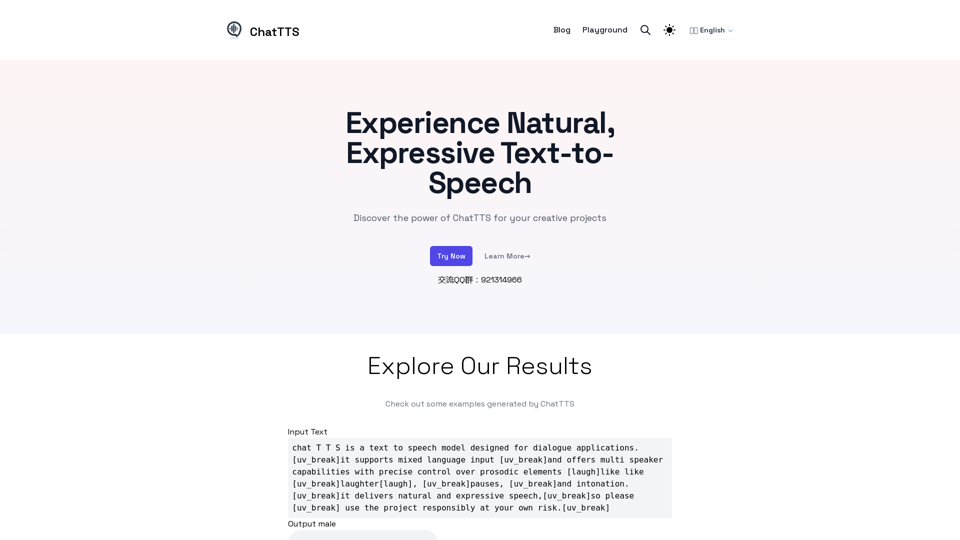
ChatTTS - Natural, Expressive Text-to-Speech

Discover the power of ChatTTS for your creative projects with natural and expressive text-to-speech capabilities.
Visit Website
ChatTTS - Natural, Expressive Text-to-Speech
Visit Website

Introduction

ChatTTS is an advanced text-to-speech model specifically designed for dialogue applications. It supports mixed language input and offers multi-speaker capabilities with precise control over prosodic elements. This innovative tool allows users to generate natural and expressive speech synthesis, making it ideal for various creative and professional applications.

Feature

Conversational TTS

ChatTTS is optimized for dialogue-based tasks, enabling natural and expressive speech synthesis. This feature makes it particularly useful for creating lifelike conversations in applications such as virtual assistants, audiobooks, and interactive media.

Fine-grained Control

Users can predict and control fine-grained prosodic features, including laughter, pauses, and interjections. This level of control allows for highly customized and emotionally nuanced speech output, enhancing the overall quality and realism of the generated audio.

Multilingual Support

ChatTTS supports both English and Chinese languages, making it versatile for various use cases. This feature broadens its applicability across different markets and user bases, catering to a global audience.

Open-source and Customizable

Pretrained models are available for further research and development. This open-source approach encourages innovation and allows developers to adapt ChatTTS to specific needs or integrate it into existing projects.

User-Friendly Interface

The tool offers a Playground section where users can try ChatTTS online. The process is simple:

  1. Input text
  2. Choose preferred settings
  3. Generate and download audio output

Free Trials

ChatTTS offers free trials, allowing users to explore its features and capabilities without any initial investment.

FAQ

Do I need any special hardware to use ChatTTS?

No, ChatTTS is designed for easy online use without any hardware or installation requirements.

What languages does ChatTTS support?

ChatTTS supports both English and Chinese languages.

Can I control the prosody of the generated speech?

Yes, ChatTTS allows fine-grained control over prosodic features such as laughter, pauses, and intonation.

Is ChatTTS suitable for professional use?

While ChatTTS is powerful and versatile, it is primarily designed for non-professionals with creative needs.

How do I get started with ChatTTS?

You can start by visiting the Playground section and trying out the text-to-speech tool online.

Is ChatTTS free to use?

Yes, ChatTTS offers free trials for users to explore its features and capabilities.

Latest Traffic Insights

  • Monthly Visits

    0

  • Bounce Rate

    0.00%

  • Pages Per Visit

    0.00

  • Time on Site(s)

    0.00

  • Global Rank

    12897703

  • Country Rank

    -

Recent Visits

Traffic Sources

  • Social Media:
    0.00%
  • Paid Referrals:
    0.00%
  • Email:
    0.00%
  • Referrals:
    0.00%
  • Search Engines:
    0.00%
  • Direct:
    0.00%
More Data

Related Websites

TabTalk - Audio Summaries for Efficient Browsing
View Detail

TabTalk - Audio Summaries for Efficient Browsing

TabTalk - Audio Summaries for Efficient Browsing

TabTalk: Overwhelmed by clutter? Browse smarter, listen while you work.

193.90 M
Background Remover for Images
View Detail

Background Remover for Images

Background Remover for Images

Automatically and quickly remove image backgrounds, making image backgrounds transparent or changing the backgrounds.

193.90 M
Coursera Summary with ChatGPT and Take Notes
=====================================================

What is Coursera?

Coursera is an online learning platform that partners with top universities and organizations to offer courses and degree programs in a wide range of fields.

What is ChatGPT?

ChatGPT is a conversational AI tool that can understand and respond to human input in a human-like way. It can be used to generate text, answer questions, and even create content.

How to Use ChatGPT for Coursera Summary?

You can use ChatGPT to summarize Coursera courses by:

* Providing the course material or lecture notes to ChatGPT
* Asking ChatGPT to summarize the key points or main ideas
* Reviewing and editing the summary generated by ChatGPT

Benefits of Using ChatGPT for Coursera Summary

Using ChatGPT for Coursera summary can help you:

* Save time by automating the summarization process
* Improve understanding and retention of course material
* Focus on key concepts and ideas
* Enhance learning experience

How to Take Notes with ChatGPT?

You can use ChatGPT to take notes by:

* Providing the course material or lecture notes to ChatGPT
* Asking ChatGPT to generate notes or key points
* Reviewing and editing the notes generated by ChatGPT
* Organizing and structuring the notes for easy reference

Benefits of Using ChatGPT for Taking Notes

Using ChatGPT for taking notes can help you:

* Save time by automating the note-taking process
* Improve organization and structure of notes
* Enhance understanding and retention of course material
* Focus on key concepts and ideas
View Detail

Coursera Summary with ChatGPT and Take Notes ===================================================== What is Coursera? Coursera is an online learning platform that partners with top universities and organizations to offer courses and degree programs in a wide range of fields. What is ChatGPT? ChatGPT is a conversational AI tool that can understand and respond to human input in a human-like way. It can be used to generate text, answer questions, and even create content. How to Use ChatGPT for Coursera Summary? You can use ChatGPT to summarize Coursera courses by: * Providing the course material or lecture notes to ChatGPT * Asking ChatGPT to summarize the key points or main ideas * Reviewing and editing the summary generated by ChatGPT Benefits of Using ChatGPT for Coursera Summary Using ChatGPT for Coursera summary can help you: * Save time by automating the summarization process * Improve understanding and retention of course material * Focus on key concepts and ideas * Enhance learning experience How to Take Notes with ChatGPT? You can use ChatGPT to take notes by: * Providing the course material or lecture notes to ChatGPT * Asking ChatGPT to generate notes or key points * Reviewing and editing the notes generated by ChatGPT * Organizing and structuring the notes for easy reference Benefits of Using ChatGPT for Taking Notes Using ChatGPT for taking notes can help you: * Save time by automating the note-taking process * Improve organization and structure of notes * Enhance understanding and retention of course material * Focus on key concepts and ideas

Coursera Summary with ChatGPT and Take Notes ===================================================== What is Coursera? Coursera is an online learning platform that partners with top universities and organizations to offer courses and degree programs in a wide range of fields. What is ChatGPT? ChatGPT is a conversational AI tool that can understand and respond to human input in a human-like way. It can be used to generate text, answer questions, and even create content. How to Use ChatGPT for Coursera Summary? You can use ChatGPT to summarize Coursera courses by: * Providing the course material or lecture notes to ChatGPT * Asking ChatGPT to summarize the key points or main ideas * Reviewing and editing the summary generated by ChatGPT Benefits of Using ChatGPT for Coursera Summary Using ChatGPT for Coursera summary can help you: * Save time by automating the summarization process * Improve understanding and retention of course material * Focus on key concepts and ideas * Enhance learning experience How to Take Notes with ChatGPT? You can use ChatGPT to take notes by: * Providing the course material or lecture notes to ChatGPT * Asking ChatGPT to generate notes or key points * Reviewing and editing the notes generated by ChatGPT * Organizing and structuring the notes for easy reference Benefits of Using ChatGPT for Taking Notes Using ChatGPT for taking notes can help you: * Save time by automating the note-taking process * Improve organization and structure of notes * Enhance understanding and retention of course material * Focus on key concepts and ideas

Automate Your Learning: Coursera Videos Transcript and Summary with ChatGPT ============================================================ Are you tired of manually taking notes while watching Coursera videos? Do you wish you had a summary of the video to review later? Look no further! With the power of ChatGPT, you can now generate transcripts and summaries of Coursera videos with ease. How it Works --------------- 1. Transcribe the Video: Use a transcription tool to convert the audio from the Coursera video into text. 2. Feed it to ChatGPT: Input the transcript into ChatGPT, and it will generate a concise summary of the video. 3. Review and Refine: Review the summary, refine it as needed, and you're good to go! Benefits ------------ * Save Time: No more manual note-taking or re-watching videos to understand the content. * Improve Retention: A summary of the video helps you retain information better and review it quickly. * Enhance Learning: Focus on understanding the concepts rather than taking notes. Get Started -------------- Try it out today and take your learning to the next level!

193.90 M
Aiapp.gg Web Extension
View Detail

Aiapp.gg Web Extension

Aiapp.gg Web Extension

This plugin, part of aiapp.gg, enhances your online writing.

193.90 M
AI Video API 

This is a general term and could refer to many different things. To give you a helpful answer, I need more context. 

For example, are you interested in:

* APIs that allow you to generate videos using AI?
* APIs that analyze video content using AI?
* APIs that edit or enhance videos using AI?


Please tell me more about what you'd like to know about AI Video APIs.
View Detail

AI Video API This is a general term and could refer to many different things. To give you a helpful answer, I need more context. For example, are you interested in: * APIs that allow you to generate videos using AI? * APIs that analyze video content using AI? * APIs that edit or enhance videos using AI? Please tell me more about what you'd like to know about AI Video APIs.

AI Video API This is a general term and could refer to many different things. To give you a helpful answer, I need more context. For example, are you interested in: * APIs that allow you to generate videos using AI? * APIs that analyze video content using AI? * APIs that edit or enhance videos using AI? Please tell me more about what you'd like to know about AI Video APIs.

All-in-one API Hub for AI Generated Video This is a platform that brings together all the tools you need to create videos using artificial intelligence.

16.01 K
AI Short Video Generator
View Detail

AI Short Video Generator

AI Short Video Generator

Revolutionize video creation with AI Short Video Generator - quick, easy, and tailored for engaging content!

193.90 M
SummGen-Summary for Google/YouTube (ChatGPT) 

This is a summary of the capabilities and potential uses of SummGen, a text summarization model, specifically in the context of Google and YouTube.

* What is SummGen? 

SummGen is a powerful text summarization model developed by Google DeepMind. It excels at condensing large amounts of text into concise and informative summaries.

* How can SummGen be used with Google Search?

Imagine searching Google for a complex topic. SummGen could analyze the top search results and generate a brief, clear summary of the key information, saving you time and effort.

* Applications for YouTube:

* Video Summaries: SummGen could automatically generate summaries of YouTube videos, making it easier for viewers to quickly understand the content.
* Closed Captions:  SummGen could enhance closed captions by providing more accurate and concise summaries of the spoken words.
* Content Discovery: YouTube could use SummGen to create summaries of trending videos, helping users discover new content based on their interests.


* Benefits:

* Efficiency: SummGen saves time by providing concise summaries of large amounts of text.
* Accessibility:  Summaries can make information more accessible to people with visual or cognitive impairments.
* Improved Understanding:  Summaries can help users grasp complex topics more easily. 


SummGen has the potential to revolutionize how we interact with information on Google and YouTube, making it more efficient, accessible, and understandable.
View Detail

SummGen-Summary for Google/YouTube (ChatGPT) This is a summary of the capabilities and potential uses of SummGen, a text summarization model, specifically in the context of Google and YouTube. * What is SummGen? SummGen is a powerful text summarization model developed by Google DeepMind. It excels at condensing large amounts of text into concise and informative summaries. * How can SummGen be used with Google Search? Imagine searching Google for a complex topic. SummGen could analyze the top search results and generate a brief, clear summary of the key information, saving you time and effort. * Applications for YouTube: * Video Summaries: SummGen could automatically generate summaries of YouTube videos, making it easier for viewers to quickly understand the content. * Closed Captions: SummGen could enhance closed captions by providing more accurate and concise summaries of the spoken words. * Content Discovery: YouTube could use SummGen to create summaries of trending videos, helping users discover new content based on their interests. * Benefits: * Efficiency: SummGen saves time by providing concise summaries of large amounts of text. * Accessibility: Summaries can make information more accessible to people with visual or cognitive impairments. * Improved Understanding: Summaries can help users grasp complex topics more easily. SummGen has the potential to revolutionize how we interact with information on Google and YouTube, making it more efficient, accessible, and understandable.

SummGen-Summary for Google/YouTube (ChatGPT) This is a summary of the capabilities and potential uses of SummGen, a text summarization model, specifically in the context of Google and YouTube. * What is SummGen? SummGen is a powerful text summarization model developed by Google DeepMind. It excels at condensing large amounts of text into concise and informative summaries. * How can SummGen be used with Google Search? Imagine searching Google for a complex topic. SummGen could analyze the top search results and generate a brief, clear summary of the key information, saving you time and effort. * Applications for YouTube: * Video Summaries: SummGen could automatically generate summaries of YouTube videos, making it easier for viewers to quickly understand the content. * Closed Captions: SummGen could enhance closed captions by providing more accurate and concise summaries of the spoken words. * Content Discovery: YouTube could use SummGen to create summaries of trending videos, helping users discover new content based on their interests. * Benefits: * Efficiency: SummGen saves time by providing concise summaries of large amounts of text. * Accessibility: Summaries can make information more accessible to people with visual or cognitive impairments. * Improved Understanding: Summaries can help users grasp complex topics more easily. SummGen has the potential to revolutionize how we interact with information on Google and YouTube, making it more efficient, accessible, and understandable.

Display ChatGPT Summaries Alongside Google Search Results and YouTube Videos This feature would allow users to see concise summaries generated by ChatGPT directly integrated with their Google search results and YouTube video pages. Imagine searching for a topic on Google and seeing a ChatGPT-generated summary at the top of the results, providing a quick overview of the key points. Or, watching a YouTube video and having a ChatGPT summary appear below, highlighting the main takeaways. This integration could significantly enhance the user experience by: * Saving time: Quickly grasp the essence of information without having to read through lengthy articles or watch entire videos. * Improving comprehension: ChatGPT summaries can rephrase complex information in a more accessible way. * Encouraging exploration: Summaries can spark curiosity and lead users to explore related content further.

193.90 M
Easy Summaries
View Detail

Easy Summaries

Easy Summaries

Turn reading into a breeze! Summarize anything in less than 10 seconds.

193.90 M