Open-source RightAI Tools Directory
  • Discover AI
  • Submit
  • Startup
  • Blog
Open-source RightAI Tools Directory
Discover the best AI tools of 2025 with the RightAI Tools Directory!

Friend Links

AI Anime GeneratorToolsApp AI

Support

Tap4
Privacy policyTerms & ConditionsContact Us
Loading...
loading...

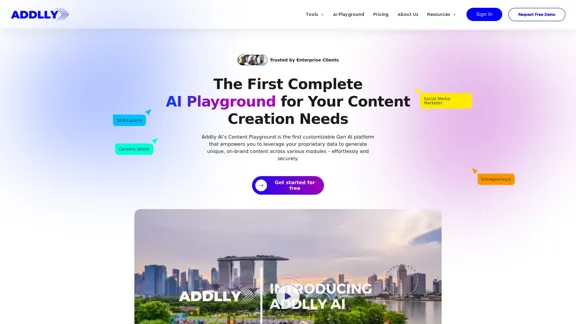
Addlly AI: 1st Complete AI Playground for Content Creation

The best all-in-one, no-prompt Gen AI Playground for enterprises. Generate SEO blogs, social media posts, ad copy, press releases, newsletters & more.
Visit Website
Addlly AI: 1st Complete AI Playground for Content Creation
Visit Website

Introduction

Addlly AI is a comprehensive AI playground for content creation, designed to empower businesses with generative AI capabilities. It offers customizable modules for producing unique, brand-aligned content across various formats. The platform features zero-prompt content creation, access to multiple advanced language models, and ensures complete data security while providing speed and agility at scale.

Feature

Tailor-Made AI Playground

Addlly AI provides a customizable environment with pre-made content modules, allowing businesses to create content that aligns with their specific needs and brand identity.

Zero Prompt Content Creation

Users can generate high-quality content with minimal input, eliminating the need for complex prompt engineering.

Brand Focused Content Creation

The platform leverages AI to understand and amplify brand narratives, ensuring consistent and on-brand content across all modules.

Future-Proof with Multiple LLMs

Addlly AI offers access to multiple cutting-edge AI language models, keeping users at the forefront of AI technology advancements.

Speed and Agility at Scale

The platform enables rapid content creation, analysis, and optimization, all within a single interface, significantly improving efficiency and productivity.

Complete Data Security

Addlly AI implements ironclad security measures to protect user data and integrates proprietary information securely.

Versatile Content Modules

The platform offers various specialized tools:

  • SEO Blog Co-Pilot for in-depth, SEO-friendly blogs
  • 1-Click Blog Writer for quick content generation
  • E-Commerce Blog Writer for product-related content
  • Press Release Quick Draft for timely announcements

FAQ

How is Addlly different from ChatGPT?

Addlly is specifically designed for automated and scalable marketing content generation, producing SEO-optimized assets like blog posts and social media content. ChatGPT focuses more on conversational abilities and lacks specialized marketing and SEO features.

Who owns the generated content?

Users fully own and control all content generated by Addlly, with full rights to use, modify and publish as needed for their business.

What languages does Addlly support?

Addlly currently supports English, Mandarin, Indonesian, and Thai, with plans to expand language options over time.

Can Addlly write long articles?

Yes, Addlly can generate long-form content. The 1-Click Blog Writer produces around 1,000 words per article, while the SEO Blog Copilot can average around 3,000 words for more in-depth topics.

Is Addlly's AI-generated content compliant with Google Search guidelines?

Yes, Addlly's AI system is designed to generate content that adheres to Google's webmaster guidelines, incorporating SEO best practices and focusing on producing high-quality, informative content.

Related Websites
EasyGen - Chrome Web Store
View Detail

EasyGen - Chrome Web Store

EasyGen - Chrome Web Store

EasyGen is a powerful and user-friendly text generation tool that leverages advanced language models to create high-quality content across various domains. It offers a seamless interface for users to input prompts and generate coherent, contextually relevant text for a wide range of applications, including creative writing, content marketing, and academic research. Key features of EasyGen include: 1. Multiple language model options 2. Customizable generation parameters 3. Fine-tuning capabilities for specific use cases 4. Integration with popular writing and productivity tools 5. Real-time collaboration features EasyGen aims to streamline the content creation process, helping users save time and effort while maintaining high standards of quality and creativity. Whether you're a professional writer, marketer, or researcher, EasyGen provides the tools and flexibility needed to enhance your productivity and unlock new possibilities in text generation.

193.90 M
Ripper Web Content | Capture Metadata Content
View Detail

Ripper Web Content | Capture Metadata Content

Ripper Web Content | Capture Metadata Content

Extension that analyzes and extracts metadata from content found on the web.

193.90 M
ChatGPT + Google, Bing, Yahoo
View Detail

ChatGPT + Google, Bing, Yahoo

ChatGPT + Google, Bing, Yahoo

Combine the power of OpenAI's ChatGPT with major search engines.

193.90 M
PromptsGenii - AI Image Prompt Generator
View Detail

PromptsGenii - AI Image Prompt Generator

PromptsGenii - AI Image Prompt Generator

Let's Get Creative! πŸŽ¨πŸ§ πŸ’¬ Imagine this: * A bustling cityscape at night, bathed in neon lights. πŸŒƒβœ¨ * A majestic dragon soaring through a storm-ridden sky. πŸ‰β›ˆοΈ * A whimsical forest filled with talking animals and glowing mushrooms. πŸ„πŸΏοΈ Now, let's bring these visions to life using: * Powerful AI image generation models like DALL-E 2 or Midjourney. πŸ€–πŸ–ΌοΈ * Community-generated prompts from platforms like Reddit or GitHub. πŸ—£οΈπŸ’‘ Here are some examples to spark your imagination: * "A cyberpunk cityscape with flying cars and holographic advertisements, rendered in the style of Blade Runner." πŸŒƒπŸš— * "A majestic dragon with emerald scales and sapphire eyes, perched atop a mountain peak, surrounded by swirling clouds." πŸ‰β›°οΈ * "A whimsical forest clearing with glowing mushrooms, a babbling brook, and a friendly talking squirrel." πŸ„πŸΏοΈ Let's collaborate and explore the endless possibilities of AI-powered creativity! πŸš€βœ¨

193.90 M
Audeo AI: Audio Stem Splitter & Audio Enhancer
View Detail

Audeo AI: Audio Stem Splitter & Audio Enhancer

Audeo AI: Audio Stem Splitter & Audio Enhancer

Easily record, separate stems, isolate vocals, improve audio quality, and download audio directly from your web browser.

193.90 M
Eskritor AI Writer: Intelligent AI Content Creator
View Detail

Eskritor AI Writer: Intelligent AI Content Creator

Eskritor AI Writer: Intelligent AI Content Creator

Write 5x faster with Eskritor AI Writer's 20+ content tools. Start creating perfectly tailored content today - from articles to social posts. Try it free!

100.32 K
Claude to Notion

This is a guide on how to connect Claude, an AI assistant, with Notion, a note-taking and workspace app. 

Why connect Claude and Notion?

* Boost your productivity: Use Claude to generate content, summarize information, and automate tasks directly within Notion.
* Enhance your research: Ask Claude questions about your Notion notes and get insightful answers.
* Unlock new creative possibilities: Leverage Claude's generative capabilities to brainstorm ideas, write stories, or compose emails within your Notion workspace.

How to connect Claude and Notion:

1. API Keys: Obtain an API key for both Claude and Notion. 
2. Integration Tool: Explore integration tools like Zapier or Integromat to connect Claude and Notion. These platforms allow you to create workflows that trigger actions in one app based on events in the other.
3. Custom Development: For advanced users, you can develop your own custom integration using the Claude and Notion APIs. This gives you the most flexibility but requires coding knowledge.

Example Use Cases:

* Meeting Summarization: After a meeting, paste the transcript into Notion and use Claude to generate a concise summary.
* Content Creation:  Use Claude to write blog posts, articles, or social media captions directly within your Notion pages.
* Idea Generation: Brainstorm new ideas for projects or tasks by prompting Claude with specific questions within your Notion workspace.


Remember to review the documentation and terms of service for both Claude and Notion to ensure proper usage and security.
View Detail

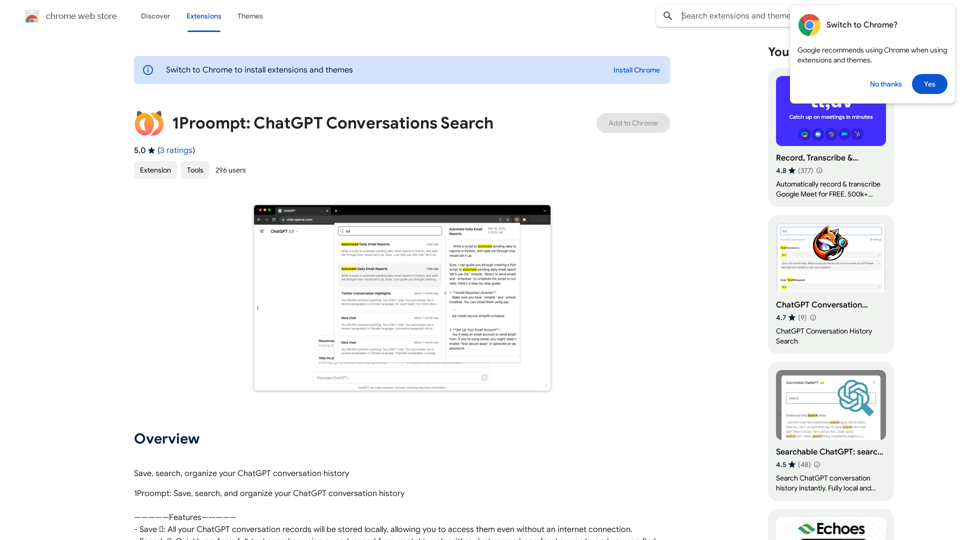
Claude to Notion This is a guide on how to connect Claude, an AI assistant, with Notion, a note-taking and workspace app. Why connect Claude and Notion? * Boost your productivity: Use Claude to generate content, summarize information, and automate tasks directly within Notion. * Enhance your research: Ask Claude questions about your Notion notes and get insightful answers. * Unlock new creative possibilities: Leverage Claude's generative capabilities to brainstorm ideas, write stories, or compose emails within your Notion workspace. How to connect Claude and Notion: 1. API Keys: Obtain an API key for both Claude and Notion. 2. Integration Tool: Explore integration tools like Zapier or Integromat to connect Claude and Notion. These platforms allow you to create workflows that trigger actions in one app based on events in the other. 3. Custom Development: For advanced users, you can develop your own custom integration using the Claude and Notion APIs. This gives you the most flexibility but requires coding knowledge. Example Use Cases: * Meeting Summarization: After a meeting, paste the transcript into Notion and use Claude to generate a concise summary. * Content Creation: Use Claude to write blog posts, articles, or social media captions directly within your Notion pages. * Idea Generation: Brainstorm new ideas for projects or tasks by prompting Claude with specific questions within your Notion workspace. Remember to review the documentation and terms of service for both Claude and Notion to ensure proper usage and security.

Claude to Notion This is a guide on how to connect Claude, an AI assistant, with Notion, a note-taking and workspace app. Why connect Claude and Notion? * Boost your productivity: Use Claude to generate content, summarize information, and automate tasks directly within Notion. * Enhance your research: Ask Claude questions about your Notion notes and get insightful answers. * Unlock new creative possibilities: Leverage Claude's generative capabilities to brainstorm ideas, write stories, or compose emails within your Notion workspace. How to connect Claude and Notion: 1. API Keys: Obtain an API key for both Claude and Notion. 2. Integration Tool: Explore integration tools like Zapier or Integromat to connect Claude and Notion. These platforms allow you to create workflows that trigger actions in one app based on events in the other. 3. Custom Development: For advanced users, you can develop your own custom integration using the Claude and Notion APIs. This gives you the most flexibility but requires coding knowledge. Example Use Cases: * Meeting Summarization: After a meeting, paste the transcript into Notion and use Claude to generate a concise summary. * Content Creation: Use Claude to write blog posts, articles, or social media captions directly within your Notion pages. * Idea Generation: Brainstorm new ideas for projects or tasks by prompting Claude with specific questions within your Notion workspace. Remember to review the documentation and terms of service for both Claude and Notion to ensure proper usage and security.

Save Claude conversations to Notion with one click. Export Claude conversations.

193.90 M
Token Counter for ChatGPT 

This tool helps you count the number of tokens in your text input.

How to Use:

1. Paste your text into the input box.
2. Click the "Count Tokens" button.
3. The number of tokens will be displayed below the input box.

What is a Token?

A token is the basic unit of text that ChatGPT processes. 

It can be a word, part of a word, or a punctuation mark.


Example:

Input Text: Hello, world!

Token Count: 4
View Detail

Token Counter for ChatGPT This tool helps you count the number of tokens in your text input. How to Use: 1. Paste your text into the input box. 2. Click the "Count Tokens" button. 3. The number of tokens will be displayed below the input box. What is a Token? A token is the basic unit of text that ChatGPT processes. It can be a word, part of a word, or a punctuation mark. Example: Input Text: Hello, world! Token Count: 4

Token Counter for ChatGPT This tool helps you count the number of tokens in your text input. How to Use: 1. Paste your text into the input box. 2. Click the "Count Tokens" button. 3. The number of tokens will be displayed below the input box. What is a Token? A token is the basic unit of text that ChatGPT processes. It can be a word, part of a word, or a punctuation mark. Example: Input Text: Hello, world! Token Count: 4

110

193.90 M