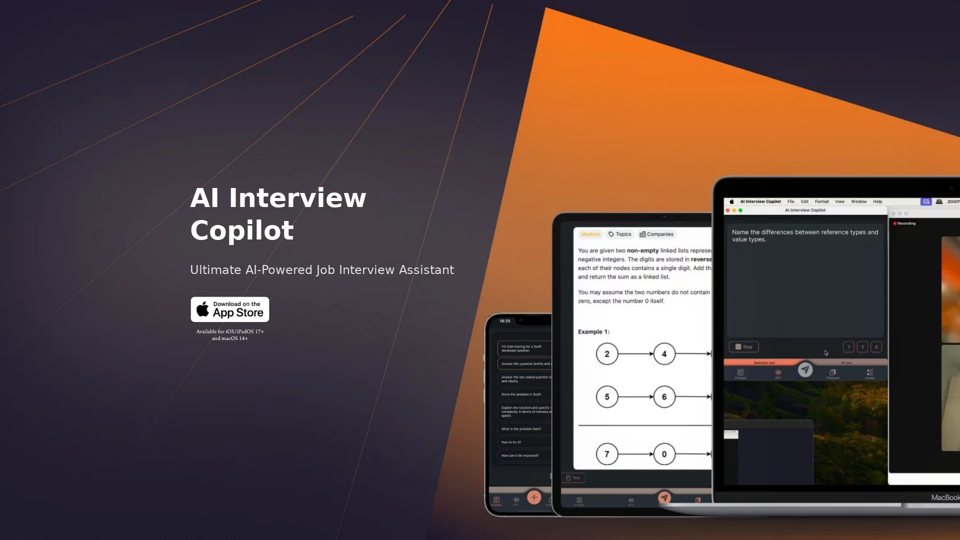
AI Interview Copilot is an advanced AI-powered job interview assistant designed to help candidates excel in coding interviews. This innovative tool offers real-time voice transcription, image recognition, and accurate answer generation using GPT-4o technology. Supporting 57 languages and available on iOS, iPadOS, and macOS platforms, AI Interview Copilot provides a comprehensive solution for interview preparation and performance.
AI Interview Copilot: Cracking the Coding Interview for Real
An application designed to generate real-time answers to job interview questions, solve algorithmic problems, assist with live coding, and offer advice
Introduction
Feature
Voice Transcription and Language Support
AI Interview Copilot offers real-time text transcription of interviews, supporting 57 languages. This feature allows users to review their responses and use the app in their native language, regardless of location.
Image and Screenshot Recognition
Users can save screenshots to the clipboard and send requests for AI-generated answers to visual tasks, enhancing the ability to tackle complex interview questions.
Intuitive User Interface
The app features simple and intuitive controls, eliminating the need for text input and allowing users to focus on the interview content.
AI-Powered Answer Generation
During interviews, AI Interview Copilot generates accurate answers using advanced GPT-4o technology, providing high-quality responses to interview questions.
One-Click Question Sending
Users can seamlessly switch between prompts with a single click or tap, streamlining the interview process and reducing cognitive load.
Algorithm Problem Solver
For technical roles, the tool includes an algorithm problem solver that generates code snippets in real-time, assisting users with complex technical interview questions.
Cross-Platform Availability
AI Interview Copilot is available for iOS/iPadOS 17+ and macOS 14+, ensuring compatibility across multiple Apple devices.
FAQ
How does AI Interview Copilot work?
AI Interview Copilot utilizes advanced GPT-4o technology to generate answers and provide a seamless interview experience. It combines voice transcription, image recognition, and AI-powered response generation to assist users throughout the interview process.
Is AI Interview Copilot available for free?
Yes, users can try AI Interview Copilot for free to experience the benefits of this AI-powered job interview assistant. However, specific pricing information for premium features or extended use is not provided in the given content.
What devices support AI Interview Copilot?
AI Interview Copilot is available for devices running iOS/iPadOS 17+ and macOS 14+, making it accessible on a range of Apple devices including iPhones, iPads, and Mac computers.
Related Websites
AI Anime Generator is a free AI tool for creating anime characters and scenes. Simply input a description and allow the AI to produce your anime image.
0
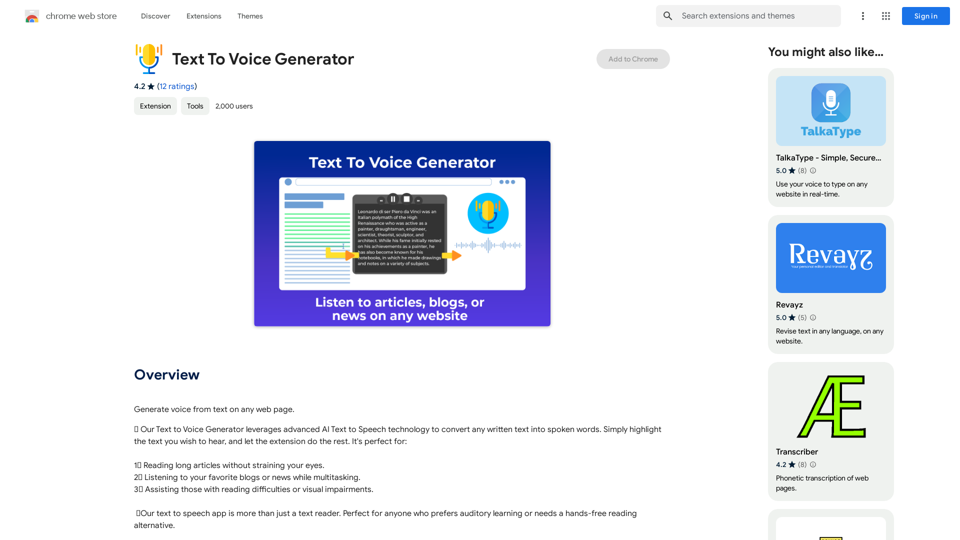
Text to Voice Generator ========================== A text-to-voice generator, also known as a text-to-speech (TTS) system, is a software that converts written text into a spoken voice output. This technology has been widely used in various applications, including virtual assistants, audiobooks, and language learning platforms. How it Works --------------- The process of generating voice from text involves several steps: 1. Text Analysis: The input text is analyzed to identify the language, syntax, and semantics. 2. Phonetic Transcription: The text is converted into a phonetic transcription, which represents the sounds of the spoken language. 3. Prosody Generation: The phonetic transcription is then used to generate the prosody, or rhythm and intonation, of the spoken voice. 4. Waveform Generation: The prosody and phonetic transcription are combined to generate the audio waveform, which is the final spoken voice output. Types of Text-to-Voice Generators ----------------------------------- There are two main types of text-to-voice generators: Rule-Based Systems These systems use a set of predefined rules to generate the spoken voice output. They are often limited in their ability to produce natural-sounding voices and may sound robotic. Machine Learning-Based Systems These systems use machine learning algorithms to learn from large datasets of spoken voices and generate more natural-sounding voices. They are often more advanced and can produce high-quality voice outputs. Applications of Text-to-Voice Generators ----------------------------------------- Text-to-voice generators have a wide range of applications, including: Virtual Assistants Virtual assistants, such as Siri and Alexa, use text-to-voice generators to respond to user queries. Audiobooks Text-to-voice generators can be used to create audiobooks from written texts, making it easier for people to access written content. Language Learning Language learning platforms use text-to-voice generators to provide pronunciation guidance and practice exercises for learners. Accessibility Text-to-voice generators can be used to assist people with disabilities, such as visual impairments, by providing an auditory interface to written content.
Text to Voice Generator ========================== A text-to-voice generator, also known as a text-to-speech (TTS) system, is a software that converts written text into a spoken voice output. This technology has been widely used in various applications, including virtual assistants, audiobooks, and language learning platforms. How it Works --------------- The process of generating voice from text involves several steps: 1. Text Analysis: The input text is analyzed to identify the language, syntax, and semantics. 2. Phonetic Transcription: The text is converted into a phonetic transcription, which represents the sounds of the spoken language. 3. Prosody Generation: The phonetic transcription is then used to generate the prosody, or rhythm and intonation, of the spoken voice. 4. Waveform Generation: The prosody and phonetic transcription are combined to generate the audio waveform, which is the final spoken voice output. Types of Text-to-Voice Generators ----------------------------------- There are two main types of text-to-voice generators: Rule-Based Systems These systems use a set of predefined rules to generate the spoken voice output. They are often limited in their ability to produce natural-sounding voices and may sound robotic. Machine Learning-Based Systems These systems use machine learning algorithms to learn from large datasets of spoken voices and generate more natural-sounding voices. They are often more advanced and can produce high-quality voice outputs. Applications of Text-to-Voice Generators ----------------------------------------- Text-to-voice generators have a wide range of applications, including: Virtual Assistants Virtual assistants, such as Siri and Alexa, use text-to-voice generators to respond to user queries. Audiobooks Text-to-voice generators can be used to create audiobooks from written texts, making it easier for people to access written content. Language Learning Language learning platforms use text-to-voice generators to provide pronunciation guidance and practice exercises for learners. Accessibility Text-to-voice generators can be used to assist people with disabilities, such as visual impairments, by providing an auditory interface to written content.Generate Voice from Text on Any Web Page With the advancement of technology, it is now possible to generate voice from text on any web page. This feature is particularly useful for people who prefer listening to content rather than reading it. Here's how you can do it: #Method 1: Using Browser Extension You can use a browser extension like Read Aloud or SpeakIt! to generate voice from text on any web page. These extensions are available for both Google Chrome and Mozilla Firefox browsers. #Method 2: Using Online Tools There are several online tools available that can convert text to speech. Some popular tools include NaturalReader, Voice Dream Reader, and Google Text-to-Speech. You can copy and paste the text from any web page into these tools to generate voice. #Method 3: Using Screen Reader If you are using a Windows operating system, you can use the built-in Narrator screen reader to generate voice from text on any web page. For Mac users, you can use VoiceOver. By using any of these methods, you can easily generate voice from text on any web page and enjoy a more convenient and accessible reading experience.
193.90 M
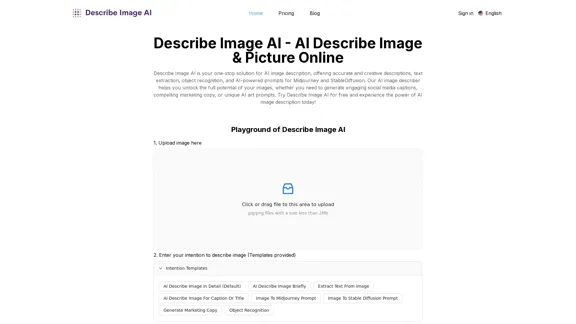
AI Describe Image & Picture Online, Free Trial This title describes an online service that uses artificial intelligence to analyze and describe images or pictures. The service offers a free trial period for users to test its capabilities. The AI technology can likely generate text descriptions of the visual content in uploaded images, helping users understand or categorize their pictures automatically.
AI Describe Image & Picture Online, Free Trial This title describes an online service that uses artificial intelligence to analyze and describe images or pictures. The service offers a free trial period for users to test its capabilities. The AI technology can likely generate text descriptions of the visual content in uploaded images, helping users understand or categorize their pictures automatically.Describe Image AI: Accurately describe images online using AI. Our image describer generates image descriptions, AI picture descriptions, text extraction, social media captions, and prompts for Midjourney & StableDiffusion. Free Trial!
5.16 K
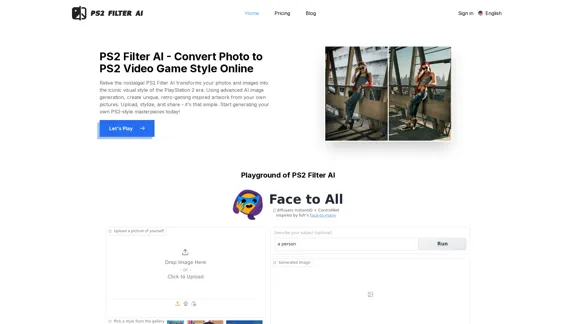
PS2 Filter AI - Convert Photo to PS2 Video Game Style Online With AI, Free Trial
PS2 Filter AI - Convert Photo to PS2 Video Game Style Online With AI, Free TrialPS2 Filter AI transforms your photos into iconic PlayStation 2 style graphics. 🎮
7
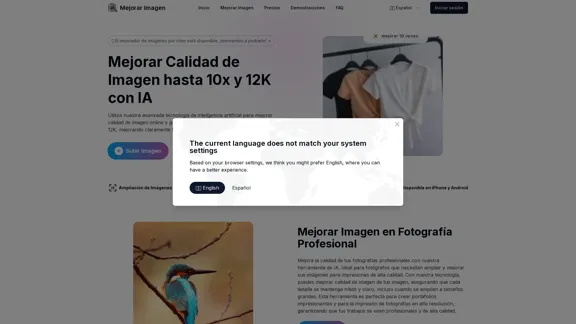
Enhance Image Quality up to 10x and 12K with AI | Improve Image
Enhance Image Quality up to 10x and 12K with AI | Improve ImageHere is the English translation: With AI, enlarge images up to 10 times and 12K resolution in seconds, to improve image quality and make your images sharper and more realistic | Enhance Image
29.48 K
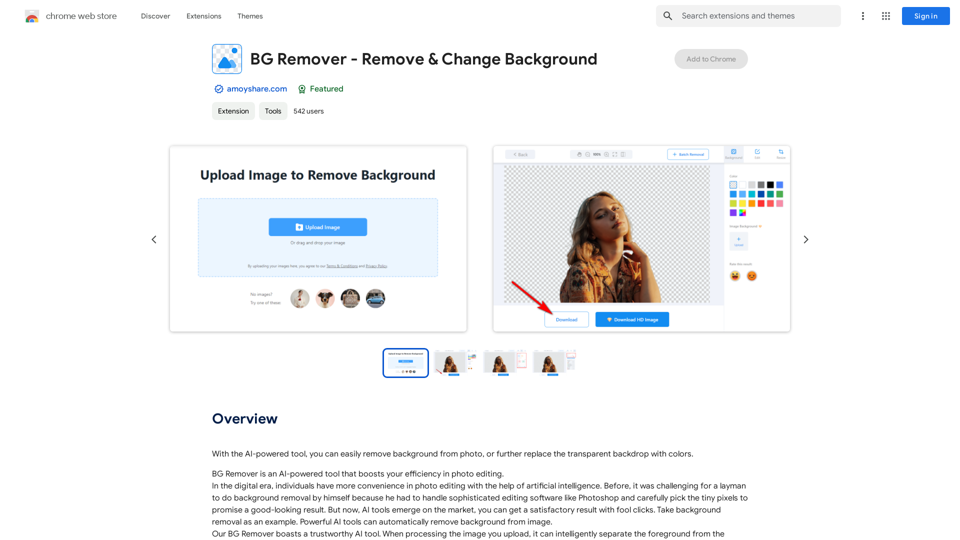
With the AI-powered tool, you can easily remove the background from a photo, or further replace the transparent backdrop with colors.
193.90 M