Open-source RightAI Tools Directory
  • Discover AI
  • Submit
  • Startup
  • Blog
Open-source RightAI Tools Directory
Discover the best AI tools of 2025 with the RightAI Tools Directory!

Friend Links

AI Anime GeneratorToolsApp AI

Support

Tap4
Privacy policyTerms & ConditionsContact Us
Loading...
loading...

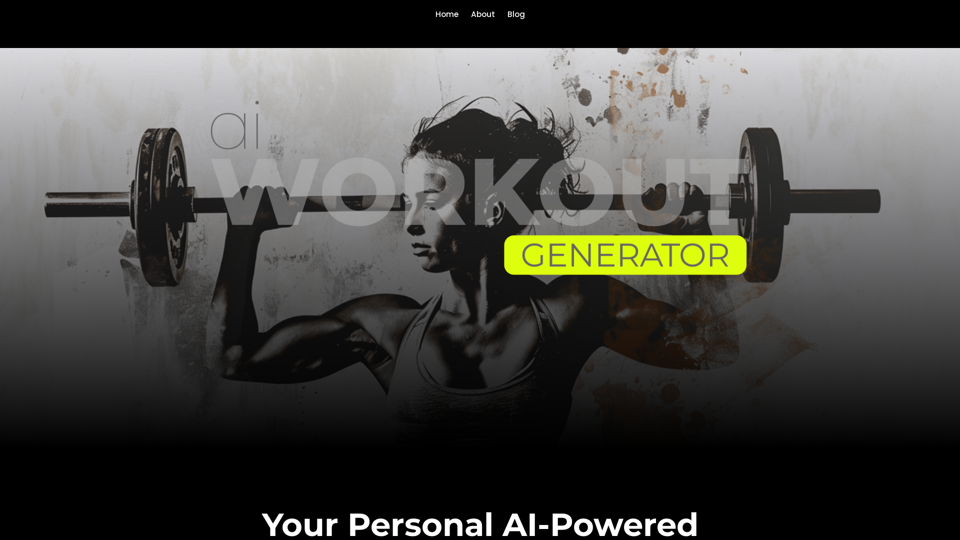
Ai Workout Generator ===================== What is an AI Workout Generator? An AI workout generator is a tool that uses artificial intelligence to create personalized workout plans tailored to an individual's fitness goals, fitness level, and preferences. How does it work? The AI workout generator uses machine learning algorithms to analyze a user's input data, such as their fitness goals, fitness level, and exercise preferences. It then generates a customized workout plan that includes a series of exercises, sets, reps, and weights tailored to the user's specific needs. Benefits of using an AI Workout Generator * Personalized workouts: The AI workout generator creates a workout plan that is tailored to the user's specific fitness goals and fitness level. * Time-saving: The AI workout generator saves time by eliminating the need to research and create a workout plan from scratch. * Increased motivation: The AI workout generator provides a sense of accountability and motivation, as users are more likely to stick to a workout plan that is tailored to their specific needs. * Improved results: The AI workout generator helps users achieve their fitness goals faster and more efficiently, as the workout plan is optimized for their specific needs. How to use an AI Workout Generator 1. Input your data: Enter your fitness goals, fitness level, and exercise preferences into the AI workout generator. 2. Select your workout type: Choose the type of workout you want to do, such as strength training, cardio, or yoga. 3. Generate your workout plan: The AI workout generator will create a customized workout plan tailored to your specific needs. 4. Start your workout: Follow the workout plan and track your progress. Conclusion An AI workout generator is a powerful tool that can help individuals achieve their fitness goals faster and more efficiently. By providing personalized workout plans, the AI workout generator saves time, increases motivation, and improves results. Whether you're a beginner or an experienced athlete, an AI workout generator can help you take your fitness to the next level.

AI generated workouts reviewed and Approved by American College of Sports Medicine certified Personal Trainers.
Visit Website
Ai Workout Generator
=====================

What is an AI Workout Generator?

An AI workout generator is a tool that uses artificial intelligence to create personalized workout plans tailored to an individual's fitness goals, fitness level, and preferences.

How does it work?

The AI workout generator uses machine learning algorithms to analyze a user's input data, such as their fitness goals, fitness level, and exercise preferences. It then generates a customized workout plan that includes a series of exercises, sets, reps, and weights tailored to the user's specific needs.

Benefits of using an AI Workout Generator

* Personalized workouts: The AI workout generator creates a workout plan that is tailored to the user's specific fitness goals and fitness level.
* Time-saving: The AI workout generator saves time by eliminating the need to research and create a workout plan from scratch.
* Increased motivation: The AI workout generator provides a sense of accountability and motivation, as users are more likely to stick to a workout plan that is tailored to their specific needs.
* Improved results: The AI workout generator helps users achieve their fitness goals faster and more efficiently, as the workout plan is optimized for their specific needs.

How to use an AI Workout Generator

1. Input your data: Enter your fitness goals, fitness level, and exercise preferences into the AI workout generator.
2. Select your workout type: Choose the type of workout you want to do, such as strength training, cardio, or yoga.
3. Generate your workout plan: The AI workout generator will create a customized workout plan tailored to your specific needs.
4. Start your workout: Follow the workout plan and track your progress.

Conclusion

An AI workout generator is a powerful tool that can help individuals achieve their fitness goals faster and more efficiently. By providing personalized workout plans, the AI workout generator saves time, increases motivation, and improves results. Whether you're a beginner or an experienced athlete, an AI workout generator can help you take your fitness to the next level.
Visit Website

Introduction

AI Workout Generator is an innovative fitness platform that combines artificial intelligence with human expertise to create personalized workout plans. It offers tailored 6-week programs designed to meet individual fitness goals and preferences, all within just 3 minutes. The service integrates AI-generated workouts with oversight from certified personal trainers, ensuring effective and safe fitness journeys for users of all levels.

Feature

Personalized Workout Plans

AI Workout Generator crafts customized 6-week programs instantly, tailored to your specific fitness profile, goals, and preferences.

AI-Generated Workouts

Advanced AI algorithms create unique workout routines based on user input, ensuring variety and effectiveness in each plan.

Human Oversight

Certified Personal Trainers review and edit each AI-generated plan, adding a layer of expertise and safety to the program.

Community Support

Users can join a growing community of fitness enthusiasts, fostering motivation and shared experiences.

Flexible Journey Options

Four journey options are available: Trailhead, Trailblazer, Seeker, and Peakmaster, catering to different needs and preferences.

Trainer Consultation

Depending on the chosen plan, users can have Zoom calls with certified trainers to fine-tune their workout details.

Comprehensive Packages

Higher-tier plans include additional features such as nutrition programs and one-on-one training sessions.

Easy Program Delivery

Tailored programs are emailed in PDF format, along with access to a personal Journey Dashboard.

FAQ

Is AI Workout Generator suitable for beginners?

Yes, the platform is designed to accommodate all fitness levels, including beginners. The personalized approach ensures that each program is appropriate for the user's current fitness level.

Can I cancel my subscription?

Yes, users have the flexibility to cancel their subscription at any time, providing freedom and control over their fitness journey.

Will my information be used for training data?

No, AI Workout Generator prioritizes user privacy. Your personal information and data will not be used for any training purposes or shared with third parties.

Can I get a refund?

Yes, AI Workout Generator offers a 30-day money-back guarantee, allowing users to try the service risk-free.

What are the pricing options?

AI Workout Generator offers four pricing tiers:

PlanPriceFeatures
Trailhead$30AI-Generated 6-Week personalized fitness program
Trailblazer$97Trailhead features + 10-minute Zoom call with a Certified Trainer
Seeker$127Trailblazer features + Comprehensive nutrition program
Peakmaster$197Seeker features + 45-minute 1-on-1 training session with Certified Personal Trainer

Who are the trainers at AI Workout Generator?

AI Workout Generator has a team of expert trainers, each with their own specialty:

  • Coach Justin: Functional Training Specialist
  • Coach Ava: Cardio & HIIT Specialist
  • Coach John: Strength, Conditioning, & Nutrition Expert

How can I contact AI Workout Generator for support?

For any questions or concerns, you can email the support team at [email protected].

Latest Traffic Insights

  • Monthly Visits

    3.30 K

  • Bounce Rate

    36.68%

  • Pages Per Visit

    1.72

  • Time on Site(s)

    49.63

  • Global Rank

    4966081

  • Country Rank

    United States 1911233

Recent Visits

Traffic Sources

  • Social Media:
    11.25%
  • Paid Referrals:
    1.43%
  • Email:
    0.08%
  • Referrals:
    6.31%
  • Search Engines:
    41.04%
  • Direct:
    39.90%
More Data

Related Websites

AI Baby Generator: FutureBaby on the App Store
View Detail

AI Baby Generator: FutureBaby on the App Store

AI Baby Generator: FutureBaby on the App Store

Introducing the FutureBaby: AI Baby Generator app, an innovative tool that predicts the potential appearance of your future child by analyzing the facial features of you and your partner.

124.77 M
Komiko | Create Comics and Webtoons with AI
View Detail

Komiko | Create Comics and Webtoons with AI

Komiko | Create Comics and Webtoons with AI

Bring your stories to life with AI. Create captivating comics, webtoon, and visual stories. Design original characters and dive into limitless story worlds.

743.50 K
Launch Your App in Days, Not Weeks | ShipAppFast
View Detail

Launch Your App in Days, Not Weeks | ShipAppFast

Launch Your App in Days, Not Weeks | ShipAppFast

The Swift boilerplate with all the necessary elements to bring your product to customers. From concept to production in just 5 minutes.

0
Batch Save ChatGPT to Notion

This is a guide on how to save multiple ChatGPT responses to Notion in a batch. 

Tools You'll Need:

* ChatGPT: An AI chatbot that can generate text.
* Notion: A note-taking and project management tool.
* Python: A programming language.
* Requests Library: A Python library for making HTTP requests.

Steps:

1. Get Your Notion API Token:
   - Go to your Notion workspace settings.
   - Navigate to the "Integrations" tab.
   - Click "Create new integration" and choose "API Token".
   - Copy your API token.

2. Install Python Libraries:
   - Open your terminal or command prompt.
   - Type `pip install requests` and press Enter.

3. Write Python Script:
   - Create a new Python file (e.g., `save_chatgpt_to_notion.py`).
   - Paste the following code into the file, replacing `YOUR_NOTION_API_TOKEN` with your actual token:

```python
import requests

def save_chatgpt_response_to_notion(response, page_id, token):
  """Saves a ChatGPT response to a Notion page."""
  url = f"https://api.notion.com/v1/pages/{page_id}/children"
  headers = {"Authorization": f"Bearer {token}"}
  data = {
    "parent": {
      "page_id": page_id
    },
    "properties": {
      "title": {
        "title": [
          {
            "text": {
              "content": "ChatGPT Response"
            }
          }
        ]
      },
      "content": {
        "rich_text": [
          {
            "text": {
              "content": response
            }
          }
        ]
      }
    }
  }
  response = requests.post(url, headers=headers, json=data)
  print(response.status_code)

Example usage
page_id = "YOUR_NOTION_PAGE_ID"
token = "YOUR_NOTION_API_TOKEN"

Get ChatGPT responses (replace with your actual ChatGPT interaction)
chatgpt_responses = [
  "This is the first ChatGPT response.",
  "This is the second ChatGPT response.",
  "This is the third ChatGPT response."
]

Save each response to Notion
for response in chatgpt_responses:
  save_chatgpt_response_to_notion(response, page_id, token)
```

4. Run the Script:
   - In your terminal, navigate to the directory where you saved the Python file.
   - Type `python save_chatgpt_to_notion.py` and press Enter.

5. Check Notion:
   - Open your Notion workspace and go to the page specified by `page_id`.
   - You should see your ChatGPT responses saved as separate blocks.
View Detail

Batch Save ChatGPT to Notion This is a guide on how to save multiple ChatGPT responses to Notion in a batch. Tools You'll Need: * ChatGPT: An AI chatbot that can generate text. * Notion: A note-taking and project management tool. * Python: A programming language. * Requests Library: A Python library for making HTTP requests. Steps: 1. Get Your Notion API Token: - Go to your Notion workspace settings. - Navigate to the "Integrations" tab. - Click "Create new integration" and choose "API Token". - Copy your API token. 2. Install Python Libraries: - Open your terminal or command prompt. - Type `pip install requests` and press Enter. 3. Write Python Script: - Create a new Python file (e.g., `save_chatgpt_to_notion.py`). - Paste the following code into the file, replacing `YOUR_NOTION_API_TOKEN` with your actual token: ```python import requests def save_chatgpt_response_to_notion(response, page_id, token): """Saves a ChatGPT response to a Notion page.""" url = f"https://api.notion.com/v1/pages/{page_id}/children" headers = {"Authorization": f"Bearer {token}"} data = { "parent": { "page_id": page_id }, "properties": { "title": { "title": [ { "text": { "content": "ChatGPT Response" } } ] }, "content": { "rich_text": [ { "text": { "content": response } } ] } } } response = requests.post(url, headers=headers, json=data) print(response.status_code) Example usage page_id = "YOUR_NOTION_PAGE_ID" token = "YOUR_NOTION_API_TOKEN" Get ChatGPT responses (replace with your actual ChatGPT interaction) chatgpt_responses = [ "This is the first ChatGPT response.", "This is the second ChatGPT response.", "This is the third ChatGPT response." ] Save each response to Notion for response in chatgpt_responses: save_chatgpt_response_to_notion(response, page_id, token) ``` 4. Run the Script: - In your terminal, navigate to the directory where you saved the Python file. - Type `python save_chatgpt_to_notion.py` and press Enter. 5. Check Notion: - Open your Notion workspace and go to the page specified by `page_id`. - You should see your ChatGPT responses saved as separate blocks.

Batch Save ChatGPT to Notion This is a guide on how to save multiple ChatGPT responses to Notion in a batch. Tools You'll Need: * ChatGPT: An AI chatbot that can generate text. * Notion: A note-taking and project management tool. * Python: A programming language. * Requests Library: A Python library for making HTTP requests. Steps: 1. Get Your Notion API Token: - Go to your Notion workspace settings. - Navigate to the "Integrations" tab. - Click "Create new integration" and choose "API Token". - Copy your API token. 2. Install Python Libraries: - Open your terminal or command prompt. - Type `pip install requests` and press Enter. 3. Write Python Script: - Create a new Python file (e.g., `save_chatgpt_to_notion.py`). - Paste the following code into the file, replacing `YOUR_NOTION_API_TOKEN` with your actual token: ```python import requests def save_chatgpt_response_to_notion(response, page_id, token): """Saves a ChatGPT response to a Notion page.""" url = f"https://api.notion.com/v1/pages/{page_id}/children" headers = {"Authorization": f"Bearer {token}"} data = { "parent": { "page_id": page_id }, "properties": { "title": { "title": [ { "text": { "content": "ChatGPT Response" } } ] }, "content": { "rich_text": [ { "text": { "content": response } } ] } } } response = requests.post(url, headers=headers, json=data) print(response.status_code) Example usage page_id = "YOUR_NOTION_PAGE_ID" token = "YOUR_NOTION_API_TOKEN" Get ChatGPT responses (replace with your actual ChatGPT interaction) chatgpt_responses = [ "This is the first ChatGPT response.", "This is the second ChatGPT response.", "This is the third ChatGPT response." ] Save each response to Notion for response in chatgpt_responses: save_chatgpt_response_to_notion(response, page_id, token) ``` 4. Run the Script: - In your terminal, navigate to the directory where you saved the Python file. - Type `python save_chatgpt_to_notion.py` and press Enter. 5. Check Notion: - Open your Notion workspace and go to the page specified by `page_id`. - You should see your ChatGPT responses saved as separate blocks.

Save ChatGPT Conversations to Notion with One Click Export your ChatGPT conversations directly to Notion with a single click.

193.90 M
Midjourney
View Detail

Midjourney

Midjourney

An independent research laboratory investigating novel modes of thinking and enhancing the creative capabilities of humanity.

17.37 M
Live captions with translation (ChatGPT)
View Detail

Live captions with translation (ChatGPT)

Live captions with translation (ChatGPT)

Live audio/video streaming with subtitles and translation, Live captions powered by ChatGPT

193.90 M
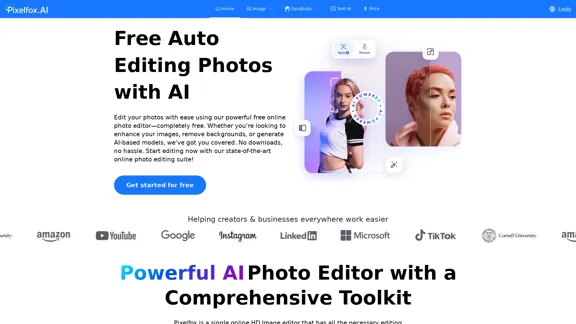
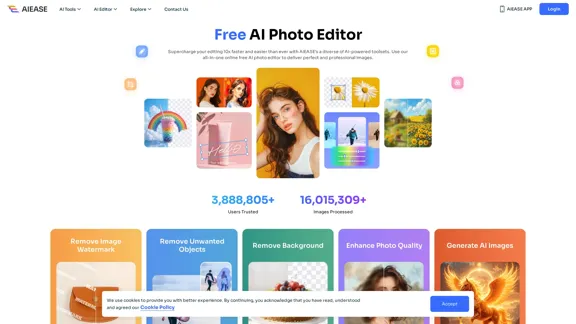
Powerful AI Photo Editor: Online Image Editing Tools
View Detail

Powerful AI Photo Editor: Online Image Editing Tools

Powerful AI Photo Editor: Online Image Editing Tools

Easily enhance and create product photos with our AI editing tools. Remove background, background generator, magic eraser, photo enhancer, and batch edit.

307.61 K
Scrape G2 Reviews and Download to Excel - Extract G2 Reviews Data Easily
View Detail

Scrape G2 Reviews and Download to Excel - Extract G2 Reviews Data Easily

Scrape G2 Reviews and Download to Excel - Extract G2 Reviews Data Easily

Instantly download G2 product reviews

193.90 M