Open-source RightAI Tools Directory
  • Discover AI
  • Submit
  • Startup
  • Blog
Open-source RightAI Tools Directory
Discover the best AI tools of 2025 with the RightAI Tools Directory!

Friend Links

AI Anime GeneratorToolsApp AI

Support

Tap4
Privacy policyTerms & ConditionsContact Us
Loading...
loading...

Conduit Copilot - AI analyst for business

Conduit is a Copilot AI for business owners. Think of it like a data analyst in a box, powered by AI.

Visit Website
Conduit Copilot - AI analyst for business
Visit Website

Introduction

Conduit Copilot is an AI-powered business tool designed for entrepreneurs and business owners. It simplifies data analysis and visualization by integrating GPT-powered AI tools. The platform connects, analyzes, and visualizes data from various sources such as Shopify, Square, and Facebook Ads, making it easier for users to gain insights from their business data.

Feature

Data Integration

Seamlessly connect and integrate live business data from various sources, including:

  • Salesforce
  • Shopify
  • Tableau
  • Snowflake

GPT-Powered AI Analysis

Utilize advanced AI tools to:

  • Analyze data
  • Visualize information
  • Build reports and dashboards with ease

Auto-Generate Formulas

Automatically create:

  • Powerful formulas
  • Pivot tables
  • Visualizations

All with simple text commands

Data Cleaning and Formatting

Robust formulas for:

  • Data cleaning
  • Formatting
  • Querying
  • Enriching
  • Analysis

Instant Business Insights

Get immediate insights into your business data using GPT-powered AI tools

User-Friendly Interface

  1. Sign up on the website
  2. Connect data sources (e.g., Shopify, Square)
  3. Ask questions about your data
  4. Receive instant insights and answers

Flexible Pricing

  • Free plan available
  • Paid plans starting at $29/month
  • Various options based on features and data storage needs

FAQ

What is Conduit Copilot?

Conduit Copilot is an AI-powered business tool that helps entrepreneurs and business owners analyze and visualize their data with ease. It integrates GPT-powered AI tools to connect, analyze, and visualize data from various sources.

How does Conduit Copilot work?

Conduit Copilot works by integrating GPT-powered AI tools to connect, analyze, and visualize data from various sources. Users can connect their business data sources, ask questions about their data, and receive instant insights and answers.

What are the benefits of using Conduit Copilot?

Benefits include:

  • Unparalleled data insights
  • Auto-generation of formulas
  • Advanced data cleaning and formatting capabilities
  • Easy-to-use interface
  • Integration with multiple data sources
  • GPT-powered AI analysis

Any tips for using Conduit Copilot effectively?

  1. Start with small datasets and gradually scale up
  2. Experiment with different formulas and visualizations
  3. Leverage the GPT-powered AI tools for instant insights and answers

Latest Traffic Insights

  • Monthly Visits

    193.90 M

  • Bounce Rate

    56.27%

  • Pages Per Visit

    2.71

  • Time on Site(s)

    115.91

  • Global Rank

    -

  • Country Rank

    -

Recent Visits

Traffic Sources

  • Social Media:
    0.48%
  • Paid Referrals:
    0.55%
  • Email:
    0.15%
  • Referrals:
    12.81%
  • Search Engines:
    16.21%
  • Direct:
    69.81%
More Data

Related Websites

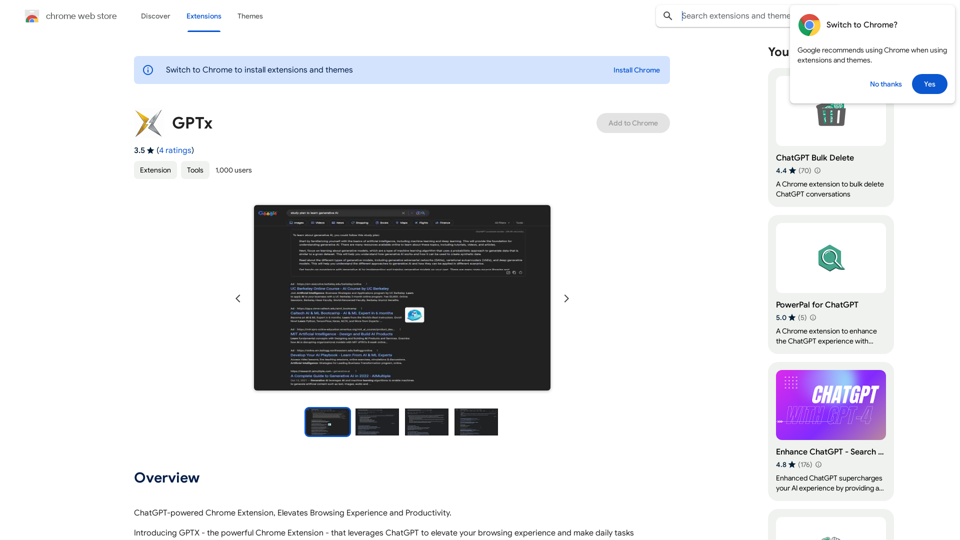
Free ChatGPT Sidebar Assistant (GPT-4, AIDraw)
View Detail

Free ChatGPT Sidebar Assistant (GPT-4, AIDraw)

Free ChatGPT Sidebar Assistant (GPT-4, AIDraw)

Free ChatGPT Sidebar Assistant is an AI chatbot developed based on OpenAI's ChatGPT 3.5 and 4 models.

193.90 M
Ask Your Bookmarks
View Detail

Ask Your Bookmarks

Ask Your Bookmarks

Simple and Smart Bookmark Manager. Great AI-powered search capability, find the bookmark you want with fuzzy descriptions.

193.90 M
Goal
View Detail

Goal

Goal

Website Created Using Create-React-App

168
Midjourney SREF Codes Library for Style Reference

What are SREF Codes?

SREF codes are special text strings used in Midjourney to quickly and easily apply specific artistic styles to your image generations. 

How to Use SREF Codes:

Simply add an SREF code to your Midjourney prompt. For example:

`/imagine a majestic dragon, SREF:cyberpunk`

SREF Code Library:

This library contains a collection of SREF codes categorized by style. 

* Art Styles:
    * `photorealistic`: Creates images with high levels of realism.
    * `impressionistic`:  Captures the essence of a scene with loose brushstrokes and vibrant colors.
    * `cubist`:  Breaks down objects into geometric shapes.
    * `surrealist`:  Creates dreamlike and fantastical images.
    * `abstract`:  Focuses on form, color, and composition rather than representational imagery.

* Visual Effects:
    * `cinematic`:  Gives images a cinematic look and feel.
    * `HDR`:  Creates images with high dynamic range, resulting in greater detail and contrast.
    * `neon`:  Adds vibrant neon lights to the image.
    * `pixel art`:  Generates images in a retro pixel art style.

* Other Styles:
    * `anime`:  Creates images in the style of Japanese animation.
    * `manga`:  Similar to anime, but with a more comic book aesthetic.
    * `sketch`:  Generates images that resemble pencil sketches.
    * `watercolor`:  Creates images with the look and feel of watercolor paintings.

Note: This is just a small sample of the many SREF codes available. 

Explore and Experiment:

The best way to learn about SREF codes is to experiment with them! Try combining different codes to create unique and interesting styles.
View Detail

Midjourney SREF Codes Library for Style Reference What are SREF Codes? SREF codes are special text strings used in Midjourney to quickly and easily apply specific artistic styles to your image generations. How to Use SREF Codes: Simply add an SREF code to your Midjourney prompt. For example: `/imagine a majestic dragon, SREF:cyberpunk` SREF Code Library: This library contains a collection of SREF codes categorized by style. * Art Styles: * `photorealistic`: Creates images with high levels of realism. * `impressionistic`: Captures the essence of a scene with loose brushstrokes and vibrant colors. * `cubist`: Breaks down objects into geometric shapes. * `surrealist`: Creates dreamlike and fantastical images. * `abstract`: Focuses on form, color, and composition rather than representational imagery. * Visual Effects: * `cinematic`: Gives images a cinematic look and feel. * `HDR`: Creates images with high dynamic range, resulting in greater detail and contrast. * `neon`: Adds vibrant neon lights to the image. * `pixel art`: Generates images in a retro pixel art style. * Other Styles: * `anime`: Creates images in the style of Japanese animation. * `manga`: Similar to anime, but with a more comic book aesthetic. * `sketch`: Generates images that resemble pencil sketches. * `watercolor`: Creates images with the look and feel of watercolor paintings. Note: This is just a small sample of the many SREF codes available. Explore and Experiment: The best way to learn about SREF codes is to experiment with them! Try combining different codes to create unique and interesting styles.

Midjourney SREF Codes Library for Style Reference What are SREF Codes? SREF codes are special text strings used in Midjourney to quickly and easily apply specific artistic styles to your image generations. How to Use SREF Codes: Simply add an SREF code to your Midjourney prompt. For example: `/imagine a majestic dragon, SREF:cyberpunk` SREF Code Library: This library contains a collection of SREF codes categorized by style. * Art Styles: * `photorealistic`: Creates images with high levels of realism. * `impressionistic`: Captures the essence of a scene with loose brushstrokes and vibrant colors. * `cubist`: Breaks down objects into geometric shapes. * `surrealist`: Creates dreamlike and fantastical images. * `abstract`: Focuses on form, color, and composition rather than representational imagery. * Visual Effects: * `cinematic`: Gives images a cinematic look and feel. * `HDR`: Creates images with high dynamic range, resulting in greater detail and contrast. * `neon`: Adds vibrant neon lights to the image. * `pixel art`: Generates images in a retro pixel art style. * Other Styles: * `anime`: Creates images in the style of Japanese animation. * `manga`: Similar to anime, but with a more comic book aesthetic. * `sketch`: Generates images that resemble pencil sketches. * `watercolor`: Creates images with the look and feel of watercolor paintings. Note: This is just a small sample of the many SREF codes available. Explore and Experiment: The best way to learn about SREF codes is to experiment with them! Try combining different codes to create unique and interesting styles.

Explore a list of 177 unique Midjourney sref codes and style references to find your perfect Midjourney sref code effect.

149.96 K
Seenopsi
View Detail

Seenopsi

Seenopsi

Send custom prompts, generate content, summarize links, entire web pages, YouTube videos, and code, and much more! All powered by GPT-4 ⚡️

193.90 M
Free Transcription Tool | Deepgram
View Detail

Free Transcription Tool | Deepgram

Free Transcription Tool | Deepgram

Easily convert your conversations, audio files, or YouTube videos into text for free with our advanced transcription tool.

835.16 K
Raycast Companion
View Detail

Raycast Companion

Raycast Companion

A browser extension to provide more context to Raycast

193.90 M
ChatGPT Snippet Saver

This is a simple tool to save snippets from your ChatGPT conversations. 

How to Use:

1.  Copy the text snippet you want to save from your ChatGPT conversation.
2.  Paste the text into the input box below.
3.  Click the "Save Snippet" button.

Your snippet will be saved to your local storage. You can access your saved snippets later by clicking the "View Saved Snippets" button.
View Detail

ChatGPT Snippet Saver This is a simple tool to save snippets from your ChatGPT conversations. How to Use: 1. Copy the text snippet you want to save from your ChatGPT conversation. 2. Paste the text into the input box below. 3. Click the "Save Snippet" button. Your snippet will be saved to your local storage. You can access your saved snippets later by clicking the "View Saved Snippets" button.

ChatGPT Snippet Saver This is a simple tool to save snippets from your ChatGPT conversations. How to Use: 1. Copy the text snippet you want to save from your ChatGPT conversation. 2. Paste the text into the input box below. 3. Click the "Save Snippet" button. Your snippet will be saved to your local storage. You can access your saved snippets later by clicking the "View Saved Snippets" button.

GPT Snippet Saver - Save Your Favorite ChatGPT Conversations Revolutionize how you gather and organize information from ChatGPT! - Effortlessly capture and store your most valuable ChatGPT interactions. - Organize your saved conversations by topic, date, or any custom tag. - Easily search and retrieve specific snippets from your saved history. - Share your favorite ChatGPT insights with others. - Never lose track of a brilliant idea or helpful response again.

193.90 M