Open-source RightAI Tools Directory
  • Discover AI
  • Submit
  • Startup
  • Blog
Open-source RightAI Tools Directory
Discover the best AI tools of 2025 with the RightAI Tools Directory!

Friend Links

AI Anime GeneratorToolsApp AI

Support

Tap4
Privacy policyTerms & ConditionsContact Us
Loading...
loading...

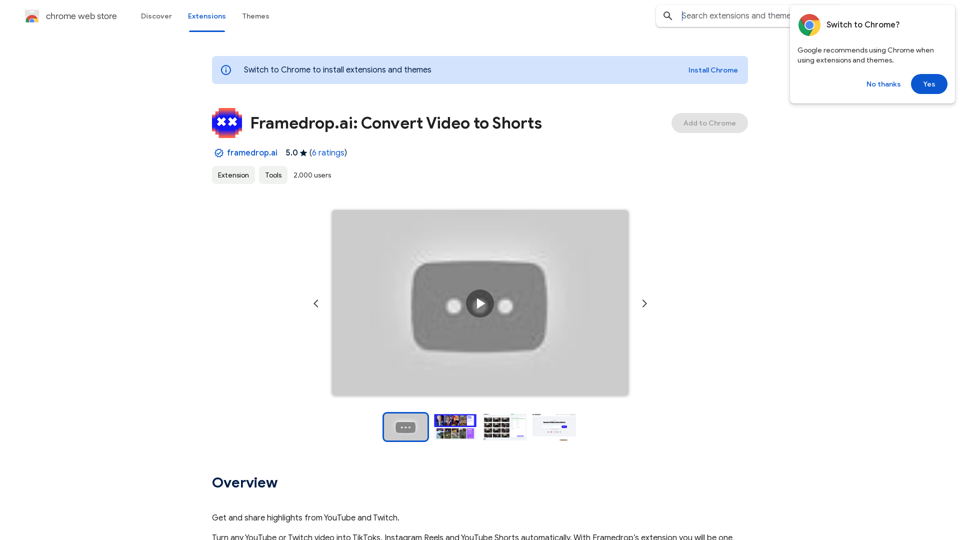
Framedrop.ai: Convert Video to Shorts

Get and share highlights from YouTube and Twitch.
Visit Website
Framedrop.ai: Convert Video to Shorts
Visit Website

Introduction

Framedrop.ai is a Chrome extension that revolutionizes content repurposing. It allows users to effortlessly convert YouTube and Twitch videos into short-form content suitable for platforms like TikTok, Instagram Reels, and YouTube Shorts. Utilizing AI technology, Framedrop.ai automatically detects video highlights and streamlines the content creation process, making it an invaluable tool for content creators and social media enthusiasts.

Feature

AI-Powered Highlight Detection

Framedrop.ai employs advanced AI technology to automatically identify highlights in various types of content, including talking segments, funny moments, and gaming plays.

Automatic Clip Labeling

The extension provides automatic labeling for clips, enabling users to quickly identify and categorize their content.

Versatile Layout Templates

Framedrop.ai offers a range of layout templates to ensure content fits seamlessly across different platforms.

Precision Trimming Tool

Users can fine-tune their clips with a powerful trimming tool, allowing for precise selection of start and end times.

Compilation Creation

The extension enables users to select multiple clips and combine them into engaging compilations.

Multilingual AI-Generated Subtitles

Framedrop.ai generates perfectly timed subtitles in over 25 languages using AI technology.

Editable Transcriptions

Users can easily edit subtitles by modifying the transcribed scripts of their clips.

Seamless Export Process

Content can be quickly shared across various social media platforms using a simple QR code scan.

Wide Game and Platform Support

Framedrop.ai supports popular games like Apex Legends, Call of Duty: Warzone, Fortnite, League of Legends, Rocket League, and Valorant, as well as major platforms such as YouTube and Twitch.

FAQ

What are the key benefits of using Framedrop.ai?

Framedrop.ai offers several advantages:

  • Time efficiency: Reduces content repurposing time by 90%
  • User-friendly interface: Provides a seamless experience with automatic highlight detection and clip labeling
  • Versatility: Supports a wide range of games and platforms
  • Cost-effectiveness: Offers affordable subscription options

How can I maximize my use of Framedrop.ai?

To get the most out of Framedrop.ai, take advantage of the daily free uses of GPT-4o document reading and Dalle's image generation. This allows you to explore a wide range of AI-powered tools for various tasks.

Is my data used for training purposes?

No, Framedrop.ai prioritizes user privacy and does not use user data for training. Users can delete their accounts at any time, and all associated data will be removed.

When should I consider a Framedrop.ai subscription?

If the 20 free GPT-4o conversations per day are insufficient for your needs and you heavily rely on GPT-4o, you may want to consider subscribing to Framedrop.ai's affordable products.

What are the system requirements for Framedrop.ai?

Framedrop.ai is a browser extension that can be used on any device with a Chrome browser, without any specific system requirements.

How do I get started with Framedrop.ai?

To begin using Framedrop.ai:

  1. Install the Chrome extension
  2. Follow the prompts to set up your account
  3. Start converting your YouTube and Twitch videos into short-form content for various platforms

Related Websites
AI Professional Headshot Pro on the App Store
View Detail

AI Professional Headshot Pro on the App Store

AI Professional Headshot Pro on the App Store

Introducing AI Professional Headshot Pro, the ultimate AI headshot generator designed to create stunning AI headshots and business photos effortlessly.

124.77 M
Picture To Summary AI - Get summary from image or picture by AI
View Detail

Picture To Summary AI - Get summary from image or picture by AI

Picture To Summary AI - Get summary from image or picture by AI

Picture To Summary AI is a tool for generating summaries from images or pictures.

5.16 K
Flux Tools: Comprehensive Guide to AI Image Creation and Editing
View Detail

Flux Tools: Comprehensive Guide to AI Image Creation and Editing

Flux Tools: Comprehensive Guide to AI Image Creation and Editing

Discover how Flux Tools transforms image generation and editing. Expert guide with hands-on experience, use cases, and best practices for creators.

0
BG Remover - Remove and Change Background
View Detail

BG Remover - Remove and Change Background

BG Remover - Remove and Change Background

With the AI-powered tool, you can easily remove the background from a photo, or further replace the transparent backdrop with colors.

193.90 M
Abacus.AI - Effortlessly Embed Cutting-Edge AI in Your Applications.
View Detail

Abacus.AI - Effortlessly Embed Cutting-Edge AI in Your Applications.

Abacus.AI - Effortlessly Embed Cutting-Edge AI in Your Applications.

Abacus.AI is the world’s first AI super assistant built on our state-of-the-art generative AI technology. Abacus Enterprise is a fully featured AI platform where AI, not humans, builds enterprise-scale applied AI systems and agents. ChatLLM is our AI super assistant for small teams and individuals.

3.84 M
Text to Voice Generator
==========================

A text-to-voice generator, also known as a text-to-speech (TTS) system, is a software that converts written text into a spoken voice output. This technology has been widely used in various applications, including virtual assistants, audiobooks, and language learning platforms.

How it Works
---------------

The process of generating voice from text involves several steps:

1. Text Analysis: The input text is analyzed to identify the language, syntax, and semantics.
2. Phonetic Transcription: The text is converted into a phonetic transcription, which represents the sounds of the spoken language.
3. Prosody Generation: The phonetic transcription is then used to generate the prosody, or rhythm and intonation, of the spoken voice.
4. Waveform Generation: The prosody and phonetic transcription are combined to generate the audio waveform, which is the final spoken voice output.

Types of Text-to-Voice Generators
-----------------------------------

There are two main types of text-to-voice generators:

Rule-Based Systems

These systems use a set of predefined rules to generate the spoken voice output. They are often limited in their ability to produce natural-sounding voices and may sound robotic.

Machine Learning-Based Systems

These systems use machine learning algorithms to learn from large datasets of spoken voices and generate more natural-sounding voices. They are often more advanced and can produce high-quality voice outputs.

Applications of Text-to-Voice Generators
-----------------------------------------

Text-to-voice generators have a wide range of applications, including:

Virtual Assistants

Virtual assistants, such as Siri and Alexa, use text-to-voice generators to respond to user queries.

Audiobooks

Text-to-voice generators can be used to create audiobooks from written texts, making it easier for people to access written content.

Language Learning

Language learning platforms use text-to-voice generators to provide pronunciation guidance and practice exercises for learners.

Accessibility

Text-to-voice generators can be used to assist people with disabilities, such as visual impairments, by providing an auditory interface to written content.
View Detail

Text to Voice Generator ========================== A text-to-voice generator, also known as a text-to-speech (TTS) system, is a software that converts written text into a spoken voice output. This technology has been widely used in various applications, including virtual assistants, audiobooks, and language learning platforms. How it Works --------------- The process of generating voice from text involves several steps: 1. Text Analysis: The input text is analyzed to identify the language, syntax, and semantics. 2. Phonetic Transcription: The text is converted into a phonetic transcription, which represents the sounds of the spoken language. 3. Prosody Generation: The phonetic transcription is then used to generate the prosody, or rhythm and intonation, of the spoken voice. 4. Waveform Generation: The prosody and phonetic transcription are combined to generate the audio waveform, which is the final spoken voice output. Types of Text-to-Voice Generators ----------------------------------- There are two main types of text-to-voice generators: Rule-Based Systems These systems use a set of predefined rules to generate the spoken voice output. They are often limited in their ability to produce natural-sounding voices and may sound robotic. Machine Learning-Based Systems These systems use machine learning algorithms to learn from large datasets of spoken voices and generate more natural-sounding voices. They are often more advanced and can produce high-quality voice outputs. Applications of Text-to-Voice Generators ----------------------------------------- Text-to-voice generators have a wide range of applications, including: Virtual Assistants Virtual assistants, such as Siri and Alexa, use text-to-voice generators to respond to user queries. Audiobooks Text-to-voice generators can be used to create audiobooks from written texts, making it easier for people to access written content. Language Learning Language learning platforms use text-to-voice generators to provide pronunciation guidance and practice exercises for learners. Accessibility Text-to-voice generators can be used to assist people with disabilities, such as visual impairments, by providing an auditory interface to written content.

Text to Voice Generator ========================== A text-to-voice generator, also known as a text-to-speech (TTS) system, is a software that converts written text into a spoken voice output. This technology has been widely used in various applications, including virtual assistants, audiobooks, and language learning platforms. How it Works --------------- The process of generating voice from text involves several steps: 1. Text Analysis: The input text is analyzed to identify the language, syntax, and semantics. 2. Phonetic Transcription: The text is converted into a phonetic transcription, which represents the sounds of the spoken language. 3. Prosody Generation: The phonetic transcription is then used to generate the prosody, or rhythm and intonation, of the spoken voice. 4. Waveform Generation: The prosody and phonetic transcription are combined to generate the audio waveform, which is the final spoken voice output. Types of Text-to-Voice Generators ----------------------------------- There are two main types of text-to-voice generators: Rule-Based Systems These systems use a set of predefined rules to generate the spoken voice output. They are often limited in their ability to produce natural-sounding voices and may sound robotic. Machine Learning-Based Systems These systems use machine learning algorithms to learn from large datasets of spoken voices and generate more natural-sounding voices. They are often more advanced and can produce high-quality voice outputs. Applications of Text-to-Voice Generators ----------------------------------------- Text-to-voice generators have a wide range of applications, including: Virtual Assistants Virtual assistants, such as Siri and Alexa, use text-to-voice generators to respond to user queries. Audiobooks Text-to-voice generators can be used to create audiobooks from written texts, making it easier for people to access written content. Language Learning Language learning platforms use text-to-voice generators to provide pronunciation guidance and practice exercises for learners. Accessibility Text-to-voice generators can be used to assist people with disabilities, such as visual impairments, by providing an auditory interface to written content.

Generate Voice from Text on Any Web Page With the advancement of technology, it is now possible to generate voice from text on any web page. This feature is particularly useful for people who prefer listening to content rather than reading it. Here's how you can do it: #Method 1: Using Browser Extension You can use a browser extension like Read Aloud or SpeakIt! to generate voice from text on any web page. These extensions are available for both Google Chrome and Mozilla Firefox browsers. #Method 2: Using Online Tools There are several online tools available that can convert text to speech. Some popular tools include NaturalReader, Voice Dream Reader, and Google Text-to-Speech. You can copy and paste the text from any web page into these tools to generate voice. #Method 3: Using Screen Reader If you are using a Windows operating system, you can use the built-in Narrator screen reader to generate voice from text on any web page. For Mac users, you can use VoiceOver. By using any of these methods, you can easily generate voice from text on any web page and enjoy a more convenient and accessible reading experience.

193.90 M
InstaApply
View Detail

InstaApply

InstaApply

Maximize your job search on LinkedIn. Apply to hundreds of jobs quickly and easily, unlocking your career potential.

193.90 M
Toggle Terminal – Bring data to life with natural language
View Detail

Toggle Terminal – Bring data to life with natural language

Toggle Terminal – Bring data to life with natural language

Bid farewell to outdated terminals and cumbersome, antiquated interfaces. Our institutional-grade analytical tools spring into action, ready to serve you, simply by asking questions in everyday language.

0