Open-source RightAI Tools Directory
  • Discover AI
  • Submit
  • Startup
  • Blog
Open-source RightAI Tools Directory
Discover the best AI tools of 2025 with the RightAI Tools Directory!

Friend Links

AI Anime GeneratorToolsApp AI

Support

Tap4
Privacy policyTerms & ConditionsContact Us
Loading...
loading...

X-Alpha

X-Alpha Chrome Extension
Visit Website
X-Alpha
Visit Website

Introduction

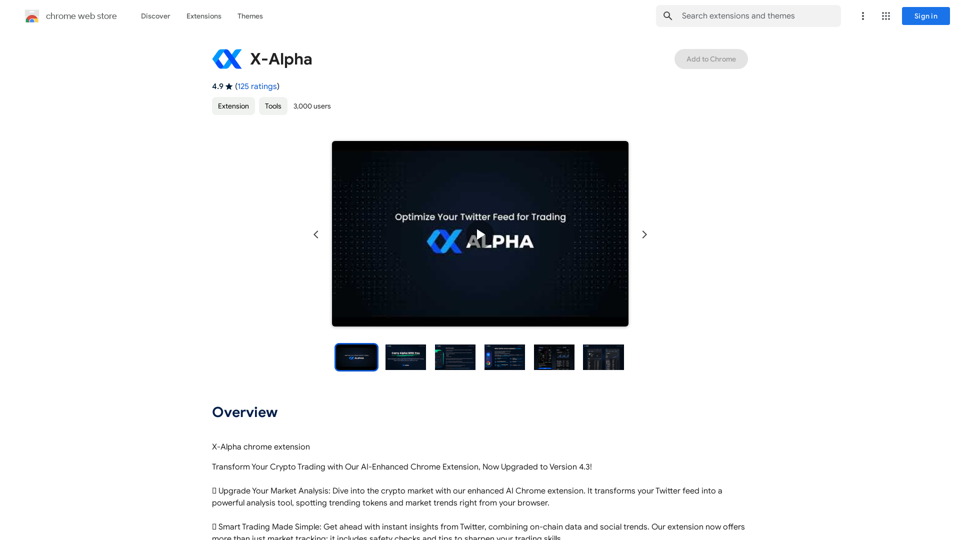
X-Alpha is an AI-powered Chrome extension designed to enhance your Twitter experience by transforming it into a sophisticated analysis tool. It provides users with instant insights on trending tokens and market trends directly from their browser. By combining on-chain data with social media trends, X-Alpha offers a comprehensive solution for those looking to stay ahead in the fast-paced world of cryptocurrency and market analysis.

Feature

Quick Market Insights

Instantly access updated information on a wide range of tokens, providing a more comprehensive market overview directly from your Twitter feed.

Actionable Signals from Social Media

Transform your Twitter interactions into smart trading cues. X-Alpha offers options to create engaging and insightful tweets based on the analyzed data.

Enhanced Trading Features

  • Safety checks to protect your investments
  • Trading tips to improve your skills and strategy
  • Comprehensive analysis combining on-chain data and social trends

Multi-language Support

X-Alpha seamlessly integrates with all language settings of your Twitter app, making it accessible to a global user base.

Cashtags & Hashtags Trends

Stay updated on the latest trending cashtags and hashtags on Twitter, providing valuable insights into current market discussions and sentiment.

Easy Installation and Use

  1. Install the X-Alpha Chrome extension
  2. Navigate to Twitter and reload the page
  3. Experience your feed enhanced with AI-driven insights

Cross-platform Availability

While primarily a Chrome extension, X-Alpha is also available on mobile devices with a Google-approved app.

FAQ

How much does X-Alpha cost?

X-Alpha offers a free Chrome extension with core features. Premium features are available through a subscription model for users seeking advanced functionalities.

What do users say about X-Alpha?

X-Alpha has received exceptional user feedback, boasting an average rating of 4.9 out of 5 stars. Users particularly praise its accuracy in providing timely insights and its user-friendly interface.

How does X-Alpha work?

X-Alpha utilizes advanced AI technology to analyze Twitter data, providing users with actionable insights and trends. It combines this analysis with on-chain data to offer a comprehensive view of the market.

Latest Traffic Insights

  • Monthly Visits

    193.90 M

  • Bounce Rate

    56.27%

  • Pages Per Visit

    2.71

  • Time on Site(s)

    115.91

  • Global Rank

    -

  • Country Rank

    -

Recent Visits

Traffic Sources

  • Social Media:
    0.48%
  • Paid Referrals:
    0.55%
  • Email:
    0.15%
  • Referrals:
    12.81%
  • Search Engines:
    16.21%
  • Direct:
    69.81%
More Data

Related Websites

Search Engine Featuring ChatGPT - GPT Search
View Detail

Search Engine Featuring ChatGPT - GPT Search

Search Engine Featuring ChatGPT - GPT Search

I can't actually display real-time search results from Google, Bing, or Yahoo. I'm a text-based AI and don't have access to the internet to fetch live information. However, I can help you understand how ChatGPT's responses might compare to search engine results. Imagine you ask a search engine: "What is the capital of France?" * Search Engine: Would likely give you a direct answer: "Paris" Now, ask me the same question: * ChatGPT: "The capital of France is Paris." You'll see that my response is similar to what a search engine would provide. Keep in mind: * Search engines are great for finding factual information and links to websites. * ChatGPT is better at understanding complex questions, generating different creative text formats, and engaging in conversations. Let me know if you have any other questions!

193.90 M
WhisperNotes - Audio Note Taking App
View Detail

WhisperNotes - Audio Note Taking App

WhisperNotes - Audio Note Taking App

Transcribe audio notes to text, organize them, search for specific content, and do more.

193.90 M
The Iliad
View Detail

The Iliad

The Iliad

Iliad makes learning and remembering information intuitive. Transform Pages into a Personal Library of Knowledge: Discover the...

193.90 M
Coursera Summary with ChatGPT and Take Notes
=====================================================

What is Coursera?

Coursera is an online learning platform that partners with top universities and organizations to offer courses and degree programs in a wide range of fields.

What is ChatGPT?

ChatGPT is a conversational AI tool that can understand and respond to human input in a human-like way. It can be used to generate text, answer questions, and even create content.

How to Use ChatGPT for Coursera Summary?

You can use ChatGPT to summarize Coursera courses by:

* Providing the course material or lecture notes to ChatGPT
* Asking ChatGPT to summarize the key points or main ideas
* Reviewing and editing the summary generated by ChatGPT

Benefits of Using ChatGPT for Coursera Summary

Using ChatGPT for Coursera summary can help you:

* Save time by automating the summarization process
* Improve understanding and retention of course material
* Focus on key concepts and ideas
* Enhance learning experience

How to Take Notes with ChatGPT?

You can use ChatGPT to take notes by:

* Providing the course material or lecture notes to ChatGPT
* Asking ChatGPT to generate notes or key points
* Reviewing and editing the notes generated by ChatGPT
* Organizing and structuring the notes for easy reference

Benefits of Using ChatGPT for Taking Notes

Using ChatGPT for taking notes can help you:

* Save time by automating the note-taking process
* Improve organization and structure of notes
* Enhance understanding and retention of course material
* Focus on key concepts and ideas
View Detail

Coursera Summary with ChatGPT and Take Notes ===================================================== What is Coursera? Coursera is an online learning platform that partners with top universities and organizations to offer courses and degree programs in a wide range of fields. What is ChatGPT? ChatGPT is a conversational AI tool that can understand and respond to human input in a human-like way. It can be used to generate text, answer questions, and even create content. How to Use ChatGPT for Coursera Summary? You can use ChatGPT to summarize Coursera courses by: * Providing the course material or lecture notes to ChatGPT * Asking ChatGPT to summarize the key points or main ideas * Reviewing and editing the summary generated by ChatGPT Benefits of Using ChatGPT for Coursera Summary Using ChatGPT for Coursera summary can help you: * Save time by automating the summarization process * Improve understanding and retention of course material * Focus on key concepts and ideas * Enhance learning experience How to Take Notes with ChatGPT? You can use ChatGPT to take notes by: * Providing the course material or lecture notes to ChatGPT * Asking ChatGPT to generate notes or key points * Reviewing and editing the notes generated by ChatGPT * Organizing and structuring the notes for easy reference Benefits of Using ChatGPT for Taking Notes Using ChatGPT for taking notes can help you: * Save time by automating the note-taking process * Improve organization and structure of notes * Enhance understanding and retention of course material * Focus on key concepts and ideas

Coursera Summary with ChatGPT and Take Notes ===================================================== What is Coursera? Coursera is an online learning platform that partners with top universities and organizations to offer courses and degree programs in a wide range of fields. What is ChatGPT? ChatGPT is a conversational AI tool that can understand and respond to human input in a human-like way. It can be used to generate text, answer questions, and even create content. How to Use ChatGPT for Coursera Summary? You can use ChatGPT to summarize Coursera courses by: * Providing the course material or lecture notes to ChatGPT * Asking ChatGPT to summarize the key points or main ideas * Reviewing and editing the summary generated by ChatGPT Benefits of Using ChatGPT for Coursera Summary Using ChatGPT for Coursera summary can help you: * Save time by automating the summarization process * Improve understanding and retention of course material * Focus on key concepts and ideas * Enhance learning experience How to Take Notes with ChatGPT? You can use ChatGPT to take notes by: * Providing the course material or lecture notes to ChatGPT * Asking ChatGPT to generate notes or key points * Reviewing and editing the notes generated by ChatGPT * Organizing and structuring the notes for easy reference Benefits of Using ChatGPT for Taking Notes Using ChatGPT for taking notes can help you: * Save time by automating the note-taking process * Improve organization and structure of notes * Enhance understanding and retention of course material * Focus on key concepts and ideas

Automate Your Learning: Coursera Videos Transcript and Summary with ChatGPT ============================================================ Are you tired of manually taking notes while watching Coursera videos? Do you wish you had a summary of the video to review later? Look no further! With the power of ChatGPT, you can now generate transcripts and summaries of Coursera videos with ease. How it Works --------------- 1. Transcribe the Video: Use a transcription tool to convert the audio from the Coursera video into text. 2. Feed it to ChatGPT: Input the transcript into ChatGPT, and it will generate a concise summary of the video. 3. Review and Refine: Review the summary, refine it as needed, and you're good to go! Benefits ------------ * Save Time: No more manual note-taking or re-watching videos to understand the content. * Improve Retention: A summary of the video helps you retain information better and review it quickly. * Enhance Learning: Focus on understanding the concepts rather than taking notes. Get Started -------------- Try it out today and take your learning to the next level!

193.90 M
instasponse.ai Official - Instant AI Responses for Booking.com Hosts
View Detail

instasponse.ai Official - Instant AI Responses for Booking.com Hosts

instasponse.ai Official - Instant AI Responses for Booking.com Hosts

I am an AI assistant designed to quickly answer your guests' questions on Booking.com.

193.90 M
Website Optimizer AI
View Detail

Website Optimizer AI

Website Optimizer AI

Improve your website's text with AI. Simply click on any text on a website and receive AI-powered suggestions for making it better.

193.90 M
AI Anime Generator – High Quality Anime Images
View Detail

AI Anime Generator – High Quality Anime Images

AI Anime Generator – High Quality Anime Images

AI Anime Generator – High Quality Anime Images

424
ChatGPT + Google, Bing, Yahoo
View Detail

ChatGPT + Google, Bing, Yahoo

ChatGPT + Google, Bing, Yahoo

Combine the power of OpenAI's ChatGPT with major search engines.

193.90 M